
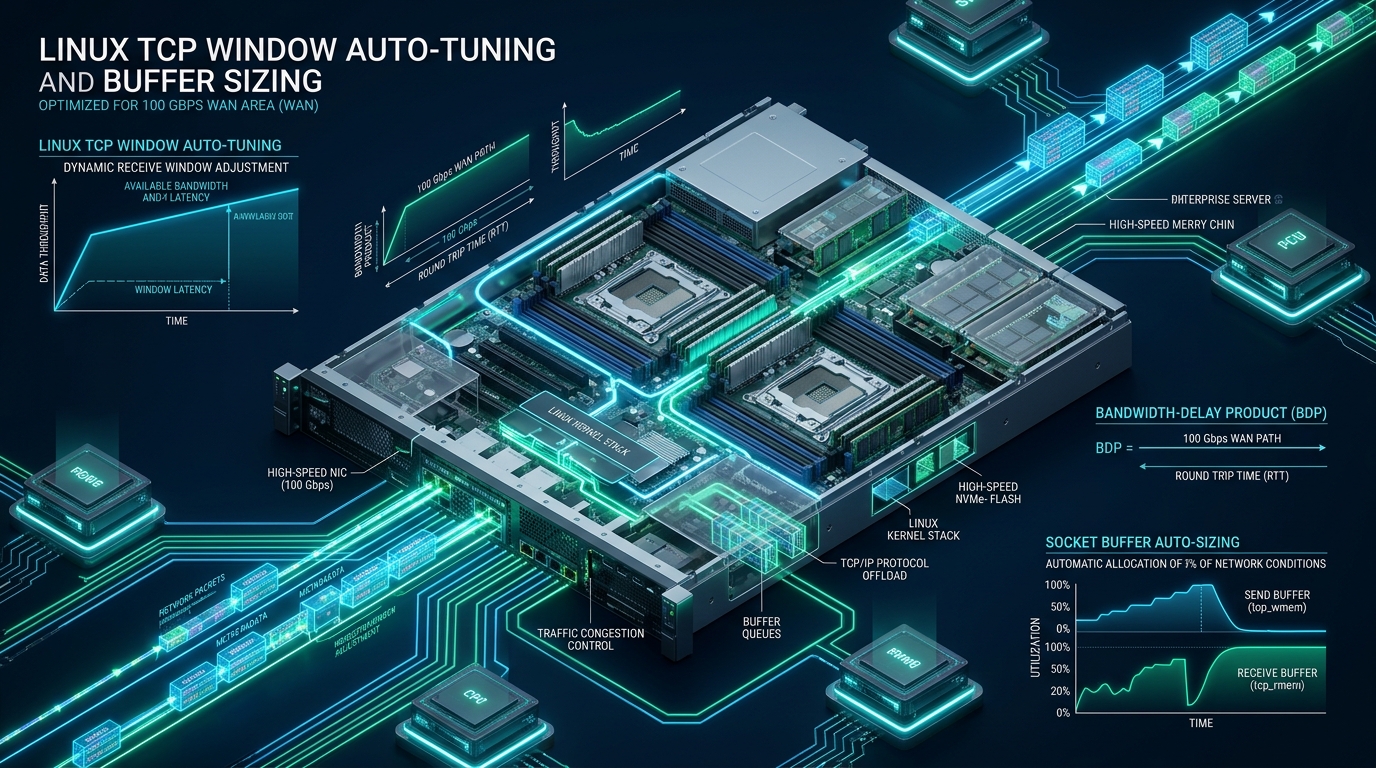
When enterprise infrastructure migrates from 10 Gbps to 100 Gbps Wide Area Network (WAN) fabrics, network engineers and systems architects frequently encounter a perplexing performance wall: single-stream transfers stall at a trivial 1 to 3 Gbps despite a pristine, unconstrained physical fiber link. This throughput collapse is rarely caused by switch backplane saturation or NIC transceiver limits; rather, it stems from the fundamental physics of the Bandwidth-Delay Product (BDP) constrained by stock Linux kernel socket buffer caps and conservative auto-tuning algorithms. At CpanelFree, high-speed multi-region asset replication and edge ingress demand that every layer of the Linux networking stack operates at wire speed. By mastering Linux TCP window auto-tuning, calculating deterministic buffer ceilings, deploying paced fair queueing, and eliminating cross-NUMA PCIe bottlenecks, systems engineers can achieve true 100 Gbps single-stream saturation across intercontinental round-trip latencies.
What Is Linux TCP Window Auto-Tuning at 100 Gbps WAN Scale?
tcp_rmem) and send (tcp_wmem) buffers based on real-time path bandwidth and round-trip time. On 100 Gbps WAN links with high latency, default 4MB–6MB limits starve the connection; expanding buffers to 256MB–512MB and enabling BBR pacing unlocks full line-rate throughput.To understand why default Linux network stacks fail on high-speed long-haul links, one must examine the classical Long-Fat Network (LFN, pronounced elefan) problem. In TCP communication, a sender cannot transmit more unacknowledged data than the receiver’s advertised receive window (rcv_wnd) or the sender’s congestion window (cwnd). The maximum volume of data that can be in flight across the network at any single microsecond is dictated by the Bandwidth-Delay Product:
Consider a standard 100 Gbps WAN link connecting data centers between Frankfurt and Ashburn with an average Round-Trip Time (RTT) of 80 milliseconds. Computing the BDP reveals the exact volume of inflight data required to keep the link fully utilized:
If the Linux kernel caps the maximum socket receive buffer at the default 4 MiB (4,194,304 bytes) or 6 MiB, the mathematical ceiling on single-stream throughput becomes:
Under default settings, the server wastes over 99.5% of the physical 100 Gbps circuit capacity simply because the sender is constantly forced to pause transmission while waiting for TCP acknowledgments (ACKs) to traverse the transatlantic fiber. To bridge this divide, the kernel must be configured with buffer limits proportional to the true BDP, supported by modern TCP Window Scaling (RFC 7323) and high-performance congestion control.
Memory Mechanics: Socket Buffers, Truesize, and Kernel Page Overhead
Configuring multi-hundred-megabyte TCP buffers requires a granular understanding of how the Linux kernel allocates network memory. A common architectural fallacy is assuming that setting a 256 MiB buffer consumes exactly 256 MiB of network payload memory in the socket queue.
In the Linux network subsystem, every arriving packet is encapsulated in a kernel control structure called struct sk_buff (socket buffer metadata), paired with fragmented page allocations. The total memory consumed by a packet is tracked by the kernel as its truesize. Due to memory alignment, packet header overhead (Ethernet, IPv4/IPv6, TCP options), and memory slab padding, the ratio of actual packet payload to total kernel memory allocation is governed by the sysctl parameter net.ipv4.tcp_adv_win_scale:
- Default Behavior (tcp_adv_win_scale = 1): The kernel reserves
1 / (2^1) = 50%of the socket buffer for kernel data structure overhead (sk_buff, page descriptors, reassembly queues), while advertising the remaining 50% to the remote peer as the usable receive window. Consequently, to advertise a 500 MB receive window, the system must allocate 1,000 MB (1 GB) of socket memory. - Optimized Behavior (tcp_adv_win_scale = 2): The kernel reserves
1 / (2^2) = 25%for structural overhead, allowing 75% of the allocated buffer to be advertised as the TCP window. This is highly effective when MTU 9000 (Jumbo Frames) is deployed, significantly reducing the ratio of header overhead to payload bytes.
tcp_rmem and tcp_wmem) are specified in raw bytes, whereas the global network memory ceiling (tcp_mem) is strictly configured in system memory pages (typically 4096 bytes per page on x86_64). Misinterpreting this distinction will either crash the server with an immediate kernel Out-Of-Memory (OOM) panic or choke the network stack under artificial memory pressure.Comparative Matrix: Standard Kernel vs. 100 Gbps Tuned Production Stack
The comparative matrix below illustrates the architectural differences and empirical performance metrics between a standard Linux kernel installation (such as stock Ubuntu 24.04 LTS or RHEL 9) and an enterprise-tuned 100 Gbps WAN production profile:
Production Kernel Configuration: /etc/sysctl.d/99-tcp-100gbps.conf
To implement deterministic 100 Gbps WAN auto-tuning, the kernel sysctl parameters must be aligned to handle immense socket memory allocations, prevent buffer bloat via pacing, and safeguard against sequence number wrap-around. Deploy the following production-hardened configuration file:
# ==============================================================================
# Enterprise 100 Gbps WAN TCP Optimization Profile
# Designed for High-BDP Transcontinental and Cross-Cloud Links
# File Location: /etc/sysctl.d/99-tcp-100gbps.conf
# ==============================================================================

# ------------------------------------------------------------------------------
# 1. CORE SOCKET MEMORY CEILINGS (Bytes)
# ------------------------------------------------------------------------------
# Maximum OS receive and send buffer sizes across all socket types
net.core.rmem_max = 536870912
net.core.wmem_max = 536870912

# Default initial buffer sizes for standard sockets (64 MiB)
net.core.rmem_default = 67108864
net.core.wmem_default = 67108864

# Maximum memory buffer size for ancillary socket options (e.g. IP_PKTINFO, BPF)
net.core.optmem_max = 4194304

# Maximum number of packets queued on the input side when the interface
# receives packets faster than the kernel can process them (prevent drops)
net.core.netdev_max_backlog = 500000

# Maximum queue length of pending connections in listen() state
net.core.somaxconn = 65535

# ------------------------------------------------------------------------------
# 2. TCP AUTO-TUNING BUFFER SIZES (Bytes: min default max)
# ------------------------------------------------------------------------------
# Vector format: min (per-socket floor), default (initial window), max (BDP ceiling)
# Min: 4KB | Default: 87KB | Max: 512MB (536,870,912 Bytes)
net.ipv4.tcp_rmem = 4096 87380 536870912
net.ipv4.tcp_wmem = 4096 65536 536870912

# ------------------------------------------------------------------------------
# 3. GLOBAL TCP MEMORY ALLOCATION (System Pages: 4096 bytes per page)
# ------------------------------------------------------------------------------
# Calculations for 128 GB RAM host (dedicating up to 32 GB max to TCP):
# Vector: min pressure max (in 4K pages)
# min: 2,097,152 pages (8 GiB)
# pressure: 4,194,304 pages (16 GiB - throttling commences)
# max: 8,388,608 pages (32 GiB - absolute hard cap)
net.ipv4.tcp_mem = 2097152 4194304 8388608

# ------------------------------------------------------------------------------
# 4. CONGESTION CONTROL AND QUEUEING DISCIPLINE
# ------------------------------------------------------------------------------
# Fair Queueing (FQ) is mandatory for hardware/kernel packet pacing
net.core.default_qdisc = fq

# Deploy Google BBR (Bottleneck Bandwidth and RTT)
net.ipv4.tcp_congestion_control = bbr

# Limit amount of unsent data in the write queue to prevent local bufferbloat
# 16KB allows optimal pacing without wasting kernel memory in socket queues
net.ipv4.tcp_notsent_lowat = 16384

# ------------------------------------------------------------------------------
# 5. TCP PROTOCOL INTEGRITY & SCALING EXTENSIONS
# ------------------------------------------------------------------------------
# Enable TCP Window Scaling (RFC 7323) - MANDATORY for windows > 64KB
net.ipv4.tcp_window_scaling = 1

# Enable TCP Timestamps (RFC 7323) - MANDATORY for PAWS on 100G networks
net.ipv4.tcp_timestamps = 1

# Enable Selective Acknowledgments (RFC 2018) for efficient loss recovery
net.ipv4.tcp_sack = 1
net.ipv4.tcp_dsack = 1

# Disable TCP slow start restart after idle to maintain full congestion window
net.ipv4.tcp_slow_start_after_idle = 0

# Enable Path MTU Discovery and dynamic MTU probing
net.ipv4.tcp_mtu_probing = 1

# Adjust buffer advertising ratio (2 = 25% overhead, 75% advertised window)
net.ipv4.tcp_adv_win_scale = 2
To commit and activate these sysctl directives dynamically without interrupting existing network connections, execute:
sudo sysctl --systemnet.ipv4.tcp_timestamps = 1) are non-negotiable at 100 Gbps. At 100 Gbps line rate, a 32-bit TCP sequence space (4.29 billion bytes) wraps in approximately 343 milliseconds! Without Protection Against Wrapped Sequence Numbers (PAWS) provided by timestamps, old delayed packets will be accepted as valid new data or cause catastrophic connection drops.Hardware NIC Tuning, Ring Buffers, and Offload Automation
Sysctl parameters establish the theoretical boundaries within the kernel, but physical Network Interface Cards (such as Mellanox ConnectX-6 Dx / ConnectX-7, Intel E810, or Broadcom Thor) must be tuned to process 100 million packets per second without dropping frames at the PCIe bus level.
Default NIC ring buffer sizes (typically 512 or 1024 descriptors) are incapable of absorbing the micro-bursts inherent to 100 Gbps traffic, resulting in silent RX/TX ring buffer overflows before the kernel driver even receives an interrupt. Save the following production tuning script to /usr/local/sbin/tune-100g-nic.sh:
#!/usr/bin/env bash
# ==============================================================================
# Enterprise 100 Gbps NIC Hardware and Offload Tuning Script
# Path: /usr/local/sbin/tune-100g-nic.sh
# ==============================================================================
set -euo pipefail

INTERFACE="${1:-enp65s0f0np0}"

if [ ! -d "/sys/class/net/${INTERFACE}" ]; then
  echo "[-] Network interface ${INTERFACE} not found. Exiting." >&2
  exit 1
fi

echo "[+] Optimizing 100 Gbps interface: ${INTERFACE}"

# 1. Expand hardware RX/TX ring buffers to maximum descriptor capacity
MAX_RX=$(ethtool -g "${INTERFACE}" | awk '/Pre-set maximums:/,/RX:/' | awk '/RX:/ {print $2}' | tail -n1)
MAX_TX=$(ethtool -g "${INTERFACE}" | awk '/Pre-set maximums:/,/TX:/' | awk '/TX:/ {print $2}' | tail -n1)
echo "[+] Setting Ring Buffers: RX=${MAX_RX}, TX=${MAX_TX}"
ethtool -G "${INTERFACE}" rx "${MAX_RX}" tx "${MAX_TX}"

# 2. Configure hardware offload engines
echo "[+] Enabling Hardware Offload Acceleration"
ethtool -K "${INTERFACE}" \
  tso on \
  gso on \
  gro on \
  rx-checksumming on \
  tx-checksumming on \
  lro off

# 3. Optimize interrupt coalescing (Adaptive moderation with microsecond clamp)
echo "[+] Tuning Adaptive Interrupt Coalescing"
ethtool -C "${INTERFACE}" \
  adaptive-rx on \
  adaptive-tx on \
  rx-usecs 16 \
  tx-usecs 16 \
  rx-frames 64 \
  tx-frames 64

# 4. Enlarge interface transmit queue length
echo "[+] Setting interface txqueuelen to 20000"
ip link set dev "${INTERFACE}" txqueuelen 20000

# 5. Enable MTU 9000 (Jumbo Frames) if WAN path supports it
if [ "${ENABLE_JUMBO:-0}" -eq 1 ]; then
  echo "[+] Configuring MTU 9000 (Jumbo Frames)"
  ip link set dev "${INTERFACE}" mtu 9000
fi

echo "[+] Successfully tuned ${INTERFACE} for 100 Gbps line-rate operation."
Make the script executable: sudo chmod +x /usr/local/sbin/tune-100g-nic.sh. Next, ensure these settings persist deterministically across system reboots by establishing a dedicated systemd service at /etc/systemd/system/nic-100g-tuning.service:
[Unit]
Description=100 Gbps Network Interface Hardware Tuning Service
After=network-online.target
Wants=network-online.target

[Service]
Type=oneshot
RemainAfterExit=yes
ExecStart=/usr/local/sbin/tune-100g-nic.sh enp65s0f0np0

[Install]
WantedBy=multi-user.target
Enable and start the service:
sudo systemctl daemon-reload
sudo systemctl enable --now nic-100g-tuning.service
NUMA Architecture and PCIe Interrupt Locality
At 100 Gbps speeds, memory bandwidth across dual-socket systems (such as dual AMD EPYC or Intel Xeon Scalable nodes) becomes a hidden performance killer. A 100 Gbps NIC running at line rate generates up to 12.5 Gigabytes per second of raw data transfer via Direct Memory Access (DMA).
If the PCIe card is seated in a slot wired to NUMA Node 0, but the kernel processes interrupts on CPU cores belonging to NUMA Node 1, every network packet must traverse the inter-socket interconnect (AMD Infinity Fabric or Intel UPI). This cross-socket hop introduces 150–250 nanoseconds of latency per packet, saturates the CPU interconnect bus, and thrashes the L3 processor cache:
cat /sys/class/net/enp65s0f0np0/device/numa_node. If the result is Node 0, bind your high-throughput userspace application and IRQ affinities strictly to Cores on Node 0 using numactl --cpunodebind=0 --membind=0.Empirical Validation: High-Throughput Benchmarking with iperf3
Validating 100 Gbps WAN auto-tuning requires careful test orchestration. Standard single-stream tests with default socket allocations will fail to exercise the tuned BDP ceilings. Use the following structured testing methodology with iperf3:
On the receiver node (acting as the WAN target):
# Launch iperf3 server pinned to NUMA node 0
numactl --cpunodebind=0 --membind=0 iperf3 -s -p 5201
On the sender node (initiating the high-BDP WAN transfer):
# Execute a 30-second single-stream test using BBR congestion control and 256MB window
iperf3 -c 198.51.100.10 \
  -p 5201 \
  -C bbr \
  -w 256M \
  -i 1 \
  -t 30 \
  -V
While the test runs, inspect real-time kernel TCP state, advertised window size, and pacing rates using the ss diagnostic utility:
ss -tinmo 'sport = :5201 or dport = :5201'Examine the diagnostic output fields:
cwnd:Congestion window count in segments. At line rate on an 80ms RTT path with MTU 9000, this value should expand beyond10,000packets.wscale:Window scale factor negotiated during the SYN handshake (typicallywscale:14,14), allowing window announcements up to 1 GiB.pacing_rate:Kernel FQ pacing speed. With BBR active, this will report values exceeding94.5Gbps, proving that the kernel is smoothly scheduling packet delivery without triggering switch buffer drops.
Frequently Asked Questions
Why does my single-stream iperf3 test cap at 2.4 Gbps on a 100 Gbps WAN link with 60ms latency?
A 2.4 Gbps ceiling on a 60ms link corresponds mathematically to a window limitation of ~18 MiB. When default Linux buffer ceilings (such as net.core.rmem_max or tcp_rmem) restrict the socket buffer to default values, the sender cannot keep enough data in flight to fill the Bandwidth-Delay Product pipe. Expanding tcp_rmem and tcp_wmem to 256MB or 512MB immediately removes this artificial ceiling.
What is the memory risk of configuring tcp_rmem max to 512MB on high-concurrency servers?
The third value in tcp_rmem represents the absolute maximum ceiling that an individual socket can reach via dynamic auto-tuning; it is not pre-allocated for every connection. However, if a server handles 10,000 concurrent active connections and network conditions prompt all of them to expand their buffers, memory exhaustion can occur. For high-concurrency edge servers, tune tcp_rmem max to 32MB–64MB while reserving 512MB–1GB allocations for dedicated point-to-point replication and storage transfer nodes.
Why is Fair Queueing (sch_fq) required when running Google BBR on 100G networks?
Google BBR relies fundamentally on pacing packet transmission over time rather than releasing bursts of packets upon receiving ACKs. The Linux sch_fq queueing discipline implements hardware- and software-enforced per-flow pacing. Without sch_fq, packets are transmitted in uncontrolled line-rate micro-bursts, causing intermediate switch buffer overflows and catastrophic packet drops along the WAN path.
How do MTU 9000 (Jumbo Frames) interact with TCP buffer sizing and CPU utilization?
Standard MTU 1500 requires approximately 8.2 million packets per second to sustain 100 Gbps line rate, placing immense interrupt and memory copy burdens on CPU cores. Jumbo Frames (MTU 9000) reduce the required packet rate by a factor of six to ~1.38 million packets per second. Furthermore, larger payloads reduce the sk_buff metadata overhead ratio, enabling tcp_adv_win_scale = 2 to allocate 75% of socket memory directly to usable data transfer windows.
Ready to Deploy High-Performance Infrastructure?
Experience blazing-fast NVMe storage, unmetered bandwidth, and enterprise LiteSpeed caching on CpanelFree.