
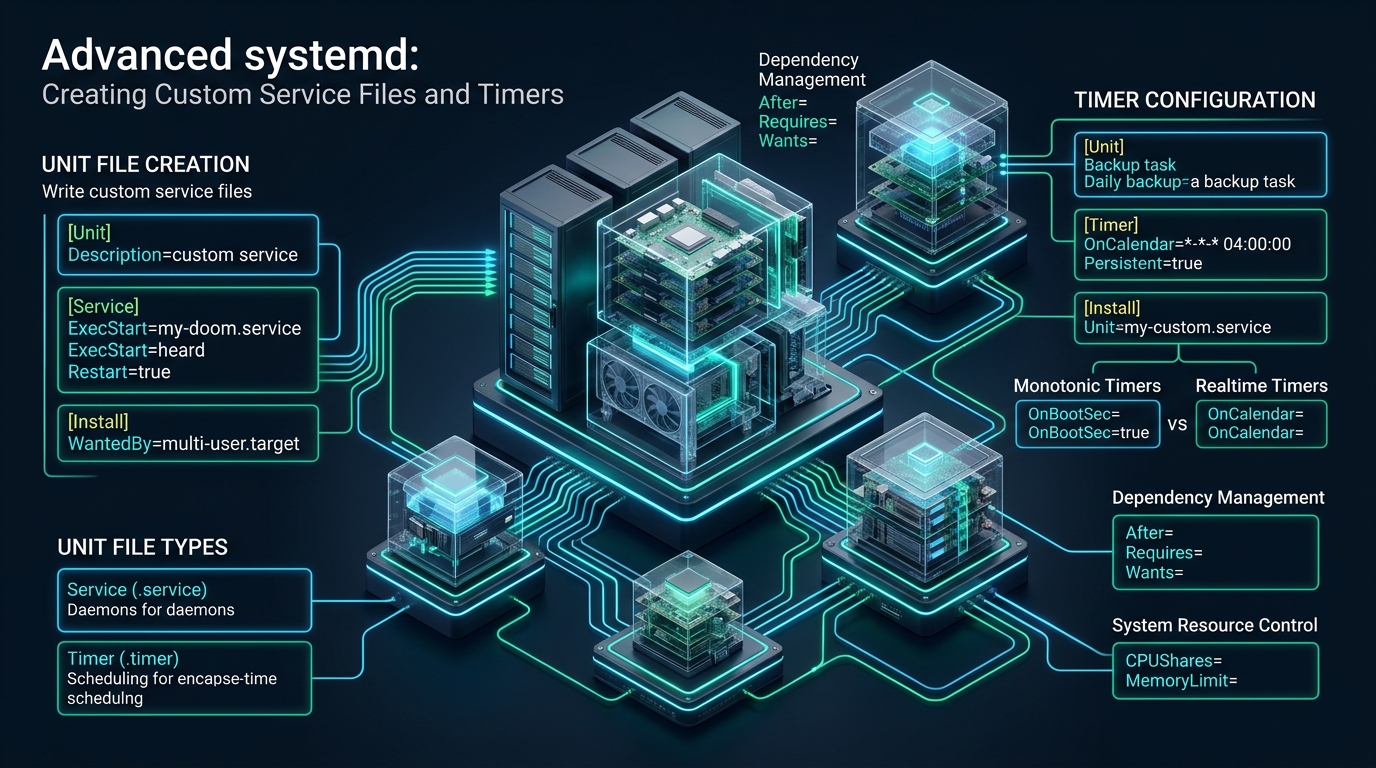
Modern Linux servers executing high-concurrency microservices, background workers, and automated backups frequently succumb to zombie processes, uncontained memory leaks, and silent cron failures when managed by ad-hoc shell scripts or legacy SysVinit scripts. Transitioning your infrastructure workloads to native systemd architecture gives systems engineers deterministic lifecycle orchestration, cgroups v2 resource sandboxing, and integrated journald diagnostics. Whether validating lightweight staging environments on CpanelFree or orchestrating tier-one bare-metal nodes, establishing robust custom units is the foundational prerequisite of zero-downtime engineering.
Understanding the Systemd Architecture and Unit Abstraction
Direct Answer: A systemd custom service is a declarative unit configuration file (.service) placed in /etc/systemd/system/ that governs how Linux initializes, sandboxes, monitors, and restarts background processes. Paired with native systemd timer units (.timer), it eliminates brittle cron jobs with nanosecond event-driven scheduling, cgroup resource bounding, and journald structured logging.
At the center of Linux initialization sits systemd (PID 1), an init system and system manager that coordinates userspace components, tracks processes through Linux kernel control groups (cgroups), and provides transactional dependency management. Unlike traditional init systems that relied on complex, error-prone Bash scripts executing sequentially, systemd manages system state declaratively through distinct unit types.
Every process managed by systemd is encapsulated within a unit file. While systemd handles sockets, mount points, swap partitions, and hardware devices, the two most critical unit types for sysadmins and DevOps engineers are:
- Service Units (
.service): Define how continuous daemons or one-off tasks are executed, supervised, sandboxed, and recovered. - Timer Units (
.timer): Provide monotonic or real-time calendar triggers that activate matching service units, completely superseding legacy cron daemons.
Systemd organizes unit files across a hierarchical directory structure with deterministic override priorities:
/usr/lib/systemd/system/: Distribution and vendor-provided unit files installed by package managers (such as APT, DNF, or Pacman). These files should never be edited directly, as package upgrades will overwrite modifications./run/systemd/system/: Transient runtime units generated dynamically during system operation. These units exist purely in volatile memory and vanish upon reboot./etc/systemd/system/: System administrator domain. Custom units and local drop-in overrides created here take absolute precedence over vendor units in/usr/lib/systemd/system/.
Cron vs. Systemd Timers: The Enterprise Paradigm Shift
For decades, Unix system administrators defaulted to ISC-Cron or Vixie-Cron for scheduled background tasks. While crontab syntax is familiar, cron suffers from acute architectural limitations in mission-critical environments: it runs jobs in an uncontained shell environment, lacks native retry mechanisms, swallows error output into local mail spools, and provides zero telemetry on impending execution schedules.
Systemd timers solve every fundamental deficiency of cron by decoupling scheduling logic from process execution. A .timer unit defines strictly when an action should happen, while a companion .service unit defines what happens, executing under the full supervision of kernel namespaces and resource controls.
| Feature / Metric | Standard / Default (Cron) | Tuned / Production (systemd Timers) |
|---|---|---|
| Scheduling Precision | 1-Minute Minimum Granularity | Sub-second / Microsecond Granularity |
| Failure Detection & Recovery | Silent Failures / Obscure Mailer Spool | RestartSec=, OnFailure= Alerts, journald |
| Missed Execution Catch-Up | Lost Forever (requires anacron) | Persistent=true (Auto-runs on boot) |
| Resource Sandboxing (cgroups) | Unrestricted (can exhaust host memory) | Strict MemoryMax=, CPUQuota=, IOWeight= |
| Thundering Herd Mitigation | Manual random sleep hacks | Native RandomizedDelaySec= Parameter |
| Execution Telemetry | Unstructured syslog /var/log/cron | systemctl list-timers with exact countdowns |
Architecture Note: Unlike cron, which forks an isolated subshell with an empty, non-interactive environment, systemd executes timer targets within dedicated cgroups. This guarantees complete cleanup of child processes upon unit completion, preventing runaway orphan threads or stale background database locks from degrading hypervisor throughput.
Anatomy of a Production-Grade Systemd Service Unit
A standard systemd service unit comprises three primary declarative sections: [Unit], [Service], and [Install]. Understanding each directive’s operational impact is critical for building resilient daemons.
1. The [Unit] Section: Metadata and Dependency Mapping
The [Unit] block defines the description, documentation references, and ordering dependencies relative to other services:
Description=: A human-readable identifier visible insystemctl statusand system log traces.After=network-online.target: Specifies activation ordering. It instructs systemd to delay starting this service until the specified target is fully reached. Crucially,After=does not create a strict requirement—it only dictates sequence.Wants=network-online.target: Creates a loose dependency. If the target is not active, systemd attempts to activate it, but will not fail your service if the target fails.Requires=: Creates a strict dependency. If the required unit fails or terminates, this unit immediately shuts down.
2. The [Service] Section: Process Lifecycle and Supervision
The [Service] block dictates execution binaries, environment variables, startup types, and crash restart behaviors:
Type=exec: The modern standard for foreground daemons. Systemd considers the service started as soon as the binary has been successfully forked and exec’d, preventing race conditions present in legacyType=simpleunits.Type=oneshot: Designed for scripts and utility tasks that execute, perform an operation, and exit immediately. Companion timer services almost always useType=oneshot.Type=notify: Used by applications compiled with thelibsystemdAPI. The daemon explicitly callssd_notify("READY=1")over a UNIX domain socket when its internal initialization is complete.Restart=on-failure: Configures automatic self-healing. Systemd restarts the process if it terminates with a non-zero exit code, is killed by an unhandled signal, or hits a watchdog timeout.RestartSec=5s: Enforces a delay before re-spawning a failed service to avoid saturating CPU cycles in continuous crash loops.StartLimitIntervalSec=120sandStartLimitBurst=5: Implements circuit-breaker protection. If the service crashes more than 5 times within a 2-minute window, systemd halts restart attempts and marks the unit in afailedstate.
3. The [Install] Section: System State Integration
The [Install] block governs runlevel attachment when the unit is enabled via systemctl enable:
WantedBy=multi-user.target: Equivalent to the traditional multi-user runlevel (runlevel 3 in SysVinit). When enabled, systemd creates a symbolic link inside/etc/systemd/system/multi-user.target.wants/.
Enterprise Security Hardening and cgroups v2 Sandboxing
Historically, running a service as an unprivileged system user was considered sufficient isolation. In modern Linux engineering, systemd provides kernel namespace isolation and seccomp filtering directly in the unit file without requiring container runtimes like Docker or Podman. Implementing these directives eliminates lateral privilege escalation risks if an application binary is compromised.
Below is a production-grade custom service configuration file for a high-concurrency API service, complete with strict cgroups v2 resource capping and namespace sandboxing:
# /etc/systemd/system/enterprise-api.service
[Unit]
Description=Enterprise Production API Daemon
Documentation=https://cpanelfree.com/docs/api-daemon
After=network-online.target remote-fs.target
Wants=network-online.target

[Service]
Type=exec
User=apiworker
Group=apiworker
WorkingDirectory=/opt/enterprise-api
ExecStart=/opt/enterprise-api/bin/api-server --config /etc/enterprise-api/config.yaml
ExecReload=/bin/kill -HUP $MAINPID
Restart=on-failure
RestartSec=5s
StartLimitIntervalSec=120s
StartLimitBurst=5

# === cgroups v2 Resource Governance ===
CPUAccounting=yes
CPUQuota=150%
MemoryAccounting=yes
MemoryMax=2G
MemoryHigh=1.8G
TasksAccounting=yes
TasksMax=1024

# === Linux Security & Namespace Sandboxing ===
ProtectSystem=strict
ProtectHome=true
ProtectKernelTunables=true
ProtectKernelModules=true
ProtectControlGroups=true
PrivateTmp=true
PrivateDevices=true
NoNewPrivileges=true
CapabilityBoundingSet=
AmbientCapabilities=
RestrictRealtime=true
RestrictNamespaces=true
LockPersonality=true
ReadWritePaths=/var/log/enterprise-api /run/enterprise-api

# === Standard Output & Structured Logging ===
StandardOutput=journal
StandardError=journal
SyslogIdentifier=enterprise-api

[Install]
WantedBy=multi-user.target
Let us dissect the security and isolation directives applied above:
ProtectSystem=strict: Mounts the entire Linux filesystem hierarchy (including/usr,/boot, and/etc) as strictly read-only for this process. Only directories explicitly declared inReadWritePaths=can be modified.ProtectHome=true: Makes/root,/home, and/run/usercompletely inaccessible and invisible, preventing unauthorized exposure of user data or SSH keys.PrivateTmp=true: Allocates a private, dedicated mount namespace for/tmpand/var/tmp. Files created by the service in/tmpcannot be viewed or hijacked by other users or processes.NoNewPrivileges=true: Disables privilege elevation via setuid/setgid binaries (such assudoorpasswd), mitigating classic local privilege escalation vectors.CapabilityBoundingSet=: Drops all POSIX capabilities from the process. Even if the application attempts to bind to privileged low ports (<1024) or alter network interfaces, the kernel immediately denies the syscall.MemoryMax=2G: Enforces a hard memory ceiling via cgroups v2. If the daemon experiences an uncontained memory leak and exceeds 2 GB, the kernel OOM killer terminates only this unit’s processes without jeopardizing the parent OS.
Creating Custom Systemd Timers (Monotonic vs. Real-Time Calendars)
Replacing legacy cron scripts with systemd timers requires establishing a two-unit pair: a .service unit executing the payload and a companion .timer unit controlling the schedule. Systemd timers fall into two categories:
- Monotonic Timers: Trigger relative to specific system state changes (such as
OnBootSec=15minorOnUnitActiveSec=1h). These are ideal for recurring maintenance intervals where absolute calendar synchronization is secondary. - Real-Time Calendar Timers: Trigger on calendar dates and wall-clock times using
OnCalendar=expressions (such as*-*-* 03:30:00for 3:30 AM daily).
Step 1: The One-Shot Backup Service File
Create the executable service definition at /etc/systemd/system/db-maintenance.service:
# /etc/systemd/system/db-maintenance.service
[Unit]
Description=Database Snapshot and Index Maintenance
Documentation=man:systemd.service(5)
After=network-online.target

[Service]
Type=oneshot
User=postgres
Group=postgres
ExecStart=/usr/local/bin/backup-postgres.sh --mode=nightly --target=/mnt/backups
Nice=19
IOSchedulingClass=idle
ProtectSystem=strict
ProtectHome=true
ReadWritePaths=/mnt/backups /var/log/postgres
PrivateTmp=true
TimeoutStartSec=1800
Notice the inclusion of Nice=19 and IOSchedulingClass=idle. These directives ensure that the intensive maintenance script runs at lowest CPU and disk I/O priority, guaranteeing that foreground client traffic on web applications is never starved of compute bandwidth.
Step 2: The Companion Systemd Timer File
Create the matching timer definition at /etc/systemd/system/db-maintenance.timer:
# /etc/systemd/system/db-maintenance.timer
[Unit]
Description=Nightly Trigger for Database Maintenance
Documentation=man:systemd.timer(5)
Requires=db-maintenance.service

[Timer]
OnCalendar=*-*-* 02:30:00
RandomizedDelaySec=600
Persistent=true
Unit=db-maintenance.service

[Install]
WantedBy=timers.target
Two critical enterprise directives make this timer exceptionally resilient:
Persistent=true: Stores a timestamp mark on disk in/var/lib/systemd/timers/. If the host server was powered off or undergoing kernel patching during the scheduled 02:30 AM execution, systemd detects the missed window and triggers the service immediately upon system reboot.RandomizedDelaySec=600: Adds a randomized jitter of up to 10 minutes (600 seconds) to the execution timestamp. In cloud fleets containing dozens of worker instances, this prevents the “thundering herd” problem where all nodes bombard shared NFS or S3 backup repositories at the exact same second.
Architecture Note: When crafting calendar triggers, validate your syntax using the built-in systemd tool
systemd-analyze calendar "*-*-* 02:30:00". The utility displays the normalized timestamp, the next scheduled trigger in your local timezone, and the exact countdown delta, preventing costly configuration mistakes.
Operational Lifecycle, Verification, and Telemetry
Once your unit files are placed in /etc/systemd/system/, you must notify systemd’s daemon manager to parse the updated disk configuration and register unit dependency graphs.
Unit Activation Workflow
Execute the standard lifecycle sequence to register and start both services and timers:
# 1. Reload systemd daemon to parse new unit files
systemctl daemon-reload

# 2. Enable and start the background API daemon
systemctl enable --now enterprise-api.service

# 3. Enable and activate the nightly timer (do NOT enable the oneshot service directly)
systemctl enable --now db-maintenance.timer

# 4. Verify active timers and upcoming execution schedules
systemctl list-timers --all
Running systemctl list-timers outputs structured telemetry showing the next trigger time, the countdown interval (e.g., in 4h 12min), the last execution timestamp, and the respective companion service unit.
Pre-Flight Static Analysis and Security Auditing
Before leaving newly created service units in a production cluster, run systemd’s built-in static analysis tools to verify syntactic correctness and audit security exposure:
# Validate unit file syntax and dependency loops
systemd-analyze verify /etc/systemd/system/enterprise-api.service

# Calculate the numeric security exposure score (0.0 = safe, 10.0 = exposed)
systemd-analyze security enterprise-api.service
The systemd-analyze security command inspects every kernel sandboxing directive, identifying missing seccomp filters, permissive capability sets, or unprotected directory hierarchies. Applying the production configuration detailed in this guide typically lowers a service’s exposure rating from a dangerous 9.6 UNSAFE to an enterprise-grade 1.8 OK.
Structured Log Streaming with Journalctl
Because systemd intercepts standard output and standard error at the socket layer, developers do not need custom logging daemons for basic process visibility:
# Tail live logs for a specific service
journalctl -u enterprise-api.service -f

# Inspect logs strictly from the current system boot
journalctl -u enterprise-api.service -b

# Filter logs by log priority level (err, warning, info)
journalctl -u enterprise-api.service -p err..emerg
While sandboxing and process isolation optimize daemon stability on single nodes, mission-critical production systems demand underlying bare-metal consistency. If your database engines or high-throughput API workers experience erratic I/O wait times or CPU throttling due to noisy multi-tenant virtualization, deploying on MeraHost Enterprise Cloud guarantees dedicated compute slices backed by enterprise NVMe arrays and high-frequency cores, delivering consistent sub-millisecond kernel dispatching.
Frequently Asked Questions
What is the primary difference between Type=simple, Type=exec, and Type=notify?
Under Type=simple, systemd assumes the service is fully started immediately after the fork() syscall, before the binary even loads into memory. This can cause dependent services waiting for an API port to fail. Under Type=exec, systemd delays marking the service as started until the binary has successfully finished execve(). Under Type=notify, the binary itself must explicitly send an sd_notify("READY=1") heartbeat over a UNIX socket once internal listening sockets and database connections are established.
Why should I enable the .timer unit instead of the companion .service unit?
When scheduling recurring jobs, enabling the .timer unit (systemctl enable --now mytask.timer) registers the schedule into systemd’s timer event loop. If you mistakenly enable the .service unit, systemd will execute the service once immediately during server boot rather than waiting for the timer trigger, which can lead to unexpected resource spikes or duplicate execution.
How does Persistent=true prevent missed cron jobs during host maintenance?
When Persistent=true is defined in a timer, systemd writes a file in /var/lib/systemd/timers/ recording the timestamp of the last successful trigger. When the host reboots after a power failure or kernel maintenance window, systemd compares the recorded timestamp with the timer’s OnCalendar= specification. If an execution was missed during the outage, the companion service is triggered immediately upon system initialization.
How do I debug a custom service that fails immediately with exit-code or status 203/EXEC?
A 203/EXEC error indicates that systemd could not execute the binary specified in ExecStart=. Common root causes include incorrect absolute binary paths, missing executable permissions (chmod +x), missing hashbang lines in shell scripts (#!/usr/bin/env bash), or SELinux/AppArmor denials blocking execution from custom paths outside standard system binary directories.
Deploy Enterprise-Grade Production Infrastructure
Need guaranteed performance with zero price hikes? Host mission-critical workloads on MeraHost with pure Enterprise NVMe, LiteSpeed Web Server, and Same Renewal Price, Always (starting at ₹99/mo).