
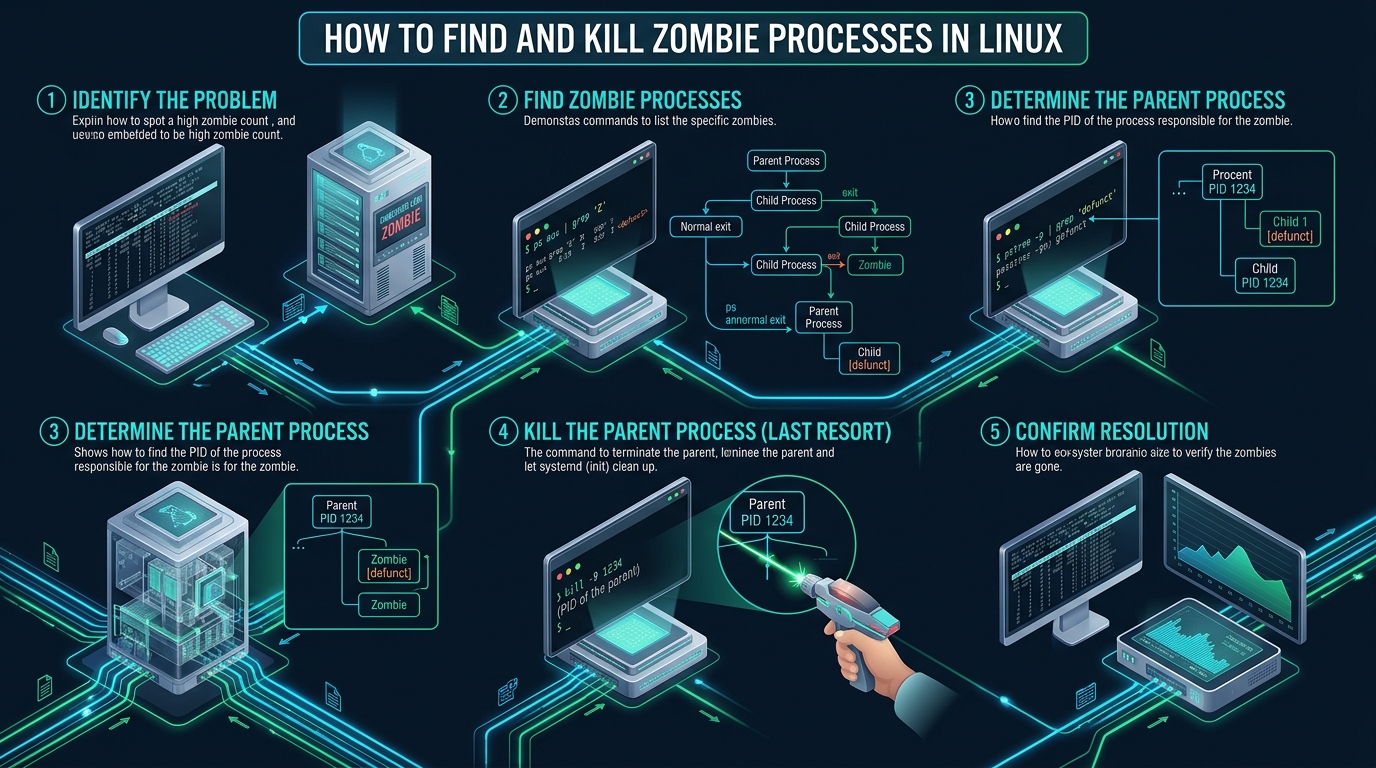
In high-throughput Linux production clusters and containerized microservices, unhandled child processes frequently devolve into unresponsive defunct tasks that silently saturate your kernel process table. When unattended background workers or misconfigured daemons fail to reap their offspring, system administrators face sudden PID exhaustion errors (EAGAIN: Resource temporarily unavailable) that halt mission-critical deployments. Whether optimizing resource quotas on staging instances at CpanelFree or managing high-density enterprise hypervisors, diagnosing and eradicating these dead execution artifacts is fundamental to kernel reliability.
What Is a Zombie Process and How Do You Kill It?
Direct Answer: To kill a zombie process in Linux, you cannot terminate the zombie itself because it is already dead. Instead, locate its Parent Process ID (PPID) using ps -eo pid,ppid,stat,cmd | grep '[Z]', signal the parent with kill -s SIGCHLD <PPID> to force reaping, or terminate the parent via kill -15 <PPID> to let systemd (PID 1) reap the defunct entry.
Every operational process in a POSIX-compliant operating system adheres to a strict hierarchical tree. When a parent process executes the fork() or clone() system call, the Linux kernel duplicates the execution context and assigns a new Process Identification number (PID) to the child. Once the child completes its designated task or encounters a fatal signal, it invokes the exit() or exit_group() system call. At this precise millisecond, the operating system releases the child process’s allocated virtual memory pages (RSS), drops active file descriptors, detaches shared memory segments, and closes network sockets.
However, the process cannot completely vanish from the operating system. The kernel retains a minimal control structure within the process table—specifically maintaining the process’s exit status code, CPU usage counters, and termination metadata. This dormant state is formally identified as EXIT_ZOMBIE (represented by the Z state flag in system monitors). The process remains in this state until its parent acknowledges its termination by invoking the wait(), waitpid(), or waitid() system call. When a parent process is poorly coded, hangs in an I/O dead-wait, or ignores asynchronous death signals, the defunct child remains locked in the process table indefinitely as a zombie process.
Architecture Note: A zombie process consumes zero bytes of physical RAM (Resident Set Size) and zero CPU scheduling cycles because its virtual address space and execution threads are fully reclaimed upon exit. Its entire footprint is confined to a single entry in the kernel’s process table struct. The existential architectural danger is not memory starvation, but PID allocation exhaustion: once the kernel exhausts available integers up to
kernel.pid_max, the system cannot spawn a single new process, thread, or SSH shell.
Process State Matrix: Zombie vs Active vs Orphaned Tasks
To implement an effective system administration triage strategy, engineers must understand the exact lifecycle boundaries between running, sleeping, defunct, and orphaned tasks. The following comparative matrix details the architectural overhead and kernel properties of each process state in production Linux systems:
| Feature / Metric | Standard / Default (Zombie State) | Tuned / Production (Reaped / Cleaned) |
|---|---|---|
| Process State Code | Z (defunct / EXIT_ZOMBIE) | None (Reaped from task list) |
| Physical RAM (RSS) Footprint | 0 KB (Memory reclaimed by kernel) | 0 KB (Fully freed) |
| CPU Scheduling Overhead | 0% (Not scheduled on runqueue) | 0% (Zero scheduling latency) |
| Kernel PID Slot Utilization | Occupies 1 slot in PID table | Recycled into free PID pool |
| File Descriptors & Sockets | 0 (VFS handles closed) | 0 (No socket leaks) |
| Direct SIGKILL (9) Response | Ignored (Task is already dead) | N/A (Process already reaped) |
| Remediation Mechanism | Parent waitpid() or kill parent | Automated via SA_NOCLDWAIT |
How to Locate Zombie Processes: Production Diagnostic Commands
Detecting zombie tasks requires interrogating the Linux process accounting subsystems. Because defunct processes do not register active CPU ticks, traditional CPU-sorted process monitors might obscure them unless you know specifically what to query. Below are the verified production diagnostic commands used by senior DevOps architects to isolate zombie instances and trace their lineage.
Method 1: Rapid Counting via top and htop
When you suspect system degradation, your initial inspection should begin with top. In the header summary area, inspect the Tasks status line:
# Execute top in batch mode to pull the task header
top -b -n 1 | head -n 5

# Sample Output:
# Tasks: 248 total,   1 running, 243 sleeping,   0 stopped,   4 zombie
# %Cpu(s):  2.4 us,  1.1 sy,  0.0 ni, 96.1 id,  0.2 wa,  0.0 hi,  0.2 si
# MiB Mem :  15892.4 total,   8412.1 free,   4210.5 used,   3269.8 buff/cache
If the zombie counter displays an integer greater than zero, defunct processes currently occupy slots in your kernel PID table.
Method 2: Precise Zombie Identification via ps
To inspect the individual PIDs, command names, and parent IDs of every zombie on the host, execute the following customized ps command:
# Extract PID, PPID, execution status, and command string for all defunct tasks
ps -eo pid,ppid,stat,args | awk '$3 ~ /^[Zz]/'

# Sample Output:
#  14892  14850 Z+   [php-fpm] <defunct>
#  14901  14850 Z+   [php-fpm] <defunct>
#  18233  18100 Z    [python3] <defunct>
In this output, column 1 is the Zombie PID (e.g., 14892), column 2 is the Parent Process ID (14850), column 3 indicates the state (Z+), and column 4 highlights the defunct binary designation <defunct>.
Method 3: Direct Tracing of the Parent Hierarchy with pstree
To determine what application spawned the zombie without manually scanning thousands of processes, use pstree with the -p (PIDs) and -s (show parents) flags:
# Trace the ancestry of zombie PID 14892
pstree -p -s 14892

# Sample Output:
# systemd(1)---containerd(1124)---containerd-shim(14800)---python3(14850)---[python3](14892)
This lineage tree proves conclusively that python3 (PID 14850) spawned the child process (PID 14892) and has failed to harvest its exit signal.
Step-by-Step Remediation: How to Kill Zombie Process Linux
The cardinal rule of Linux process engineering is: You cannot kill a zombie process directly using SIGKILL (-9). Because a zombie is already dead, it cannot process incoming POSIX signals. Attempting to run kill -9 <ZOMBIE_PID> produces zero kernel errors, but the zombie will remain firmly lodged in the process table. To eliminate the zombie, you must manipulate the parent process using the four-stage remediation playbook below.
Stage 1: Signal the Parent to Reap via SIGCHLD
Under standard POSIX conventions, a parent process registers a signal handler for SIGCHLD (Signal 17). When a child terminates, the kernel transmits SIGCHLD to notify the parent that it should execute waitpid(). If the parent missed this notification or its event loop stalled, you can manually trigger an asynchronous SIGCHLD notification:
# Locate the Parent PID (PPID) of the zombie task
PPID_TARGET=$(ps -o ppid= -p 14892 | tr -d ' ')

# Dispatch SIGCHLD (Signal 17) to prompt the parent to reap child tasks
kill -s SIGCHLD "${PPID_TARGET}"

# Verify whether the zombie has been reaped
ps -p 14892
If the parent process is programmed with a compliant signal handler, receiving this signal causes it to immediately execute waitpid(-1, &status, WNOHANG), purging the defunct process from memory cleanly.
Stage 2: Gracefully Terminate the Buggy Parent Process
If sending SIGCHLD yields no result, the parent process is stuck in a deadlocked thread, an infinite loop, or was compiled without child reaping routines. To clear the zombie, you must terminate the parent process. Send a standard graceful termination signal (SIGTERM):
# Send SIGTERM (Signal 15) to request graceful parent shutdown
kill -15 "${PPID_TARGET}"

# Wait 5 seconds and confirm process disappearance
sleep 5
ps -p "${PPID_TARGET}"
Architecture Note: When the parent process terminates, its child processes (including all unharvested zombies) become orphaned tasks. In modern Linux distributions running systemd, PID 1 (or the nearest process configured with
PR_SET_CHILD_SUBREAPER) immediately adopts all orphaned children. Systemd includes a dedicated, highly optimized event loop that instantly issueswaitpid()calls on any adopted zombie, immediately sweeping the entries out of the kernel process table.
Stage 3: Forceful Termination via SIGKILL (Last Resort)
If the parent process ignores SIGTERM due to blocked signal masks or unhandled exceptions, issue an unconditional SIGKILL:
# Issue non-maskable SIGKILL (Signal 9) to force termination of the parent
kill -9 "${PPID_TARGET}"

# Confirm that both the parent and the zombie have vanished from the table
ps -eo pid,ppid,stat,args | grep -E "(${PPID_TARGET}|14892)"
Architecture Note: Before issuing
kill -9on a parent process in production, verify what service it controls. If the parent is a primary hypervisor daemon, database coordinator, or master Nginx process, terminating it will sever active client connections. Always verify the service unit usingsystemctl status <PPID>before dispatching destructive signals.
Production Configuration Files: Kernel PID Limits and Automated Watchdogs
In enterprise Linux operations, leaving zombie detection to manual sysadmin commands invites outages. Implement the following hardened production configuration files to expand kernel safety ceilings and automate zombie remediation.
1. Kernel PID Limits Tuning (/etc/sysctl.d/99-pid-limits.conf)
The default kernel.pid_max value on 32-bit systems is 32,768, which modern 64-bit multi-tenant servers can exhaust during heavy batch jobs. Increase the kernel PID ceiling and expand maximum thread tracking limits by placing this configuration file in your sysctl directory:
# /etc/sysctl.d/99-pid-limits.conf
# Enterprise Linux Kernel Tuning for High-Density Process Environments

# Expand the maximum allowed PIDs to 4 million (64-bit architectures)
kernel.pid_max = 4194304

# Expand max system-wide threads to prevent thread allocation failures
kernel.threads-max = 2097152

# Increase system-wide open file limit to prevent VFS exhaustion
fs.file-max = 20971520

# Max memory map areas allocated per process
vm.max_map_count = 262144
Apply these settings without rebooting using:
sysctl -p /etc/sysctl.d/99-pid-limits.conf2. Automated Zombie Process Watchdog Script (/usr/local/bin/zombie-monitor.sh)
Deploy an automated watchdog script that checks the process table for zombie tasks, logs details to the system journal, and alerts your monitoring infrastructure when the zombie threshold exceeds acceptable parameters:
#!/usr/bin/env bash
# /usr/local/bin/zombie-monitor.sh
# Production Watchdog for Zombie Process Detection and Alerting
set -euo pipefail

ALERT_THRESHOLD=10
ZOMBIE_COUNT=$(ps -eo stat | grep -c '^[Zz]' || true)

if [ "${ZOMBIE_COUNT}" -ge "${ALERT_THRESHOLD}" ]; then
    logger -t zombie-watchdog -p daemon.warning         "CRITICAL: Detected ${ZOMBIE_COUNT} zombie processes exceeding threshold (${ALERT_THRESHOLD})!"

    # Log individual offenders and parent details
    ps -eo pid,ppid,stat,cmd | awk '$3 ~ /^[Zz]/' | while read -r z_pid z_ppid z_stat z_cmd; do
        p_name=$(ps -o comm= -p "${z_ppid}" 2>/dev/null || echo "unknown")
        logger -t zombie-watchdog -p daemon.err             "Zombie PID: ${z_pid} | Parent PID: ${z_ppid} (${p_name}) | Stat: ${z_stat} | Command: ${z_cmd}"
    done
fi
3. Systemd Watchdog Service and Timer Units
Create a dedicated systemd service and timer unit to execute the watchdog every 5 minutes in the background:
# /etc/systemd/system/zombie-monitor.service
[Unit]
Description=Automated Zombie Process Watchdog
After=network.target

[Service]
Type=oneshot
ExecStart=/usr/local/bin/zombie-monitor.sh
StandardOutput=journal
StandardError=journal
ProtectSystem=full
ProtectHome=true

# /etc/systemd/system/zombie-monitor.timer
[Unit]
Description=Run Zombie Process Watchdog Every 5 Minutes

[Timer]
OnBootSec=2min
OnUnitActiveSec=5min
Persistent=true

[Install]
WantedBy=timers.target
Enable and start the monitoring timer using systemctl:
chmod +x /usr/local/bin/zombie-monitor.sh
systemctl daemon-reload
systemctl enable --now zombie-monitor.timer
Application Engineering: How to Prevent Zombie Processes in Code
While sysadmins clean up zombie processes through operational triage, the root architectural flaw invariably resides in application code. Software engineers authoring C, Python, or Go microservices must properly configure POSIX signal handlers to reap child processes automatically.
In POSIX C, the most elegant architectural solution is to configure the sigaction structure with the SA_NOCLDWAIT flag. This instructs the Linux kernel not to transform terminating child processes into zombies, discarding their exit status immediately:
#include <stdio.h>
#include <stdlib.h>
#include <signal.h>
#include <unistd.h>

int main(void) {
    struct sigaction sa;
    sa.sa_handler = SIG_IGN;
    sigemptyset(&sa.sa_mask);
    sa.sa_flags = SA_NOCLDWAIT | SA_RESTART;

    /* Tell Linux kernel to automatically reap children upon exit */
    if (sigaction(SIGCHLD, &sa, NULL) == -1) {
        perror("sigaction failure");
        exit(EXIT_FAILURE);
    }

    pid_t pid = fork();
    if (pid == 0) {
        /* Child process execution */
        printf("Child process executing and exiting immediately\n");
        exit(0);
    }

    /* Parent sleeps without calling waitpid(); child will NOT become a zombie */
    sleep(10);
    printf("Parent completed safely without leaving zombie processes.\n");
    return 0;
}
In Python applications using multiprocessing or subprocess workers, ensure that background worker loops register an explicit signal handler or execute non-blocking reaping inside periodic health check routines using os.waitpid(-1, os.WNOHANG).
Container Gotchas: Docker, Podman, and Kubernetes PID 1 Reaping
In modern containerized deployments, zombie process proliferation is one of the most common causes of silent container death. Inside a container namespace, your entrypoint binary (such as node index.js or python app.py) executes as PID 1. Standard application runtimes do not implement the POSIX init specification, which mandates harvesting orphaned children.
When an internal child process forks another worker and crashes, that grandchild is reparented to PID 1 (the application). Because Node or Python does not reap unrequested children, the zombies accumulate until the container’s PID limit (configured via --pids-limit) is breached, freezing container health probes.
# Deploy Docker containers with native init reaping enabled:
docker run -d --name production-worker --init my-custom-app:latest

# Or integrate 'tini' directly within your multi-stage Dockerfile:
FROM alpine:3.20
RUN apk add --no-cache tini
ENTRYPOINT ["/sbin/tini", "--"]
CMD ["node", "server.js"]
The --init flag injects a lightweight init daemon (Tini) into the container namespace as PID 1. Tini forwards signals transparently and reaps adopted zombies, preserving container stability under heavy batch workloads.
Production Infrastructure Optimization
When architecting production environments with hundreds of concurrent microservices and heavy background queue workers, underlying infrastructure performance and kernel tuning are vital. For mission-critical production hosting where uptime, sub-millisecond I/O latency, and guaranteed CPU scheduling matter, MeraHost Enterprise Cloud delivers enterprise-grade LiteSpeed Web Server stacks backed by ultra-fast Enterprise NVMe storage. MeraHost’s transparent pricing architecture ensures your renewal rates remain identical year after year with zero renewal price hikes.
Frequently Asked Questions (FAQ)
Why can’t I kill a zombie process using kill -9?
A zombie process cannot be terminated using kill -9 because it is already dead. The Linux kernel has already released its memory address space, closed its file handles, and halted its execution threads. A process must be alive to receive and execute signals. The entry remains in the process table solely because its parent process has not read its exit status code via waitpid(). To remove the zombie, you must signal or terminate the parent process.
Do zombie processes consume system CPU or RAM?
No. Zombie processes consume 0% CPU cycles and 0 bytes of physical RAM (Resident Set Size). The Linux kernel completely frees all heap, stack, code segments, and open file descriptors the moment the process terminates. The only resource consumed is an entry in the operating system’s process table struct (approximately a few bytes of kernel memory) and one integer Process ID (PID).
What happens if too many zombie processes accumulate on a Linux server?
If zombie processes accumulate unchecked, they will eventually exhaust the kernel’s process ID pool defined by /proc/sys/kernel/pid_max. Once all PIDs are allocated, the Linux kernel cannot spawn any new tasks, resulting in fork: Resource temporarily unavailable errors. This prevents web servers from answering requests, cron jobs from launching, and even prevents sysadmins from establishing new SSH sessions.
How do I kill all zombie processes at once in Linux?
Because you cannot kill zombies directly, you can clean all zombies by terminating their parent processes simultaneously with a bash pipeline: kill -9 $(ps -eo ppid,stat | awk '$2 ~ /^[Zz]/ {print $1}'). This command extracts the parent PIDs of all defunct processes and sends them a kill signal. Systemd will immediately adopt and reap the remaining zombies. Use extreme caution before executing this on servers hosting core system daemons.
Deploy Enterprise-Grade Production Infrastructure
Need guaranteed performance with zero price hikes? Host mission-critical workloads on MeraHost with pure Enterprise NVMe, LiteSpeed Web Server, and Same Renewal Price, Always (starting at ₹99/mo).