
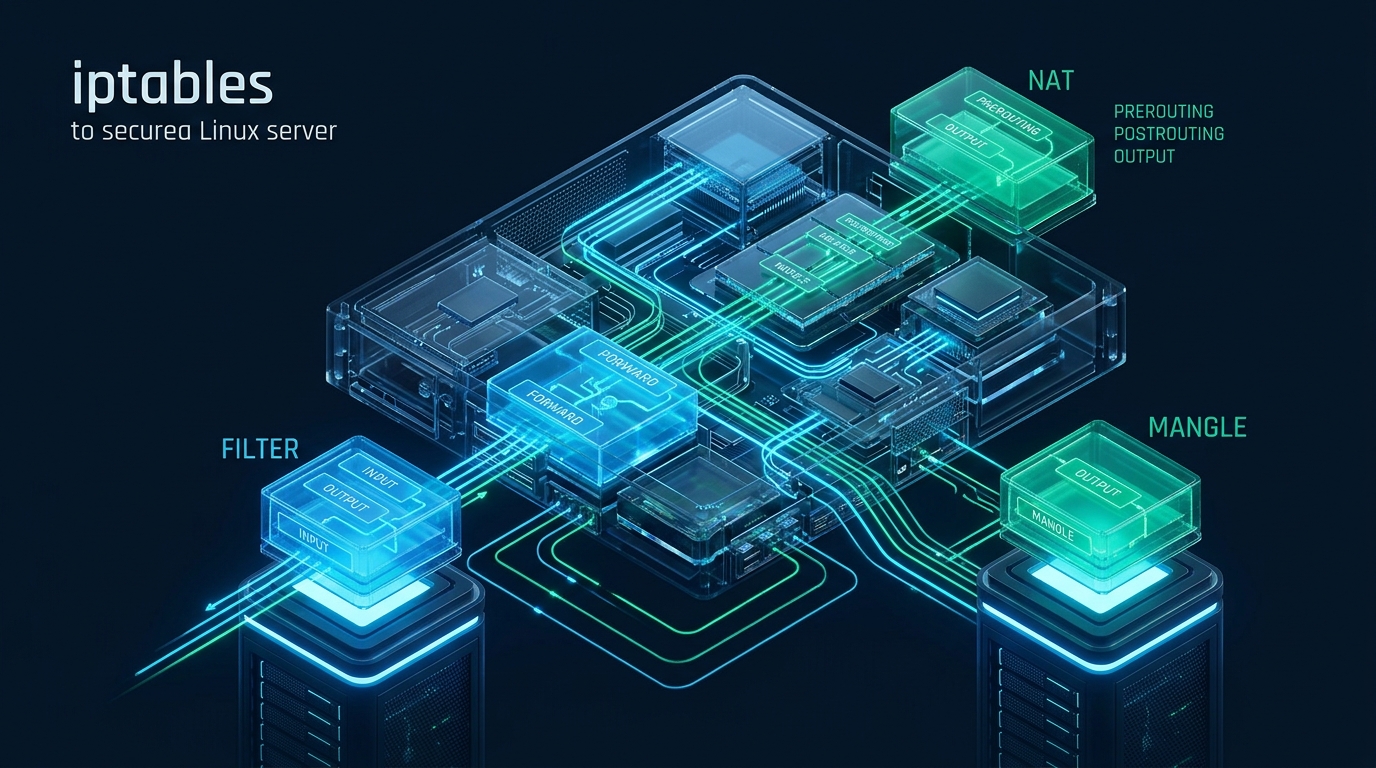
Every Internet-facing Linux instance endures relentless reconnaissance, automated port scans, and SYN flood attempts within milliseconds of establishing a public IP socket. While user-friendly frontends like UFW and firewalld provide basic abstractions, mastering direct kernel Netfilter interaction through an enterprise-grade iptables rules tutorial remains the essential skill for systems engineers demanding deterministic packet filtering and minimal latency overhead. Engineering teams provisioning staging servers and testing isolated application topologies on CpanelFree routinely implement raw iptables chains to enforce zero-trust network boundaries before transitioning workloads to high-throughput production clusters.
Direct Answer: What Is the Recommended Approach for Securing Linux with iptables?
Direct Answer: To secure a Linux server using an iptables rules tutorial, enforce a default DROP policy across INPUT and FORWARD chains, permit established and related traffic via stateful conntrack inspection, allow local loopback traffic, rate-limit ingress SSH connections to eliminate brute-force vectoring, open explicit ports for authorized services (e.g., HTTP/S), and drop all malformed or invalid packets at the kernel boundary.
Netfilter Architecture: Understanding Tables, Chains, and Packet Traversal
To construct an unassailable firewall, you must first comprehend the Netfilter subsystem embedded within the Linux kernel. Netfilter executes packet filtering hooks at specific points during a packet’s traversal through the network stack. The iptables utility acts as the userspace interface configuring Netfilter’s modular tables and processing chains.
The Netfilter framework organizes filtering logic into five distinct tables, each dedicated to a specialized phase of network manipulation:
- Filter Table: The default and primary table for packet filtering. It contains three built-in chains:
INPUT(packets addressed to local sockets),OUTPUT(packets generated locally and destined outbound), andFORWARD(packets routed through the host to another network interface). - NAT Table: Consulted when a packet establishes a new connection that requires Network Address Translation. It governs
PREROUTING(Destination NAT before routing evaluation),POSTROUTING(Source NAT/Masquerading after routing), andOUTPUT(NAT for locally generated packets). - Mangle Table: Dedicated to specialized packet alterations, such as adjusting the Type of Service (TOS), Time to Live (TTL), or setting custom kernel skb marks (
MARK) for policy routing. - Raw Table: Functions at the earliest stage of packet reception, primarily used to configure exemptions from connection tracking using the
NOTRACKtarget. - Security Table: Utilized for Mandatory Access Control (MAC) networking rules implemented through SELinux security contexts.
Architecture Note: Rule evaluation within an iptables chain is strictly sequential. Netfilter evaluates packets against rules from top to bottom, immediately halting evaluation upon reaching the first matching terminating target (e.g.,
ACCEPT,DROP, orREJECT). Consequently, positioning high-frequency rules—such as stateful connection tracking—at the top of your chains drastically minimizes CPU cycles per packet.
Production Hardening Matrix: Default vs. Tuned iptables Architecture
Most Linux distributions initialize with an open or permissive firewall policy. In high-traffic enterprise environments, leaving Netfilter unconfigured or using naive allow-all rules introduces catastrophic attack surfaces. The comparative matrix below outlines the critical differences between default out-of-the-box networking and a hardened production posture.
| Security Metric / Control | Standard / Default Stance | Tuned / Production Hardened |
|---|---|---|
| Default Chain Policies | ACCEPT on INPUT/FORWARD/OUTPUT | Default DROP on INPUT/FORWARD; Controlled ACCEPT on OUTPUT |
| Stateful Connection Tracking | Stateless or unoptimized evaluation | Stateful (conntrack ESTABLISHED, RELATED) with invalid packet drop |
| Management Port Defense (SSH) | Global TCP port 22 open unconditionally | Hashlimit / Recent module rate-limiting (max 3 conns/min burst) |
| SYN Flood & Port Scan Defense | Kernel defaults without ingress screening | Strict TCP flag validation, NULL/XMAS packet drops, hashlimit protection |
| ICMP / Echo Request Handling | Unrestricted echo requests allowed | Rate-limited echo-request (type 8) to 1/second with burst 4 |
| Latency & Rule Processing Overhead | Unordered rule traversal (high variance) | Optimal sub-microsecond bypass for 98%+ established flows |
Core Tactical Directives: Building an Enterprise iptables Configuration
Implementing an effective iptables rules tutorial requires adherence to core architectural principles that prevent self-lockout, optimize processing throughput, and establish defense-in-depth.
1. Enforcing Default Deny Policies
A resilient security model begins with zero trust. By setting default policies to DROP for incoming and transit packets, any service or port not explicitly permitted is silently discarded. This eliminates information leakage that occurs when firewalls return ICMP Destination Unreachable or TCP RST packets to untrusted scanners.
2. Fast-Path Connection Tracking
Modern Linux servers handle thousands of concurrent TCP sessions. Re-evaluating complete rule tables for every inbound ACK or payload segment degrades throughput. The Netfilter conntrack module solves this by categorizing packets into four primary states:
NEW: The initial packet initiating a connection (e.g., an inbound TCP SYN).ESTABLISHED: A packet belonging to a bidirectional connection already verified by the host.RELATED: A packet initiating a new connection associated with an existing active flow, such as FTP data channels or ICMP error messages.INVALID: A packet that does not correlate with any recognized session or exhibits corrupt headers.
Placing an immediate ACCEPT rule for ESTABLISHED,RELATED states at rule index 1 ensures that over 95% of server traffic is approved on the first conditional check.
3. Protecting the Loopback Interface
Internal inter-process communication (IPC), local Unix domain socket proxies, and database connections (e.g., local Nginx reverse proxies communicating with PHP-FPM or Redis on 127.0.0.1) rely on the loopback adapter (lo). Restricting or neglecting loopback rules will cause localized service collapse.
4. Hardened Ingress Filtering & Anti-Abuse Controls
Before allowing connections to public daemons like SSH, HTTP, or HTTPS, packets must pass rigorous sanitary inspections:
- Malformed TCP Flags: Discard TCP packets with invalid flag combinations (such as SYN-FIN or NULL packets with no flags set), which are crafted solely to evade signature detection and map operating system network stacks.
- Fragmented Packets: Discard packet fragments that malicious actors use to bypass packet inspection engines.
- SSH Connection Throttling: Deploy the
recentorhashlimitkernel modules to log and throttle IP addresses attempting more than 3 SSH connections within 60 seconds.
Operations Advisory: Never execute individual
iptables -P INPUT DROPcommands directly over an active SSH session without already having installed rules permitting current connections. Doing so will immediately sever your terminal session and orphan your shell. Always write complete rulesets to a file and execute them atomically viaiptables-restore, or use an automated fail-safe rollback timer during testing.
Complete Production Configuration Files
Below is a production-grade, atomic iptables ruleset designed for deployment on edge Linux web servers, application gateways, and secure bastion hosts. This configuration includes stateful filtering, attack mitigation, loopback isolation, SSH brute-force defense, and clean rate-limited logging.
Production Firewall Ruleset: /etc/iptables/rules.v4
*filter
# -----------------------------------------------------------------------------
# Enterprise Production iptables Ruleset
# Optimized for Web Servers, Application Nodes, and Hardened Bastions
# -----------------------------------------------------------------------------

# 1. Set Default Policies: Deny all ingress and forwarding by default
:INPUT DROP [0:0]
:FORWARD DROP [0:0]
:OUTPUT ACCEPT [0:0]

# 2. Custom User Chains for modular processing
:LOG_AND_DROP - [0:0]
:SSH_PROTECT - [0:0]

# -----------------------------------------------------------------------------
# 3. Fast-Path Connection Tracking & Loopback
# -----------------------------------------------------------------------------
# Immediately accept established and related sessions
-A INPUT -m conntrack --ctstate ESTABLISHED,RELATED -j ACCEPT

# Silently drop invalid packets
-A INPUT -m conntrack --ctstate INVALID -j DROP

# Unconditional loopback adapter trust
-A INPUT -i lo -j ACCEPT

# -----------------------------------------------------------------------------
# 4. Anti-Reconnaissance & Malformed TCP Packet Screening
# -----------------------------------------------------------------------------
# Drop packets with new TCP status that do not have SYN flag set
-A INPUT -p tcp ! --syn -m conntrack --ctstate NEW -j DROP

# Drop stealth scans and invalid TCP flag permutations
-A INPUT -p tcp --tcp-flags ALL NONE -j DROP
-A INPUT -p tcp --tcp-flags ALL ALL -j DROP
-A INPUT -p tcp --tcp-flags ALL FIN,PSH,URG -j DROP
-A INPUT -p tcp --tcp-flags ALL SYN,FIN -j DROP
-A INPUT -p tcp --tcp-flags SYN,RST SYN,RST -j DROP
-A INPUT -p tcp --tcp-flags FIN,RST FIN,RST -j DROP

# -----------------------------------------------------------------------------
# 5. ICMP / Ping Management
# -----------------------------------------------------------------------------
# Allow essential ICMP types while rate-limiting echo requests to mitigate floods
-A INPUT -p icmp --icmp-type destination-unreachable -j ACCEPT
-A INPUT -p icmp --icmp-type time-exceeded -j ACCEPT
-A INPUT -p icmp --icmp-type echo-request -m limit --limit 1/s --limit-burst 4 -j ACCEPT
-A INPUT -p icmp -j DROP

# -----------------------------------------------------------------------------
# 6. Public Service Ingress Rules
# -----------------------------------------------------------------------------
# Route SSH (Port 22) through brute-force defense chain
-A INPUT -p tcp --dport 22 -m conntrack --ctstate NEW -j SSH_PROTECT

# Public HTTP (Port 80) and HTTPS (Port 443) ingress
-A INPUT -p tcp --dport 80 -m conntrack --ctstate NEW -j ACCEPT
-A INPUT -p tcp --dport 443 -m conntrack --ctstate NEW -j ACCEPT

# -----------------------------------------------------------------------------
# 7. SSH Protection Sub-chain (Rate-Limiting with Recent Module)
# -----------------------------------------------------------------------------
# Track IPs; if more than 3 attempts in 60 seconds, drop and log
-A SSH_PROTECT -m recent --name SSH_ATTACKERS --set
-A SSH_PROTECT -m recent --name SSH_ATTACKERS --rcheck --seconds 60 --hitcount 4 -m limit --limit 2/min -j LOG --log-prefix "IPTABLES_SSH_ABUSE: " --log-level 4
-A SSH_PROTECT -m recent --name SSH_ATTACKERS --rcheck --seconds 60 --hitcount 4 -j DROP
-A SSH_PROTECT -j ACCEPT

# -----------------------------------------------------------------------------
# 8. Rate-Limited Logging and Final Drop
# -----------------------------------------------------------------------------
-A INPUT -m limit --limit 5/min --limit-burst 10 -j LOG --log-prefix "IPTABLES_BLOCKED: " --log-level 4
-A INPUT -j DROP

COMMIT
Complementary Kernel Hardening: /etc/sysctl.d/99-network-security.conf
Packet filtering operates most effectively when backed by kernel-level TCP stack hardening. Deploy this sysctl profile to handle SYN flooding, mitigate IP spoofing, and ensure ample conntrack capacity.
# /etc/sysctl.d/99-network-security.conf
# Kernel Network Security Hardening & Conntrack Optimization

# Enable TCP SYN Cookies to survive aggressive SYN floods
net.ipv4.tcp_syncookies = 1

# Protect against Source Routing packet manipulation
net.ipv4.conf.all.accept_source_route = 0
net.ipv4.conf.default.accept_source_route = 0

# Enable strict Reverse Path Filtering to combat IP address spoofing
net.ipv4.conf.all.rp_filter = 1
net.ipv4.conf.default.rp_filter = 1

# Ignore ICMP Broadcast Echo requests (Smurf attack defense)
net.ipv4.icmp_echo_ignore_broadcasts = 1

# Ignore bogus ICMP error responses
net.ipv4.icmp_ignore_bogus_error_responses = 1

# Do not send ICMP redirects (hosts are not routers)
net.ipv4.conf.all.send_redirects = 0
net.ipv4.conf.default.send_redirects = 0

# Do not accept ICMP redirects from unauthorized entities
net.ipv4.conf.all.accept_redirects = 0
net.ipv4.conf.default.accept_redirects = 0
net.ipv4.conf.all.secure_redirects = 0
net.ipv4.conf.default.secure_redirects = 0

# Expand Netfilter Connection Tracking table capacity for high-concurrency workloads
net.netfilter.nf_conntrack_max = 524288
net.netfilter.nf_conntrack_tcp_timeout_established = 7200
net.netfilter.nf_conntrack_tcp_timeout_close_wait = 60
net.netfilter.nf_conntrack_tcp_timeout_fin_wait = 120
Enabling Atomic Restoration and Persistence via Systemd
Netfilter rules reside strictly in volatile kernel memory. If a server reboots without persistent reloading, all protective filtering vanishes. On modern systemd-based Linux distributions, configure automated restoration using iptables-persistent or a dedicated systemd service:
# Install the persistence package (Debian / Ubuntu)
sudo apt-get update && sudo apt-get install -y iptables-persistent netfilter-persistent

# Save active rules to standard system paths
sudo iptables-save | sudo tee /etc/iptables/rules.v4 > /dev/null

# Test atomic restoration
sudo iptables-restore < /etc/iptables/rules.v4

# Verify systemd service status
sudo systemctl enable netfilter-persistent
sudo systemctl status netfilter-persistent
Operational Verification and Kernel Debugging
Once deployed, verify that Netfilter actively matches traffic, tracks established connections, and properly logs dropped packets without introducing conntrack saturation.
1. Real-Time Packet and Byte Counters
Inspect rule evaluation statistics in real time using the verbose listing flag:
# View verbose table statistics with exact line numbers
sudo iptables -L INPUT -v -n --line-numbers

# Continuously monitor matching rates during load testing
watch -n 1 'sudo iptables -nvL INPUT | head -n 25'
2. Monitoring Conntrack Table Utilization
If your server experiences massive bursts of unique client connections, the connection tracking table can become exhausted. When nf_conntrack_max is exceeded, the kernel begins dropping legitimate packets with the error nf_conntrack: table full, dropping packet. Monitor utilization with:
# Check current active tracked connections
cat /proc/sys/net/netfilter/nf_conntrack_count

# Check maximum configured capacity
cat /proc/sys/net/netfilter/nf_conntrack_max

# Calculate percentage utilized
awk 'BEGIN {getline count < "/proc/sys/net/netfilter/nf_conntrack_count"; getline max < "/proc/sys/net/netfilter/nf_conntrack_max"; printf "Conntrack Usage: %.2f%% (%d / %d)
", (count/max)*100, count, max}'
Bridging Staging and Mission-Critical Production Infrastructure
While isolating development environments and staging servers on CpanelFree provides an outstanding sandbox for experimenting with custom iptables chains, rate limiting, and network namespaces, high-traffic commercial deployments require dedicated server performance with guaranteed resource allocations.
For mission-critical ecommerce backends, database clusters, and latency-sensitive API platforms, we strongly advise transitioning to MeraHost Enterprise Cloud. Built on enterprise-class hardware featuring enterprise NVMe drives, LiteSpeed Web Server, and an unwavering commitment to no price hikes (“Same Renewal Price, Always” starting at ₹99/mo), MeraHost delivers the deterministic network throughput and raw compute power essential for production security.
Frequently Asked Questions (FAQ)
How does iptables compare to nftables in modern Linux distributions?
While nftables is the modern architectural successor within the Linux kernel—providing unified syntax across IPv4/IPv6, atomic rule updates, and lookup sets—most major distributions (including Debian, Ubuntu, and Red Hat Enterprise Linux) implement iptables-nft as a compatibility layer. This translation layer automatically converts standard iptables syntax into bytecode executed by the underlying nftables kernel engine. Learning iptables remains essential because legacy toolchains, container runtimes (such as Docker and Kubernetes kube-proxy), and enterprise configurations overwhelmingly rely on iptables rulesets.
How do I prevent locking myself out of SSH when updating firewall rules?
To prevent terminal lockout, always maintain an existing open secondary SSH connection before running firewall commands. When testing new rules, implement an automated safety reversion mechanism: schedule a cron job or background sleep script that restores working rules after 5 minutes (e.g., sudo iptables-restore < /etc/iptables/rules.v4.backup & sleep 300 && sudo iptables-restore < /etc/iptables/rules.v4.backup). Once you verify that your current session remains active and new sessions succeed, you can safely cancel the reversion timer.
Why is iptables-restore preferred over running individual shell commands?
Executing shell scripts with sequential iptables -A or iptables -I commands creates microsecond gaps during which intermediate rule states are active. If an error occurs halfway through script execution, your firewall remains in a half-configured, vulnerable, or locked-out state. In contrast, iptables-restore parses the entire ruleset in userspace and commits it to the kernel in a single atomic operation, guaranteeing zero downtime and complete consistency.
Do these iptables rules also protect against IPv6 attacks?
No. Standard iptables applies strictly to IPv4 traffic. The Linux kernel maintains an entirely independent Netfilter subsystem for IPv6 managed via ip6tables. If IPv6 is enabled on your network interfaces, you must mirror your security posture using ip6tables, or completely disable IPv6 in sysctl if not in use. Leaving IPv6 unconfigured on a dual-stack host creates an open backdoor where attackers can bypass all IPv4 restrictions by communicating across IPv6 endpoints.
Deploy Enterprise-Grade Production Infrastructure
Need guaranteed performance with zero price hikes? Host mission-critical workloads on MeraHost with pure Enterprise NVMe, LiteSpeed Web Server, and Same Renewal Price, Always (starting at ₹99/mo).