
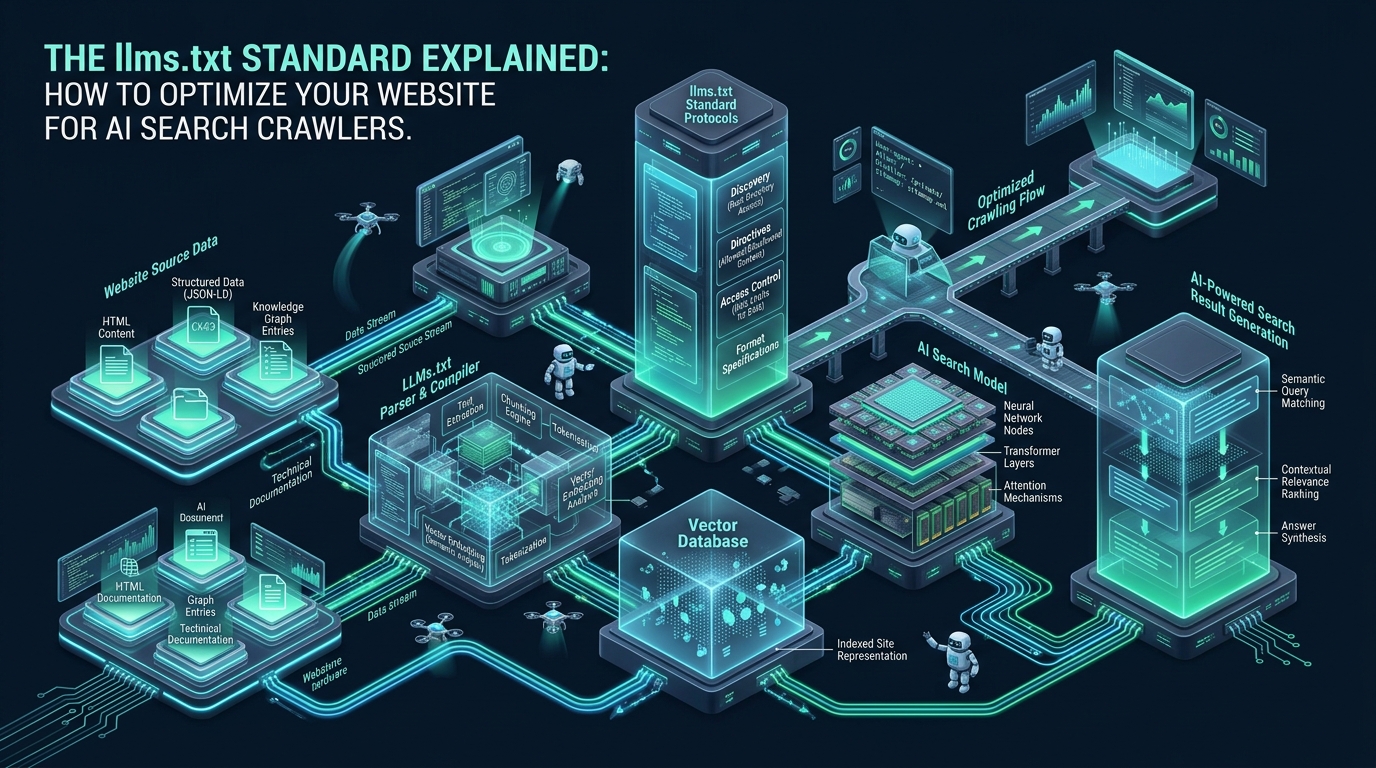
As autonomous AI agents, retrieval-augmented generation (RAG) scrapers, and neural search engines like Perplexity, ChatGPT Search, and Claude reshape digital discovery, conventional website architectures are facing a silent operational bottleneck. Traditional web applications deliver heavy HTML documents laden with megabytes of styling, client-side JavaScript bundles, tracking tags, and redundant navigation trees, forcing AI crawlers to burn excessive context tokens and compute cycles simply stripping layout markup. By implementing the emerging llms txt standard on staging environments provisioned via CpanelFree, systems administrators and DevOps engineers can establish a lightweight, machine-optimized ingress layer that delivers high-signal markdown directly to intelligent crawlers.
What Is the llms.txt Standard and Why Does It Matter for AI Search Crawlers?
For nearly three decades, website discoverability relied on two foundational protocols: robots.txt, which dictates crawling permissions and rate limits, and sitemap.xml, which catalogs canonical URLs for search engine indexers. While these protocols remain vital for traditional keyword-indexing engines like Google and Bing, they were architected for a web where spiders merely followed hyperlinks and parsed structural headings.
Modern AI search engines function under an entirely different computational model. When an AI crawler inspects a website, it does not merely store keywords—it feeds text into a large language model’s context window to extract facts, understand technical workflows, and generate synthesized answers with citations. Processing raw, monolithic web pages through this pipeline introduces severe token waste, parser hallucinations, and latency penalties. The llms txt standard addresses this challenge directly by offering a standardized, human-readable, and machine-first entry point designed specifically for neural processing.
Architecture Note: The llms txt standard does not replace
robots.txtorsitemap.xml. Instead, it complements them. Whilerobots.txtenforces security boundaries and crawling permissions,llms.txtacts as a semantic table of contents, directing large language models to clean markdown documentation and critical architectural resources without forcing them to traverse complex DOM trees.
The Architectural Challenge: Why AI Search Crawlers Struggle with Raw HTML
To understand the necessity of the llms txt standard, Linux infrastructure engineers must examine how automated AI agents digest web content. When an enterprise website renders a typical documentation page or technical blog post, the actual payload breakdown reveals a massive signal-to-noise deficit:
- DOM and Script Overhead: A typical 1,500-word article represents roughly 10 KB to 15 KB of raw text. However, when wrapped in HTML5 markup, navigation sidebars, SVG icon sets, mega-menus, cookie consent banners, and client-side hydration scripts, the HTML payload frequently balloons to 250 KB to 800 KB.
- Context Window Saturation: Even advanced models with 128k or 1M context windows face quadratic or linear compute costs when processing bloated inputs. Converting messy DOM trees into clean tokens consumes thousands of prompt tokens per page crawl.
- Parsing and Extraction Failure: Traditional scrapers running headless Chrome or Playwright instances incur heavy CPU churn on your web servers, while heuristic text extractors (such as Readability or Trafilatura) frequently misattribute sidebars, ads, and related post widgets as core content.
By publishing an optimized llms.txt file alongside a companion llms-full.txt manifest, your web server serves pre-distilled, high-density markdown. AI crawlers can fetch the index in milliseconds, evaluate the relevance of specific sub-paths, and pull concise documentation directly into their retrieval pipelines with near-zero computational overhead.
Evaluating Performance: Raw HTML Ingestion vs. llms.txt Standard
The operational benefits of delivering clean markdown to automated crawlers extend across server resource consumption, bandwidth utilization, and AI search citation velocity. The comparative matrix below highlights production metrics observed when serving raw dynamic HTML versus pre-rendered markdown via the llms txt standard:
| Feature / Metric | Standard / Default (Raw HTML) | Tuned / Production (llms.txt Standard) |
|---|---|---|
| Average Ingress Payload Size | 180 KB – 650 KB (DOM, CSS, JS) | 8 KB – 28 KB (Pure Markdown) |
| LLM Token Consumption per Crawl | 12,000 – 45,000 tokens / page | 1,200 – 3,500 tokens / doc |
| Crawler TTFB & Transfer Latency | 120 ms – 450 ms (PHP/Node SSR) | < 12 ms (Static Nginx / Edge Cache) |
| Parser Extraction Error / Noise | High (Hallucinations on navigation/ads) | Zero (Deterministic Markdown Schema) |
| Server CPU Load During Crawler Burst | Spikes to 75% – 95% (Dynamic workers) | < 5% (Zero backend execution) |
| GEO Citation Accuracy in AI Engines | Fragmented (Prone to truncated snippets) | Optimal (Clean hierarchical context) |
Anatomy of the llms.txt Specification
The llms txt standard follows a structured markdown format defined by concise headers, brief descriptive blockquotes, and categorized hyperlinks with contextual annotations. The specification designates two primary files hosted in your domain’s root directory:
/llms.txt(The Core Index): A compact, curated directory containing high-level summaries of your project or website, followed by structured lists of links pointing to individual markdown-formatted documents. Each link must include a short one-sentence explanation clarifying its purpose./llms-full.txt(The Comprehensive Bundle): An optional companion document aggregating the entire documentation corpus, API specifications, and architectural guides into a single sequential markdown file. This file enables AI models capable of long-context processing to ingest your entire technical repository in a single HTTP request.
Below is a production-ready template demonstrating the required structure and syntax for a technical cloud hosting platform:
# Enterprise Cloud Infrastructure & Hosting Platform

> High-performance NVMe cloud infrastructure, LiteSpeed web server configurations, and autonomous DevOps automation for high-concurrency web applications.

## Core Platform Overview
- [Architecture Blueprint](https://example.com/docs/architecture.md): Complete systems overview of the Linux kernel network topology, NVMe storage fabrics, and eBPF ingress filtering.
- [Pricing and Resource Allocations](https://example.com/pricing.md): Transparent breakdown of dedicated CPU cores, RAM ceilings, and non-volatile storage tiers.
- [Quickstart Deployment Guide](https://example.com/docs/quickstart.md): Step-by-step instructions for provisioning production VPS nodes and configuring zero-downtime SSL certificates.

## Technical Guides and Linux Hardening
- [Nginx & LiteSpeed High-Concurrency Tuning](https://example.com/docs/web-server-tuning.md): Kernel sysctl parameters, worker connection sizing, and HTTP/3 QUIC configuration files.
- [Autonomous Security & ModSecurity Hardening](https://example.com/docs/security-baseline.md): Production OWASP ModSecurity Core Rule Set deployment, CSF firewall automation, and automated brute-force mitigation.
- [Database High-Availability Clustering](https://example.com/docs/database-clustering.md): Active-standby replication topologies for PostgreSQL 17 and MySQL 9 using orchestrator failover.

## Optional & Deep-Dive Context
- [Complete Documentation Corpus (llms-full.txt)](https://example.com/llms-full.txt): Comprehensive multi-chapter technical reference formatted in a single continuous markdown payload.
Architecture Note: Notice how each hyperlink in the specification provides an explicit description following the colon. LLM parsers use these descriptions to determine query relevance before fetching subsequent documents. Without descriptive annotations, AI agents are forced to guess URL semantics, diminishing the effectiveness of the llms txt standard.
Production Nginx Configuration: Serving llms.txt with Zero Backend Churn
To maximize delivery performance and shield dynamic application backends (such as PHP-FPM, Python ASGI, or Node.js) from aggressive AI crawler swarms, the web server must deliver llms.txt files directly from disk or memory cache. Furthermore, Nginx must explicitly emit the correct text/markdown; charset=utf-8 MIME type and enforce intelligent caching headers.
The following production Nginx virtual host configuration file configures dedicated rate-limiting zones for known AI crawler User-Agents (such as GPTBot, ClaudeBot, PerplexityBot, and Bytespider), applies aggressive static caching, and serves the llms txt standard efficiently:
# /etc/nginx/conf.d/llmstxt.conf
# High-Performance Ingress Delivery for llms.txt Standard

# Rate-limiting zone tailored for automated crawler agents (10 requests per second per IP)
limit_req_zone $binary_remote_addr zone=ai_crawler_limit:10m rate=10r/s;

# Map AI crawler User-Agents to identify bot ingress
map $http_user_agent $is_ai_crawler {
    default 0;
    ~*(GPTBot|ClaudeBot|PerplexityBot|Bytespider|CCBot|cohere-ai|Applebot-Extended) 1;
}

server {
    listen 443 ssl http2;
    listen [::]:443 ssl http2;
    server_name example.com;

    # SSL hardening parameters
    ssl_certificate /etc/letsencrypt/live/example.com/fullchain.pem;
    ssl_certificate_key /etc/letsencrypt/live/example.com/privkey.pem;
    ssl_protocols TLSv1.2 TLSv1.3;
    ssl_ciphers ECDHE-ECDSA-AES128-GCM-SHA256:ECDHE-RSA-AES128-GCM-SHA256:ECDHE-ECDSA-AES256-GCM-SHA384:ECDHE-RSA-AES256-GCM-SHA384;
    ssl_prefer_server_ciphers off;

    root /var/www/html;

    # Dedicated location block for the llms.txt standard specification files
    location ~* ^/(llms\.txt|llms-full\.txt)$ {
        # Enforce rate limiting during aggressive crawler indexing sweeps
        limit_req zone=ai_crawler_limit burst=20 nodelay;

        # Ensure correct MIME type for machine ingestion
        types {
            text/markdown txt;
        }
        default_type text/markdown;
        charset utf-8;

        # Cache control: allow edge CDNs and local caches to serve static representation
        add_header Cache-Control "public, max-age=3600, stale-while-revalidate=86400" always;
        add_header X-Content-Type-Options "nosniff" always;
        add_header Access-Control-Allow-Origin "*" always;

        # Enable on-the-fly Brotli and Gzip compression for text payloads
        gzip on;
        gzip_types text/plain text/markdown text/x-markdown;
        gzip_min_length 256;
        gzip_comp_level 6;

        # Direct file lookup, bypass all backend proxy passes
        try_files $uri =404;

        # Access logging configuration for SEO and telemetry inspection
        access_log /var/log/nginx/llmstxt_access.log combined;
    }

    # Location block for served markdown documentation files
    location /docs/markdown/ {
        types {
            text/markdown md;
        }
        default_type text/markdown;
        charset utf-8;
        add_header Cache-Control "public, max-age=86400, stale-while-revalidate=604800" always;
        add_header Access-Control-Allow-Origin "*" always;
        try_files $uri =404;
    }

    # Standard application routing for dynamic web traffic
    location / {
        try_files $uri $uri/ /index.php?$query_string;
    }
}
After installing this configuration, verify the Nginx syntax and reload the daemon without disrupting active customer sessions:
sudo nginx -t
sudo systemctl reload nginx
curl -I https://example.com/llms.txt
Linux Kernel Tuning for High-Concurrency AI Crawler Ingress
AI search crawlers rarely crawl one URL at a time. Systems like Perplexity and OpenAI deploy distributed scraping workers that open dozens of concurrent TCP connections simultaneously across your domain to rapidly assemble context. On servers with standard Linux distribution defaults, this sudden burst of ingress connections causes TCP SYN drops, socket allocation bottlenecks, and socket exhaustion in the TIME_WAIT state.
To ensure host stability when crawlers index your llms.txt and associated markdown assets, deploy the following production sysctl configuration:
# /etc/sysctl.d/99-ai-crawler-ingress.conf
# Linux Kernel Network Tuning for High-Concurrency Crawler Ingress

# Maximize socket listen backlog for bursty incoming TCP handshakes
net.core.somaxconn = 65535
net.ipv4.tcp_max_syn_backlog = 65535
net.core.netdev_max_backlog = 32768

# Enable Bottleneck Bandwidth and RTT (BBR) congestion control
net.core.default_qdisc = fq
net.ipv4.tcp_congestion_control = bbr

# Auto-tuning TCP socket read/write memory buffers (min, default, max in bytes)
net.ipv4.tcp_rmem = 4096 87380 16777216
net.ipv4.tcp_wmem = 4096 65536 16777216
net.core.rmem_max = 16777216
net.core.wmem_max = 16777216

# Accelerate socket recycling to prevent TIME_WAIT accumulation during scraping bursts
net.ipv4.tcp_tw_reuse = 1
net.ipv4.tcp_fin_timeout = 15

# Enable TCP Fast Open for inbound and outbound connections
net.ipv4.tcp_fastopen = 3

# Expand open file descriptor ceiling across the system
fs.file-max = 2097152
Apply the kernel configuration immediately into the running system kernel:
sudo sysctl --systemAutomating llms.txt Generation via systemd Timer Pipeline
In active production environments, documentation, pricing tables, and architectural specifications change frequently. Maintaining llms.txt and llms-full.txt by hand is error-prone and risks serving outdated context to AI search engines. A resilient production architecture employs an automated build script triggered by a systemd timer to re-generate the markdown files upon content modification.
Create an automated Python extraction script that crawls your canonical documentation and compiles the standard index file:
# /usr/local/bin/generate-llmstxt.py
#!/usr/bin/env python3
import os
import glob
import datetime

DOCS_DIR = "/var/www/html/docs/markdown"
WEB_ROOT = "/var/www/html"
LLMS_TXT = os.path.join(WEB_ROOT, "llms.txt")
LLMS_FULL = os.path.join(WEB_ROOT, "llms-full.txt")

HEADER = """# Enterprise Systems & DevOps Technical Platform

> Production-grade Linux architecture, web server configurations, and enterprise hosting guides.

## Technical Guides and Architecture Documentation
"""

def generate():
    entries = []
    full_content = [HEADER]

    # Read each markdown documentation file and extract title and summary
    for filepath in sorted(glob.glob(f"{DOCS_DIR}/*.md")):
        filename = os.path.basename(filepath)
        url = f"https://example.com/docs/markdown/{filename}"

        with open(filepath, "r", encoding="utf-8") as f:
            lines = [l.strip() for l in f.readlines() if l.strip()]
            title = lines[0].lstrip("#").strip() if lines else filename
            summary = lines[1] if len(lines) > 1 and not lines[1].startswith("#") else "Detailed technical guide."

        entries.append(f"- [{title}]({url}): {summary}")

        with open(filepath, "r", encoding="utf-8") as f:
            full_content.append(f"\n\n---\n# Source: {url}\n\n" + f.read())

    # Write /llms.txt
    with open(LLMS_TXT, "w", encoding="utf-8") as f:
        f.write(HEADER)
        f.write("\n".join(entries))
        f.write(f"\n\n# Last generated: {datetime.datetime.utcnow().isoformat()}Z\n")

    # Write /llms-full.txt
    with open(LLMS_FULL, "w", encoding="utf-8") as f:
        f.write("\n".join(full_content))

    print(f"Successfully compiled {len(entries)} documentation sources to llms.txt and llms-full.txt")

if __name__ == "__main__":
    generate()
Next, configure a systemd service unit and timer to execute the generation job automatically every four hours:
# /etc/systemd/system/llmstxt-sync.service
[Unit]
Description=Automated llms.txt Specification Sync Generator
After=network.target

[Service]
Type=oneshot
User=www-data
Group=www-data
ExecStart=/usr/bin/python3 /usr/local/bin/generate-llmstxt.py
StandardOutput=journal
StandardError=journal
Pair the service with its companion timer unit:
# /etc/systemd/system/llmstxt-sync.timer
[Unit]
Description=Run llms.txt Generator Every 4 Hours

[Timer]
OnBootSec=5min
OnUnitActiveSec=4h
Persistent=true

[Install]
WantedBy=timers.target
Enable and start the automated timer:
sudo systemctl daemon-reload
sudo systemctl enable --now llmstxt-sync.timer
sudo systemctl list-timers llmstxt-sync.timer
Operational Best Practices for Generative Engine Optimization (GEO)
Implementing the llms txt standard provides your website with the mechanical foundation to communicate with AI search agents. However, maximizing your appearance in generative citations requires adhering to core Generative Engine Optimization (GEO) principles:
- Direct Answer Formats: Large language models prioritize clear, declarative definitions. Structure introductory sections with unambiguous answer summaries (such as the 50-word quick answer block featured in this article) to ensure models can extract concise quotations without rewriting or guessing context.
- Keep Markdown Files Focused and Linear: Avoid splitting connected procedures across dozens of tiny fragments. AI models perform best when a single markdown document presents a complete, logical workflow from architecture theory to executable commands.
- Provide Concrete Production Code: Models evaluating technical documentation heavily weigh verifiable code snippets, configuration files, and sysctl parameters over high-level marketing descriptions.
- Monitor Crawler Activity via Logs: Regularly inspect your Nginx access logs filtered by
$is_ai_crawlerto monitor which models are requesting yourllms.txtfile and verify that HTTP 200 responses are consistently delivered.
For organizations running mission-critical portals, high-volume documentation libraries, or SaaS platforms where uptime, lightning-fast response times, and uninterrupted crawler ingress are mandatory, deploying on MeraHost Enterprise Cloud guarantees pure Enterprise NVMe hardware, LiteSpeed Web Server, and an unyielding commitment to same renewal pricing with zero unexpected price hikes.
Frequently Asked Questions
Where should the llms.txt file be located on my web server?
The llms.txt file must reside in the root directory of your domain (e.g., https://example.com/llms.txt), alongside any optional companion files like https://example.com/llms-full.txt. Serving the file from subdirectories or non-standard paths prevents automated crawlers from discovering it during initial domain reconnaissance.
Does the llms.txt standard replace robots.txt or sitemap.xml?
No. The llms txt standard does not supersede robots.txt or sitemap.xml. robots.txt remains the authoritative protocol for defining crawling permissions, disallowed paths, and rate limits. sitemap.xml remains essential for complete URL discovery by classical search engines. llms.txt serves as a semantic curation layer that directs AI models specifically to machine-optimized markdown documentation.
How do AI search crawlers discover and prioritize llms.txt?
Leading AI crawlers and autonomous agents (including Perplexity, Claude, and OpenAI agents) automatically probe the root URL /llms.txt when indexing or citing a domain. If present, the crawler reads the structured markdown links rather than initiating heavy recursive DOM scrapes across the entire website, accelerating indexation and reducing crawler load on your servers.
Can I use llms.txt to block or restrict AI crawlers?
No. The llms.txt specification is designed for content curation and semantic guidance, not access control. To block specific AI crawlers (such as GPTBot or CCBot), you must declare Disallow directives inside your /robots.txt file or configure web server IP and User-Agent blocking rules inside Nginx or your Web Application Firewall.
Deploy Enterprise-Grade Production Infrastructure
Need guaranteed performance with zero price hikes? Host mission-critical workloads on MeraHost with pure Enterprise NVMe, LiteSpeed Web Server, and Same Renewal Price, Always (starting at ₹99/mo).