
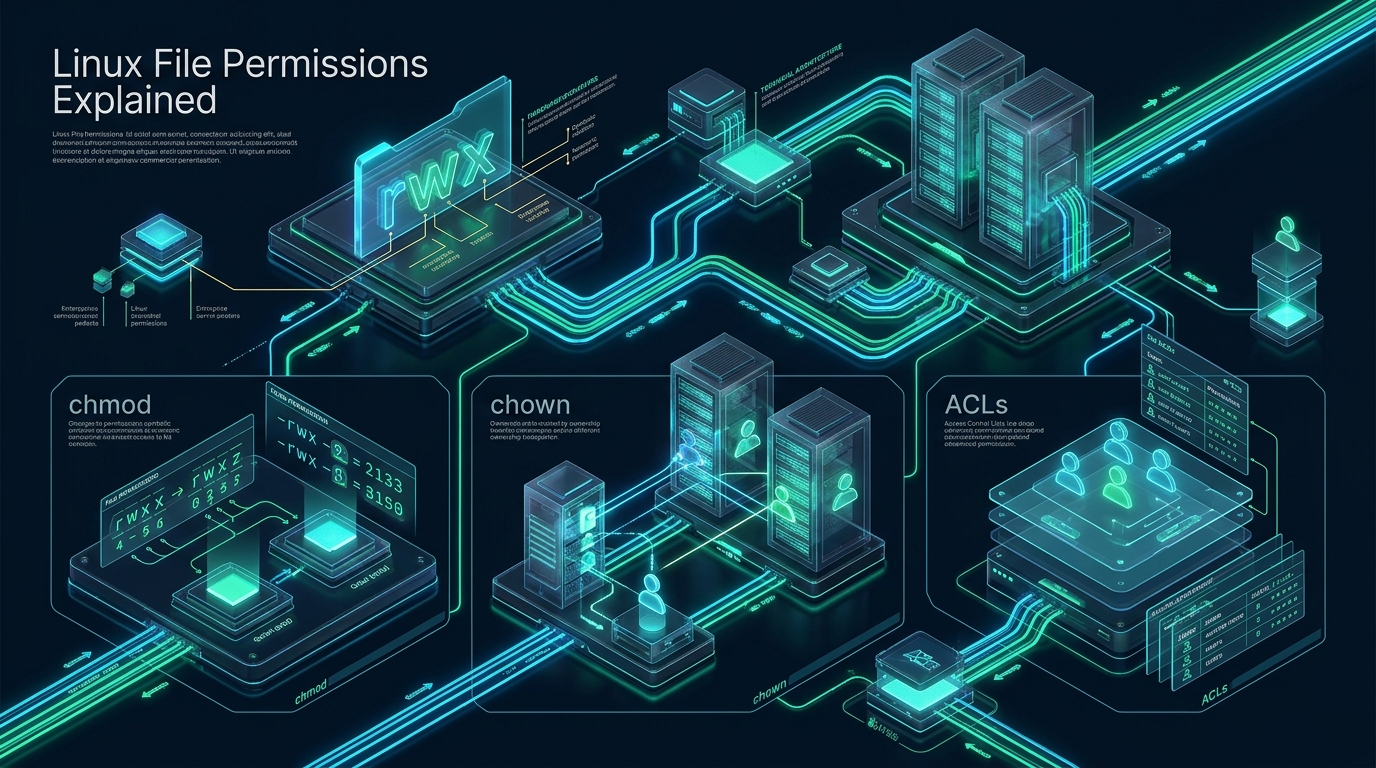
Misconfigured file permissions remain one of the most persistent attack vectors and operational failure points across modern Linux server environments. From web server daemons improperly granted root write privileges to multi-tenant deployment pipelines crashing due to restrictive user masks, relying on crude workarounds like chmod 777 introduces catastrophic security vulnerabilities into production systems. At CpanelFree, our infrastructure architects isolate high-density server environments through rigorous access control hierarchies, proving that granular filesystem permissions are the first line of defense in enterprise Linux administration.
Linux File Permissions Explained: Core Architecture and VFS Inodes
Direct Answer: Linux file permissions govern read (4), write (2), and execute (1) operations across User, Group, and Others via 12-bit inode metadata. While chmod alters discretionary access bits and chown reassigns UID/GID ownership, POSIX Access Control Lists (ACLs) provide granular multi-user authorization beyond traditional Unix triads without modifying global system groups.
To fundamentally master Linux file permissions, systems architects must look beneath user-space utilities and inspect how the Linux Virtual File System (VFS) and filesystem drivers (such as Ext4, XFS, and Btrfs) track metadata. Every file and directory in Linux is represented by an inode (index node)—a data structure that stores file attributes, block pointers, cryptographic checksums, and authorization flags. The file name itself is merely an entry in a directory data block mapping a human-readable string to an inode number.
Within the inode structure, the kernel allocates a 16-bit integer designated as i_mode. The higher 4 bits identify the file type (regular file, directory, symbolic link, socket, FIFO, or block/character device), while the remaining 12 bits dictate access authorization. These 12 bits are partitioned into two distinct functional domains:
- 3 Special Bits (Bits 11-9): Setuid (SUID, bit 11, octal 4000), Setgid (SGID, bit 10, octal 2000), and the Sticky Bit (bit 9, octal 1000).
- 9 Standard Permission Bits (Bits 8-0): Divided into three discrete 3-bit triads representing User (owner), Group, and Others (world).
When an unprivileged process issues a system call such as open(), read(), or execve(), the kernel evaluates authorization sequentially. It first checks if the process’s effective UID matches the file’s owner UID. If it matches, the User permissions apply exclusively—and evaluation stops immediately. If the UID does not match, the kernel checks whether the process’s effective GID or any of its supplementary groups match the file’s GID. If a match occurs, the Group permissions apply exclusively. Only if neither owner UID nor group GID match does the kernel fall back to the Others permission set. This short-circuit evaluation mechanism means that if a file grants group read access but the owner explicitly has zero read access (---r-----), the owner process is denied read access even if they belong to the file’s assigned group.
Architecture Note: In modern Linux kernels, root (UID 0) bypasses standard DAC (Discretionary Access Control) read and write restrictions via kernel capabilities (specifically
CAP_DAC_OVERRIDEandCAP_DAC_READ_SEARCH). However, root cannot execute a file unless at least one execute bit (owner, group, or others) is explicitly enabled on the file.
The Standard Permission Triad: Octal Arithmetic and File vs. Directory Semantics
The nine standard permission bits correspond to three elemental access privileges: Read (r), Write (w), and Execute (x). Systems engineers calculate permission sets using octal (base-8) representation, where each triad represents a single octal digit ranging from 0 (binary 000) to 7 (binary 111):
- Read (r = 4 / binary 100): Grants permission to inspect the contents of an asset.
- Write (w = 2 / binary 010): Grants permission to modify or append data within an asset.
- Execute (x = 1 / binary 001): Grants permission to load and run an executable binary or interpreter script.
By summing these values, an administrator constructs absolute permission modes. For instance, read plus write equals 4 + 2 = 6 (rw-). Read, write, and execute equals 4 + 2 + 1 = 7 (rwx). An octal mode of 755 translates to User: 7 (rwx), Group: 5 (r-x), and Others: 5 (r-x).
Critical Distinction: File Semantics vs. Directory Semantics
One of the most frequent sources of permission errors in enterprise web staging and production hosting stems from treating directories identically to regular files. The Linux kernel assigns radically different meanings to permission bits when applied to directories:
- Directory Read (r / 4): Allows a process to read the directory’s list of file names (e.g., executing
lswithout flags). However, without the execute bit, the process cannot inspect inode metadata, check file sizes, or stat any file inside the directory. - Directory Write (w / 2): Allows a process to create, delete, or rename directory entries (links to inodes). Crucial Security Warning: If a user possesses write and execute permissions on a directory, they can delete any file within that directory, even if the file itself is owned by root and has strict read-only permissions (
0400). - Directory Execute (x / 1): Referred to as the search or traversal bit. Allows a process to traverse into the directory (
chdir), access inodes within it, and execute files hosted inside it. Without execute permissions on every parent directory in a path, a process cannot open even a world-readable file.
Because of this behavioral split, running a blanket command like chmod -R 755 /var/www/html is suboptimal because it sets the execute bit on static image files, CSS stylesheets, and PHP source code. The professional production pattern separates directories from files using selective execution:
# Set standard enterprise directory permissions (drwxr-xr-x)
find /var/www/production/public_html -type d -exec chmod 755 {} +

# Set standard enterprise regular file permissions (-rw-r--r--)
find /var/www/production/public_html -type f -exec chmod 644 {} +

# Alternatively, use symbolic capital X for atomic directory traversal without executing files:
chmod -R u=rwX,go=rX /var/www/production/public_html
Ownership Architecture: Deep Dive into chown and chgrp
Every file and directory in Linux is owned by exactly one User (UID) and one Group (GID). The chown (change owner) utility modifies these ownership attributes within the inode. Only the superuser (root or a process with CAP_CHOWN) can transfer file ownership to another user, preventing unprivileged users from transferring disk quota usage or weaponizing suid binaries.
The standard syntax for reassigning ownership handles both user and group in a single atomic invocation:
# Assign owner and primary group simultaneously
chown -R www-data:www-data /var/www/app/storage

# Reassign only the owner while preserving current group assignment
chown deployer /var/www/app/config.json

# Reassign only the group using colon or dot prefix
chown :devops /var/www/app/logs
chgrp devops /var/www/app/logs

# Protect against symlink traversal attacks during recursive operations (-h)
chown -h deployer:www-data /var/www/app/current_release
Architecture Note: When applying recursive ownership changes (
chown -R), always verify whether your directory structure contains symbolic links pointing outside the web root. Using the-hflag ensureschownmodifies the link itself rather than following the pointer into sensitive system directories like/etcor/var/log.
Special Permission Bits: SUID, SGID, and the Sticky Bit
Standard 3-digit octal permissions cannot solve multi-user collaboration or privileged daemon execution. Linux incorporates three special permission bits that occupy the fourth, most significant octal digit position:
- SUID (Set User ID – Octal 4000 / Symbolic u+s): When applied to an executable binary, any user running the binary executes it with the effective privileges of the file’s owner rather than the calling user. A classic example is
/usr/bin/passwd, which requires root privileges to update/etc/shadow. In long listings, SUID appears as ansin the user execute position (e.g.,-rwsr-xr-x); if the underlying execute bit is missing, it displays as an uppercaseSindicating a misconfiguration. - SGID (Set Group ID – Octal 2000 / Symbolic g+s): On executable binaries, SGID causes the process to run with the file’s group privileges. On directories, however, SGID exhibits an invaluable enterprise architectural behavior: any new file or subdirectory created inside an SGID directory automatically inherits the group ownership of the parent directory, rather than the primary group of the user who created it. This guarantees that multi-developer teams and automated CI/CD runners can collaboratively edit files without experiencing group mismatch errors.
- Sticky Bit (Octal 1000 / Symbolic +t): Applied to shared, world-writable directories such as
/tmpand/var/tmp. The sticky bit restricts file deletion and renaming: a user can only delete or rename a file if they are the owner of the file, the owner of the directory, or the root superuser. In long listings, it appears as atin the others execute position (e.g.,drwxrwxrwt).
# Configure an enterprise collaborative directory with SGID inheritance
mkdir -p /opt/web-shared
chown deployer:webdevs /opt/web-shared
chmod 2775 /opt/web-shared

# Verify the SGID bit in standard directory listing
ls -ld /opt/web-shared
# Output: drwxrwsr-x 2 deployer webdevs 4096 Oct  2 09:00 /opt/web-shared
Moving Beyond Standard Triads: POSIX Access Control Lists (ACLs)
While traditional owner/group/others permissions satisfy basic hosting topologies, enterprise cloud workflows frequently require complex authorization matrices. For instance, consider a production logging directory where:
- The
app-daemonuser must write and rotate logs (read/write). - The
vector-agenttelemetry daemon requires read-only ingestion access. - The
audit-teamgroup requires read-only compliance inspection. - The
devopsgroup requires full maintenance control (read/write/execute). - All other system users must be completely denied access.
Under traditional Unix permissions, achieving this without creating dozens of artificial nested groups is impossible. POSIX Access Control Lists (ACLs) resolve this architecture bottleneck by attaching an extended access table directly to the inode’s extended attributes (xattr).
Inspecting and Mutating ACLs with getfacl and setfacl
ACL management centers around two primary user-space utilities: getfacl (read ACL tables) and setfacl (modify ACL rules). When an asset has active extended ACLs, standard ls -l output displays a trailing plus sign (+) immediately following the permission string (e.g., -rw-r-----+).
# Grant specific read-only access to vector-agent on an existing log tree
setfacl -m u:vector-agent:r-- /var/log/nginx/production.log

# Grant read-write-execute access to a secondary engineering group
setfacl -m g:audit-team:r-x /var/log/nginx

# Configure default ACLs (-d) on a directory so all future files inherit rules automatically
setfacl -d -m u:vector-agent:r-- /var/log/nginx
setfacl -d -m g:devops:rwx /var/log/nginx

# Inspect the full ACL entry table
getfacl /var/log/nginx
# # file: var/log/nginx
# # owner: www-data
# # group: www-data
# user::rwx
# user:vector-agent:r--
# group::r-x
# group:audit-team:r-x
# group:devops:rwx
# mask::rwx
# other::---
# default:user::rwx
# default:user:vector-agent:r--
# default:group::r-x
# default:group:devops:rwx
# default:mask::rwx
# default:other::---
Architecture Note: The mask entry in an ACL defines the maximum ceiling of permissions allowable for all named users, additional groups, and the owning group. If a user is granted
rwxvia an ACL entry, but the mask is set tor--, the user’s effective permission is constrained strictly to read-only.
Architectural Comparison: Standard Permissions vs. POSIX ACLs
When selecting permission strategies for automated orchestration and production web hosting, systems architects must balance security granularity against metadata lookup overhead:
| Feature / Metric | Standard / Default | Tuned / Production |
|---|---|---|
| Authorization Granularity | 1 Owner UID, 1 Group GID, World | Arbitrary Users, Groups, and Masks |
| Inheritance Mechanism | Process Umask + Directory SGID Bit | Declarative Default ACLs (-d) per Subtree |
| Inode Storage Overhead | Directly inside Inode (12 bits) | Extended Attribute (EA) Block |
| VFS Kernel Path Traversal Latency | Sub-nanosecond Bitmask Comparison | Cached Inode xattr Traversal (~1-2% overhead) |
| Backup & Archival Consistency | Native tar, cp, rsync default |
Requires rsync -A and tar --acls flags |
| Audit & Observability | Instant via stat or ls -l |
Explicit getfacl or auditd xattr monitors |
Real Production Configuration Files
In automated enterprise environments, manually running chmod and setfacl commands is prone to configuration drift. Systems architects implement declarative configurations that guarantee correct permissions upon system boot and service restarts.
1. Declarative Permission Management via systemd-tmpfiles
The modern Linux standard for state enforcement is systemd-tmpfiles. The following production configuration enforces strict permissions, directory SGID bits, and POSIX default ACLs across application and upload trees:
# /etc/tmpfiles.d/production-web-permissions.conf
# Type  Path                              Mode  User      Group     Age  Argument
# Ensure application root directory is owned by deployer with group www-data
d       /var/www/production               0755  deployer  www-data  -    -

# Enforce SGID and read-write group access on shared storage
d       /var/www/production/storage       2775  deployer  www-data  -    -

# Enforce secure session storage accessible exclusively by the web server
d       /var/www/production/sessions      0700  www-data  www-data  1d   -

# Set default ACLs allowing vector-agent read telemetry without modifying group ownership
a+      /var/www/production/storage/logs  -     -         -         -    default:user:vector-agent:r-x,user:vector-agent:r-x
2. Enterprise Hardened Mount Options in /etc/fstab
Filesystem security begins at the mount layer. Restricting partition execution privileges neutralizes malicious binaries dropped into writable upload directories:
# /etc/fstab: Hardened production mount points
# Dedicated user upload volume mounted with noexec, nosuid, and nodev
UUID=4e8a1d2c-9824-4f32-8411-bd5f87e61a29  /var/www/uploads  ext4  defaults,noexec,nosuid,nodev,acl,noatime  0  2

# Fast NVMe cache volume with POSIX ACL support enabled
UUID=8f91b7a2-1132-4d5e-9901-cc4e22a57d01  /var/cache/app    xfs   defaults,nodev,nosuid,pquota,noatime     0  2
3. Automated Deployment Hardening Script
Integrate this post-deployment hook into your CI/CD runner (e.g., GitHub Actions or GitLab CI) to ensure zero permission escalation during code releases:
#!/usr/bin/env bash
# /usr/local/bin/harden-web-permissions.sh
set -euo pipefail

TARGET_DIR="${1:-/var/www/production/public_html}"
WEB_USER="www-data"
DEPLOY_USER="deployer"

echo "[*] Hardening permissions on: ${TARGET_DIR}"

# 1. Reset ownership
chown -R "${DEPLOY_USER}:${WEB_USER}" "${TARGET_DIR}"

# 2. Normalize directories to 0755 and files to 0644
find "${TARGET_DIR}" -type d -exec chmod 0755 {} +
find "${TARGET_DIR}" -type f -exec chmod 0644 {} +

# 3. Secure sensitive configuration files (.env, wp-config.php)
if [[ -f "${TARGET_DIR}/.env" ]]; then
    chmod 0640 "${TARGET_DIR}/.env"
fi

# 4. Enforce write access strictly on writable upload trees
if [[ -d "${TARGET_DIR}/wp-content/uploads" ]]; then
    chmod -R 2775 "${TARGET_DIR}/wp-content/uploads"
    setfacl -R -d -m u:${WEB_USER}:rwx "${TARGET_DIR}/wp-content/uploads"
fi

echo "[+] File permissions successfully hardened and synchronized."
When engineering high-throughput production clusters, filesystem metadata performance and strict access boundaries become decisive factors. If your current provider throttles I/O operations or imposes arbitrary inode restrictions during heavy ACL traversal, migrating your architecture to MeraHost Enterprise Cloud ensures your workloads run on pure Enterprise NVMe arrays powered by LiteSpeed Web Server, protected by predictable, locked-in pricing with Same Renewal Price, Always (starting at ₹99/mo).
Frequently Asked Questions
What is the functional difference between chmod 777 and chmod 755 in production?
chmod 777 grants full read, write, and execute permissions to everyone on the system (User, Group, and Others). In a multi-user or web-facing environment, this allows any local process or compromised service to modify, overwrite, or inject malicious code into your files. In contrast, chmod 755 restricts write permissions exclusively to the file owner, while allowing group members and others only to read and execute, upholding the principle of least privilege.
Why does a user still encounter ‘Permission Denied’ despite belonging to the file’s assigned group?
This commonly occurs for three reasons: First, when a user is added to a supplementary group via usermod -aG, the change does not affect existing active shell sessions until the user logs out and logs back in (or runs newgrp). Second, Linux checks directory traversal permissions: if any parent directory in the path lacks execute (x) permissions for that user or group, the kernel blocks access. Third, if POSIX ACLs are active, an restrictive ACL mask may override the group permission.
How do default ACLs (setfacl -d) differ from standard recursive chmod -R?
A recursive chmod -R command operates retrospectively, altering the permission bits of only existing files and directories at the time of execution. Any file created moments later receives permissions determined by the creating process’s umask. In contrast, default ACLs (configured via setfacl -d) act prospectively as an inheritance policy, automatically applying defined permission entries to all newly created child files and subdirectories indefinitely.
Does utilizing POSIX ACLs degrade NVMe storage I/O performance?
Under typical server workloads, POSIX ACL overhead is negligible because modern Linux kernels cache extended attributes directly in the VFS inode slab memory. However, in extreme metadata-heavy environments (such as compiling millions of small files or serving hundreds of thousands of un-cached static assets per second), reading extended attribute blocks can introduce a 1% to 3% latency penalty compared to standard 12-bit inode bitmask evaluation.
Deploy Enterprise-Grade Production Infrastructure
Need guaranteed performance with zero price hikes? Host mission-critical workloads on MeraHost with pure Enterprise NVMe, LiteSpeed Web Server, and Same Renewal Price, Always (starting at ₹99/mo).