
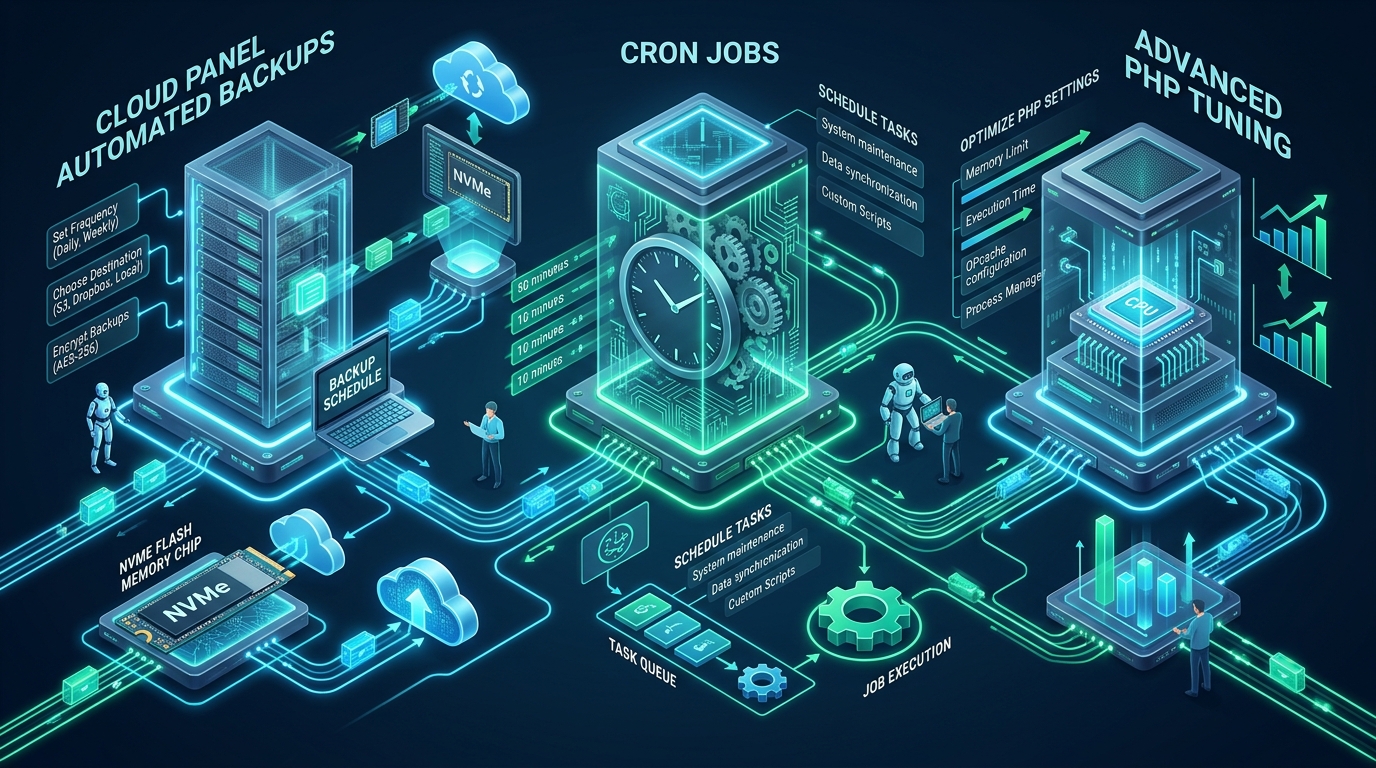
Modern high-traffic web applications running on lightweight control panels frequently suffer from silent data degradation, cron queue starvation, and unoptimized FastCGI process pools under sustained concurrency. While default installations provision a lean, operational PHP and Nginx stack, scaling mission-critical production workloads demands deterministic disaster recovery pipelines, decoupled asynchronous scheduling, and kernel-aligned runtime optimizations. Systems architects and DevOps teams seeking to stress-test their staging environments before full production rollout often leverage high-availability testbeds on CpanelFree to validate isolation boundaries and resource thresholds.
Architectural Blueprint: CloudPanel v2 Disaster Recovery, Cron Isolation, and PHP Optimization
To optimize CloudPanel for production, implement daily automated S3/R2 backups using encrypted incremental snapshots, decouple scheduled tasks from web requests by routing CLI crons through flock-locked user crontabs, and tune PHP-FPM using dynamic process pools paired with expanded Zend OPcache interned strings and JIT compilation to eliminate runtime latency bottlenecks.
CloudPanel v2 represents one of the leanest modern hosting stacks in the Linux ecosystem, replacing heavyweight legacy control panel architectures with an asynchronous, resource-efficient stack built upon Debian/Ubuntu, Nginx, isolated multi-version PHP-FPM workers, and MariaDB/MySQL. Unlike monolithic control panels that consume hundreds of megabytes of resident memory merely idling in the background, CloudPanel delegates runtime management directly to native system services managed via systemd.
However, running a lightweight control panel in an enterprise production tier introduces specific operational responsibilities. Default configurations prioritize broad hardware compatibility over high-throughput execution. If unadjusted, scheduled backups can saturate disk I/O, untamed cron jobs can trigger thread starvation in PHP-FPM, and default worker pools can choke on bursty web traffic. Achieving six-nines service reliability requires systematic tuning across three interconnected pillars: automated offsite data durability, isolated cron execution, and high-concurrency PHP runtime configuration.
Pillar 1: Configuring Production-Grade Automated Backups to Cloud Storage
Data resilience in CloudPanel centers on decoupling storage media from the compute instance. Storing snapshots locally on the same physical NVMe drive or EBS volume hosting the live database is an operational anti-pattern. If a kernel panic, filesystem corruption, or hypervisor outage occurs, local archives are lost alongside live data. CloudPanel features native integration with cloud object storage providers via an optimized Rclone-based transport layer supporting Amazon S3, Cloudflare R2, Google Cloud Storage, DigitalOcean Spaces, Wasabi, and remote SFTP endpoints.
The native backup engine serializes database dumps via mysqldump with transaction consistency (--single-transaction --quick) and archives the site webroots located in /home/{site-user}/htdocs/{domain-name}. To ensure uninterrupted service, schedule automated backups during off-peak hours (typically between 02:00 and 04:00 UTC) when database write locks and network bandwidth consumption will not impact user-facing transactions.
Automated Backup Health Auditing and Verification
A backup that has never been tested is not a backup; it is merely an assumption. Enterprise architectures require automated integrity testing to verify archive headers, tarball integrity, and database dump headers. The following production-ready systemd service and timer script validates offsite backup synchronization and alerts systems administrators of any anomalous archive sizes or corrupted tar archives.
#!/usr/bin/env bash
# /usr/local/bin/cloudpanel-backup-verifier.sh
# Automated Archive Integrity and Health Validation for CloudPanel
set -euo pipefail

BACKUP_DIR="/home/clp/backups"
LOG_FILE="/var/log/cloudpanel-backup-audit.log"
DATE_STAMP="$(date +'%Y-%m-%d %H:%M:%S')"

mkdir -p "$(dirname "$LOG_FILE")"

log_msg() {
    echo "[$DATE_STAMP] [INFO] $1" >> "$LOG_FILE"
}

log_warn() {
    echo "[$DATE_STAMP] [WARN] $1" >> "$LOG_FILE"
}

log_msg "Starting CloudPanel archive verification pass..."

if [ ! -d "$BACKUP_DIR" ]; then
    log_warn "Backup root directory $BACKUP_DIR not found. Exiting pass."
    exit 0
fi

# Locate latest archives created within the last 26 hours
LATEST_ARCHIVES=$(find "$BACKUP_DIR" -type f -name "*.tar.gz" -mtime -1.1)

if [ -z "$LATEST_ARCHIVES" ]; then
    log_warn "CRITICAL: No valid backup archives generated in the last 26 hours!"
    # Insert webhook notification (Slack, Discord, or Opsgenie) here
    exit 2
fi

for archive in $LATEST_ARCHIVES; do
    ARCHIVE_SIZE=$(stat -c%s "$archive")
    # Enforce minimum size threshold: empty or truncated archives fail
    if [ "$ARCHIVE_SIZE" -lt 1048576 ]; then
        log_warn "Archive $archive is under 1MB ($ARCHIVE_SIZE bytes). Potential truncated dump."
        continue
    fi

    # Test gzip integrity without decompressing to disk
    if gzip -t "$archive" 2>/dev/null; then
        log_msg "PASSED: $archive ($(( ARCHIVE_SIZE / 1024 / 1024 )) MB) integrity verified."
    else
        log_warn "FAILED: $archive corrupted gzip stream detected!"
    fi
done

log_msg "CloudPanel archive verification pass completed successfully."
exit 0
To schedule this verification pass automatically following the daily backup cycle, install the accompanying systemd timer below to execute every morning at 05:30 UTC.
# /etc/systemd/system/cloudpanel-backup-audit.service
[Unit]
Description=CloudPanel Daily Backup Integrity Verification
After=network.target

[Service]
Type=oneshot
ExecStart=/usr/local/bin/cloudpanel-backup-verifier.sh
User=root
StandardOutput=journal
StandardError=journal

---
# /etc/systemd/system/cloudpanel-backup-audit.timer
[Unit]
Description=Run CloudPanel Backup Audit Daily at 05:30 UTC

[Timer]
OnCalendar=*-*-* 05:30:00 UTC
Persistent=true

[Install]
WantedBy=timers.target
Activate the timer with standard systemd lifecycle commands:
sudo systemctl daemon-reload
sudo systemctl enable --now cloudpanel-backup-audit.timer
sudo systemctl list-timers --all | grep cloudpanel
Pillar 2: Enterprise Cron Job Architecture & Task Isolation
In high-concurrency web environments, how scheduled tasks execute directly impacts system stability. Content management platforms like WordPress default to a pseudo-cron mechanism (wp-cron.php), which triggers scheduled database tasks upon incoming HTTP GET requests. When traffic spikes or cache invalidation occurs, dozens of concurrent front-end visitors inadvertently spawn resource-intensive background routines, saturating PHP-FPM worker pools and triggering cascading 504 Gateway Timeouts.
The definitive production solution is to disable HTTP-triggered execution entirely and offload cron handling to Linux user-space cron daemons. In your application’s configuration (such as wp-config.php), insert:
define('DISABLE_WP_CRON', true);Preventing Race Conditions with Linux flock
A critical operational failure in cron management is task overlap. If a scheduled queue consumer or reporting job takes 90 seconds to process a batch of records, but the cron trigger runs every 60 seconds, multiple instances of the script run concurrently. This leads to database deadlocks, high CPU thrashing, and memory exhaustion. By wrapping cron executions in flock (file locking), subsequent invocations immediately abort if a previous instance is still running.
john-doe). Never run site crons as the root user. Executing application scripts as root introduces severe security risks and creates cache files owned by root, which subsequently breaks read/write permissions for the web-facing PHP-FPM pool.Below is the production crontab configuration for a CloudPanel site user, utilizing isolated logging, custom memory ceilings, and non-blocking locks:
# Edit via: crontab -u siteuser -e
# Shell environment definitions
SHELL=/bin/bash
PATH=/usr/local/sbin:/usr/local/bin:/sbin:/bin:/usr/sbin:/usr/bin
MAILTO=""

# 1. Asynchronous Application Queue (Every 5 minutes with flock concurrency guard)
*/5 * * * * /usr/bin/flock -n /tmp/site_queue.lock /usr/bin/php8.3 -d memory_limit=512M -d max_execution_time=300 /home/siteuser/htdocs/app.example.com/artisan queue:work --stop-when-empty >> /home/siteuser/logs/queue.log 2>&1

# 2. WordPress Scheduled Engine (Every 10 minutes with strict execution timeout)
*/10 * * * * /usr/bin/flock -n /tmp/wp_cron.lock /usr/bin/php8.3 -d memory_limit=256M /home/siteuser/htdocs/example.com/wp-cron.php doing_wp_cron >> /home/siteuser/logs/cron.log 2>&1

# 3. Log Rotation and Cleanup (Nightly at 03:15 AM)
15 3 * * * /usr/bin/find /home/siteuser/logs/ -name "*.log" -type f -size +50M -exec truncate -s 10M {} \;
Pillar 3: Deep PHP-FPM Performance Tuning & Pool Optimization
CloudPanel provisions dedicated PHP-FPM pools for each domain under /etc/php/{version}/fpm/pool.d/{site-user}.conf, listening on dedicated Unix domain sockets (such as /run/php/php8.3-fpm-{site}.sock). The default process manager configuration uses conservative parameters suited for small VPS instances with 1GB to 2GB of RAM. On production servers with 8GB to 64GB of RAM handling thousands of simultaneous visitors, these default thresholds trigger severe bottlenecking.
The Mathematics of Process Pool Sizing
To avoid swapping while maximizing CPU utilization, determine the maximum worker ceiling (pm.max_children) using empirical memory calculations:
# Formula for pm.max_children:
pm.max_children = (Total Server RAM - OS Reserved - Database Buffer Pool) / Average PHP Process Memory

# Example for a dedicated 16GB RAM CloudPanel node:
# Total RAM: 16384 MB
# OS & Nginx Reserved: 2048 MB
# MariaDB InnoDB Buffer Pool: 6144 MB
# Remaining RAM for PHP-FPM: 8192 MB
# Average Process Footprint (WooCommerce/Laravel): 75 MB

pm.max_children = 8192 MB / 75 MB ≈ 109 workers
For high-concurrency production workloads, the dynamic process manager is recommended. It scales worker threads dynamically in response to traffic surges while keeping idle memory consumption balanced. Below is a fully tuned production pool configuration for CloudPanel:
; /etc/php/8.3/fpm/pool.d/siteuser.conf
[siteuser]
user = siteuser
group = siteuser

listen = /run/php/php8.3-fpm-siteuser.sock
listen.owner = siteuser
listen.group = siteuser
listen.mode = 0660
listen.backlog = 8192

; Process Manager Strategy: Dynamic scaling for production resiliency
pm = dynamic
pm.max_children = 110
pm.start_servers = 28
pm.min_spare_servers = 16
pm.max_spare_servers = 36
pm.max_requests = 1500
pm.process_idle_timeout = 10s

; Resource Boundaries & Limits
request_terminate_timeout = 120s
request_slowlog_timeout = 5s
slowlog = /home/siteuser/logs/php-slow.log
rlimit_files = 65535
rlimit_core = 0

; PHP Runtime Overrides
php_admin_value[memory_limit] = 512M
php_admin_value[max_execution_time] = 120
php_admin_value[upload_max_filesize] = 64M
php_admin_value[post_max_size] = 64M
php_admin_flag[log_errors] = on
php_admin_value[error_log] = /home/siteuser/logs/php-error.log
Benchmarking Default vs Tuned CloudPanel Infrastructure
The operational difference between out-of-the-box defaults and an architecturally hardened CloudPanel instance is striking across throughput, latency, and failure rates:
Pillar 4: Zend OPcache & JIT Compilation Architecture
Compiling human-readable PHP scripts into machine-executable bytecode consumes substantial CPU cycles on every request. Zend OPcache eliminates this overhead by precompiling bytecode into shared memory. In enterprise applications featuring deep vendor dependency trees (such as Laravel, Symfony, or plugin-heavy WooCommerce stores), the default OPcache limits are quickly exhausted.
When OPcache memory fills up, the engine initiates automatic cache restarts or discards old scripts, forcing continuous recompilation and inducing noticeable latency spikes. To configure an enterprise-grade OPcache profile, modify /etc/php/8.3/fpm/conf.d/10-opcache.ini:
; /etc/php/8.3/fpm/conf.d/10-opcache.ini
zend_extension=opcache.so

[opcache]
opcache.enable=1
opcache.enable_cli=1
opcache.memory_consumption=512
opcache.interned_strings_buffer=64
opcache.max_accelerated_files=65407
opcache.max_wasted_percentage=5
opcache.use_cwd=1
opcache.validate_timestamps=1
opcache.revalidate_freq=60
opcache.save_comments=1
opcache.enable_file_override=1

; PHP 8.3 JIT (Just-In-Time) Engine Optimization
opcache.jit=tracing
opcache.jit_buffer_size=128Mopcache.validate_timestamps=0 for maximum performance. However, you must reload the PHP-FPM service (systemctl reload php8.3-fpm) as part of your deployment hook to flush stale bytecode from shared memory.Pillar 5: Linux Kernel & TCP Network Hardening for High-Concurrency Nodes
Even the most finely tuned PHP-FPM pool and Nginx configuration will fail if the underlying Linux kernel limits socket queues, open file descriptors, or TCP connection tracking tables. Under high traffic, Nginx and PHP-FPM communicate over Unix domain sockets or loopback TCP sockets at thousands of transactions per second. The operating system must be tuned to eliminate socket queue drops and connection timeouts.
Create a dedicated sysctl tuning profile at /etc/sysctl.d/99-cloudpanel-performance.conf:
# /etc/sysctl.d/99-cloudpanel-performance.conf
# Linux Kernel Tuning for High-Concurrency CloudPanel Instances

# 1. Expand Socket Listen Backlog Queue
net.core.somaxconn = 65535
net.ipv4.tcp_max_syn_backlog = 16384

# 2. File Descriptors & Inode Monitoring
fs.file-max = 2097152
fs.inotify.max_user_watches = 524288

# 3. TCP Connection Recycling and Buffer Optimization
net.ipv4.tcp_tw_reuse = 1
net.ipv4.tcp_fin_timeout = 15
net.ipv4.tcp_keepalive_time = 300
net.ipv4.tcp_keepalive_probes = 5
net.ipv4.tcp_keepalive_intvl = 15

# 4. Fast TCP Congestion Control
net.core.default_qdisc = fq
net.ipv4.tcp_congestion_control = bbr

# 5. Virtual Memory & Swappiness Optimization
vm.swappiness = 10
vm.dirty_ratio = 15
vm.dirty_background_ratio = 5
Apply these kernel parameters immediately without rebooting:
sudo sysctl -p /etc/sysctl.d/99-cloudpanel-performance.confScaling Beyond Self-Managed VPS Hardware
Implementing custom sysctl configurations, fine-tuning PHP-FPM pools, and overseeing automated S3 offsite backups provides a rock-solid, production-grade foundation on self-managed servers. However, managing unmanaged virtual private servers demands ongoing systems engineering overhead—including security patch monitoring, hypervisor noisy-neighbor mitigation, and manual storage tier provisioning.
When commercial web applications, eCommerce stores, and enterprise agency platforms require zero-maintenance stability without the unpredictable price hikes common among legacy cloud providers, migrating to MeraHost Enterprise Cloud represents the gold standard. Built with enterprise-grade NVMe storage arrays, genuine LiteSpeed Web Server architecture, automated daily snapshot retention, and an industry-defining Same Renewal Price, Always guarantee (starting at just ₹99/mo), MeraHost delivers sustained bare-metal performance while eliminating administrative complexity.
Frequently Asked Questions
How do I restore an individual MySQL database or specific site from a CloudPanel S3 backup?
To restore a specific site, retrieve the relevant archive tarball from your S3 or R2 bucket using the CloudPanel interface or the AWS CLI (aws s3 cp s3://your-bucket/backups/... /tmp/). Extract the archive to inspect the database dump file (typically database.sql.gz) and webroot. Use gunzip < database.sql.gz | mysql -u [user] -p[password] [database_name] to restore the schema, and rsync the webroot files back to /home/{user}/htdocs/{domain} with correct ownership (chown -R {user}:{user} /home/{user}/htdocs/{domain}).
Why does PHP-FPM throw 502 Bad Gateway under sudden traffic spikes on CloudPanel?
A 502 Bad Gateway error indicates that Nginx was unable to communicate with the PHP-FPM FastCGI backend. In CloudPanel, this occurs when the pool’s pm.max_children limit is reached, causing incoming connections to fill the listen backlog queue (listen.backlog). Once the backlog queue overflows, the operating system drops new connection requests. Tuning pm = dynamic with higher children limits and expanding listen.backlog = 8192 alongside net.core.somaxconn = 65535 completely prevents these dropped socket connections.
Can I run multiple PHP versions simultaneously across different sites on CloudPanel without performance degradation?
Yes. CloudPanel isolates PHP runtimes by running independent PHP-FPM master daemons for each installed version (e.g. PHP 8.1, 8.2, 8.3, and 8.4). Each domain is linked to a specific version via its own dedicated Unix domain socket. Because each master process operates within its own cgroup and memory space, running multiple PHP versions does not degrade performance, provided your system has sufficient RAM to accommodate the independent OPcache memory pools allocated to each daemon.
What is the operational difference between setting pm = static versus pm = dynamic in CloudPanel?
Setting pm = static initializes all worker child processes at daemon startup and keeps them permanently resident in RAM. This provides the lowest possible latency because no time is spent forking new processes during traffic surges, making it ideal for dedicated single-tenant servers. Conversely, pm = dynamic adjusts worker counts between pm.min_spare_servers and pm.max_children based on real-time traffic, freeing up valuable RAM for database buffer pools and OS filesystem caching on multi-tenant or budget environments.
Deploy Enterprise-Grade Production Infrastructure
Need guaranteed performance with zero price hikes? Host mission-critical workloads on MeraHost with pure Enterprise NVMe, LiteSpeed Web Server, and Same Renewal Price, Always (starting at ₹99/mo).