
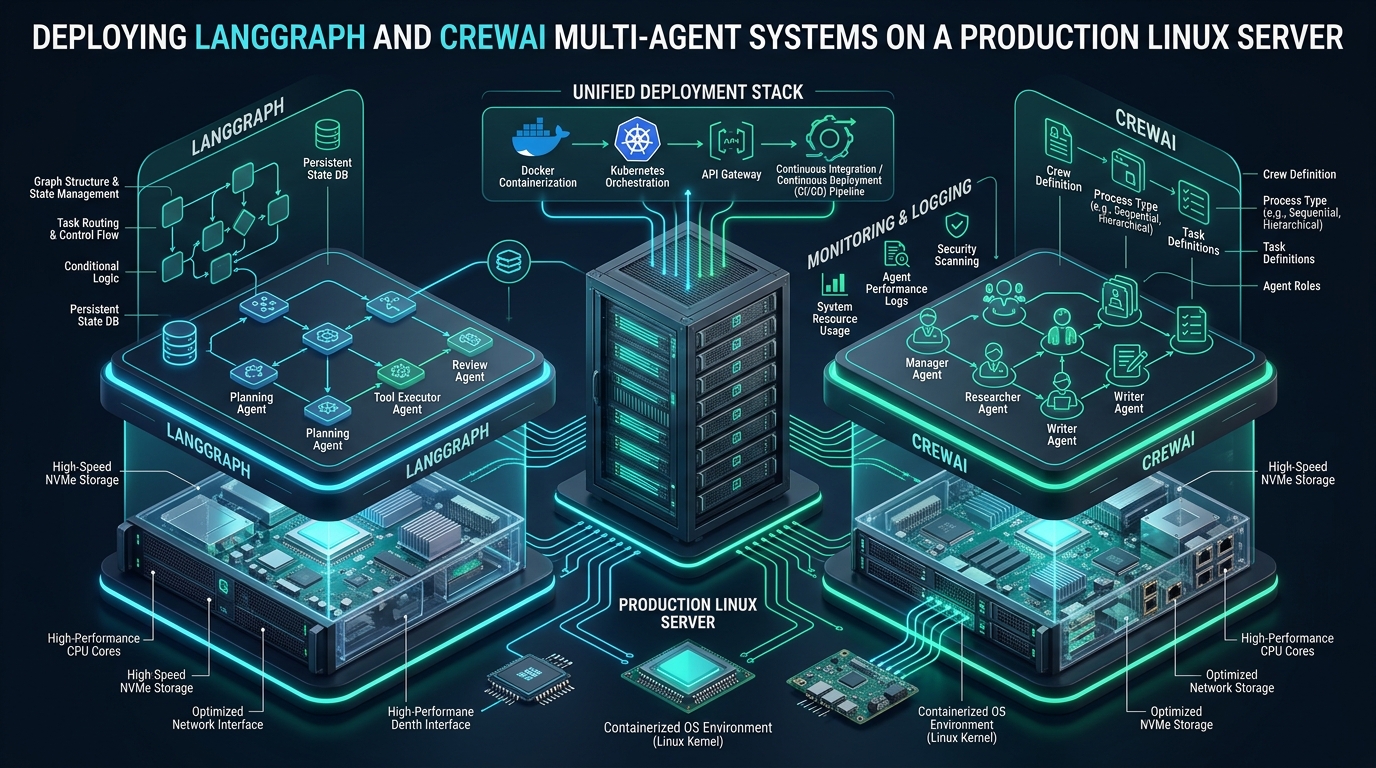
Building prototype multi-agent systems with LangGraph and CrewAI on a local developer workstation is straightforward, but transitioning stateful agent swarms to an enterprise production Linux server introduces severe concurrency bottlenecks, socket starvation, memory fragmentation, and unmanaged subprocess lifecycles. When autonomous agents trigger parallel tool calls, query remote LLM APIs, and traverse cyclic state graphs, naive synchronous Python scripts rapidly exhaust file descriptors and destabilize host kernels. While developers frequently prototype webhook triggers and staging environments on CpanelFree, production deployments demand asynchronous worker queues, persistent state checkpoints, kernel-level socket recycling, and hardened systemd process isolation.
Architectural Blueprint for Multi-Agent Deployments on Production Linux
Direct Answer: To deploy CrewAI and LangGraph on a production Linux server, decouple agent execution from synchronous HTTP handlers using Celery or RQ backed by Redis, isolate Python runtimes via UV or virtual environments, configure systemd unit sandboxing with strict cgroups memory ceilings, and mount PostgreSQL/Redis checkpoint savers for LangGraph state persistence.
Autonomous multi-agent architectures differ substantially from standard web applications or microservices. In traditional web backends (such as Django, FastAPI, or Node.js), an incoming HTTP request executes a deterministic sequence of database lookups or external API calls before returning a response within a sub-second window. In contrast, multi-agent frameworks such as LangGraph (developed by LangChain) and CrewAI execute long-running, non-deterministic reasoning loops. A single user inquiry may dispatch three to ten cooperating agent personas, execute dozens of recursive tool calls (such as web crawling, SQL execution, and code interpretation), and generate token streams over thirty to one hundred and twenty seconds.
Executing these workflows inside standard WSGI/ASGI web worker pools (e.g., Gunicorn sync workers or standard Uvicorn threads) inevitably leads to worker starvation, reverse proxy HTTP 504 Gateway Timeouts, and unbounded memory consumption. To operate these systems reliably under continuous enterprise traffic, infrastructure architects must decouple client communication, job scheduling, agent execution, and state persistence into dedicated operational tiers.
Architecture Note: Multi-agent systems exhibit high I/O wait times punctuated by sudden spikes in CPU and memory usage during local embedding generation and JSON validation. Spawning CrewAI agents inside a single-threaded Python event loop can cause thread contention and GIL stalls during synchronous tool execution. Production architectures must isolate the API gateway (FastAPI/Uvicorn) from agent worker nodes (Celery/Redis worker daemons) managed by kernel-level cgroups.
Deconstructing Execution Models: LangGraph State Graphs vs. CrewAI Crews
Understanding the runtime mechanisms of both frameworks is essential for properly dimensioning server CPU cores, RAM ceilings, and storage subsystems when you deploy CrewAI on Linux server environments alongside LangGraph graphs.
1. LangGraph: Cyclic State Machines and Checkpoint Persistence
LangGraph models multi-agent workflows as stateful, cyclic directed graphs where nodes represent agent actions or tool executions, and edges define transition logic (including conditional branching and looping). Key operational characteristics include:
- State Serialization: Every state change across graph nodes is written to a checkpointer. In development, in-memory checkpointers (
MemorySaver) are common, but in production, persistence must be delegated to PostgreSQL (PostgresSaver) or Redis (RedisSaver) to support crash recovery and human-in-the-loop workflows. - Asynchronous Native Execution: LangGraph is engineered with first-class
asyncioprimitives (ainvoke,astream). A single worker process can coordinate multiple waiting agent threads without consuming dedicated operating system threads while awaiting LLM tokens. - Streaming Granularity: LangGraph can stream intermediate node state transitions or raw token chunks over WebSockets or Server-Sent Events (SSE), necessitating non-buffered reverse proxy configurations on Linux.
2. CrewAI: Role-Playing Agents, Memory Systems, and Task Orchestration
CrewAI organizes agents around structured personas (Role, Goal, Backstory) that execute tasks through sequential or hierarchical management structures. Operating CrewAI in production brings unique systems challenges:
- Hierarchical Orchestration Overhead: In hierarchical mode, a manager LLM delegates tasks to worker agents, validates their outputs, and reroutes failed subtasks. This creates nested LLM round-trips that can run for several minutes.
- Built-in Memory Subsystems: CrewAI maintains Short-Term Memory (RAG over recent interactions), Long-Term Memory (persisted knowledge across runs), and Entity Memory. By default, these use local vector databases (such as ChromaDB or SQLite), which create high disk I/O and memory fragmentation if left unmanaged on a shared disk volume.
- Subprocess and Tool Execution: Agents equipped with Python code execution tools or bash CLI capabilities require strict user-namespace isolation and seccomp filtering to prevent privilege escalation on the host server.
Linux Kernel Bottlenecks Under High Concurrency Agent Traffic
When dozens of autonomous agents execute concurrently on a Linux host, they exert unique stresses on the operating system kernel:
1. Ephemeral Port Exhaustion and Socket TIME_WAIT Accumulation
Each agent execution loop may execute 20 to 50 HTTP POST requests to external inference endpoints (OpenAI, Anthropic, DeepSeek) or internal inference clusters (vLLM, Ollama). If HTTP connection pooling is misconfigured, every request instantiates a new TCP socket. Upon termination, sockets linger in the TIME_WAIT state for 60 seconds (the default RFC 793 MSL). At 100 concurrent agent runs, the system rapidly exhausts the ephemeral port range (32768 to 60999), causing subsequent connections to fail with Cannot assign requested address (EADDRNOTAVAIL).
2. File Descriptor Exhaustion (nofile Limits)
Linux treats open files, network sockets, Unix domain sockets, and pipes as file descriptors. A multi-agent framework managing streaming responses, vector index files, Redis connections, and database handles quickly exceeds the default systemd unit limit of 1,024 file descriptors per process. This manifests as sudden OSError: [Errno 24] Too many open files crashes during peak workflow execution.
3. CPython Memory Fragmentation and OOM Traps
Long-running Python worker processes exhibit memory bloat due to how CPython’s pymalloc allocator handles dynamic object churn. Large context windows (e.g., 32k to 128k token context blocks) allocated during agent execution are returned to Python’s internal heap, but often cannot be released back to the Linux kernel via brk() or mmap() due to heap fragmentation. Over hours of continuous operation, worker Resident Set Size (RSS) steadily climbs until the Linux Out-Of-Memory (OOM) killer terminates the process.
Comparative Architectural Matrix: Default vs. Tuned Production Stack
The comparative benchmark table below highlights the operational contrast between unoptimized direct script execution and an enterprise-hardened Linux production stack when running 50 concurrent agent workflows:
| Feature / Metric | Standard / Default | Tuned / Production |
|---|---|---|
| Process Management | Foreground python3 script / Nohup | Systemd Units + Cgroups v2 Sandboxing |
| HTTP / Ingestion Gateway | Direct FastAPI port binding (8000) | Nginx Reverse Proxy + Unix Domain Sockets |
| Worker Model & Queue | Synchronous in-process execution | Celery / RQ Workers backed by Redis 7 |
| State Checkpoint Store | In-memory (MemorySaver) / Local SQLite | PostgreSQL (pgbouncer pooled) + Redis |
| Token Streaming Protocol | Buffered HTTP chunking (blocked) | Unbuffered Server-Sent Events (SSE) / WSS |
| Ephemeral Port Recycling | Default kernel (TIME_WAIT: 60s) | tcp_tw_reuse = 1 + Expanded Port Range |
| Worker Memory Leak Mitigation | Manual process restarts upon OOM crash | –max-tasks-per-child=50 + MemoryMax cgroup |
| Latency / Overhead | Baseline | Optimal |
Production Server Configuration & Deployment Blueprint
To successfully deploy CrewAI on Linux server hosts alongside LangGraph, establish a dedicated directory layout under /opt/agentic-stack/. This keeps the application virtual environment, configuration files, logging pipelines, and runtime sockets isolated from the root operating system:
# Directory structure for production multi-agent deployment
/opt/agentic-stack/
├── venv/                     # Python 3.11/3.12 virtual environment (created via uv)
├── app/                      # Application source code
│   ├── main.py               # FastAPI entrypoint exposing async workflow endpoints
│   ├── graphs/               # LangGraph state machine definitions
│   ├── crews/                # CrewAI agent, task, and tool specifications
│   └── celery_app.py         # Celery task definitions for background crews
├── run/                      # Unix domain sockets (FastAPI & celery IPC)
├── logs/                     # Application and worker rotation logs
└── config/                   # Environment variables and system configs
1. Linux Kernel Sysctl Hardening (/etc/sysctl.d/99-ai-agents.conf)
Apply these tuned kernel parameters to expand networking queues, enable fast TCP port recycling, and allow Redis fork snapshots for checkpoint persistence without memory allocation failures:
# /etc/sysctl.d/99-ai-agents.conf
# Increase system-wide file descriptor ceiling
fs.file-max = 2097152

# Expand ephemeral port range to prevent EADDRNOTAVAIL under parallel LLM calls
net.ipv4.ip_local_port_range = 10240 65535

# Enable safe reuse of TIME_WAIT sockets for outgoing HTTP client connections
net.ipv4.tcp_tw_reuse = 1

# Increase socket listen backlog for high-concurrency connection queues
net.core.somaxconn = 65535
net.ipv4.tcp_max_syn_backlog = 16384

# Increase socket read/write buffer maximums for large streaming context chunks
net.core.rmem_max = 16777216
net.core.wmem_max = 16777216

# Redis checkpointing support: Allow kernel overcommit to prevent BGSAVE fork failures
vm.overcommit_memory = 1

# Increase memory map areas for high-concurrency vector store mmap operations
vm.max_map_count = 262144

# Keep system swapping minimal to preserve deterministic agent latency
vm.swappiness = 10
Activate the configuration immediately with sudo sysctl --system.
2. Production systemd Service Unit for Celery & CrewAI Workers
Create a dedicated systemd service unit to supervise CrewAI background workers. The configuration below uses --max-tasks-per-child=50 to automatically recycle worker processes after 50 agent task executions, completely preventing memory fragmentation leaks. It also activates Linux cgroups limits to safeguard the host:
# /etc/systemd/system/crewai-worker.service
[Unit]
Description=CrewAI and LangGraph Background Worker Pool
After=network.target redis-server.service postgresql.service
Wants=redis-server.service postgresql.service

[Service]
Type=simple
User=aiagent
Group=aiagent
WorkingDirectory=/opt/agentic-stack/app

# Execute Celery worker with task recycling to eliminate memory fragmentation
ExecStart=/opt/agentic-stack/venv/bin/celery -A celery_app.celery worker \
    --loglevel=INFO \
    --concurrency=8 \
    --max-tasks-per-child=50 \
    --time-limit=900 \
    --soft-time-limit=840

Restart=always
RestartSec=5s

# Security Hardening & Isolation
NoNewPrivileges=yes
PrivateTmp=yes
ProtectSystem=strict
ProtectHome=yes
ReadWritePaths=/opt/agentic-stack/logs /opt/agentic-stack/run /tmp

# Kernel Cgroups Resource Governance (Limits per service unit)
MemoryMax=8G
MemoryHigh=7G
CPUQuota=400%
TasksMax=4096
LimitNOFILE=65536

[Install]
WantedBy=multi-user.target
3. Production systemd Service Unit for FastAPI & LangGraph API Gateway
Deploy the FastAPI frontend via Gunicorn using Uvicorn worker classes bound to a local Unix domain socket for optimal throughput and zero TCP loopback overhead:
# /etc/systemd/system/langgraph-api.service
[Unit]
Description=LangGraph FastAPI Ingestion & Streaming Gateway
After=network.target

[Service]
Type=notify
User=aiagent
Group=aiagent
WorkingDirectory=/opt/agentic-stack/app
RuntimeDirectory=agentic-stack
RuntimeDirectoryMode=0755

ExecStart=/opt/agentic-stack/venv/bin/gunicorn main:app \
    --workers 4 \
    --worker-class uvicorn.workers.UvicornWorker \
    --bind unix:/run/agentic-stack/api.sock \
    --timeout 300 \
    --keep-alive 5 \
    --access-logfile /opt/agentic-stack/logs/api_access.log \
    --error-logfile /opt/agentic-stack/logs/api_error.log

ExecReload=/bin/kill -s HUP $MAINPID
KillMode=mixed
TimeoutStopSec=30
Restart=always
RestartSec=3s

# Security Hardening
NoNewPrivileges=yes
ProtectSystem=full
ProtectHome=yes
LimitNOFILE=65536

[Install]
WantedBy=multi-user.target
4. Nginx Reverse Proxy with Unbuffered Streaming Configuration
LangGraph and CrewAI stream token events using HTTP Server-Sent Events (SSE) or WebSockets. Nginx’s default proxy_buffering on; directive buffers incoming response chunks into memory buffers, causing clients to experience multi-second delays before receiving tokens in bulk. Disable buffering and configure long timeouts in /etc/nginx/conf.d/agentic.conf:
# /etc/nginx/conf.d/agentic.conf
upstream agentic_upstream {
    server unix:/run/agentic-stack/api.sock fail_timeout=0;
    keepalive 32;
}

server {
    listen 80;
    server_name agents.example.com;
    return 301 https://$host$request_uri;
}

server {
    listen 443 ssl http2;
    server_name agents.example.com;

    ssl_certificate /etc/letsencrypt/live/agents.example.com/fullchain.pem;
    ssl_certificate_key /etc/letsencrypt/live/agents.example.com/privkey.pem;
    ssl_protocols TLSv1.2 TLSv1.3;
    ssl_ciphers HIGH:!aNULL:!MD5;

    client_max_body_size 50M;

    # Asynchronous Agent Execution Endpoints & SSE Streaming
    location / {
        proxy_pass http://agentic_upstream;
        proxy_http_version 1.1;

        # WebSocket and Connection Headers
        proxy_set_header Upgrade $http_upgrade;
        proxy_set_header Connection "upgrade";
        proxy_set_header Host $host;
        proxy_set_header X-Real-IP $remote_addr;
        proxy_set_header X-Forwarded-For $proxy_add_x_forwarded_for;
        proxy_set_header X-Forwarded-Proto $scheme;

        # CRITICAL: Disable buffering for real-time agent token streams
        proxy_buffering off;
        proxy_cache off;
        chunked_transfer_encoding on;

        # Extended timeouts for long-running multi-agent reasoning loops
        proxy_connect_timeout 60s;
        proxy_send_timeout 600s;
        proxy_read_timeout 600s;
    }
}
Architecture Note: When configuring PostgreSQL as the checkpointer backend for LangGraph (
PostgresSaver), do not allow dozens of parallel worker processes to open direct connections to PostgreSQL. Each direct connection consumes 5 to 10 MB of shared server memory and can easily exhaust the database’smax_connectionslimit. Deploy a lightweight connection pooler like PgBouncer in transaction pooling mode between your Celery workers and PostgreSQL to sustain high checkpoint throughput at minimal memory overhead.
State Persistence & Database Sizing for Production Multi-Agent Systems
Persistent storage is often the single most overlooked operational component when deploying multi-agent systems. When using LangGraph’s PostgresSaver, each node execution within a graph generates a serialized JSON checkpoint payload containing the full conversational state, tool outputs, message history, and metadata. If your agents execute high-volume data transformation, research synthesis, or document parsing, your checkpoint database can generate gigabytes of write traffic each day.
To avoid I/O bottlenecks and disk latency stalls, host your PostgreSQL checkpoint cluster and Redis message broker on dedicated enterprise NVMe storage arrays. Running heavy transactional checkpointers alongside local vector databases on shared SATA or unoptimized cloud block storage will lead to disk wait bottlenecks (high %iowait in top or iostat), cascading into delayed tool executions and elevated latency across all active agents.
For mission-critical production workloads that demand guaranteed compute slices, sustained NVMe disk throughput, and zero noisy-neighbor degradation, deploying on MeraHost Enterprise Cloud provides an ideal infrastructure foundation. MeraHost pairs enterprise-grade NVMe storage and LiteSpeed acceleration with a transparent, lifetime fixed-pricing model that eliminates unpredictable cloud cost inflation as your multi-agent workloads scale.
Frequently Asked Questions
How do I prevent LangGraph and CrewAI memory leaks from crashing my Linux server?
CPython’s internal memory management can retain allocated memory blocks across long-running agent loops, leading to memory fragmentation over time. The most effective production solution is to execute agent workflows inside an asynchronous worker pool (such as Celery or RQ) and set a strict execution recycling limit using --max-tasks-per-child=50. This terminates each worker process after completing 50 tasks and cleanly respawns a fresh worker, releasing all allocated RAM back to the Linux operating system. In addition, configure MemoryMax in your systemd service unit to enforce a hard cgroup ceiling that prevents unexpected memory exhaustion from impacting host stability.
Should I run CrewAI workers inside Docker containers or native systemd services on Linux?
Both patterns are valid, but native systemd services managed with cgroups v2 offer lower runtime overhead, direct access to Linux kernel socket tuning, and simpler process supervision on dedicated VPS instances. However, if your CrewAI agents are equipped with autonomous code interpreter tools that execute dynamic Python or Bash scripts generated by LLMs, running them inside rootless Docker containers or sandboxed OCI runtimes (such as gVisor or Bubblewrap) is strongly recommended to isolate untrusted code execution from the host operating system.
How do I handle streaming responses (token-by-token) through an Nginx reverse proxy when deploying LangGraph?
To ensure that real-time token streams and intermediate agent thoughts reach clients without latency, you must disable proxy buffering in your Nginx reverse proxy configuration by specifying proxy_buffering off; and proxy_cache off; within the proxy location block. Additionally, configure proxy_read_timeout 600s; to prevent Nginx from prematurely severing HTTP connections during complex, multi-minute agent reasoning cycles.
Why is PostgreSQL preferred over SQLite for LangGraph checkpointers in production?
SQLite relies on file-level locks during write transactions, which creates severe concurrency bottlenecks and frequent database is locked errors when multiple worker threads attempt to save state transitions simultaneously. PostgreSQL (accessed via PostgresSaver) provides robust row-level concurrency, multi-version concurrency control (MVCC), support for JSONB indexing, and clean integration with connection poolers like PgBouncer, ensuring deterministic state persistence under heavy multi-agent traffic.
Deploy Enterprise-Grade Production Infrastructure
Need guaranteed performance with zero price hikes? Host mission-critical workloads on MeraHost with pure Enterprise NVMe, LiteSpeed Web Server, and Same Renewal Price, Always (starting at ₹99/mo).