
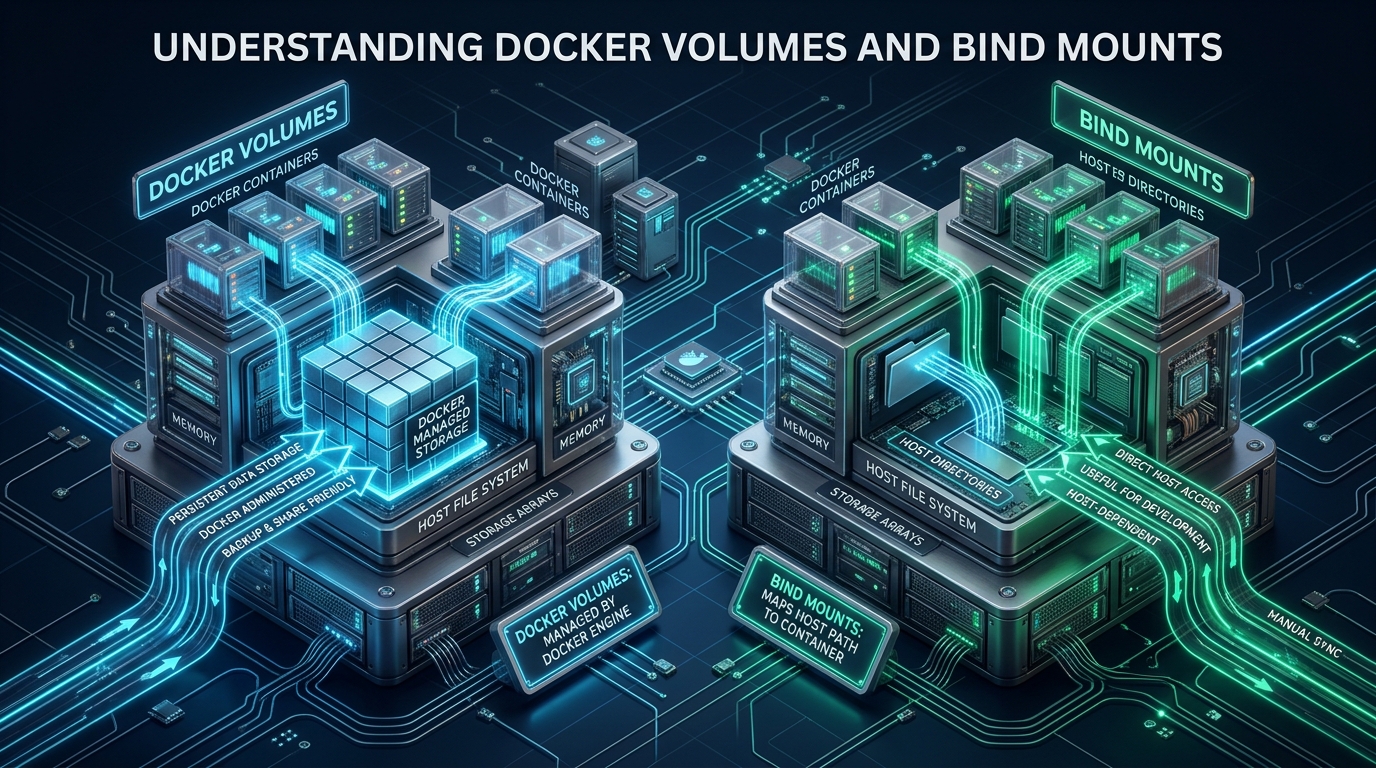
Containerized workloads are only as reliable as their underlying persistence strategy, yet misconfiguring storage boundaries remains one of the most common causes of silent I/O degradation and data corruption in production environments. Whether deploying continuous integration pipelines on CpanelFree staging instances or scaling enterprise clusters, engineers must deliberately choose between kernel-isolated Docker volumes and host-coupled bind mounts. Understanding the fundamental architectural divergence between these two persistence mechanisms is essential for maintaining container portability, deterministic access controls, and sub-millisecond storage throughput.
Core Architectural Differences: Docker Volumes vs. Bind Mounts
/var/lib/docker/volumes/), isolated from host OS interference, securely governed by the Docker API, and optimal for production databases. Bind mounts map an explicit host path into a container, bypassing Docker management to enable real-time host-container file synchronization for development and configuration injection.To grasp why these storage types behave differently, one must look at how the Linux kernel constructs container boundaries. At runtime, a standard container utilizes a Union File System (such as OverlayFS2). The container’s image constitutes immutable, read-only layers stacked beneath a thin, ephemeral writable layer. Every file modification inside an unmounted container directory triggers a copy-up operation: the kernel copies the target file from the lower read-only layer into the upper writable layer before applying modifications. While this architecture enables instantaneous container instantiation, it introduces measurable latency overhead and completely lacks persistence—once the container container terminates and is removed, its writable layer vanishes permanently.
To persist data beyond the container lifecycle, the Docker engine leverages Linux mount namespaces (CLONE_NEWNS). Both Docker volumes and bind mounts bypass the OverlayFS copy-up overhead by injecting a direct VFS (Virtual Filesystem Switch) mount point into the container’s root filesystem. However, their abstraction layers, operational management models, and host security boundaries differ fundamentally.
Architecture Note: By mounting directly from the host VFS into the container’s mount namespace, both volumes and bind mounts achieve near-bare-metal I/O throughput. The architectural decision between them is rarely about raw disk speed on Linux—it is about lifecycle management, security isolation, and host coupling.
Deep Dive: Docker Volumes (Architecture, Storage Drivers, and Lifecycle)
Docker volumes are managed persistence units created, tracked, and inspected directly via the Docker daemon API. When you create a volume using docker volume create, the Docker daemon provisions a dedicated subdirectory within the host’s Docker root storage area—typically located at /var/lib/docker/volumes/<volume-name>/_data. The container engine strictly restricts direct host user access to this directory, mitigating accidental modification, deletion, or permission tampering by unauthorized local accounts.
One of the most powerful and often misunderstood characteristics of Docker volumes is initialization semantics. When a named volume is mounted into a container directory that already contains files in the base image, Docker automatically copies those files and their exact ownership permissions into the newly attached empty volume. This means your containerized services (such as PostgreSQL initializing default system catalogs in /var/lib/postgresql/data) populate their initial database schema without requiring complex entrypoint initialization hacks.
Furthermore, Docker volumes abstract underlying storage hardware through a modular driver architecture. While the default local driver allocates storage directly on the host block device, custom volume plugins allow seamless connectivity to enterprise storage fabrics, including NFS, GlusterFS, Ceph, AWS Elastic Block Store (EBS), and iSCSI targets without altering container configurations.
Consider the following production-grade compose.yaml demonstrating both standard local volumes and a high-performance memory-backed tmpfs volume for transient caching:
services:
  db:
    image: postgres:16-alpine
    restart: always
    environment:
      POSTGRES_DB: production_db
      POSTGRES_PASSWORD_FILE: /run/secrets/db_password
    volumes:
      - type: volume
        source: pgdata
        target: /var/lib/postgresql/data
        volume:
          nocopy: false
    secrets:
      - db_password

  cache:
    image: redis:7-alpine
    restart: always
    volumes:
      - type: volume
        source: rediscache
        target: /data

volumes:
  pgdata:
    driver: local
    driver_opts:
      type: ext4
      o: rw,noatime
  rediscache:
    driver: local
    driver_opts:
      type: tmpfs
      device: tmpfs
      o: size=2G,uid=999,gid=999
Deep Dive: Bind Mounts (Host Coupling, Inotify, and Security Vectors)
Bind mounts represent the direct, unmediated projection of an existing host filesystem file or directory into a container’s filesystem hierarchy. Under the hood, this corresponds to the Linux kernel system call mount(source, target, NULL, MS_BIND, NULL). Bind mounts do not rely on Docker storage drivers or volume metadata tables; Docker simply maps the specified inode directly into the container’s mount table.
This design gives bind mounts exceptional utility during local software development. When a developer mounts their local workspace repository into a container (e.g., -v $(pwd)/src:/app/src), Linux kernel inotify events propagate instantaneously across the boundary. File watchers utilized by Node.js, Next.js, Vite, Python reloaders, or Go rebuilders detect file changes instantly, enabling sub-second hot reloading.
However, bind mounts introduce significant operational and security liabilities in multi-tenant or production cloud infrastructure:
- Permission and UID/GID Mismatch: In Linux, permissions are governed strictly by numerical User IDs (UID) and Group IDs (GID). If an unprivileged container process runs as UID 1001, but the mounted host directory is owned by host UID 1000 or root (UID 0), the container will suffer immediate
EACCES: permission deniedfailures unless host permissions are modified. - Filesystem Coupling and Non-Portability: A container relying on
/opt/configs/nginx.confcannot be ported to an alternate host unless that exact directory path and file structure exist on the target machine with identical permissions. - Privilege Escalation & Container Breakout: Mounting sensitive host directories (such as
/var/run/docker.sock,/etc, or host root/) into an untrusted or vulnerable container grants attackers full root compromise over the physical host.
Security Advisory: Never bind mount the Docker daemon socket (
/var/run/docker.sock) into user-facing production containers. Any process with write access to this socket can issue REST calls to the host daemon to spin up privileged containers with host root filesystem mounts, completely compromising the server.
Comparative Matrix: Docker Volumes vs. Bind Mounts
When selecting your persistence tier, evaluate each architectural vector against your deployment requirements:
| Feature / Metric | Docker Volumes (Managed) | Bind Mounts (Host Direct) |
|---|---|---|
| Host Isolation | Engine Isolated (/var/lib/docker/volumes) | Exposed (Arbitrary host path) |
| Lifecycle Management | Managed via Docker CLI/API, persistent across container removals | Manual host file lifecycle; unmanaged by engine |
| Image Data Pre-population | Automatically copies image directory content on first init | Overlays and masks existing container files completely |
| UID / GID Permissions | Managed within container boundaries cleanly | Inherits host UID/GID permissions directly |
| Remote & Network Storage | Built-in driver plugins (NFS, Ceph, EBS, CIFS) | Requires host OS mount configuration prior to launch |
| Hot Reloading / Inotify | Standard kernel events | Instant bi-directional synchronization |
| Non-Linux OS Performance | Fast (Stored inside Linux VM disk image) | Severe latency penalty (VirtioFS / gRPC-FUSE bridge) |
| Production Recommendation | Databases, persistent logs, stateful backends | Read-only configs, dev code mounts, system agents |
Production Linux Kernel & System Tuning for Container Storage
When running database containers or high-throughput stateful microservices, Linux storage performance depends critically on kernel Virtual Memory subsystem tuning. Default distribution settings for dirty page flushes and asynchronous I/O requests are designed for general-purpose desktop or multi-user workstations, not enterprise database engines processing tens of thousands of write IOPS.
Deploy the following hardened sysctl configuration file to ensure deterministic flush latency, avoid sudden I/O stalls, expand asynchronous event queues, and support extensive development file watching:
# /etc/sysctl.d/99-docker-storage.conf
# Linux Kernel I/O and Storage Subsystem Optimization for Container Runtimes

# Start background writeback early to avoid sudden I/O write spikes
vm.dirty_background_ratio = 5

# Force synchronous write throttling when dirty pages reach 10% of system RAM
vm.dirty_ratio = 10

# Increase maximum asynchronous I/O requests for high-load database containers
fs.aio-max-nr = 1048576

# Prevent inotify file watch exhaustion during development bind-mount synchronization
fs.inotify.max_user_watches = 524288
fs.inotify.max_user_instances = 1024

# Increase system-wide file descriptor limit for heavy containerized I/O
fs.file-max = 2097152

# Reduce memory swappiness to favor caching file pages over swapping anonymous memory
vm.swappiness = 10
To apply these parameters immediately without rebooting the host, run:
sudo sysctl --systemDocker Daemon Configuration & Root Directory Isolation
By default, Docker stores all images, containers, and named volumes on the host’s root filesystem (/var/lib/docker). On mission-critical servers, allowing database volumes or runaway container logs to share the operating system’s root partition risks disk starvation, which can cause SSH daemon lockouts and kernel crashes. In enterprise environments, always partition container data onto dedicated, high-speed NVMe storage arrays.
Create or update /etc/docker/daemon.json with the following production storage topology:
{
  "data-root": "/mnt/nvme-docker-pool/data",
  "storage-driver": "overlay2",
  "storage-opts": [
    "overlay2.override_kernel_check=true"
  ],
  "log-driver": "json-file",
  "log-opts": {
    "max-size": "50m",
    "max-file": "3"
  },
  "userland-proxy": false,
  "live-restore": true
}
Enabling "live-restore": true ensures that containers continue running during daemon upgrades, while rotating logs with "max-size": "50m" prevents unbounded disk exhaustion.
Best Practices: When to Use Which Persistence Strategy
Architecting containerized systems requires pragmatic discipline. Adhere to these proven operational principles:
- Use Docker Named Volumes For: Production databases (PostgreSQL, MySQL, MongoDB), persistent telemetry stores (Prometheus, InfluxDB), content management file uploads, and stateful application data that must survive container recreation and blue-green updates.
- Use Read-Only Bind Mounts For: Injecting static configuration files into containers (e.g., mounting
/etc/nginx/conf.d/api.conf:ro). By appending the:roflag, you guarantee that even if a containerized web server is exploited via an application vulnerability, the attacker cannot alter the host configuration file. - Use Read-Write Bind Mounts Strictly For: Local application development environments where host file alterations must trigger immediate in-container compiler or linter reloads. Avoid deploying read-write bind mounts into production environments unless operating low-level host monitoring daemons (such as cAdvisor or Datadog agent reading
/procand/sys).
For mission-critical production environments where storage latency, disk reliability, and guaranteed IOPS are paramount, hosting containers on unoptimized shared platforms introduces unpredictable noisy-neighbor throttling. For reliable scale, explore MeraHost Enterprise Cloud, featuring dedicated Enterprise NVMe drives, LiteSpeed Web Server, and an unconditional Same Renewal Price commitment.
Frequently Asked Questions
Can I use both Docker volumes and bind mounts in the same container?
Yes. Containers frequently combine multiple mount types. For instance, an Nginx reverse proxy might use a read-only bind mount (type=bind,source=/etc/nginx.conf,target=/etc/nginx/nginx.conf,readonly) to load its server configuration, while simultaneously using a named Docker volume (type=volume,source=nginx_cache,target=/var/cache/nginx) for high-performance proxy cache persistence.
Does deleting a container automatically delete its attached Docker volume?
No. Docker volumes have an independent lifecycle. When you run docker rm <container_id>, the volume and its data remain completely intact on the host. To intentionally remove associated anonymous volumes along with the container, you must pass the -v flag (docker rm -v <container_id>). Named volumes must be explicitly destroyed with docker volume rm <volume_name>.
Why are bind mounts drastically slower on macOS and Windows than on Linux?
On native Linux, Docker containers share the host Linux kernel, meaning bind mounts are direct kernel VFS calls with zero virtualization overhead. On macOS and Windows, Docker runs inside a lightweight Linux virtual machine. Bind mounts must traverse a virtualization boundary (using VirtioFS or gRPC-FUSE), translating file system calls and ownership metadata across operating systems, which causes heavy I/O latency for tasks with high file counts like node_modules.
How do I backup and restore data residing inside a named Docker volume?
Because Docker volumes reside in protected host storage, the standard backup pattern uses an ephemeral container that mounts the volume alongside a host backup directory: docker run --rm -v my_volume:/data -v $(pwd)/backup:/backup alpine tar czf /backup/volume_backup.tar.gz -C /data .. Restoration uses the identical pattern to extract the tarball into an empty volume.
Deploy Enterprise-Grade Production Infrastructure
Need guaranteed performance with zero price hikes? Host mission-critical workloads on MeraHost with pure Enterprise NVMe, LiteSpeed Web Server, and Same Renewal Price, Always (starting at ₹99/mo).