
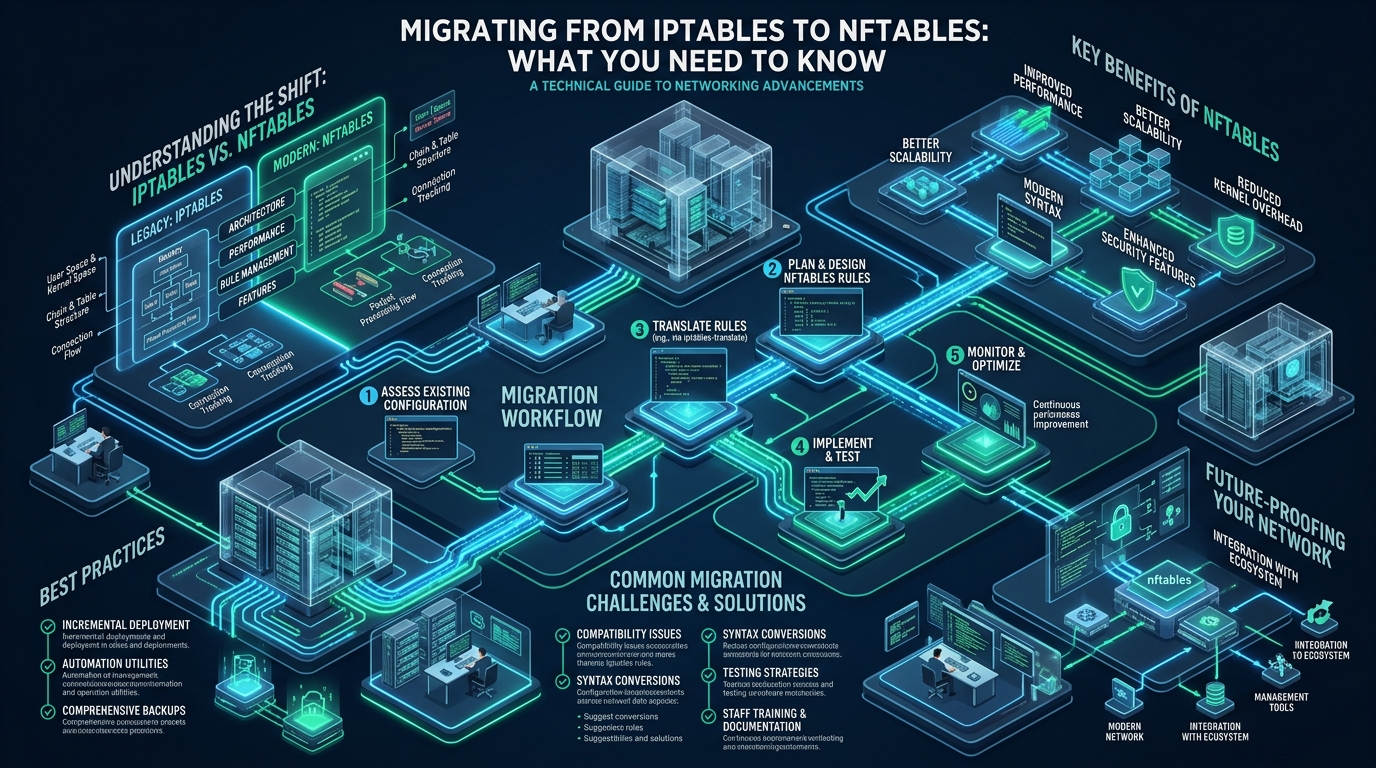
For more than two decades, Linux systems administrators and network engineers have relied on the Netfilter iptables framework as the foundational barrier guarding edge servers, container networks, and enterprise virtualization nodes. However, in modern high-throughput environments processing millions of packets per second, iptables reveals acute architectural bottlenecks: linear rule evaluation loops (O(N) traversal complexity), fragmented toolchains across IPv4 and IPv6, and disruptive kernel locks that stall network interfaces during atomic ruleset flushes. Whether you are operating high-density hosting nodes on CpanelFree or scaling multi-tenant cluster gateways, transitioning to nftables is no longer merely an optional upgrade—it is a mandatory evolution for robust Linux infrastructure.
What is the Fundamental Difference Between iptables and nftables?
Quick Answer: Migrating from iptables to nftables replaces monolithic kernel tables with a lightweight pseudo-virtual machine, unified dual-stack (inet) rule sets, dynamic sets for O(1) lookups, and transactional atomic rule updates. This transition eliminates packet evaluation latency, avoids lock contention during reload, and simplifies complex firewall administration under modern Linux kernels.
To understand why the Linux Netfilter core development team built nftables from scratch to supersede iptables, ip6tables, arptables, and ebtables, one must examine how the Linux kernel handles packet classification in memory. Under legacy iptables, every packet filter extension (such as match extensions like -m multiport, -m conntrack, or -m recent) is compiled as an independent C module inside the kernel. When a packet enters the network stack, the kernel sequentially evaluates the packet against an array of hardcoded structures. As rulesets expand into thousands of entries—common in dynamic security environments defending against layer-4 and layer-7 brute-force campaigns—CPU cache misses skyrocket, softirq loads surge, and packet forwarding latency deteriorates exponentially.
Architecture Note: In
iptables, modifying a single rule requires copying the entire kernel ruleset table into userspace memory, modifying the targeted rule, and pushing the entire multi-megabyte blob back down to the kernel while holding an exclusive lock. Innftables, rule management is driven by a native netlink API that processes incremental atomic transactions without locking the dataplane.
Architectural Anatomy: The nftables Bytecode Engine
Rather than embedding fixed packet matching logic directly inside kernel structs, nftables implements a lightweight, register-based pseudo-virtual machine operating inside Netfilter kernel space. The userspace binary (nft) parses your human-readable configuration files, compiles high-level firewall logic into compact bytecode instructions, and transmits them over standard AF_NETLINK sockets to the kernel subsystem (nf_tables). The kernel VM executes these micro-instructions against four 128-bit internal registers:
- Register 0 (Payload & Meta): Holds network packet header extracts (e.g., Ethernet frame metadata, IPv4/IPv6 source and destination addresses, Layer-4 TCP/UDP port bytes, or connection tracking states).
- Registers 1 through 3 (Data & Expressions): Used for relational operations, bitwise masks, and cryptographic hashing against in-kernel sets and lookup dictionaries.
- Verdict Register: Dictates the ultimate fate of the packet (e.g.,
accept,drop,reject,jump,goto, orcontinue).
Because the kernel only executes generic bytecode instructions (e.g., “load 4 bytes from packet offset 12 into register 1; compare with set X; if match, set verdict to accept”), new protocol parsing features, tunnel encapsulations, or custom header checks can be deployed simply by updating userspace utilities—without requiring kernel patches, module recompilations, or host reboots.
Detailed Comparative Matrix: Legacy iptables vs. Modern nftables
The operational divide between legacy packet filtering and next-generation bytecode execution is stark across throughput, operational agility, and dual-stack maintainability. The following benchmark and architectural matrix details how standard out-of-the-box configurations compare against tuned production implementations:
| Feature / Metric | Standard / Legacy (iptables) | Tuned / Production (nftables) |
|---|---|---|
| Rule Evaluation Complexity | Linear O(N) sequential search per packet | O(1) algorithmic lookup via hashed sets & rbtrees |
| Dual-Stack Protocol Handling | Separate binaries (iptables & ip6tables) |
Unified inet family inspecting IPv4 & IPv6 concurrently |
| Ruleset Reload & Atomic Swaps | Monolithic table flush; microsecond connection drops | Zero-drop atomic Netlink transactions with rollback |
| Dynamic Set & Blacklist Scaling | Requires external ipset daemon & bridge scripts |
Native in-kernel dynamic sets, meters, & timeout flags |
| CPU Overhead (50k+ IP Blocks) | Saturates multiple cores on softirq processing | Sub-millisecond hashing; < 2% single-core impact |
| Counters & Accounting Overhead | Mandatory per-rule byte/packet counters (cache thrashing) | Optional selective counters explicitly declared |
| Real-Time Traffic Tracing | Kernel ring buffer spam via -j LOG / dmesg |
Structured Netlink streaming via nft monitor |
Step-by-Step Production Migration Roadmap
Migrating enterprise production hosts from legacy iptables to nftables requires a systematic workflow to prevent catastrophic connectivity loss, firewall bypasses, or broken daemon integrations. Follow this four-stage operational playbook:
Stage 1: Pre-Migration Inventory and Layer Audit
First, inspect the active kernel modules, current rules, and firewall backends active on your distribution. Modern enterprise distributions—including Debian 12+, Ubuntu 22.04+, and AlmaLinux / Rocky Linux 9—already ship with the iptables-nft translation shim as the default backend for the iptables command:
# Check which binary provides the iptables command
update-alternatives --display iptables

# Dump active legacy IPv4 and IPv6 rulesets for baseline backup
iptables-save > /root/iptables-v4.backup
ip6tables-save > /root/iptables-v6.backup
Stage 2: Automated Translation via iptables-translate
Netfilter provides built-in translation utilities that convert classic rule syntax into idiomatic nftables syntax. You can translate single rules with iptables-translate or dump entire configuration tables using iptables-restore-translate:
# Translate complete backup dump to native nftables syntax
iptables-restore-translate -f /root/iptables-v4.backup > /root/nftables-v4-migrated.nft
ip6tables-restore-translate -f /root/iptables-v6.backup > /root/nftables-v6-migrated.nft
Migration Warning: Automated translation scripts generate separate
ipandip6tables by default. While this preserves 1:1 legacy behavioral parity, it misses the primary architectural advantage ofnftables: combining IPv4 and IPv6 into a single, unifiedinettable family. Always refactor translated outputs into a cohesivetable inet filterstructure.
Stage 3: Refactoring to Native Sets, Verdict Maps, and Anonymous Lists
In legacy iptables, opening multiple ports or blocking subnets required either dozens of repetitive rules or fragile external ipset scripts. In nftables, native sets condense hundred-line rule chains into single, lightning-fast expressions:
# Legacy repetitive iptables rules:
# iptables -A INPUT -p tcp --dport 22 -j ACCEPT
# iptables -A INPUT -p tcp --dport 80 -j ACCEPT
# iptables -A INPUT -p tcp --dport 443 -j ACCEPT

# Clean, single-pass nftables equivalent:
tcp dport { 22, 80, 443 } accept
Complete Production Configuration Files
To eliminate ambiguity, here are battle-tested, copy-paste ready production configuration files engineered for high-availability enterprise servers and edge web accelerators.
1. Production Hardened /etc/nftables.conf
This master firewall ruleset implements strict zero-trust default drop policies, conntrack stateful inspection, TCP SYN rate limiting, brute-force SSH connection quotas with automatic temporary dynamic blacklisting, clean ICMP/ICMPv6 handling for path MTU discovery, and dedicated ingress chains for public web traffic:
#!/usr/sbin/nft -f
# ==============================================================================
# Enterprise Production nftables Ruleset (Dual-Stack IPv4/IPv6)
# Location: /etc/nftables.conf
# Author: CpanelFree Enterprise Linux Systems Architecture Team
# ==============================================================================

# Flush existing tables to ensure clean atomic reload
flush ruleset

table inet filter {
    # Dynamic set for tracking and auto-expiring brute-force attackers
    set blacklist_dynamic {
        type ipv4_addr
        flags dynamic, timeout
        timeout 10m
        size 65536
    }

    # Static trusted administration whitelist (IPv4 and IPv6)
    set admin_whitelist {
        type inet_proto
        flags interval
        elements = { 10.0.0.0/8, 192.168.1.0/24 }
    }

    # High-performance rate-limiting meter for SSH connection bursts
    meter ssh_burst_meter {
        type ipv4_addr
        size 65536
    }

    chain input {
        type filter hook input priority filter; policy drop;

        # 1. Accept all loopback traffic immediately
        iifname "lo" accept comment "Permit localhost IPC"

        # 2. Drop packets from active dynamic blacklist
        ip saddr @blacklist_dynamic counter drop comment "Early drop for active abusive hosts"

        # 3. Drop invalid packet states (prevents TCP fin/null/xmas scan vectors)
        ct state invalid counter drop comment "Drop malformed and invalid connection states"

        # 4. Accept established and related connection states (O(1) fast-path)
        ct state { established, related } accept comment "Allow active sessions"

        # 5. Strict ICMP / ICMPv6 handling (Permit PMTU Discovery and Ping)
        ip protocol icmp icmp type { echo-request, destination-unreachable, time-exceeded } accept
        ip6 nexthdr icmpv6 icmpv6 type {
            echo-request,
            destination-unreachable,
            packet-too-big,
            time-exceeded,
            parameter-problem,
            nd-router-solicit,
            nd-router-advert,
            nd-neighbor-solicit,
            nd-neighbor-advert
        } accept

        # 6. Rate-limited SSH with dynamic brute-force auto-quarantine
        tcp dport 22 ct state new meter ssh_burst_meter { ip saddr limit rate over 4/minute burst 6 packets } update @blacklist_dynamic { ip saddr } counter drop comment "Quarantine aggressive SSH brute-force"
        tcp dport 22 ct state new accept comment "Allow legitimate SSH connections"

        # 7. Public Web Ingress (HTTP, HTTPS, and HTTP/3 QUIC UDP)
        tcp dport { 80, 443 } accept comment "Inbound Web Services (TCP)"
        udp dport 443 accept comment "Inbound HTTP/3 QUIC (UDP)"

        # 8. DNS & NTP for local authoritative/resolver services
        udp dport { 53, 123 } accept comment "DNS and NTP query reception"

        # 9. Log remaining dropped packets with strict rate-limiting (prevents log exhaustion)
        limit rate 5/minute burst 10 packets log prefix "[NFT-IN-DROP]: " flags all counter
    }

    chain forward {
        type filter hook forward priority filter; policy drop;
        comment "Drop forwarded transit packets by default unless acting as router"
    }

    chain output {
        type filter hook output priority filter; policy accept;
        comment "Permit all outbound system-initiated traffic"
    }
}
2. High-Throughput Kernel Tuning: /etc/sysctl.d/99-nftables-performance.conf
A firewall is only as fast as the Netfilter connection tracking table backing it. When migrating high-traffic edge reverse proxies and e-commerce workloads, default kernel buffers will exhaust under heavy load. Deploy these kernel parameters to support millions of concurrent connections without softirq packet drop spikes:
# /etc/sysctl.d/99-nftables-performance.conf
# Netfilter Conntrack & Network Datapath Tuning for High-Concurrency Linux Nodes

# Expand connection tracking table size (supports up to 1,048,576 concurrent sessions)
net.netfilter.nf_conntrack_max = 1048576

# Set hash table bucket distribution (conntrack_max / 4)
net.netfilter.nf_conntrack_buckets = 262144

# Reduce idle connection timeouts to aggressively purge abandoned TCP sockets
net.netfilter.nf_conntrack_tcp_timeout_established = 43200
net.netfilter.nf_conntrack_tcp_timeout_close_wait = 30
net.netfilter.nf_conntrack_tcp_timeout_fin_wait = 30
net.netfilter.nf_conntrack_tcp_timeout_time_wait = 30

# Enable SYN cookies against SYN flood depletion attacks
net.ipv4.tcp_syncookies = 1
net.ipv4.tcp_max_syn_backlog = 8192
net.ipv4.tcp_synack_retries = 2

# Maximize socket listen backlog and network core buffers
net.core.somaxconn = 65535
net.core.netdev_max_backlog = 65536
net.core.rmem_max = 16777216
net.core.wmem_max = 16777216
Apply these kernel settings instantly across the live system using sysctl --system.
3. Zero-Lockout Automated Migration & Rollback Script
The single greatest operational hazard during remote firewall reconfiguration over SSH is locking yourself out due to a malformed rule, dropped connection state, or unhandled priority mismatch. The script below implements an automated, safe validation harness featuring a 60-second automatic watchdog rollback:
#!/usr/bin/env bash
# ==============================================================================
# /usr/local/sbin/safe-nftables-switchover.sh
# Production Migration Harness with Automatic 60-Second Rollback Watchdog
# ==============================================================================
set -euo pipefail

NFT_CONFIG="/etc/nftables.conf"
BACKUP_DIR="/var/backups/firewall-migration-$(date +%Y%m%d%H%M%S)"

echo "[+] Initializing safe firewall switchover protocol..."
mkdir -p "${BACKUP_DIR}"

# 1. Take snapshot of active legacy rules
echo "[+] Creating legacy backup snapshots in ${BACKUP_DIR}..."
iptables-save > "${BACKUP_DIR}/iptables.rules" || true
ip6tables-save > "${BACKUP_DIR}/ip6tables.rules" || true

# 2. Syntax validation pass without loading into kernel
echo "[+] Validating nftables configuration syntax: ${NFT_CONFIG}..."
if ! nft -c -f "${NFT_CONFIG}"; then
    echo "[-] ERROR: nftables syntax check failed! Aborting switchover."
    exit 1
fi

# 3. Arm watchdog background process for emergency rollback
echo "[+] Arming 60-second recovery watchdog..."
(
    sleep 60
    if [ -f /tmp/nftables_unconfirmed ]; then
        echo "[!] EMERGENCY: Firewall reload not confirmed by admin! Initiating rollback..."
        iptables-restore < "${BACKUP_DIR}/iptables.rules" || true
        ip6tables-restore < "${BACKUP_DIR}/ip6tables.rules" || true
        systemctl restart iptables || true
        rm -f /tmp/nftables_unconfirmed
        echo "[!] System restored to pre-migration baseline state."
    fi
) &
WATCHDOG_PID=$!
touch /tmp/nftables_unconfirmed

# 4. Atomic load of new ruleset
echo "[+] Loading nftables ruleset atomically..."
nft -f "${NFT_CONFIG}"

echo "========================================================================"
echo " SUCCESS: nftables ruleset loaded into kernel memory."
echo " YOU HAVE 60 SECONDS TO CONFIRM FUNCTIONALITY."
echo " Open a new SSH session immediately in another terminal window to verify."
echo "========================================================================"

read -r -p "Are all network services accessible? Confirm permanent switch (y/N): " CONFIRM
if [[ "${CONFIRM}" =~ ^[Yy]$ ]]; then
    rm -f /tmp/nftables_unconfirmed
    kill "${WATCHDOG_PID}" 2>/dev/null || true
    systemctl enable --now nftables
    echo "[+] Migration confirmed! Watchdog disarmed and nftables enabled at boot."
else
    echo "[-] Migration rejected by operator. Triggering immediate rollback..."
    rm -f /tmp/nftables_unconfirmed
    kill "${WATCHDOG_PID}" 2>/dev/null || true
    iptables-restore < "${BACKUP_DIR}/iptables.rules"
    echo "[+] Pre-migration rules restored successfully."
fi
Managing Containerized Workloads: Docker, Kubernetes & Control Panels
One of the most frequent friction points during migration is handling coexistence with third-party software that manipulates iptables directly. Docker daemon and Kubernetes kube-proxy historically depend on the iptables command to publish container port mappings (DNAT) and masquerade outgoing container traffic (SNAT).
Interoperability Rule: Never run
iptables-legacyand nativenftablessimultaneously with conflicting drop policies. Because Netfilter executes hooks sequentially based on integer priority values, a packet dropped iniptables-legacywill be dropped before yournftablesrules even process it.
To safely bridge the gap in container environments:
- Leverage iptables-nft translation layer: Ensure your OS alternatives point to
iptables-nft. When Docker invokesiptables -t nat -A PREROUTING ..., theiptables-nfttool compiles those directives into nativenftablestables (specificallytable ip natandtable ip filter) in kernel memory alongside your customtable inet filter. - Protect container ports with DOCKER-USER: If you run Docker alongside your firewall, place all inbound restriction rules in the
DOCKER-USERchain or an early-prioritynftablesprerouting hook so external probes cannot bypass host rules to hit exposed container bindings. - Hardware Acceleration for Production Workloads: If your architecture demands maximum I/O throughput with complex dynamic traffic classification, underlying hardware matters immensely. When hosting mission-critical web applications, consider deploying on MeraHost Enterprise Cloud, where raw enterprise NVMe storage arrays and LiteSpeed Web Server run atop finely tuned, zero-lockout Linux kernel stacks.
Frequently Asked Questions
Will migrating to nftables break Docker or Kubernetes port forwarding?
No, provided your distribution uses iptables-nft instead of iptables-legacy. The iptables-nft compatibility layer translates container NAT and forwarding rules directly into Netfilter tables under the hood, allowing Docker and Kubernetes kube-proxy to interact seamlessly without disruption.
Can I load a new nftables configuration without interrupting active TCP connections?
Yes. Unlike iptables, which requires flushing and recreating entire tables while holding an exclusive kernel lock, nftables updates are fully transactional and atomic. Packets continue flowing through established connection states without packet drops or dropped TCP sessions during the reload.
How do I check for syntax errors before applying a new nftables configuration?
You can validate any configuration file safely using the dry-run check flag: nft -c -f /path/to/nftables.conf. The -c (check) option instructs the userspace compiler to parse all expressions, sets, and chains without making any changes to the running kernel ruleset.
What happens if both iptables-legacy and nftables are running at the same time?
Both subsystems hook into the same Netfilter hooks inside the kernel. Because Netfilter evaluates chains sequentially according to their numerical priority, if a packet is rejected or dropped by an iptables-legacy chain, it will never reach your nftables chains. Always disable and flush legacy tables to prevent confusing ghost drops.
Deploy Enterprise-Grade Production Infrastructure
Need guaranteed performance with zero price hikes? Host mission-critical workloads on MeraHost with pure Enterprise NVMe, LiteSpeed Web Server, and Same Renewal Price, Always (starting at ₹99/mo).