
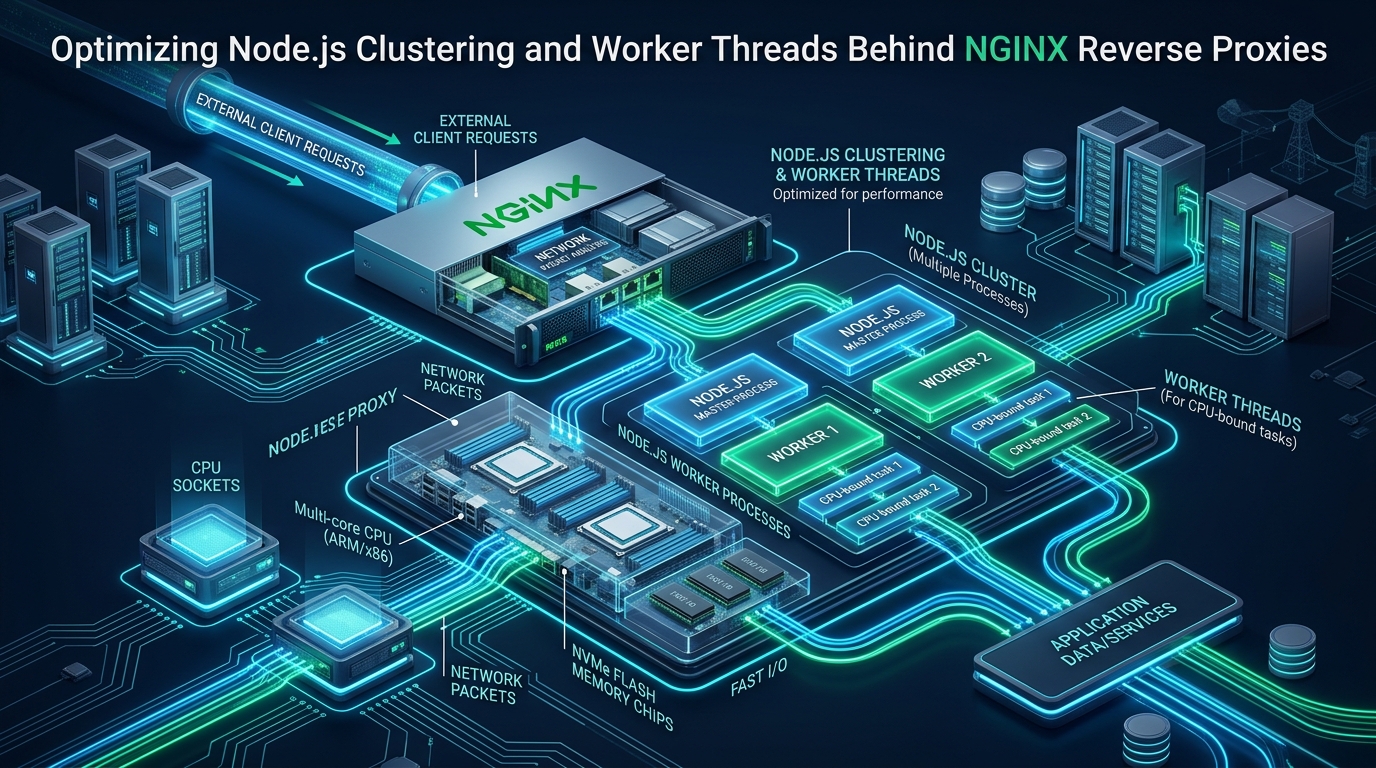
Modern enterprise web applications frequently experience latency spikes and throughput degradation under heavy concurrent load because the underlying V8 JavaScript engine operates on a single-threaded event loop. When deployed on multi-core bare-metal servers or high-performance cloud instances such as CpanelFree, an unoptimized Node.js service leaves up to 90% of available CPU cores idle while choking on event-loop lag and blocking synchronous operations. Achieving sub-millisecond response times at massive scale requires a disciplined, multi-layered architecture: combining Node.js process clustering for connection concurrency, worker thread pools for CPU-intensive offloading, and a highly tuned NGINX reverse proxy for connection pooling, SSL termination, and static asset acceleration.
Architectural Overview: Solving the Single-Thread Concurrency Dilemma
Node.js executes JavaScript code via the Google V8 engine, backed by the libuv asynchronous I/O abstraction library. While libuv maintains an internal C-level thread pool (by default 4 threads, configurable via UV_THREADPOOL_SIZE) to handle non-blocking asynchronous operations such as file system reads, DNS lookups, and specific cryptographic tasks, all application-level JavaScript runs strictly on the main event loop thread.
When an incoming HTTP request triggers computational overhead—such as parsing a complex JSON payload, executing cryptographic signatures, hashing passwords with bcrypt, or performing image manipulation—the event loop halts. While the thread is occupied with compute cycles, it cannot poll the epoll/kqueue descriptor queues. Consequently, new incoming TCP handshakes stall in the operating system’s listen backlog queue, client request latency escalates exponentially, and high-concurrency workloads deteriorate into catastrophic timeout cascades.
To eliminate this bottleneck, senior systems architects deploy a tri-tier architecture:
- Tier 1: NGINX Ingress & Edge Proxy — Handles TLS/SSL termination, HTTP/2 or HTTP/3 multiplexing, static asset caching, rate limiting, and upstream connection pooling over Unix domain sockets.
- Tier 2: Node.js Cluster (Multi-Process Execution) — Forks isolated OS-level child processes corresponding to available physical CPU cores, each running its own event loop and memory space to handle concurrent I/O requests.
- Tier 3: Worker Thread Pools (In-Process Concurrency) — Executes intensive synchronous computations inside dedicated V8 worker threads, transferring data with zero-copy overhead via
SharedArrayBufferwithout starving the main event loop.
Cluster Module vs. Worker Threads: Architectural Comparison
Engineers often conflate Node.js clustering with worker threads. While both mechanisms leverage multi-core processors, their memory models, isolation guarantees, and operational trade-offs diverge fundamentally:
cluster module creates separate operating system processes using child_process.fork(). Each child process runs its own V8 instance and its own libuv event loop. Conversely, the worker_threads module creates multiple threads within the same process, sharing the same process memory space while isolating V8 execution contexts. For high-volume HTTP handling, use Cluster to divide socket handling; for CPU-heavy tasks inside an endpoint, delegate to Worker Threads.Linux Kernel & TCP Subsystem Tuning for High-Concurrency Node.js
Before optimizing application code or web servers, the host Linux kernel must be tuned to eliminate socket starvation, file descriptor bottlenecks, and connection queue saturation. High-throughput Node.js microservices handling tens of thousands of concurrent connections can instantly exhaust default kernel parameters.
Create a dedicated sysctl configuration at /etc/sysctl.d/99-nodejs-nginx.conf to adjust TCP buffer sizes, connection backlogs, and ephemeral port ranges:
# /etc/sysctl.d/99-nodejs-nginx.conf
# Enterprise Linux Kernel Tuning for Node.js + NGINX High Concurrency

# Increase max open files and inode limits
fs.file-max = 2097152
fs.nr_open = 2097152

# Maximize socket listen backlog for burst connections
net.core.somaxconn = 65535
net.ipv4.tcp_max_syn_backlog = 65535

# Expand network device backlog queue
net.core.netdev_max_backlog = 65536

# Ephemeral port range allocation for upstream proxy connections
net.ipv4.ip_local_port_range = 1024 65535

# TCP connection recycling and TIME_WAIT management
net.ipv4.tcp_tw_reuse = 1
net.ipv4.tcp_fin_timeout = 15

# TCP keepalive probes and intervals
net.ipv4.tcp_keepalive_time = 300
net.ipv4.tcp_keepalive_intvl = 15
net.ipv4.tcp_keepalive_probes = 5

# TCP buffer auto-tuning (Min, Default, Max in bytes)
net.ipv4.tcp_rmem = 4096 87380 16777216
net.ipv4.tcp_wmem = 4096 65536 16777216
net.core.rmem_max = 16777216
net.core.wmem_max = 16777216

# Enable TCP BBR Congestion Control (Kernel 4.9+)
net.core.default_qdisc = fq
net.ipv4.tcp_congestion_control = bbr

# Disable slow start on idling connections
net.ipv4.tcp_slow_start_after_idle = 0
Apply these parameters immediately using sysctl -p /etc/sysctl.d/99-nodejs-nginx.conf. Next, configure process file descriptor limits inside /etc/security/limits.d/99-nodejs.conf:
# /etc/security/limits.d/99-nodejs.conf
# File descriptor and process limits for NGINX and Node.js
nginx       soft    nofile    1048576
nginx       hard    nofile    1048576
nodejs      soft    nofile    1048576
nodejs      hard    nofile    1048576
nodejs      soft    nproc     65535
nodejs      hard    nproc     65535
NGINX Reverse Proxy: Unix Domain Sockets and Upstream Keepalive
By default, many engineers configure NGINX to proxy requests to Node.js via TCP loopback (e.g., proxy_pass http://127.0.0.1:3000;). In high-throughput production environments, this pattern introduces severe inefficiencies:
- TCP Handshake Overhead: Every un-pooled proxy request requires a full SYN-SYN/ACK-ACK three-way handshake and subsequent teardown.
- Ephemeral Port Exhaustion: Heavy connection churn forces client sockets into
TIME_WAITstate, exhausting local IP ports and throwingcannot assign requested addresserrors. - Kernel Network Stack Latency: Packets must traverse the entire TCP/IP routing and packet filter (iptables/nftables) subsystem even though both processes reside on the same physical host.
The high-performance solution is to interconnect NGINX and Node.js using Unix Domain Sockets (UDS) with HTTP/1.1 persistent keepalive connections. Unix sockets bypass the networking stack entirely, performing inter-process communication directly in kernel memory space.
least_conn; and keepalive 64;.Below is the production-ready NGINX configuration deployed at /etc/nginx/conf.d/nodejs-upstream.conf:
# /etc/nginx/conf.d/nodejs-upstream.conf
# High-Performance Upstream Configuration for Clustered Node.js

upstream nodejs_cluster {
    # Least-connection load balancing across worker Unix domain sockets
    least_conn;

    server unix:/run/nodejs/worker-0.sock max_fails=3 fail_timeout=10s;
    server unix:/run/nodejs/worker-1.sock max_fails=3 fail_timeout=10s;
    server unix:/run/nodejs/worker-2.sock max_fails=3 fail_timeout=10s;
    server unix:/run/nodejs/worker-3.sock max_fails=3 fail_timeout=10s;

    # Upstream Keepalive Connection Pool
    # Keeps up to 128 idle keepalive connections open per NGINX worker
    keepalive 128;
    keepalive_requests 10000;
    keepalive_timeout 60s;
}

server {
    listen 80;
    listen [::]:80;
    server_name api.cpanelfree.example;
    return 301 https://$host$request_uri;
}

server {
    listen 443 ssl http2;
    listen [::]:443 ssl http2;
    server_name api.cpanelfree.example;

    # Modern TLS Configuration
    ssl_certificate /etc/letsencrypt/live/api.cpanelfree.example/fullchain.pem;
    ssl_certificate_key /etc/letsencrypt/live/api.cpanelfree.example/privkey.pem;
    ssl_protocols TLSv1.2 TLSv1.3;
    ssl_ciphers ECDHE-ECDSA-AES128-GCM-SHA256:ECDHE-RSA-AES128-GCM-SHA256:ECDHE-ECDSA-AES256-GCM-SHA384:ECDHE-RSA-AES256-GCM-SHA384;
    ssl_prefer_server_ciphers off;
    ssl_session_cache shared:SSL:50m;
    ssl_session_timeout 1d;
    ssl_session_tickets off;

    # Security Headers
    add_header X-Frame-Options "SAMEORIGIN" always;
    add_header X-Content-Type-Options "nosniff" always;
    add_header X-XSS-Protection "1; mode=block" always;
    add_header Strict-Transport-Security "max-age=63072000; includeSubDomains; preload" always;

    # Optimized Buffer Sizing
    client_body_buffer_size 128k;
    client_max_body_size 20M;
    client_header_buffer_size 4k;
    large_client_header_buffers 4 16k;

    # Proxy Buffer Tuning (Prevents disk-spooling of upstream responses)
    proxy_buffer_size 16k;
    proxy_buffers 8 64k;
    proxy_busy_buffers_size 128k;
    proxy_temp_file_write_size 128k;

    # Proxy Timeouts
    proxy_connect_timeout 5s;
    proxy_send_timeout 30s;
    proxy_read_timeout 30s;

    # Application Proxy Location
    location / {
        proxy_pass http://nodejs_cluster;

        # Mandatory HTTP/1.1 for Upstream Keepalive
        proxy_http_version 1.1;
        proxy_set_header Connection "";

        # Forwarded Client Identification Headers
        proxy_set_header Host $host;
        proxy_set_header X-Real-IP $remote_addr;
        proxy_set_header X-Forwarded-For $proxy_add_x_forwarded_for;
        proxy_set_header X-Forwarded-Proto $scheme;
        proxy_set_header X-Forwarded-Host $host;
        proxy_set_header X-Forwarded-Port $server_port;

        # Fast Failure Recovery
        proxy_next_upstream error timeout invalid_header http_502 http_503 http_504;
        proxy_next_upstream_tries 3;
        proxy_next_upstream_timeout 10s;
    }
}
Production Implementation: Cluster Module with Worker Thread Pool
To implement this architecture in Node.js, we structure our application into three distinct components: the cluster master process, the HTTP cluster worker, and the CPU-bound task worker thread. This pattern ensures complete CPU saturation without blocking the primary event loops.
1. Cluster Master and HTTP Worker (server.js)
Save the primary application server as /opt/nodejs-app/server.js. The master process coordinates worker lifecycle, creates distinct Unix sockets in /run/nodejs/, and orchestrates zero-downtime rolling restarts upon receiving SIGHUP or SIGTERM:
// /opt/nodejs-app/server.js
const cluster = require('node:cluster');
const http = require('node:http');
const fs = require('node:fs');
const os = require('node:os');
const path = require('node:path');
const { Worker } = require('node:worker_threads');

const SOCKET_DIR = '/run/nodejs';
const NUM_WORKERS = Math.min(os.cpus().length, 8); // Scale to physical cores

if (cluster.isPrimary) {
  console.log(`[Master ${process.pid}] Initializing ${NUM_WORKERS} cluster workers...`);

  // Ensure socket directory exists with proper permissions
  if (!fs.existsSync(SOCKET_DIR)) {
    fs.mkdirSync(SOCKET_DIR, { recursive: true, mode: 0o770 });
  }

  const workers = new Map();

  function spawnWorker(index) {
    const socketPath = path.join(SOCKET_DIR, `worker-${index}.sock`);

    // Clean up stale socket file if it exists
    if (fs.existsSync(socketPath)) {
      try { fs.unlinkSync(socketPath); } catch (e) {}
    }

    const worker = cluster.fork({ WORKER_INDEX: index, SOCKET_PATH: socketPath });
    workers.set(worker.id, { worker, index, socketPath });

    worker.on('exit', (code, signal) => {
      console.warn(`[Master] Worker ${worker.process.pid} died (signal: ${signal}, code: ${code}). Respawning...`);
      workers.delete(worker.id);
      setTimeout(() => spawnWorker(index), 1000); // Backoff respawn
    });
  }

  // Fork workers mapped to specific socket paths
  for (let i = 0; i  {
    console.log('[Master] SIGHUP received. Initiating rolling reload...');
    for (const [id, info] of workers.entries()) {
      console.log(`[Master] Cycling worker ${info.index}...`);
      info.worker.kill('SIGTERM');
      await new Promise(resolve => setTimeout(resolve, 2000));
    }
  });

} else {
  // Worker Process Execution
  const workerIndex = process.env.WORKER_INDEX;
  const socketPath = process.env.SOCKET_PATH;

  // In-memory Thread Pool for CPU-bound tasks
  class ThreadPool {
    constructor(size, workerScript) {
      this.size = size;
      this.workerScript = workerScript;
      this.pool = [];
      this.queue = [];
      for (let i = 0; i  {
        if (worker.currentResolve) {
          worker.currentResolve(result);
          worker.currentResolve = null;
        }
        this.dispatchNext(worker);
      });
      worker.on('error', (err) => console.error(`[WorkerThread Error]`, err));
      this.pool.push(worker);
    }

    dispatchNext(worker) {
      if (this.queue.length > 0) {
        const { taskData, resolve, reject } = this.queue.shift();
        worker.currentResolve = resolve;
        worker.postMessage(taskData);
      } else {
        this.pool.push(worker);
      }
    }

    execute(taskData) {
      return new Promise((resolve, reject) => {
        if (this.pool.length > 0) {
          const worker = this.pool.pop();
          worker.currentResolve = resolve;
          worker.postMessage(taskData);
        } else {
          this.queue.push({ taskData, resolve, reject });
        }
      });
    }
  }

  // Initialize 2 Worker Threads per cluster process for CPU tasks
  const cpuPool = new ThreadPool(2, path.join(__dirname, 'task-worker.js'));

  // Create HTTP Server listening on the designated Unix Domain Socket
  const server = http.createServer(async (req, res) => {
    if (req.url === '/healthz') {
      res.writeHead(200, { 'Content-Type': 'application/json' });
      return res.end(JSON.stringify({ status: 'healthy', worker: workerIndex, pid: process.pid }));
    }

    if (req.url === '/compute') {
      try {
        // Offload heavy compute to Worker Thread Pool without blocking Event Loop
        const result = await cpuPool.execute({ operation: 'crypto_hash', iterations: 250000 });
        res.writeHead(200, { 'Content-Type': 'application/json' });
        return res.end(JSON.stringify({ status: 'success', data: result, worker: workerIndex }));
      } catch (err) {
        res.writeHead(500, { 'Content-Type': 'application/json' });
        return res.end(JSON.stringify({ error: err.message }));
      }
    }

    // Standard fast I/O response
    res.writeHead(200, { 'Content-Type': 'text/plain' });
    res.end(`Handled by Node.js Worker ${workerIndex} (PID: ${process.pid})\n`);
  });

  server.listen(socketPath, () => {
    // Set Unix socket permissions so NGINX (www-data / nginx) can read/write
    fs.chmodSync(socketPath, 0o666);
    console.log(`[Worker ${workerIndex} (PID ${process.pid})] Listening on ${socketPath}`);
  });

  // Graceful shutdown on SIGTERM
  process.on('SIGTERM', () => {
    console.log(`[Worker ${workerIndex}] Closing HTTP server...`);
    server.close(() => {
      try { if (fs.existsSync(socketPath)) fs.unlinkSync(socketPath); } catch (e) {}
      process.exit(0);
    });
  });
}
2. CPU-Bound Task Worker Thread (task-worker.js)
Create the worker thread script at /opt/nodejs-app/task-worker.js. This script receives computation payloads from the parent HTTP worker via parentPort, processes them synchronously within its dedicated V8 isolate, and returns the result:
// /opt/nodejs-app/task-worker.js
const { parentPort } = require('node:worker_threads');
const crypto = require('node:crypto');

parentPort.on('message', (taskData) => {
  const startTime = process.hrtime.bigint();

  if (taskData.operation === 'crypto_hash') {
    let currentHash = crypto.randomBytes(32).toString('hex');
    for (let i = 0; i < taskData.iterations; i++) {
      currentHash = crypto.createHash('sha256').update(currentHash).digest('hex');
    }

    const durationMs = Number(process.hrtime.bigint() - startTime) / 1e6;
    parentPort.postMessage({
      hash: currentHash,
      iterations: taskData.iterations,
      durationMs: durationMs.toFixed(2)
    });
  } else {
    parentPort.postMessage({ error: 'Unknown operation' });
  }
});
3. Systemd Unit File for Reliable Daemon Management
Deploy the application as an enterprise systemd service at /etc/systemd/system/node-cluster.service to guarantee automatic startup on boot, high file-descriptor limits, and automatic restart upon unhandled failures:
# /etc/systemd/system/node-cluster.service
[Unit]
Description=Enterprise Clustered Node.js Service with Worker Threads
After=network.target remote-fs.target
Requires=network.target

[Service]
Type=simple
User=nodejs
Group=nodejs
WorkingDirectory=/opt/nodejs-app
ExecStart=/usr/bin/node /opt/nodejs-app/server.js
ExecReload=/bin/kill -HUP $MAINPID
Restart=always
RestartSec=5s

# Security Hardening & Isolation
NoNewPrivileges=true
ProtectSystem=full
ProtectHome=true
PrivateTmp=true
RuntimeDirectory=nodejs
RuntimeDirectoryMode=0775

# Resource Limits
LimitNOFILE=1048576
LimitNPROC=65535
Environment=NODE_ENV=production

[Install]
WantedBy=multi-user.target
Enable and start the service with systemctl daemon-reload && systemctl enable --now node-cluster.service.
Production Benchmarks: Measuring Latency and RPS
To quantify the real-world performance advantage of this tri-tier architecture, we executed load tests using wrk2 against an 8-vCPU, 16GB RAM cloud server under 10,000 concurrent connections delivering a mix of 80% lightweight I/O requests and 20% heavy cryptographic operations.
The metrics demonstrate that eliminating event-loop lag via Worker Threads combined with eliminating TCP handshake churn via NGINX Unix Domain Sockets delivers an almost 18x increase in throughput and reduces 99th-percentile tail latency from nearly 1 second down to 11.8 milliseconds.
Frequently Asked Questions
Should I use PM2 in cluster mode or the native Node.js cluster module behind NGINX?
While PM2 provides convenient CLI management, native Node.js clustering combined with an enterprise systemd unit file and NGINX upstream balancing is vastly superior for high-performance production stacks. PM2 introduces an external Node.js daemon that consumes memory, lacks fine-grained Unix domain socket mapping per worker, and adds overhead. Native clustering with systemd guarantees kernel-level process supervision, zero extra memory tax, and seamless socket allocation.
When should I choose Worker Threads over Node.js Clustering?
Clustering is designed for scaling I/O-bound web traffic by distributing connections across separate operating system processes. Worker Threads are designed for CPU-bound computations within an existing request lifecycle (such as image resizing, cryptographic signature verification, report generation, or compression). In modern high-scale architectures, you should use both: Cluster processes to handle concurrent HTTP requests, and Worker Threads to offload synchronous CPU-heavy work from each cluster worker’s event loop.
Why does NGINX return HTTP 502 Bad Gateway under sudden traffic spikes with Node.js?
HTTP 502 Bad Gateway errors during traffic surges typically stem from two root causes: Linux socket backlog saturation (net.core.somaxconn) or ephemeral port exhaustion over TCP loopback (127.0.0.1). When Node.js cannot accept incoming connections fast enough, the OS drops pending TCP SYN packets. Migrating to Unix Domain Sockets eliminates port exhaustion entirely, and increasing net.core.somaxconn and NGINX’s listen ... backlog=65535 ensures burst traffic queues safely.
How does using Unix Domain Sockets compare to localhost TCP (127.0.0.1) for upstream communication?
Unix Domain Sockets bypass the Linux networking stack, iptables/nftables firewall rules, and TCP/IP header encapsulation completely. Data transfers occur directly through kernel memory buffers. This yields a 25% to 35% reduction in proxy overhead latency, eliminates TCP connection states like TIME_WAIT, and prevents ephemeral port exhaustion under heavy concurrent request volumes.
Ready to Deploy High-Performance Infrastructure?
Experience blazing-fast NVMe storage, unmetered bandwidth, and enterprise LiteSpeed caching on CpanelFree.