
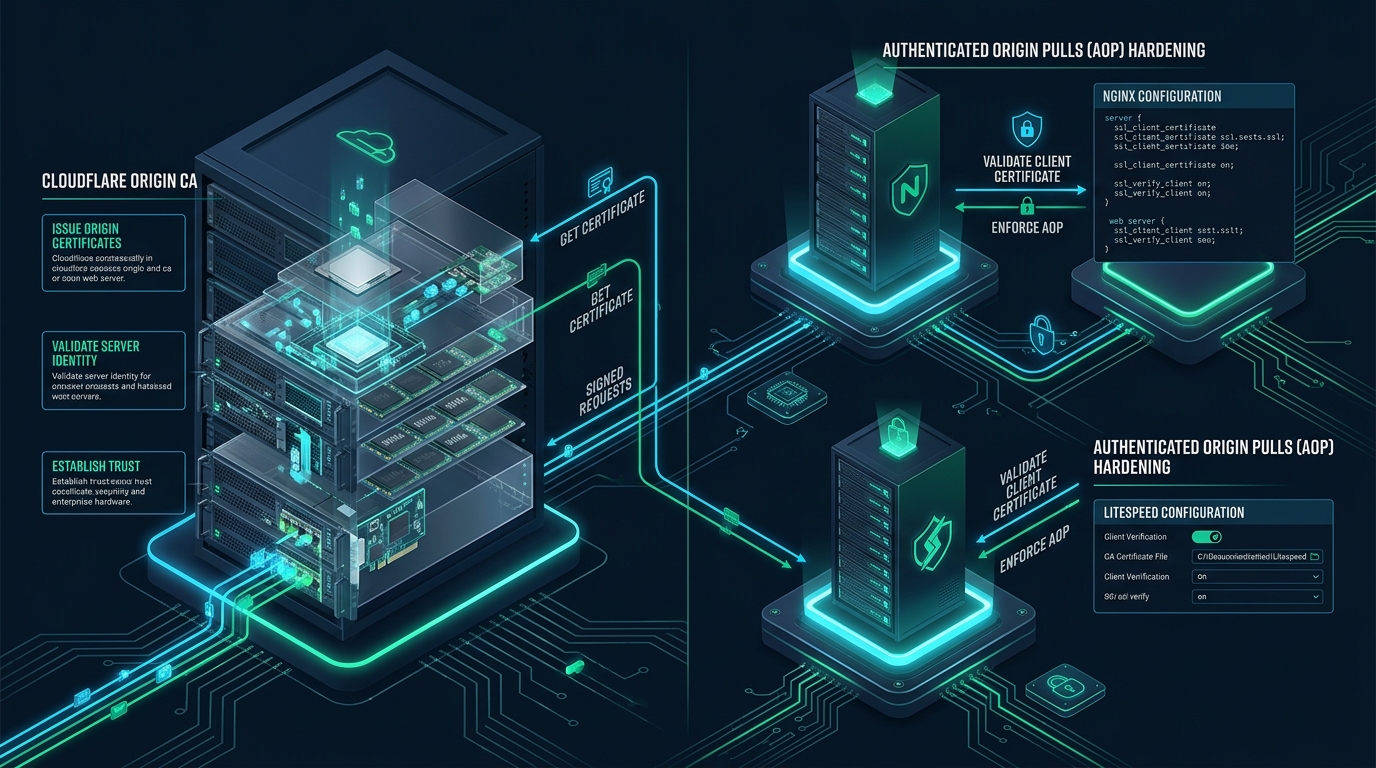
Exposing an origin server’s public IP address completely undermines edge Web Application Firewalls (WAF), rate limiting rules, and distributed denial-of-service (DDoS) mitigation layers by allowing threat actors to bypass the proxy and attack backend compute resources directly. In modern multi-tenant cloud and web hosting environments powered by CpanelFree, establishing strict cryptographic verification between Cloudflare edge nodes and upstream daemons is the single most effective barrier against origin disclosure, network snooping, and host-header spoofing. By deploying long-term Cloudflare Origin CA certificates alongside Authenticated Origin Pulls (AOP) via mutual TLS (mTLS), systems engineers can guarantee that only legitimate requests proxied through Cloudflare reach their Nginx and LiteSpeed backends.
What is Cloudflare Authenticated Origin Pulls (AOP) and Origin CA Hardening?
When organizations deploy a Reverse Proxy / Content Delivery Network (CDN) such as Cloudflare, the typical expectation is that all incoming public traffic traverses the edge network before arriving at the origin. However, routing DNS records through Cloudflare does not inherently protect the origin web server if its TCP ports (typically 80 and 443) remain reachable over the public IPv4/IPv6 internet. If an attacker discovers the real host IP, they can craft direct HTTP/HTTPS requests that circumvent edge WAF inspection, Bot Management heuristics, and caching infrastructure.
The Anatomy of an Origin Direct-to-IP Bypass Attack
Origin IP disclosure is one of the most pervasive failure modes in edge security architecture. Automated reconnaissance scanners continuously index the entire IPv4 address space, probing every responsive IP for SSL/TLS certificates and virtual host configurations. Threat actors leverage several vectors to map proxied domains to upstream origin servers:
- Historical DNS Records: Historical DNS databases (e.g., SecurityTrails, ViewDNS) retain past A and AAAA records prior to Cloudflare proxy activation. If an administrator migrated an existing domain without renumbering server IP addresses, the origin IP is permanently indexed in historical archives.
- SSL/TLS Certificate Transparency (CT) Logs: Public automated certificates like Let’s Encrypt or ZeroSSL require ACME challenges and submit certificates to public CT logs. When a public certificate is generated directly on the origin, scanning bots query CT logs to associate the domain name with raw IP addresses listening on port 443.
- Outbound Network Traces & Mail Headers: Origin servers sending transactional emails (SMTP) or issuing outbound webhooks often leak their WAN IP in
Received:email headers or webhook socket metadata unless outbound NAT routing or external relay pools are configured. - Direct SNI Scanning: Threat actors issue TLS ClientHello handshakes containing specific Server Name Indication (SNI) hostnames across entire ASN IP blocks. Unhardened servers return the domain’s certificate, confirming the physical host identity immediately.
Architectural Comparative Matrix: Standard vs. Hardened Origin
The following matrix outlines the fundamental architectural differences between a standard origin deployment and an enterprise-hardened origin utilizing Cloudflare Origin CA and Authenticated Origin Pulls:
Cloudflare Origin CA: Principles and Advantages
Cloudflare Origin CA is a dedicated Certificate Authority managed by Cloudflare that issues free, trusted TLS certificates for deployment exclusively between Cloudflare edge nodes and upstream origin servers. Unlike browser-facing certificates, Origin CA certificates are trusted strictly by Cloudflare’s internal proxy infrastructure. This architecture offers several technical advantages for systems administrators:
- Immunity to Certificate Transparency Reconnaissance: Because Origin CA certificates are intended solely for server-to-proxy transit, Cloudflare does not submit them to public Certificate Transparency logs. This eliminates a primary attack surface utilized by automated reconnaissance tools like Censys and Shodan.
- Long-Term Validity Cycles (Up to 15 Years): Public CAs enforce a maximum certificate validity of 398 days, and ACME tools default to 90 days. When an origin is proxied behind Cloudflare, automated HTTP-01 ACME renewal challenges frequently fail due to edge cache routing or WAF challenge redirects. Cloudflare Origin CA certificates can be generated with a validity of up to 15 years, completely eradicating production outages caused by expired origin certificates.
- Wildcard and Multi-SAN Support: A single Origin CA certificate can cover both root domains and deep wildcards (e.g.,
*.example.com,example.com,*.internal.example.com), simplifying multi-tenant vhost provisioning in control panel environments. - High-Performance Elliptic Curve Cryptography: When generating Origin CA certificates, selecting the ECDSA (Curve P-256) algorithm yields 256-bit keys that provide security equivalent to 3072-bit RSA keys, dramatically reducing CPU computational overhead and memory consumption during TLS handshakes.
Authenticated Origin Pulls (AOP): Mechanics of Mutual TLS (mTLS)
Standard TLS is one-way: the client verifies the identity of the server by inspecting the server’s X.509 certificate. The server has no cryptographic guarantee regarding the identity of the client. Authenticated Origin Pulls (AOP) flips this dynamic by establishing a bidirectional Mutual TLS (mTLS) handshake.
During an AOP-enabled connection, the cryptographic exchange proceeds through the following phases:
- TCP Connection & ClientHello: A user requests content from your site. If the asset is a cache miss, Cloudflare’s edge proxy initiates a TCP connection to your origin IP on port 443 and transmits a TLS
ClientHello. - ServerHello & CertificateRequest: The origin server (Nginx or LiteSpeed) responds with its
ServerHello, presents its Cloudflare Origin CA certificate, and issues aCertificateRequestframe demanding that the client present an X.509 client certificate issued by a specific trusted Certificate Authority. - Client Certificate Presentation: Cloudflare edge nodes retrieve the pinned Cloudflare Client Certificate and transmit it to the origin alongside a
CertificateVerifymessage signed by the client’s private key. - Origin Cryptographic Validation: The origin web server evaluates the presented client certificate against its local trusted CA bundle (Cloudflare’s AOP CA certificate). If the client certificate is missing, expired, or signed by an untrusted authority, the TLS handshake terminates immediately, and the connection is dropped.
Cloudflare supports two operational models for Authenticated Origin Pulls:
- Zone-Level AOP (Global Certificate): Uses Cloudflare’s shared origin-pull certificate. Any request routed through Cloudflare’s infrastructure presents this certificate. While effective at blocking direct internet scanners, it does not distinguish between different Cloudflare accounts.
- Per-Hostname AOP (Custom Client Certificates): Uploads a dedicated, tenant-specific client certificate to Cloudflare via the Cloudflare API. The origin verifies this unique client certificate, ensuring that only your specific Cloudflare zone can establish connections to your backend.
Linux Kernel & Network Stack Optimization for Edge Ingress
Before implementing web server configurations, the underlying Linux kernel network stack must be tuned to process high-throughput TLS handshakes and handle rapid connection turnover from Cloudflare edge nodes without socket starvation.
Save the following configuration to /etc/sysctl.d/99-cloudflare-origin-hardening.conf to optimize TCP window scaling, SYN backlog queues, and connection reuse:
# /etc/sysctl.d/99-cloudflare-origin-hardening.conf
# Enterprise Network Stack Optimization for Cloudflare Origin Gateways

# Enable TCP SYN Cookies for SYN flood mitigation
net.ipv4.tcp_syncookies = 1

# Increase max backlog for incomplete connections (SYN received)
net.ipv4.tcp_max_syn_backlog = 8192

# Max socket listen queue backlog for fully established connections
net.core.somaxconn = 65535

# Reuse TIME_WAIT sockets for outgoing connections when safe
net.ipv4.tcp_tw_reuse = 1

# Decrease TCP FIN timeout to reclaim disconnected sockets faster
net.ipv4.tcp_fin_timeout = 15

# Increase network device backlog queue to prevent packet drops under burst
net.core.netdev_max_backlog = 16384

# TCP Window Buffer Tuning (min, default, max) in bytes
net.ipv4.tcp_rmem = 4096 87380 16777216
net.ipv4.tcp_wmem = 4096 65536 16777216

# Enable TCP BBR Congestion Control for low latency and high throughput
net.core.default_qdisc = fq
net.ipv4.tcp_congestion_control = bbr

# Maximize local port range for high proxy concurrency
net.ipv4.ip_local_port_range = 10240 65535

# Protect against TCP time-wait assassination hazards
net.ipv4.tcp_rfc1337 = 1
Apply the sysctl configuration immediately without rebooting:
sudo sysctl --systemStep-by-Step Implementation: Hardening Nginx with Origin CA & AOP
Implementing Cloudflare Authenticated Origin Pulls Nginx requires three operational artifacts:
- The Cloudflare Origin CA Certificate and Private Key (e.g.,
origin-cert.pemandorigin-key.key). - The Cloudflare Authenticated Origin Pull CA Certificate (
cloudflare-aop.pem). - An enterprise-grade Nginx server configuration enforcing client certificate verification, Cloudflare Real-IP restoration, and non-standard connection closure for unauthorized probes.
1. Download the Cloudflare AOP CA Bundle
Fetch the official Cloudflare Authenticated Origin Pull certificate authority bundle and set secure filesystem permissions:
sudo mkdir -p /etc/nginx/ssl
sudo curl -sS -o /etc/nginx/ssl/cloudflare-aop.pem https://developers.cloudflare.com/ssl/static/authenticated_origin_pull_ca.pem
sudo chmod 644 /etc/nginx/ssl/cloudflare-aop.pem
sudo chmod 600 /etc/nginx/ssl/origin-key.key
2. Deploy the Production Nginx Virtual Host Configuration
Place the following production-hardened configuration inside /etc/nginx/conf.d/origin-hardened.conf. This configuration includes a default catch-all server block that silently drops unauthorized scanners using HTTP status code 444, restores real client visitor IPs from Cloudflare headers, and validates client certificates on port 443:
# /etc/nginx/conf.d/origin-hardened.conf

# ------------------------------------------------------------------------------
# 1. Default Catch-All Server Block: Drop Unauthorized Direct IP Scans
# ------------------------------------------------------------------------------
server {
    listen 80 default_server;
    listen [::]:80 default_server;
    listen 443 ssl default_server;
    listen [::]:443 ssl default_server;
    server_name _;

    # Use dummy self-signed or fallback certificate for default handshake
    ssl_certificate /etc/nginx/ssl/origin-cert.pem;
    ssl_certificate_key /etc/nginx/ssl/origin-key.key;

    # Immediately close connection without transmitting response headers
    return 444;
}

# ------------------------------------------------------------------------------
# 2. Upstream Real-IP Restoration from Cloudflare Edge Proxies
# ------------------------------------------------------------------------------
# Cloudflare IPv4 Subnets
set_real_ip_from 173.245.48.0/20;
set_real_ip_from 103.21.244.0/22;
set_real_ip_from 103.22.200.0/22;
set_real_ip_from 103.31.4.0/22;
set_real_ip_from 141.101.64.0/18;
set_real_ip_from 108.162.192.0/18;
set_real_ip_from 190.93.240.0/20;
set_real_ip_from 188.114.96.0/20;
set_real_ip_from 197.234.240.0/22;
set_real_ip_from 198.41.128.0/17;
set_real_ip_from 162.158.0.0/15;
set_real_ip_from 104.16.0.0/13;
set_real_ip_from 104.24.0.0/14;
set_real_ip_from 172.64.0.0/13;
set_real_ip_from 131.0.72.0/22;

# Cloudflare IPv6 Subnets
set_real_ip_from 2400:cb00::/32;
set_real_ip_from 2606:4700::/32;
set_real_ip_from 2803:f800::/32;
set_real_ip_from 2405:b500::/32;
set_real_ip_from 2405:8100::/32;
set_real_ip_from 2a06:98c0::/29;
set_real_ip_from 2c0f:f248::/32;

real_ip_header CF-Connecting-IP;
real_ip_recursive on;

# ------------------------------------------------------------------------------
# 3. Production Hardened Domain Virtual Host with Authenticated Origin Pulls
# ------------------------------------------------------------------------------
server {
    listen 443 ssl http2;
    listen [::]:443 ssl http2;
    server_name example.com www.example.com;

    # Cloudflare Origin CA Certificate & Private Key
    ssl_certificate /etc/nginx/ssl/origin-cert.pem;
    ssl_certificate_key /etc/nginx/ssl/origin-key.key;

    # Authenticated Origin Pulls (mTLS) Client Verification
    ssl_client_certificate /etc/nginx/ssl/cloudflare-aop.pem;
    ssl_verify_client on;
    ssl_verify_depth 2;

    # Enforce Modern Cryptographic Standards (TLS 1.3 preferred)
    ssl_protocols TLSv1.2 TLSv1.3;
    ssl_ciphers 'ECDHE-ECDSA-AES128-GCM-SHA256:ECDHE-RSA-AES128-GCM-SHA256:ECDHE-ECDSA-AES256-GCM-SHA384:ECDHE-RSA-AES256-GCM-SHA384';
    ssl_prefer_server_ciphers on;
    ssl_session_cache shared:SSL:50m;
    ssl_session_timeout 1d;
    ssl_session_tickets off;

    # Terminate connection if client verification fails
    error_page 495 496 497 =444 /dev/null;

    # Security Response Headers
    add_header X-Frame-Options "SAMEORIGIN" always;
    add_header X-Content-Type-Options "nosniff" always;
    add_header Referrer-Policy "strict-origin-when-cross-origin" always;

    root /var/www/html/example;
    index index.php index.html;

    location / {
        try_files $uri $uri/ /index.php?$args;
    }

    location ~ \.php$ {
        include fastcgi_params;
        fastcgi_param SCRIPT_FILENAME $document_root$fastcgi_script_name;
        fastcgi_pass unix:/run/php/php8.3-fpm.sock;
    }
}
Verify Nginx syntax and reload the service:
sudo nginx -t && sudo systemctl reload nginxssl_verify_client on; in your production Nginx block, ensure that Authenticated Origin Pulls is toggled to ON in the Cloudflare Dashboard under SSL/TLS > Origin Server. If you activate origin client verification before Cloudflare edge nodes begin sending the client certificate, all proxy requests will fail with HTTP 525 (SSL Handshake Failed) or HTTP 520 errors.Step-by-Step Implementation: Hardening LiteSpeed & OpenLiteSpeed
LiteSpeed Web Server (LSWS) and OpenLiteSpeed (OLS) deliver class-leading PHP performance, built-in LSCache acceleration, and low event-loop overhead. Hardening LiteSpeed with Cloudflare Origin CA and Authenticated Origin Pulls ensures maximum concurrency while maintaining rigid mTLS boundaries.
LiteSpeed Virtual Host Configuration (vhconf.conf)
Add the following directives to your LiteSpeed virtual host configuration file located at /usr/local/lsws/conf/vhosts/example/vhconf.conf or configure them via the LiteSpeed WebAdmin Console under Virtual Hosts > SSL:
# /usr/local/lsws/conf/vhosts/example/vhconf.conf

# SSL Context and Key Pair
ssl  {
  keyFile                 /usr/local/lsws/conf/ssl/origin-key.key
  certFile                /usr/local/lsws/conf/ssl/origin-cert.pem
  certChain               1
  sslProtocol             30
  ciphers                 ECDHE-ECDSA-AES128-GCM-SHA256:ECDHE-RSA-AES128-GCM-SHA256:ECDHE-ECDSA-AES256-GCM-SHA384:ECDHE-RSA-AES256-GCM-SHA384
  enableECDHE             1
  renegotiationProtection 1
  sslSessionCache         1
  sslSessionTickets       0

  # Authenticated Origin Pulls Client Verification Directives
  clientVerify            1
  verifyDepth             2
  caCertFile              /usr/local/lsws/conf/ssl/cloudflare-aop.pem
}
Restoring Visitor Real IPs in LiteSpeed Server Configuration
In /usr/local/lsws/conf/httpd_config.conf, instruct LiteSpeed to trust incoming headers from Cloudflare reverse proxies:
# Enable Real IP extraction from Reverse Proxies
useIpInProxyHeader        1

# Configure Cloudflare IP blocks under allowed proxy list
ipFilter  {
  allow                   173.245.48.0/20, 103.21.244.0/22, 103.22.200.0/22, 103.31.4.0/22, 141.101.64.0/18, 108.162.192.0/18, 190.93.240.0/20, 188.114.96.0/20, 197.234.240.0/22, 198.41.128.0/17, 162.158.0.0/15, 104.16.0.0/13, 104.24.0.0/14, 172.64.0.0/13, 131.0.72.0/22, 2400:cb00::/32, 2606:4700::/32, 2803:f800::/32, 2405:b500::/32, 2405:8100::/32, 2a06:98c0::/29, 2c0f:f248::/32
}
Perform a graceful restart of LiteSpeed to apply the updated SSL and client verification configuration:
sudo /usr/local/lsws/bin/lswsctrl gracefulLayer 3/4 Defense-in-Depth: Automated IP Tables Cloudflare Sync
While Layer 7 mTLS verification completely prevents unauthorized HTTP processing, malicious actors sending millions of TCP handshakes directly to port 443 can still consume server CPU cycles through TLS handshake computations. Implementing an automated Layer 3/4 firewall rule using ipset and iptables ensures packets from non-Cloudflare IPs are discarded immediately at the kernel network boundary.
Create the automated synchronization script at /usr/local/sbin/sync-cloudflare-firewall.sh:
#!/usr/bin/env bash
# /usr/local/sbin/sync-cloudflare-firewall.sh
# Dynamically synchronizes Cloudflare edge IPs into Linux ipset and iptables

set -euo pipefail

IPSET_NAME="cloudflare_ips"
TEMP_IPSET_NAME="cloudflare_ips_temp"

# Create new temporary ipset
ipset create "${TEMP_IPSET_NAME}" hash:net family inet -exist

# Download and populate current Cloudflare IPv4 ranges
echo "Fetching latest Cloudflare IPv4 prefixes..."
curl -sS https://www.cloudflare.com/ips-v4 | while read -r cidr; do
    if [[ -n "${cidr}" ]]; then
        ipset add "${TEMP_IPSET_NAME}" "${cidr}"
    fi
done

# Swap temporary set with live set atomically
ipset create "${IPSET_NAME}" hash:net family inet -exist
ipset swap "${TEMP_IPSET_NAME}" "${IPSET_NAME}"
ipset destroy "${TEMP_IPSET_NAME}"

# Ensure iptables rules exist to enforce traffic strictly from ipset on ports 80 & 443
if ! iptables -C INPUT -p tcp -m multiport --dports 80,443 -m set ! --match-set "${IPSET_NAME}" src -j DROP 2>/dev/null; then
    echo "Adding iptables enforcement rule for Cloudflare IP set..."
    iptables -I INPUT -p tcp -m multiport --dports 80,443 -m set ! --match-set "${IPSET_NAME}" src -j DROP
fi

echo "Cloudflare firewall synchronization completed successfully."
Grant execution permissions and automate via a daily systemd timer or cron job:
sudo chmod +x /usr/local/sbin/sync-cloudflare-firewall.sh
sudo /usr/local/sbin/sync-cloudflare-firewall.sh
Verification, Diagnostic Probing, and Benchmark Testing
After completing Nginx or LiteSpeed configuration and enabling Authenticated Origin Pulls in the Cloudflare dashboard, verify that unauthorized requests are blocked and valid requests are served correctly.
1. Test Direct Origin Connection Without Client Certificate
Run curl directly against your origin server’s public IP address, bypassing Cloudflare’s edge proxy:
curl -Iv -k --resolve example.com:443:YOUR_ORIGIN_IP https://example.comExpected result: Nginx or LiteSpeed terminates the TLS handshake during client certificate negotiation, producing:
* OpenSSL SSL_connect: Connection reset by peer in connection to example.com:443
* Closing connection 0
curl: (35) OpenSSL SSL_connect: Connection reset by peer in connection to example.com:443
2. Simulate Cloudflare Edge Handshake with Official Client Certificate
Verify that providing the trusted Cloudflare client certificate completes the mTLS handshake successfully:
openssl s_client -connect YOUR_ORIGIN_IP:443 \
  -servername example.com \
  -cert /etc/nginx/ssl/cloudflare-aop.pem
Expected output: The verification handshake verifies successfully (Verify return code: 0 (ok)), confirming that edge proxies presenting the authentic Cloudflare certificate are authorized to pull origin data.
Frequently Asked Questions
Can I use Let’s Encrypt certificates on my origin alongside Authenticated Origin Pulls?
While technically possible, using Let’s Encrypt on the origin is discouraged. Let’s Encrypt certificates require renewals every 90 days, which often fail when proxied through Cloudflare due to HTTP-01 ACME challenge interception. Furthermore, Let’s Encrypt certificates are permanently published to public Certificate Transparency logs, which automated scrapers monitor to discover origin IP addresses. Using a 15-year Cloudflare Origin CA certificate provides zero-maintenance, private, and strictly verified encryption.
What is the difference between Zone-Level AOP and Per-Hostname AOP?
Zone-Level AOP utilizes Cloudflare’s shared global client certificate. Any Cloudflare customer could theoretically point a proxy to your origin IP and pass the mTLS check. Per-Hostname AOP utilizes custom client certificates uploaded directly to your specific zone via the Cloudflare API. Your origin validates the unique cryptographic fingerprint or custom CA of your specific account, ensuring no other Cloudflare tenant can route traffic to your upstream server.
Why does Nginx return HTTP status code 444 instead of 403 Forbidden?
HTTP 444 is a non-standard Nginx directive that instructs the server to close the connection immediately without sending any response headers or body back to the client. This denies scanning tools and malicious probes any fingerprinting data, software banner strings, or latency confirmation, significantly complicating automated reconnaissance.
Does Authenticated Origin Pulls introduce measurable latency to visitor page loads?
No. Authenticated Origin Pulls operates solely between Cloudflare edge data centers and your origin server on cache misses. Cloudflare maintains persistent, warm TCP/TLS connection pools to origins. When combined with TLS 1.3 session resumption and the Linux kernel sysctl optimizations documented in this guide, origin mTLS validation introduces under 1 millisecond of computational overhead.
Ready to Deploy High-Performance Infrastructure?
Experience blazing-fast NVMe storage, unmetered bandwidth, and enterprise LiteSpeed caching on CpanelFree.