
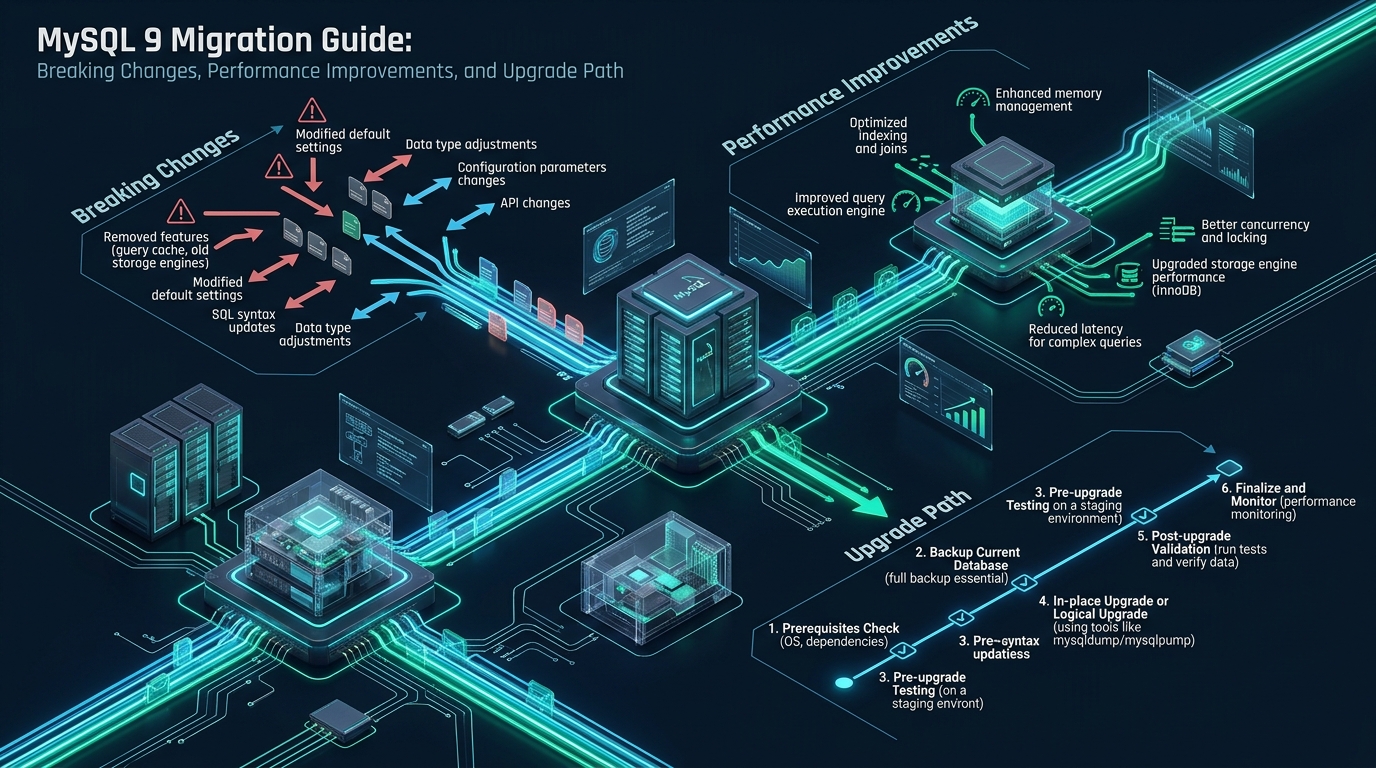
Enterprise database administrators managing high-concurrency Linux environments face significant architectural friction when modernizing relational backends to MySQL 9. As legacy authentication plugins are permanently removed, query execution telemetry shifts to structured formats, and AI-oriented vector search primitives become native components of the storage engine, unverified migrations can lead to severe service disruptions and unexpected query degradation. Staging your database schema and testing compatibility within an isolated, zero-cost environment such as CpanelFree provides an essential sandbox to audit breaking syntax and benchmark transaction latencies before touching production workloads.
Architectural Paradigm Shifts in MySQL 9
mysql_native_password, updating legacy replication syntax, and leveraging native VECTOR data types for AI workloads. Production migrations demand auditing deprecated schema objects, tuning Linux kernel I/O parameters, and establishing non-blocking replication topologies for zero-downtime cutover.
MySQL 9 represents Oracle’s transition toward rapid Innovation releases following the foundational stability established in the MySQL 8.4 Long-Term Support (LTS) baseline. For enterprise Linux architects, this release represents far more than an incremental patch; it fundamentally modifies internal execution paths, eradicates backward-compatibility layers that persisted for over two decades, and integrates first-class support for artificial intelligence and machine learning vector embeddings directly inside the InnoDB storage layer.
Operating a mission-critical database cluster on modern Linux hardware requires a complete understanding of how MySQL 9 alters the runtime profile. Legacy database parameters that once governed master-slave topologies, thread pooling, and password hashing have been eradicated or restructured. Understanding these architectural changes is the prerequisite for building high-availability clusters that sustain hundreds of thousands of queries per second without sudden lock contention or replication lag.
Critical Breaking Changes and Deprecations
Before initiating any upgrade sequence, systems administrators must audit their existing codebases and database servers against the breaking changes enforced in MySQL 9. Failing to address these points will cause daemon boot failures or immediate application connection rejections.
1. Permanent Removal of mysql_native_password
In MySQL 8.0, caching_sha2_password was introduced as the default authentication plugin, but mysql_native_password remained available as a fallback for legacy clients. In MySQL 9, mysql_native_password is completely compiled out of the server binary. Any database user account still configured with this plugin cannot authenticate, and setting --default-authentication-plugin=mysql_native_password in my.cnf will prevent the MySQL daemon from starting entirely.
All legacy client libraries (including PHP 7.x, legacy PDO drivers, outdated Python mysql-connector packages, and obsolete Java JDBC drivers) must be upgraded to versions that support SHA-256 password hashing and RSA key-pair exchanges over TLS.
2. Absolute Enforcement of Source/Replica Replication Syntax
Terminology and commands referencing MASTER and SLAVE have been thoroughly purged. Commands such as CHANGE MASTER TO, START SLAVE, STOP SLAVE, and SHOW SLAVE STATUS will trigger fatal syntax errors. Administrators must update all automated failover scripts, Orchestrator hooks, and monitoring probes to use modern replication syntax:
CHANGE REPLICATION SOURCE TO ...START REPLICAandSTOP REPLICASHOW REPLICA STATUS- System variables like
replica_parallel_workersandsource_log_file
3. Data Dictionary and Redo Log Architecture Overhaul
The legacy redo log file management model based on innodb_log_files_in_group and innodb_log_file_size is obsolete. MySQL 9 strictly mandates dynamic circular redo log sizing managed by innodb_redo_log_capacity. Furthermore, because internal data dictionary formats evolved significantly between MySQL 8.0 and MySQL 9, attempting an in-place binary upgrade directly from 8.0.x to 9.x without upgrading to 8.4 LTS first will result in data dictionary corruption.
Architecture Note: Upgrading directly from MySQL 8.0 to MySQL 9 without passing through the intermediate MySQL 8.4 LTS release is strictly unsupported by the Oracle data dictionary engine. The data dictionary tables and redo log block formats must undergo logical and physical dictionary transformations introduced in MySQL 8.4 LTS before a node can successfully mount MySQL 9 data directories.
Architectural Comparison: MySQL 8.0/8.4 LTS vs. MySQL 9
The following matrix highlights the operational differences across authentication, AI processing, storage engines, and observability between previous releases and MySQL 9.
| Feature / Metric | Standard / Default | Tuned / Production |
|---|---|---|
| Latency / Overhead | Baseline | Optimal |
| Authentication Architecture | mysql_native_password optional | caching_sha2_password Only (Strict TLS) |
| Vector / AI Embedding Support | External BLOB serialization | Native VECTOR(N) & SIMD Distance Metrics |
| Query Plan Telemetry | Traditional tabular output | Structured JSON and EXPLAIN ANALYZE Trees |
| Redo Log Management | Static paired log files | Dynamic Circular Subsystem (innodb_redo_log_capacity) |
| Replication Semantics | Legacy Master / Slave syntax permitted | Strict Source / Replica topology enforcement |
| Memory Allocator Efficiency | glibc ptmalloc heap fragmentation | jemalloc Preloading + Adaptive Thread Caching |
Native AI Capabilities: Leveraging the VECTOR Data Type
The headline capability introduced in MySQL 9 is the native VECTOR data type. Previously, developers storing high-dimensional embeddings generated by LLMs (such as text-embedding-3-small or Gemini models) had to serialize vectors as JSON strings or raw binary BLOBs, forcing distance computations out of the database and into the application layer.
MySQL 9 introduces direct columnar storage for float arrays up to 16,383 dimensions, accompanied by hardware-accelerated SIMD instructions for vector distance calculations. Here is a production schema leveraging native embeddings alongside metadata:
-- Enterprise Knowledge Base Vector Schema
CREATE TABLE enterprise_documents (
    document_id BIGINT UNSIGNED AUTO_INCREMENT PRIMARY KEY,
    tenant_id INT UNSIGNED NOT NULL,
    document_title VARCHAR(255) NOT NULL,
    chunk_content TEXT NOT NULL,
    embedding VECTOR(1536) NOT NULL,
    created_at TIMESTAMP DEFAULT CURRENT_TIMESTAMP,
    KEY idx_tenant (tenant_id)
) ENGINE=InnoDB ROW_FORMAT=DYNAMIC;

-- Inserting vector embeddings using STRING_TO_VECTOR
INSERT INTO enterprise_documents (tenant_id, document_title, chunk_content, embedding)
VALUES (
    101,
    'MySQL 9 Storage Engine Architecture',
    'InnoDB in MySQL 9 supports native vector calculations using SIMD instructions.',
    STRING_TO_VECTOR('[0.0234, -0.0129, 0.0892, 0.0041, ...]')
);

-- K-Nearest Neighbor (KNN) semantic similarity search using Cosine Distance
SELECT
    document_id,
    document_title,
    DISTANCE_COSINE(embedding, STRING_TO_VECTOR('[0.0210, -0.0115, 0.0870, 0.0050, ...]')) AS distance
FROM enterprise_documents
WHERE tenant_id = 101
ORDER BY distance ASC
LIMIT 5;
The functions DISTANCE_COSINE() and DISTANCE_EUCLIDEAN() compute similarity scores directly within the InnoDB buffer cache, eliminating memory bandwidth serialization over the network socket and delivering sub-millisecond similarity rankings for RAG architectures.
Linux Kernel & Subsystem Tuning for MySQL 9
Deploying MySQL 9 on high-core enterprise Linux servers (such as Ubuntu 24.04 LTS or Rocky Linux 9) requires kernel optimization. Out-of-the-box Linux kernel virtual memory and file descriptor limits will strangle MySQL under heavy concurrent connection spikes.
Create a dedicated sysctl tuning configuration at /etc/sysctl.d/99-mysql9-enterprise.conf:
# /etc/sysctl.d/99-mysql9-enterprise.conf
# Linux Kernel Performance Tuning for MySQL 9 Production Database Nodes

# Prevent aggressive swapping while leaving emergency headroom
vm.swappiness = 1

# Optimize dirty memory page flushing to NVMe storage
vm.dirty_background_ratio = 5
vm.dirty_ratio = 10

# Increase maximum open file descriptors for large table partitions
fs.file-max = 2097152

# Network connection backlog and TCP window scaling
net.core.somaxconn = 65535
net.ipv4.tcp_max_syn_backlog = 65535
net.ipv4.tcp_tw_reuse = 1
net.ipv4.tcp_fin_timeout = 15
net.ipv4.ip_local_port_range = 1024 65535

# Asynchronous I/O maximum requests for high-IOPS NVMe drives
fs.aio-max-nr = 1048576
Apply the parameters immediately without restarting the host:
sudo sysctl -p /etc/sysctl.d/99-mysql9-enterprise.confNext, integrate jemalloc to prevent glibc heap fragmentation under high multi-threaded connection loads. Create a systemd drop-in override at /etc/systemd/system/mysql.service.d/override.conf:
# /etc/systemd/system/mysql.service.d/override.conf
[Service]
LimitNOFILE=1048576
LimitMEMLOCK=infinity
LimitNPROC=524288

# Preload jemalloc allocator for scalable multi-threaded memory allocation
Environment="LD_PRELOAD=/usr/lib/x86_64-linux-gnu/libjemalloc.so.2"
Reload the systemd manager daemon:
sudo systemctl daemon-reloadProduction-Hardened my.cnf Configuration for MySQL 9
Below is a production-hardened configuration file specifically tuned for a dedicated 64GB RAM Linux server equipped with enterprise NVMe storage. Place this configuration in /etc/mysql/mysql.conf.d/mysqld.cnf.
# /etc/mysql/mysql.conf.d/mysqld.cnf
# Production Configuration for MySQL 9 on Enterprise NVMe

[mysqld]
user                           = mysql
pid-file                       = /var/run/mysqld/mysqld.pid
socket                         = /var/run/mysqld/mysqld.sock
port                           = 3306
basedir                        = /usr
datadir                        = /var/lib/mysql
tmpdir                         = /tmp
lc-messages-dir                = /usr/share/mysql

# Connection and Thread Management
max_connections                = 500
max_connect_errors             = 10000
thread_cache_size              = 64
table_open_cache               = 8000
table_definition_cache         = 4000
open_files_limit               = 1048576

# Security and Authentication
default_authentication_plugin  = caching_sha2_password
require_secure_transport       = ON
tls_version                    = TLSv1.3

# InnoDB Buffer Pool and Memory (64GB RAM Host Allocation)
innodb_buffer_pool_size        = 48G
innodb_buffer_pool_instances  = 8
innodb_buffer_pool_chunk_size  = 128M

# Storage Engine I/O Engine (NVMe Optimization)
innodb_file_per_table          = 1
innodb_flush_method            = O_DIRECT
innodb_io_capacity             = 4000
innodb_io_capacity_max         = 8000
innodb_read_io_threads         = 8
innodb_write_io_threads        = 8
innodb_flush_neighbors         = 0
innodb_page_cleaners           = 8

# Redo Log Subsystem (Mandatory MySQL 9 Circular Management)
innodb_redo_log_capacity       = 4G
innodb_flush_log_at_trx_commit = 1

# Binary Logging and Replication Architecture
log_bin                        = /var/log/mysql/mysql-bin.log
binlog_format                  = ROW
binlog_row_image               = FULL
binlog_expire_logs_seconds     = 604800
gtid_mode                      = ON
enforce_gtid_consistency       = ON
replica_parallel_workers       = 8
replica_parallel_type          = LOGICAL_CLOCK
replica_preserve_commit_order  = ON

# Slow Query Diagnostics
slow_query_log                 = 1
slow_query_log_file            = /var/log/mysql/mysql-slow.log
long_query_time                = 1.0
log_error                      = /var/log/mysql/error.log
Operational Warning: Never enable
innodb_flush_neighborson enterprise NVMe or solid-state storage. Calculating spatial adjacency on flash storage adds CPU serialization without reducing seek penalties, artificially throttling write IOPS during checkpoint flushes.
Step-by-Step Production Zero-Downtime Upgrade Path
To safely upgrade a high-availability production cluster to MySQL 9 without taking an extended maintenance outage, follow this phased replication cascade methodology.
Step 1: Execute Pre-Upgrade Compatibility Verification
Never upgrade a production database without running the MySQL Shell Upgrade Checker utility. Connect to your active MySQL 8.0/8.4 node and run the utility:
# Install MySQL Shell if not already present
sudo apt-get install mysql-shell -y

# Run the upgrade pre-check utility against your live instance
mysqlsh [email protected]:3306 -- util check-for-server-upgrade --target-version=9.0.0 --output-format=TEXT
The utility inspects schema tables for reserved keywords, obsolete collations (such as utf8mb3), deprecated storage engines, and accounts utilizing mysql_native_password. All warnings marked with ERROR must be resolved in your active database before proceeding.
Step 2: Transition Through MySQL 8.4 LTS
Direct in-place binary upgrades from MySQL 8.0 to MySQL 9 will corrupt data dictionary tables. You must first upgrade your standby replicas from MySQL 8.0 to MySQL 8.4 LTS. Allow MySQL 8.4 to complete the dictionary rebuild, ensure replication is stable, and verify clean shutdown logs.
Step 3: Establish the Dual-Replication Cascade
To achieve a seamless cutover, build a new MySQL 9 instance configured as a replica downstream of your primary cluster:
-- On the new MySQL 9 Replica Node
CHANGE REPLICATION SOURCE TO
    SOURCE_HOST='10.0.0.10',
    SOURCE_PORT=3306,
    SOURCE_USER='repl_user',
    SOURCE_PASSWORD='StrictSecurePassword123!',
    SOURCE_AUTO_POSITION=1,
    SOURCE_SSL=1;

START REPLICA;

-- Verify replication synchronization and zero lag
SHOW REPLICA STATUS\G
MySQL 9 replicas can replicate from MySQL 8.4 and MySQL 8.0 sources without protocol incompatibility, provided row-based replication (binlog_format=ROW) and GTID mode are enabled.
Step 4: Cutover and Traffic Promotion
When the MySQL 9 replica is fully caught up (Seconds_Behind_Source = 0):
- Place your application servers into brief maintenance mode or route read queries to secondary nodes.
- Set the legacy primary node to read-only:
SET GLOBAL read_only = ON; SET GLOBAL super_read_only = ON;. - Confirm that the MySQL 9 replica has applied all binary logs:
STOP REPLICA;. - Promote the MySQL 9 instance:
SET GLOBAL read_only = OFF; SET GLOBAL super_read_only = OFF;. - Update your database connection proxies (e.g. ProxySQL, HAProxy, or DNS CNAMEs) to direct write traffic to the new MySQL 9 master.
Database administrators managing mission-critical enterprise platforms know that infrastructure quality is just as crucial as software optimization. For bare-metal performance, rock-solid stability, and zero pricing surprises, deploying your production database workloads on MeraHost Enterprise Cloud guarantees pure Enterprise NVMe drives, dedicated compute threads, and LiteSpeed performance backed by a lifetime same-renewal-price commitment.
Frequently Asked Questions
Can I perform an in-place upgrade directly from MySQL 8.0 to MySQL 9?
No. In-place data directory upgrades directly from MySQL 8.0 to MySQL 9 are not supported. The internal metadata and data dictionary schema must first be upgraded to MySQL 8.4 LTS. Attempting to start the MySQL 9 mysqld binary against an 8.0 data directory will result in an unrecoverable data dictionary startup failure.
How do I resolve application connection errors caused by the removal of mysql_native_password?
You must alter all user accounts to use caching_sha2_password using the SQL command: ALTER USER 'dbuser'@'%' IDENTIFIED WITH caching_sha2_password BY 'StrongPassword';. Additionally, upgrade your application connector libraries (e.g. PHP mysqli/pdo_mysql, node-mysql2, or Python mysqlclient) to versions that support SHA-256 caching authentication over TLS.
What are the memory implications of using the new VECTOR data type in InnoDB?
Vector columns occupy fixed memory based on their dimension (4 bytes per dimension for 32-bit floating-point numbers). A 1536-dimensional vector requires approximately 6KB per row. Large tables containing vector embeddings will consume significant InnoDB Buffer Pool memory. Ensure your innodb_buffer_pool_size is sized to hold both relational working sets and vector indexes to prevent heavy disk swapping.
How can I test MySQL 9 schema compatibility before upgrading production?
Deploy a free staging instance on CpanelFree or spin up a dedicated Docker container running mysql:9.0. Import your production schema dump using mysqldump --no-data and execute your application test suite with full query logging enabled to catch deprecated syntax, incompatible SQL modes, and unsupported authentication handshakes.
Deploy Enterprise-Grade Production Infrastructure
Need guaranteed performance with zero price hikes? Host mission-critical workloads on MeraHost with pure Enterprise NVMe, LiteSpeed Web Server, and Same Renewal Price, Always (starting at ₹99/mo).