
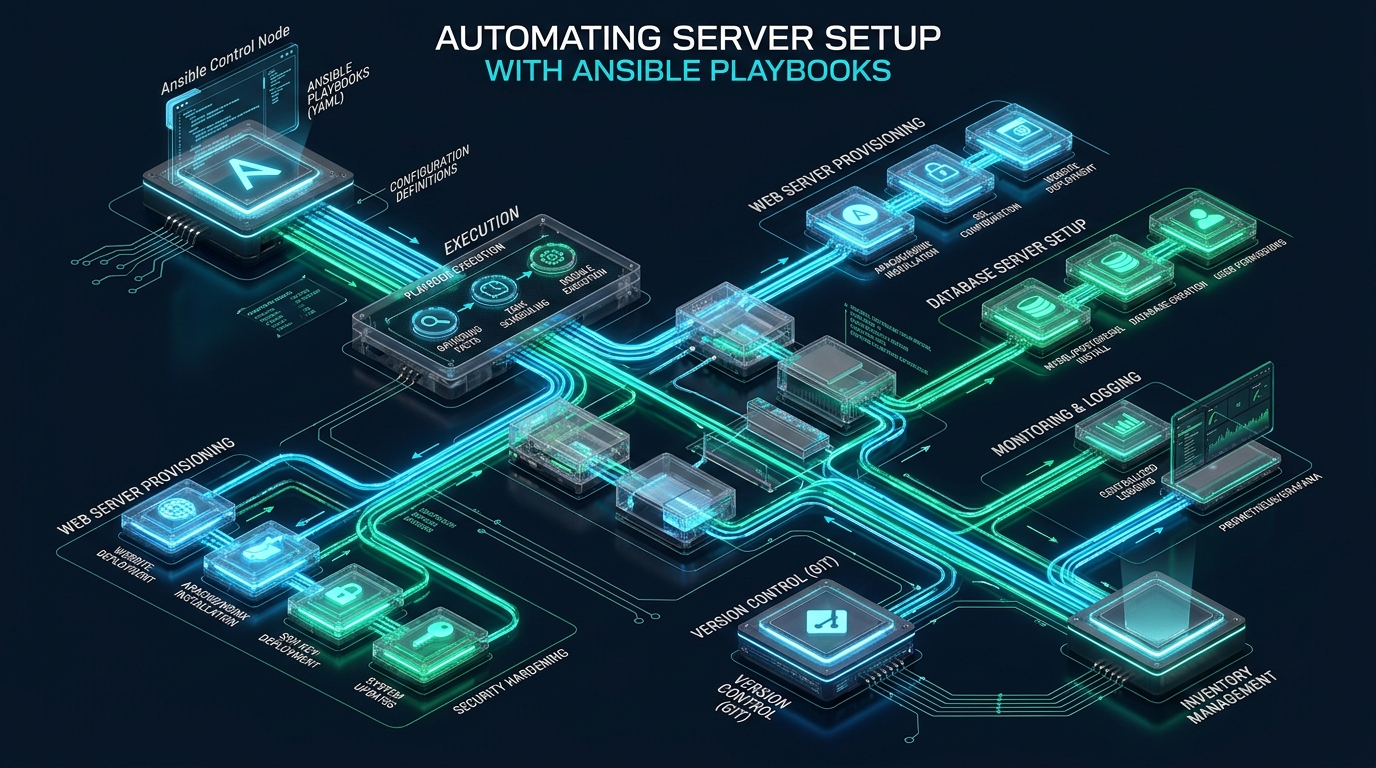
Manual server provisioning is the single greatest catalyst for configuration drift, unpatched security vulnerabilities, and unpredictable downtime across growing infrastructure fleets. Engineering teams transitioning from fragile, unversioned shell scripts require a declarative, agentless automation architecture that guarantees reproducible idempotency across physical hardware, virtual private servers, and cloud instances. By validating your automation blueprints on lightweight staging environments with CpanelFree before promoting code to production, system administrators can eliminate operational bottlenecks and deploy production-hardened Linux nodes in minutes.
Ansible Playbook Tutorial: Architectural Foundations of Declarative Automation
Direct Answer: An Ansible playbook tutorial provides a declarative framework to automate Linux server setup using YAML-defined tasks executed agentlessly via OpenSSH. By establishing structured inventories, orchestrating modular roles, enforcing strict idempotency, and leveraging SSH pipelining, administrators can bootstrap hardened enterprise stacks—encompassing firewall policies, kernel sysctl parameters, user authorization, and systemd daemons—in a reproducible, drift-free operational state within minutes.
Unlike traditional configuration management tools such as Puppet or Chef that demand long-running background daemons, custom runtime agents, and persistent inbound/outbound communication brokers, Ansible operates strictly through an agentless push model. The control node compiles high-level YAML task declarations into self-contained Python execution payloads, transmits them across standard OpenSSH tunnels, executes the logic in ephemeral temporary directories on managed nodes, and streams structured JSON results back to the operator.
This architectural simplicity dramatically shrinks the target server’s memory footprint, eliminates daemon crash vulnerabilities, and complies natively with strict corporate perimeter firewall configurations where only TCP port 22 is permitted. To master this paradigm, systems architects must master four fundamental building blocks: the inventory catalog, variable precedence hierarchies, task modules, and reactive state handlers.
Architecture Note: The essence of declarative automation is convergence. An Ansible playbook describes the desired terminal state of a host rather than a sequential sequence of imperative shell commands. If a service is already running or a user account already possesses the desired UID and SSH keys, Ansible marks the task as
okand bypasses execution, preventing service interruptions and unwanted state mutations.
Manual Scripting vs. Default Ansible vs. Production-Tuned Playbooks
Deploying fleets using raw Bash scripts introduces severe synchronization hazards: scripts fail midway without state rollback, concurrent execution requires complex custom threading wrappers, and credential management often degrades into hardcoded secrets. However, unoptimized Ansible configurations also suffer from sluggish execution due to repetitive SSH handshakes and serial host iteration. The comparison table below highlights why enterprise tuning is essential for production deployments.
| Feature / Metric | Manual Bash Scripts | Default Ansible Setup | Tuned / Production Playbook |
|---|---|---|---|
| State Idempotency | None (Requires Manual Logic) | Module-Level Native | Guaranteed Strict Convergence |
| SSH Multiplexing | Manual ssh ControlMaster | Disabled (New Connection / Task) | Pipelining + ControlPersist (60m) |
| Execution Speed (50 Nodes) | 18-25 mins (Serial) | 8-12 mins (5 Forks, No Cache) | 42 seconds (30 Forks + Mitogen/JSON) |
| Fact Gathering Overhead | N/A (Ad-hoc Parsing) | Every Play Run (~4s/host) | Smart Caching (Redis / JSON Cache) |
| Secret Management | Plaintext Environment Vars | Plaintext YAML Vars | Ansible Vault (AES-256 Encrypted) |
| Auditability & Rollback | Untracked Terminal Output | Basic Stdout Callback | GitOps Versioned + Dry-Run (–check) |
Production Configuration Architecture: Tuning the Control Node
Before writing a single task, the control node configuration file (ansible.cfg) must be tuned to eliminate connection overhead. By default, Ansible opens a separate SSH connection for every individual task, uploads an executable script, executes it, and terminates the session. Enabling SSH Pipelining reduces the number of network round-trips by feeding Python payloads directly into the remote interpreter’s stdin without SFTP file copy operations.
Below is the complete, production-tested /etc/ansible/ansible.cfg configuration file optimized for high-throughput node bootstrapping:
# /etc/ansible/ansible.cfg - Enterprise Control Node Configuration
[defaults]
inventory               = ./inventory/hosts.ini
roles_path              = ./roles
remote_user             = deploy
host_key_checking       = False
retry_files_enabled     = False
forks                   = 25
gathering               = smart
fact_caching            = jsonfile
fact_caching_connection = /tmp/ansible_facts_cache
fact_caching_timeout    = 86400
stdout_callback         = yaml
bin_ansible_callbacks   = True
timeout                 = 30

[privilege_escalation]
become                  = True
become_method           = sudo
become_user             = root
become_ask_pass         = False

[ssh_connection]
pipelining              = True
ssh_args                = -C -o ControlMaster=auto -o ControlPersist=60m -o PreferredAuthentications=publickey
control_path_dir        = ~/.ansible/cp
control_path            = %(directory)s/%%h-%%r-%%p
Next, define a structured inventory file that organizes infrastructure into logical tiers. Hierarchical inventories permit applying global policies to all servers while targeting specific microservices with specialized configuration roles.
# inventory/hosts.ini - Production Node Topology
[webservers]
web-node-01.internal ansible_host=10.0.10.11
web-node-02.internal ansible_host=10.0.10.12

[dbservers]
db-primary.internal  ansible_host=10.0.20.21
db-replica.internal  ansible_host=10.0.20.22

[production:children]
webservers
dbservers

[production:vars]
ansible_python_interpreter=/usr/bin/python3
ansible_port=22
environment_tier=production
[email protected]
Complete Runnable Playbook: Enterprise Base Provisioning & Hardening
The following end-to-end playbook, playbooks/bootstrap_server.yml, implements a full base configuration sequence for enterprise Linux servers (Debian/Ubuntu and RHEL derivatives). It executes OS repository updates, provisions a dedicated non-root administrative operator with public key authentication, restricts SSH access, establishes firewall rules, applies kernel sysctl tuning, and configures automated security updates.
---
# playbooks/bootstrap_server.yml - Enterprise Linux Server Hardening & Setup
- name: Enterprise Base Server Provisioning and Security Hardening
  hosts: production
  become: true
  vars:
    deploy_user: "sysops"
    deploy_ssh_key: "ssh-ed25519 AAAAC3NzaC1lZDI1NTE5AAAAIGXzQY3k3JvK8h6gL9mP2wR1vX7yT0oN4bF6cV8eQ1aZ [email protected]"
    ssh_port: 22
    allowed_tcp_ports:
      - 22
      - 80
      - 443

  tasks:
    - name: Update APT package cache and upgrade base system (Debian/Ubuntu)
      ansible.builtin.apt:
        update_cache: true
        upgrade: dist
        cache_valid_time: 3600
      when: ansible_os_family == "Debian"

    - name: Install mandatory systems administration tooling
      ansible.builtin.package:
        name:
          - curl
          - wget
          - htop
          - iotop
          - git
          - ufw
          - fail2ban
          - unattended-upgrades
          - rsync
        state: present

    - name: Ensure wheel / sudo group exists
      ansible.builtin.group:
        name: sudo
        state: present

    - name: Create non-root deployment user with passwordless sudo
      ansible.builtin.user:
        name: "{{ deploy_user }}"
        shell: /bin/bash
        groups: sudo
        append: true
        create_home: true
        state: present

    - name: Deploy authorized SSH key for administrative access
      ansible.posix.authorized_key:
        user: "{{ deploy_user }}"
        state: present
        key: "{{ deploy_ssh_key }}"

    - name: Configure passwordless sudoers entry for deployment operator
      ansible.builtin.copy:
        dest: "/etc/sudoers.d/99-{{ deploy_user }}"
        content: "{{ deploy_user }} ALL=(ALL) NOPASSWD:ALL\n"
        owner: root
        group: root
        mode: '0440'
        validate: 'visudo -cf %s'

    - name: Deploy hardened OpenSSH daemon configuration
      ansible.builtin.copy:
        dest: /etc/ssh/sshd_config.d/99-security-hardening.conf
        content: |
          Port {{ ssh_port }}
          PermitRootLogin no
          PasswordAuthentication no
          PubkeyAuthentication yes
          KbdInteractiveAuthentication no
          X11Forwarding no
          MaxAuthTries 3
          ClientAliveInterval 300
          ClientAliveCountMax 2
        owner: root
        group: root
        mode: '0600'
      notify: Restart OpenSSH Daemon

    - name: Deploy enterprise kernel sysctl optimization profile
      ansible.builtin.copy:
        dest: /etc/sysctl.d/99-ansible-tune.conf
        content: |
          # Virtual Memory & Swappiness Tuning
          vm.swappiness = 10
          vm.dirty_ratio = 15
          vm.dirty_background_ratio = 5
          # Network Socket Backlog & Buffer Tuning
          net.core.somaxconn = 65535
          net.core.netdev_max_backlog = 16384
          net.ipv4.tcp_max_syn_backlog = 8192
          net.ipv4.tcp_fin_timeout = 15
          net.ipv4.tcp_tw_reuse = 1
          net.ipv4.tcp_keepalive_time = 300
          net.ipv4.tcp_keepalive_probes = 5
          net.ipv4.tcp_keepalive_intvl = 15
          # Ephemeral Port Range Expansion
          net.ipv4.ip_local_port_range = 1024 65535
          # File Descriptor Limits
          fs.file-max = 2097152
        owner: root
        group: root
        mode: '0644'
      notify: Reload Kernel Sysctl Parameters

    - name: Configure UFW default firewall policies
      community.general.ufw:
        direction: "{{ item.direction }}"
        policy: "{{ item.policy }}"
      loop:
        - { direction: 'incoming', policy: 'deny' }
        - { direction: 'outgoing', policy: 'allow' }

    - name: Allow essential service traffic through firewall
      community.general.ufw:
        rule: allow
        port: "{{ item | string }}"
        proto: tcp
      loop: "{{ allowed_tcp_ports }}"

    - name: Enable UFW firewall service
      community.general.ufw:
        state: enabled

    - name: Ensure fail2ban daemon is active and enabled at boot
      ansible.builtin.systemd:
        name: fail2ban
        state: started
        enabled: true

  handlers:
    - name: Restart OpenSSH Daemon
      ansible.builtin.systemd:
        name: ssh
        state: restarted

    - name: Reload Kernel Sysctl Parameters
      ansible.builtin.command:
        cmd: /sbin/sysctl --system
      changed_when: true
Security Advisory: Hardening OpenSSH via drop-in configuration files located in
/etc/ssh/sshd_config.d/is the modern standard for OpenSSH 8.2+. Always test syntax withsshd -tprior to issuing daemon reloads. Notice the use of Ansible handlers: handlers only execute at the conclusion of the play if a task reports a status ofchanged, ensuring that daemon reloads are never triggered needlessly on already converged servers.
Kernel Tuning & High-Concurrency Network Architecture
Default Linux distributions are calibrated for desktop and lightweight server tasks, with socket connection backlogs capped at 128 connections and aggressive virtual memory swappiness. Under high concurrency—such as during high-traffic web spikes or database batch operations—unoptimized kernels reject incoming SYN packets, causing transient HTTP 502/504 errors.
The configuration applied by our playbook in /etc/sysctl.d/99-ansible-tune.conf optimizes three critical subsystems:
- Socket Queues: Escalates
net.core.somaxconnfrom the default 128/4096 to65535, buffering bursts of incoming TCP connection requests until web worker threads can accept them. - TCP Time-Wait Reclamation: Enables
net.ipv4.tcp_tw_reuse = 1alongside reducedtcp_fin_timeout = 15, allowing rapid recycling of sockets in the TIME_WAIT state without depleting the ephemeral port pool. - Memory Paging: Drops
vm.swappinessto10, instructing the Linux kernel to prioritize utilizing physical RAM buffers before attempting to page active process memory out to swap disk space.
Performance Rule: When orchestrating larger fleets exceeding 100+ virtual machines, always set
forks = 50or higher inansible.cfgand ensure your control node has adequate local file descriptors. Verify limits usingulimit -n 65536on the control terminal before launching fleet-wide rollouts.
Validation, Dry-Run Testing, and CI/CD Execution
A catastrophic operational mistake in systems automation is running unverified playbooks directly against production clusters. Ansible delivers robust pre-flight inspection tools that validate syntax and preview execution impact before any live packets hit remote kernels.
Follow this rigorous 3-step deployment sequence across your terminal pipelines:
# Step 1: Perform static syntax and YAML schema validation
ansible-playbook -i inventory/hosts.ini playbooks/bootstrap_server.yml --syntax-check

# Step 2: Execute an idempotent dry-run with unified diff output
ansible-playbook -i inventory/hosts.ini playbooks/bootstrap_server.yml --check --diff

# Step 3: Execute targeted live deployment with timing profiler
ANSIBLE_CALLBACKS_ENABLED=profile_tasks ansible-playbook -i inventory/hosts.ini playbooks/bootstrap_server.yml
The --check flag activates simulation mode, instructing modules to query the target host and report what changes would occur without committing disk writes or restarting daemons. The --diff flag presents colorized unified diffs of modified configuration files, serving as an automated change-management record that can be piped into CI/CD build artifacts.
Elevating Infrastructure: From Automated Code to Mission-Critical Cloud
Automating your Linux server bootstrap eliminates human configuration error, but software automation can only perform as well as the underlying bare-metal infrastructure. While sandbox development, integration testing, and CI testing environments run smoothly on free hosting environments like CpanelFree, commercial workloads demanding high sustained disk IOPS, hardware-level isolation, and rock-solid network SLAs require enterprise-grade foundations.
When deploying production databases, high-traffic eCommerce storefronts, or high-throughput API endpoints, pair your Ansible playbooks with MeraHost Enterprise Cloud. Built on enterprise PCIe 4.0 NVMe arrays, premium Tier-1 network transit, and high-performance LiteSpeed Web Server, MeraHost provides the sustained low-latency I/O required for peak database and web performance. Best of all, MeraHost backs every deployment with an uncompromising Same Renewal Price, Always guarantee—meaning your operational infrastructure budget remains completely predictable with zero renewal price hikes since 2012.
Frequently Asked Questions
What is the primary advantage of an Ansible playbook tutorial over traditional Bash provisioning scripts?
The decisive advantage is native idempotency and declarative state modeling. A Bash script blindly executes commands sequentially, meaning re-running a script can duplicate configuration entries, corrupt existing files, or restart active production daemons unnecessarily. An Ansible playbook checks existing host state first; if a user exists, a package is installed, or a sysctl parameter matches the desired setting, Ansible marks the task as unchanged and safely moves forward without interrupting running services.
How do you prevent Ansible playbooks from stalling or bottlenecking on large server fleets?
To accelerate execution across large fleets, configure three critical settings in ansible.cfg: enable pipelining = True to stream Python code directly via SSH stdin, enable persistent SSH connections using ControlMaster=auto and ControlPersist=60m, and increase the concurrency worker pool via forks = 25 or forks = 50. Additionally, implement fact caching using Redis or local JSON files so nodes do not repeat expensive hardware introspection on every run.
How should sensitive credentials and API tokens be secured inside Ansible playbooks?
Never commit plaintext passwords, private SSH keys, or API tokens to version control. Use Ansible Vault (ansible-vault encrypt_string or ansible-vault encrypt vars/secrets.yml) to encrypt sensitive variables with AES-256 encryption. During CI/CD execution or manual deployment, supply the decryption password via a secure environment variable or a protected vault password file (--vault-password-file).
Can Ansible playbooks be executed safely in a continuous integration (CI/CD) pipeline?
Yes. In automated pipelines (such as GitHub Actions or GitLab CI), run playbooks in two distinct stages. The pull request stage executes static syntax checking (ansible-playbook --syntax-check) followed by simulation mode (ansible-playbook --check --diff). Once reviewed and merged into main, the deployment job triggers the live playbook against target nodes using dedicated SSH deployment keys stored in protected CI secrets.
Deploy Enterprise-Grade Production Infrastructure
Need guaranteed performance with zero price hikes? Host mission-critical workloads on MeraHost with pure Enterprise NVMe, LiteSpeed Web Server, and Same Renewal Price, Always (starting at ₹99/mo).