
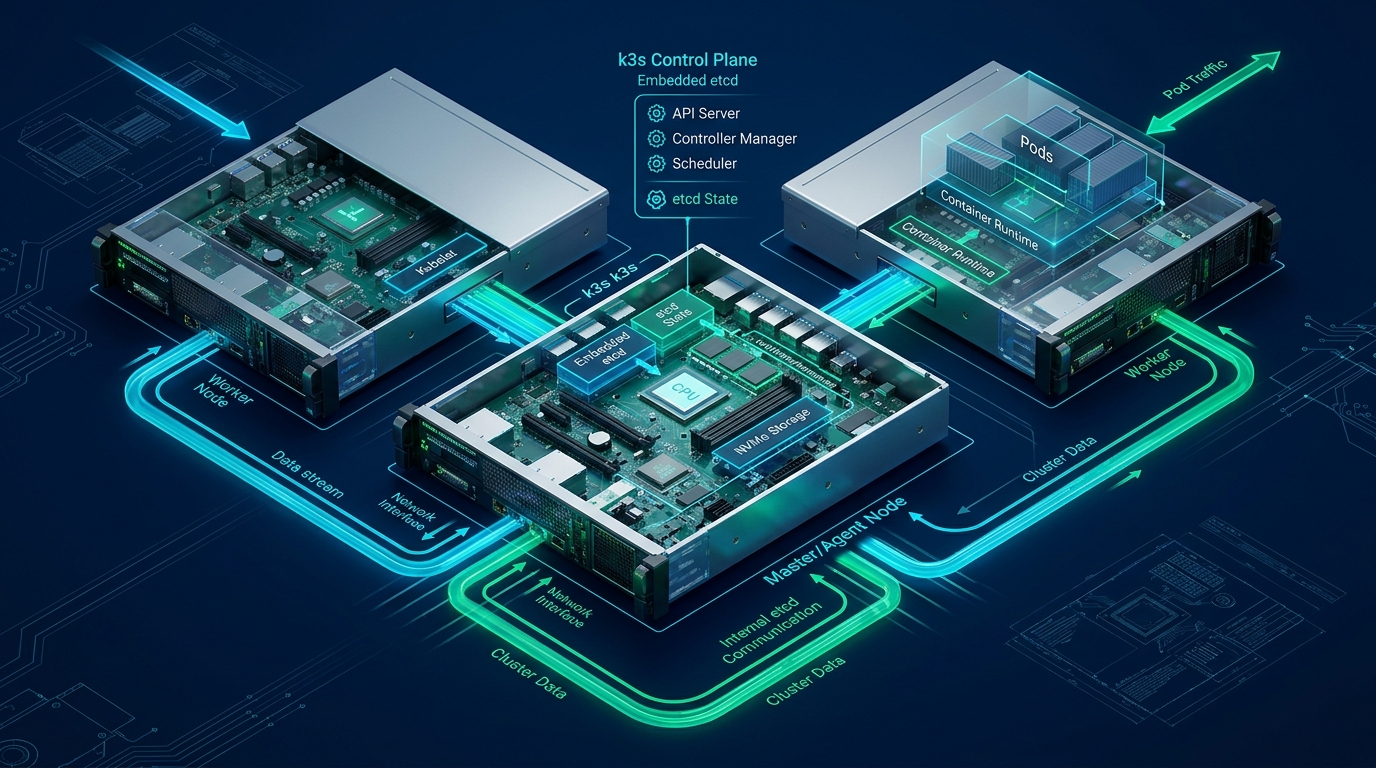
Modern enterprise engineering teams increasingly grapple with the debilitating cognitive and infrastructural tax of Kubernetes, where control plane overhead can consume significant CPU and memory footprints before a single application container is provisioned. For organizations seeking declarative workload orchestration, high-velocity scheduling, and native service discovery without multi-gigabyte control plane footprints, the unified pairing of HashiCorp Nomad and Consul provides a streamlined, resilient alternative that scales effortlessly from bare-metal edge nodes to enterprise cloud clusters deployed on CpanelFree. By decoupling scheduling from networking and leveraging single-binary Golang architectures, systems architects can achieve sub-millisecond scheduling decisions, deterministic resource allocation, and zero-trust service meshes with a fraction of the operational maintenance overhead.
The Architecture of Lightweight Orchestration: Nomad and Consul Synergy
In traditional cloud-native topologies, orchestrators such as Kubernetes rely on a sprawling constellation of interdependent daemons: kube-apiserver, etcd, kube-scheduler, kube-controller-manager, kubelet, kube-proxy, and external Container Network Interface (CNI) plugins. Each moving piece introduces network serialization overhead, version drift vulnerabilities, and complex etcd quorum failure modes. In contrast, HashiCorp’s architectural philosophy is grounded in UNIX simplicity and modularity: do one thing and do it exceptionally well.
Nomad acts strictly as an orchestrator and scheduler. It schedules containerized workloads (Docker, Podman), raw fork/exec binaries, Java JARs, and QEMU virtual machines across heterogeneous operating systems without forcing container abstraction layers where bare-metal execution is preferred. Consul functions as the distributed service discovery fabric, health-checking engine, and dynamic mesh proxy. When combined, Nomad delegates service registration, health telemetry, and mutual TLS (mTLS) traffic routing directly to Consul via local Unix sockets or loopback RPC, eliminating complex iptables route tables and brittle overlay networks.
Architectural Comparison: Nomad + Consul vs. Kubernetes vs. Docker Swarm
Evaluating orchestrators requires measuring tangible operational parameters: control plane resource consumption, scheduling throughput, network latency, and operational failure surface. The following comparative matrix benchmarks production-grade clusters running 1,000 active containers across identical hardware specifications.
Linux Kernel and System Tuning for Orchestration Nodes
Before deploying the orchestrator daemons, the underlying Linux host kernel must be optimized for sustained high-throughput socket recycling, aggressive packet forwarding, and non-blocking in-memory state tracking. Standard Linux server distributions default to conservative network stack limits that throttle Consul gossip rounds and Nomad allocation dispatching under burst traffic.
Create a dedicated sysctl configuration file at /etc/sysctl.d/99-nomad-consul.conf with the following production-hardened kernel parameters:
# /etc/sysctl.d/99-nomad-consul.conf
# Linux Kernel Parameter Hardening for High-Throughput Nomad & Consul Clusters

# Network core memory allocation and queue backlog
net.core.somaxconn = 65535
net.core.netdev_max_backlog = 16384
net.core.rmem_max = 16777216
net.core.wmem_max = 16777216
net.core.optmem_max = 2048576

# TCP socket window tuning and buffer scaling
net.ipv4.tcp_rmem = 4096 87380 16777216
net.ipv4.tcp_wmem = 4096 65536 16777216
net.ipv4.tcp_tw_reuse = 1
net.ipv4.tcp_fin_timeout = 15
net.ipv4.tcp_max_syn_backlog = 16384
net.ipv4.tcp_slow_start_after_idle = 0
net.ipv4.tcp_congestion_control = bbr

# Bridge network packet filtering and forwarding for container drivers
net.bridge.bridge-nf-call-arptables = 1
net.bridge.bridge-nf-call-ip6tables = 1
net.bridge.bridge-nf-call-iptables = 1
net.ipv4.ip_forward = 1

# Connection tracking table dimensioning to prevent dropped allocation state
net.netfilter.nf_conntrack_max = 1048576
net.netfilter.nf_conntrack_tcp_timeout_established = 86400
net.netfilter.nf_conntrack_tcp_timeout_close_wait = 30

# Virtual memory paging and file descriptor limits
fs.file-max = 2097152
fs.inotify.max_user_watches = 524288
fs.inotify.max_user_instances = 8192
vm.max_map_count = 262144
vm.swappiness = 10
Apply the tuned parameters immediately without rebooting via:
sudo sysctl --systemConsul Service Discovery and Mesh Configuration
Consul acts as the centralized backbone for dynamic service catalogs, health telemetry, and KV storage. In this configuration, we establish a robust 3-node Consul server quorum with encrypted Serf gossip, TLS encryption for RPC communication, and DNS forwarding enabled on port 8600.
Save the following configuration to /etc/consul.d/consul.hcl on your control plane nodes:
# /etc/consul.d/consul.hcl
# Enterprise Consul Server Production Configuration

datacenter = "dc1"
data_dir   = "/opt/consul/data"
log_level  = "INFO"
node_name  = "consul-server-01"

# Clustering and Raft Consensus
server           = true
bootstrap_expect = 3
retry_join       = ["10.0.10.11", "10.0.10.12", "10.0.10.13"]

# Network Bindings
bind_addr   = "10.0.10.11"
client_addr = "0.0.0.0"

# DNS and HTTP Endpoints
ports {
  dns   = 8600
  http  = 8500
  https = 8501
  grpc  = 8502
}

# Zero-Trust Service Mesh & Connect Configuration
connect {
  enabled = true
}

# Secure Telemetry & Gossip Encryption
encrypt = "dGhpcy1pcy1hLXByb2R1Y3Rpb24tZ29zc2lwLWtleS0zMnVieXRlcw=="

auto_encrypt {
  allow_tls = true
}

tls {
  defaults {
    verify_incoming        = false
    verify_outgoing        = false
    verify_server_hostname = false
  }
}

# Performance and Raft Tuning
performance {
  raft_multiplier = 1
}

ui_config {
  enabled = true
}
To integrate Consul seamlessly with system DNS resolution, configure systemd-resolved to route queries targeting the .consul top-level domain directly to Consul’s internal DNS interface on port 8600. Add the drop-in configuration at /etc/systemd/resolved.conf.d/consul.conf:
# /etc/systemd/resolved.conf.d/consul.conf
[Resolve]
DNS=127.0.0.1:8600
Domains=~consul
HashiCorp Nomad Server and Client Configuration
Nomad executes in two primary operating modes: Server (handling Raft consensus, job validation, and scheduling evaluations) and Client (fingerprinting hardware, executing tasks via drivers, and monitoring container cgroups). In smaller environments, a node can run both roles simultaneously; in enterprise environments, servers and clients should remain physically separated.
Below is the complete production configuration for a dual-role or dedicated Nomad node located at /etc/nomad.d/nomad.hcl:
# /etc/nomad.d/nomad.hcl
# Production Nomad Server and Client Configuration

datacenter = "dc1"
data_dir   = "/opt/nomad/data"
name       = "nomad-node-01"
log_level  = "INFO"

# Network Interfaces
bind_addr = "0.0.0.0"
advertise {
  http = "10.0.10.11:4646"
  rpc  = "10.0.10.11:4647"
  serf = "10.0.10.11:4648"
}

# Server Architecture & Raft Settings
server {
  enabled          = true
  bootstrap_expect = 3
  server_join {
    retry_join = ["10.0.10.11:4648", "10.0.10.12:4648", "10.0.10.13:4648"]
    retry_max  = 5
    retry_interval = "15s"
  }
}

# Client Node & Task Execution Driver Settings
client {
  enabled   = true
  network_interface = "eth0"

  # Task driver configuration
  options = {
    "driver.raw_exec.enable" = "1"
    "docker.cleanup.image"   = "true"
    "docker.privileged.enabled" = "false"
  }

  meta {
    environment = "production"
    storage_tier = "nvme"
  }
}

# Native Consul Integration (Auto-Registration and Health Sync)
consul {
  address             = "127.0.0.1:8500"
  server_service_name = "nomad"
  client_service_name = "nomad-client"
  auto_advertise      = true
  server_auto_join    = true
  client_auto_join    = true
}server_auto_join = true and client_auto_join = true are configured, Nomad nodes discover peers dynamically through Consul without requiring static IP addresses or hardcoded cloud provider discovery plugins.
Systemd Daemon Management and Process Isolation
To ensure resilience against transient OOM (Out Of Memory) conditions and kernel process eviction, both Nomad and Consul must be managed under systemd with strict cgroup resource isolation, elevated file descriptor limits, and non-root execution permissions where applicable.
Deploy the following unit file to /etc/systemd/system/nomad.service:
[Unit]
Description=Nomad Orchestration Agent
Documentation=https://www.nomadproject.io/docs/
Wants=basic.target network-online.target
After=basic.target network-online.target consul.service

[Service]
Type=notify
User=root
Group=root
ExecStart=/usr/local/bin/nomad agent -config=/etc/nomad.d
ExecReload=/bin/kill -HUP $MAINPID
KillMode=process
KillSignal=SIGINT
Restart=on-failure
RestartSec=2
TimeoutStopSec=45
LimitNOFILE=65536
LimitNPROC=infinity
TasksMax=infinity
OOMScoreAdjust=-1000

[Install]
WantedBy=multi-user.target
Enable and start both daemons in proper dependency order:
sudo systemctl daemon-reload
sudo systemctl enable --now consul
sudo systemctl enable --now nomad

# Verify cluster consensus state
nomad server members
consul members
Declarative Job Specification: Microservice with Consul Connect
Workloads in Nomad are defined using HashiCorp Configuration Language (HCL). Unlike voluminous Kubernetes YAML manifests, Nomad job specs are concise, human-readable, and inherently support hierarchical inheritance. The following production specification (webapp.nomad.hcl) deploys a scalable containerized web application integrated with Consul Connect mTLS sidecar proxies for zero-trust service communication:
# webapp.nomad.hcl
# Production Scalable Microservice Specification with Consul Service Mesh

job "ecommerce-api" {
  datacenters = ["dc1"]
  type        = "service"
  priority    = 80

  update {
    max_parallel     = 2
    min_healthy_time = "15s"
    healthy_deadline = "3m"
    auto_revert      = true
    canary           = 1
  }

  group "api-tier" {
    count = 3

    network {
      mode = "bridge"
      port "http" {
        to = 8080
      }
    }

    service {
      name = "ecommerce-api"
      port = "http"

      connect {
        sidecar_service {
          proxy {
            upstreams {
              destination_name = "order-database"
              local_bind_port  = 5432
            }
          }
        }
      }

      check {
        type     = "http"
        path     = "/healthz"
        interval = "10s"
        timeout  = "2s"
      }
    }

    task "api-server" {
      driver = "docker"

      config {
        image        = "registry.cpanelfree.internal/apps/ecommerce-api:v2.4.1"
        ports        = ["http"]
        cpu_hard_limit = 1000
      }

      env {
        DATABASE_URL = "postgres://app:[email protected]:5432/ecommerce"
        LOG_LEVEL    = "info"
      }

      resources {
        cpu    = 500  # 500 MHz allocation
        memory = 256  # 256 MB RAM limit
      }
    }
  }
}
Dispatch the declarative job specification directly to the cluster:
nomad job plan webapp.nomad.hcl
nomad job run webapp.nomad.hclnomad job plan prior to applying updates. Nomad’s planning engine computes dry-run evaluation graphs, highlighting allocation diffs, canary thresholds, and potential scheduler preemption events before modifying production workloads.
Monitoring, Observability, and Zero-Downtime Rollouts
Maintaining high availability across a distributed Nomad and Consul cluster requires visibility into Raft replication lag, dispatch latencies, and container resource contention. Nomad natively exposes Prometheus-compatible metrics directly on /v1/metrics?format=prometheus without requiring external exporter agents.
Key operational metrics to alert on include:
nomad.client.allocations.memory.usage: Identifies workloads nearing cgroup OOM thresholds.nomad.raft.leader.lastContact: Measures leader heartbeat intervals; values exceeding 200ms indicate network partition risks.consul.serf.member.flap: Flags node instability within Serf gossip groups caused by underlying hypervisor packet drop.
During rolling updates, Nomad utilizes canary deployments (as specified in webapp.nomad.hcl). The scheduler initiates a single isolated canary instance, validates health checks against Consul, and waits for administrator promotion via nomad job promote ecommerce-api before gradually decommissioning legacy allocations. This guarantees zero downtime and provides automated rollback if response latencies degrade.
Frequently Asked Questions
Can Nomad manage non-containerized legacy applications alongside Docker?
Yes. Unlike Kubernetes which strictly requires container runtimes conforming to the CRI standard, Nomad natively supports non-containerized workloads via its raw_exec, exec, and java drivers. You can orchestrate static Go binaries, Python scripts, Java JAR files, and QEMU virtual machines on the same scheduling plane without container encapsulation overhead.
How does Consul Connect replace traditional Kubernetes Ingress and Service Meshes?
Consul Connect embeds Envoy proxy sidecars alongside task allocations, managing automated mutual TLS (mTLS) certificate generation and rotation. It uses Consul intentions to enforce layer-7 service-to-service authorization policies, completely replacing bulky third-party meshes like Istio or Linkerd with zero external dependencies.
What hardware footprint is required for a production-ready Nomad control plane?
A production 3-node Nomad server quorum requires as little as 1 vCPU and 1 GB of RAM per node to manage thousands of client allocations. For typical small-to-medium clusters (up to 500 tasks), Nomad and Consul consume less than 150 MB of memory per server daemon, making them ideal for budget-constrained VPS instances and bare-metal environments.
How are stateful persistent volumes handled in HashiCorp Nomad?
Nomad supports both Container Storage Interface (CSI) plugins (for AWS EBS, GCP Persistent Disks, Ceph, and NFS) and native Host Volumes. Storage volumes are registered declaratively in Nomad HCL and claimed within job specifications, providing deterministic mount points across rescheduling cycles.
Ready to Deploy High-Performance Infrastructure?
Experience blazing-fast NVMe storage, unmetered bandwidth, and enterprise LiteSpeed caching on CpanelFree.