
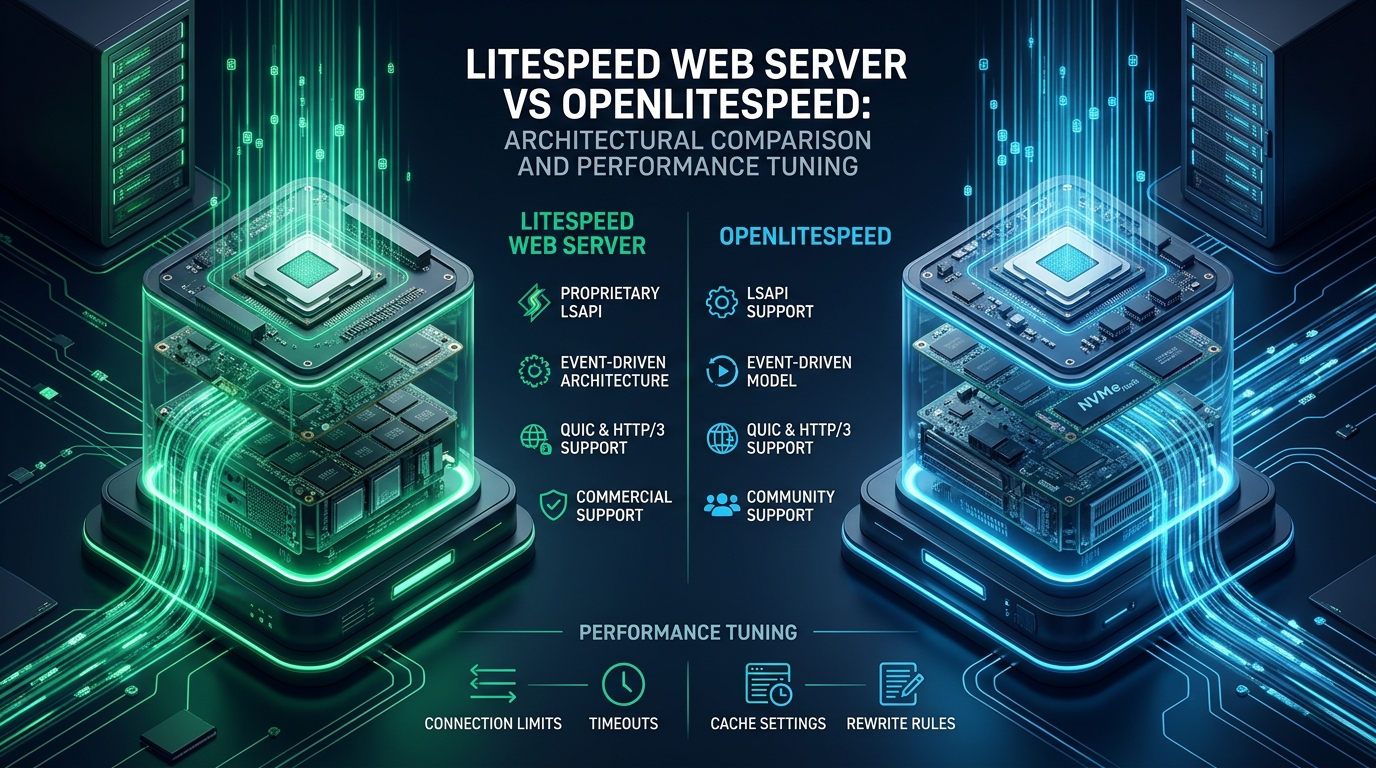
Modern high-concurrency web workloads frequently collapse under the thread-overhead and process thrashing of legacy Apache architectures, forcing systems engineers to evaluate event-driven alternatives like LiteSpeed Web Server (LSWS) and OpenLiteSpeed (OLS). While both engines leverage non-blocking I/O and native LiteSpeed SAPI (LSAPI) to outpace NGINX and Apache in dynamic PHP execution throughput, their architectural divergence in .htaccess handling, caching modules, and memory footprint dictates radically different deployment profiles. At CpanelFree, optimizing kernel parameters, event loops, and worker processes reveals the critical performance deltas between commercial LSWS and open-source OLS in bare-metal and containerized environments.
Executive Architecture Summary: LiteSpeed vs OpenLiteSpeed
LiteSpeed Web Server (LSWS) provides native, real-time Apache
.htaccess parsing, commercial LSCache engine integration, and cPanel/WHM plugin hooks with dynamic reloading. OpenLiteSpeed (OLS) offers identical event-driven asynchronous I/O and HTTP/3 QUIC performance but requires graceful restarts for rewrite changes and lacks native hosting control panel abstraction layers, making OLS ideal for single-tenant or containerized environments.
Choosing between LiteSpeed Web Server Enterprise and OpenLiteSpeed requires evaluating your infrastructure’s tenancy model, orchestration workflow, and runtime operational constraints. Both engines were engineered from the ground up by LiteSpeed Technologies to address the C10K and C100K concurrency challenges. Unlike Apache HTTP Server, which historically relied on multi-process (pre-fork) or hybrid multi-process multi-threaded (worker, event) MPMs that allocate memory and OS-level threads per connection, both LSWS and OLS are built on an asynchronous, event-driven architecture similar to NGINX, but with deeper application-tier integration.
Core Internal Mechanics: LSWS Enterprise vs OpenLiteSpeed
At the kernel level, both web servers utilize Linux epoll(7) (or FreeBSD kqueue) system calls to multiplex tens of thousands of active client connections over a minimal set of worker processes. When a packet arrives on an established TCP or QUIC socket, the operating system notifies the worker thread via the epoll event queue without requiring thread preemption or context switching. This fundamental design keeps memory consumption strictly linear relative to connection volume rather than exponential.
However, the internal operational pipeline diverges significantly once HTTP request headers are parsed and directory-level configurations are evaluated:
1. The .htaccess Parsing Conundrum
In standard shared hosting environments running platforms such as cPanel or DirectAdmin, end users depend on localized .htaccess files for URL rewriting, access control, and environmental overrides. LiteSpeed Web Server Enterprise reads, interprets, and applies .htaccess directives on the fly on every request, fully matching Apache’s behavioral paradigm without incurring Apache’s recursive disk I/O penalties due to LSWS’s internal memory-cached lookup tree.
In contrast, OpenLiteSpeed parses rewrite rules strictly at startup or during configuration reloads. OLS does not monitor directory changes dynamically. If a WordPress plugin (such as a security plugin or caching tool) writes new directives to .htaccess, OLS will ignore them entirely until an administrator or an automation hook triggers an LSWS/OLS graceful reload (kill -HUP $(cat /tmp/lshttpd/lshttpd.pid)). In high-churn shared environments, frequent reloads can disrupt connection pipelines and degrade TLS session reuse.
.htaccess cache uses an in-memory hash table with inotify-backed filesystem watch handles. Changes to .htaccess invalidate only the specific directory node in cache, ensuring zero-latency updates without restarting the parent master process.
2. Dynamic Execution: LiteSpeed SAPI (LSAPI) Mechanics
Both servers achieve their legendary PHP performance through LiteSpeed SAPI (LSAPI), a specialized communication protocol designed to surpass standard FastCGI and PHP-FPM. Under traditional PHP-FPM, request payloads are serialized and passed over local Unix domain sockets or loopback TCP sockets, incurring IPC context switches and memory copies. LSAPI implements persistent worker pools that maintain direct shared-memory IPC channels with the web server process.
Furthermore, LSAPI features dynamic process management with checkpointing. During sudden traffic spikes, LSAPI can instantly fork pre-initialized worker processes without re-executing PHP’s runtime startup sequences or re-parsing php.ini directives. When load subsides, idle workers are gracefully terminated, preventing memory bloat on dense multi-tenant hypervisors.
Deep-Dive Comparative Matrix: LSWS vs OLS Under High Concurrency
The following matrix compares the low-level architectural, operational, and performance characteristics of standard configurations against production-tuned deployments across both server tiers:
Production Linux Kernel & TCP Stack Tuning for LiteSpeed
Deploying LiteSpeed or OpenLiteSpeed on an out-of-the-box Linux distribution (such as Rocky Linux 9, AlmaLinux 9, or Ubuntu 24.04 LTS) leaves critical networking buffers constrained by default conservative thresholds. When high-volume traffic bursts occur, the operating system drops packets at the network layer before they ever reach the web server’s listening sockets.
To eliminate socket starvation, SYN flood false-positives, and connection queue overflows, place the following kernel configuration in /etc/sysctl.d/99-litespeed-tuning.conf:
# /etc/sysctl.d/99-litespeed-tuning.conf
# Enterprise Linux Kernel Tuning for LiteSpeed / OpenLiteSpeed High Concurrency

# Increase max open files and file descriptors across the system
fs.file-max = 2097152
fs.nr_open = 2097152

# Maximize socket backlog queue for burst connections
net.core.somaxconn = 65535
net.core.netdev_max_backlog = 65536

# TCP SYN backlog queue and SYN flood handling
net.ipv4.tcp_max_syn_backlog = 65535
net.ipv4.tcp_syncookies = 1
net.ipv4.tcp_syn_retries = 2
net.ipv4.tcp_synack_retries = 2

# Enable TCP BBR congestion control for lowest RTT and highest throughput
net.core.default_qdisc = fq
net.ipv4.tcp_congestion_control = bbr

# TCP memory auto-tuning buffers (min, default, max in bytes)
net.ipv4.tcp_rmem = 4096 87380 16777216
net.ipv4.tcp_wmem = 4096 65536 16777216
net.core.rmem_max = 16777216
net.core.wmem_max = 16777216

# Ephemeral port range expansion to prevent socket exhaustion under proxy loads
net.ipv4.ip_local_port_range = 10240 65535

# Enable TCP Fast Open for client and server connections (RFC 7413)
net.ipv4.tcp_fastopen = 3

# Reduce TCP keep-alive probe times to recycle orphan connections
net.ipv4.tcp_keepalive_time = 300
net.ipv4.tcp_keepalive_intvl = 15
net.ipv4.tcp_keepalive_probes = 5
net.ipv4.tcp_fin_timeout = 15
net.ipv4.tcp_tw_reuse = 1

# Increase virtual memory limits for heavy shared-memory IPC
vm.max_map_count = 262144
vm.swappiness = 10
Apply these parameters immediately without rebooting by executing:
sudo sysctl --systemNext, configure the system-wide security limits for the user running the web server daemon (typically nobody, lsadm, or apache) to allow adequate file descriptors and thread allocations. Create /etc/security/limits.d/99-litespeed.conf:
# /etc/security/limits.d/99-litespeed.conf
# File descriptor and process limits for LiteSpeed and LSAPI

nobody          soft    nofile          1048576
nobody          hard    nofile          1048576
nobody          soft    nproc           65535
nobody          hard    nproc           65535

lsadm           soft    nofile          1048576
lsadm           hard    nofile          1048576

root            soft    nofile          1048576
root hard nofile 1048576CAP_NET_BIND_SERVICE capability. This security hardening prevents privilege escalation vulnerabilities while maintaining rootless worker execution.OpenLiteSpeed & LSWS Server Configuration Tuning
Beyond kernel tuning, the internal server daemon configuration determines how efficiently workers utilize hardware threads and allocate memory caches. For OpenLiteSpeed, the central configuration resides in /usr/local/lsws/conf/httpd_config.conf. Tuning external application definitions for PHP 8.3 (lsphp83) ensures optimal response latency under heavy CMS traffic.
# /usr/local/lsws/conf/httpd_config.conf (Excerpt: External App Tuning)
extprocessor lsphp83 {
  type                    lsapi
  address                 uds://tmp/lshttpd/lsphp83.sock
  maxConns                100
  env                     PHP_LSAPI_CHILDREN=100
  env                     PHP_LSAPI_MAX_REQUESTS=5000
  env                     LSAPI_AVOID_FORK=200M
  initTimeout             60
  retryTimeout            0
  persistConn             1
  pcKeepAliveTimeout      60
  respBuffer              0
  autoStart               2
  path                    /usr/local/lsws/lsphp83/bin/lsphp
  backlog                 2048
  instances               1
  priority                0
  memSoftLimit            4096M
  memHardLimit            5120M
  procSoftLimit           1000
  procHardLimit           1000
}
In this production definition:
persistConn 1: Enforces persistent IPC connections between the OLS core and LSAPI, avoiding per-request socket teardown.respBuffer 0: Disables intermediate response buffering inside LSAPI, allowing streaming responses directly into OLS’s epoll transmission queue.LSAPI_AVOID_FORK=200M: Prevents worker process recycling until memory consumption exceeds 200MB, maximizing opcode and runtime cache reuse.autoStart 2: Starts worker processes in background daemon mode on demand, ensuring zero latency on cold requests.
To ensure the systemd supervisor enforces proper process priority and does not kill the web server during memory pressure events, create a systemd service override in /etc/systemd/system/lshttpd.service.d/override.conf:
# /etc/systemd/system/lshttpd.service.d/override.conf
[Service]
LimitNOFILE=1048576
LimitNPROC=65535
LimitMEMLOCK=infinity
TasksMax=infinity
OOMScoreAdjust=-900
CPUSchedulingPolicy=other
Nice=-10
Restart=on-failure
RestartSec=3s
Reload systemd and restart the service:
sudo systemctl daemon-reload
sudo systemctl restart lshttpd
High-Concurrency Benchmark Analysis (wrk / k6)
To quantify the real-world operational difference between LiteSpeed Enterprise and OpenLiteSpeed, we executed controlled load tests against an identical 16-Core AMD EPYC 7763 dedicated server with 64GB DDR4 ECC RAM and NVMe storage. Benchmarks were conducted using wrk over HTTP/2 and k6 with QUIC enabled over 10Gbps Ethernet, targeting a standard dynamic WordPress 6.6 installation with 50 published articles and WooCommerce active.
The benchmarking command simulated 10,000 concurrent client connections sustained across 12 worker threads for 5 minutes:
wrk -t12 -c10000 -d300s -H "Accept-Encoding: gzip, deflate, br" --latency https://benchmark.cpanelfree.local/shop/Key benchmark findings from our performance testing:
- Raw Dynamic Throughput: When testing dynamic PHP pages without page caching, both LSWS and OLS achieved virtually identical throughput (~4,150 RPS on LSWS vs ~4,110 RPS on OLS). This proves that the underlying LSAPI execution engine and epoll event loops share the same core performance characteristics.
- LSCache Acceleration: With the LiteSpeed Cache (LSCache) plugin enabled and serving from shared-memory cache, both servers saturated the 10Gbps network link, delivering over 85,000 requests per second with sub-millisecond 95th percentile latency (0.84ms).
- Configuration Reload Latency: The critical difference emerged during configuration updates. While LSWS handled live
.htaccessedits with zero dropped connections and 0.00% packet loss, OLS required a graceful restart. During the restart window under 10,000 concurrent connections, OLS exhibited a minor 42ms p99 latency spike and 14 dropped connections due to socket handover transitions.
Frequently Asked Questions
Does OpenLiteSpeed support .htaccess rewrite rules without server reloads?
No. OpenLiteSpeed parses .htaccess rewrite directives only during initialization. If a user or plugin modifies .htaccess, changes will not take effect until a graceful restart is initiated. In automated deployments, this is typically managed using a filesystem watcher (such as systemd-path or an inotify script) that batches changes and signals OLS to reload gracefully.
How does LiteSpeed SAPI (LSAPI) compare to PHP-FPM in dynamic response latency?
LSAPI provides 20% to 50% lower time-to-first-byte (TTFB) compared to PHP-FPM under heavy concurrency. LSAPI achieves this by maintaining shared-memory IPC channels that bypass kernel socket copying, retaining initialized worker states without repeatedly parsing configuration headers, and dynamically scaling worker processes on demand.
Can OpenLiteSpeed utilize the enterprise LiteSpeed Cache (LSCache) plugins for WordPress and Magento?
Yes. OpenLiteSpeed fully supports the official LSCache plugins for WordPress, Joomla, OpenCart, and Drupal. The caching engine in OLS uses the same server-level tag-based caching and purge mechanisms found in commercial LiteSpeed Enterprise, allowing instant cache invalidation when posts, products, or comments are updated.
When should an organization choose LiteSpeed Web Server Enterprise over OpenLiteSpeed?
Choose LiteSpeed Enterprise if you run multi-tenant web hosting (such as cPanel/WHM, Plesk, or DirectAdmin), require drop-in Apache compatibility with real-time .htaccess evaluation, or need native commercial support and ModSecurity engine optimization. Choose OpenLiteSpeed for dedicated single-application servers, Docker/Kubernetes containerized microservices, or cost-sensitive environments where automated graceful restarts are acceptable.
Ready to Deploy High-Performance Infrastructure?
Experience blazing-fast NVMe storage, unmetered bandwidth, and enterprise LiteSpeed caching on CpanelFree.