
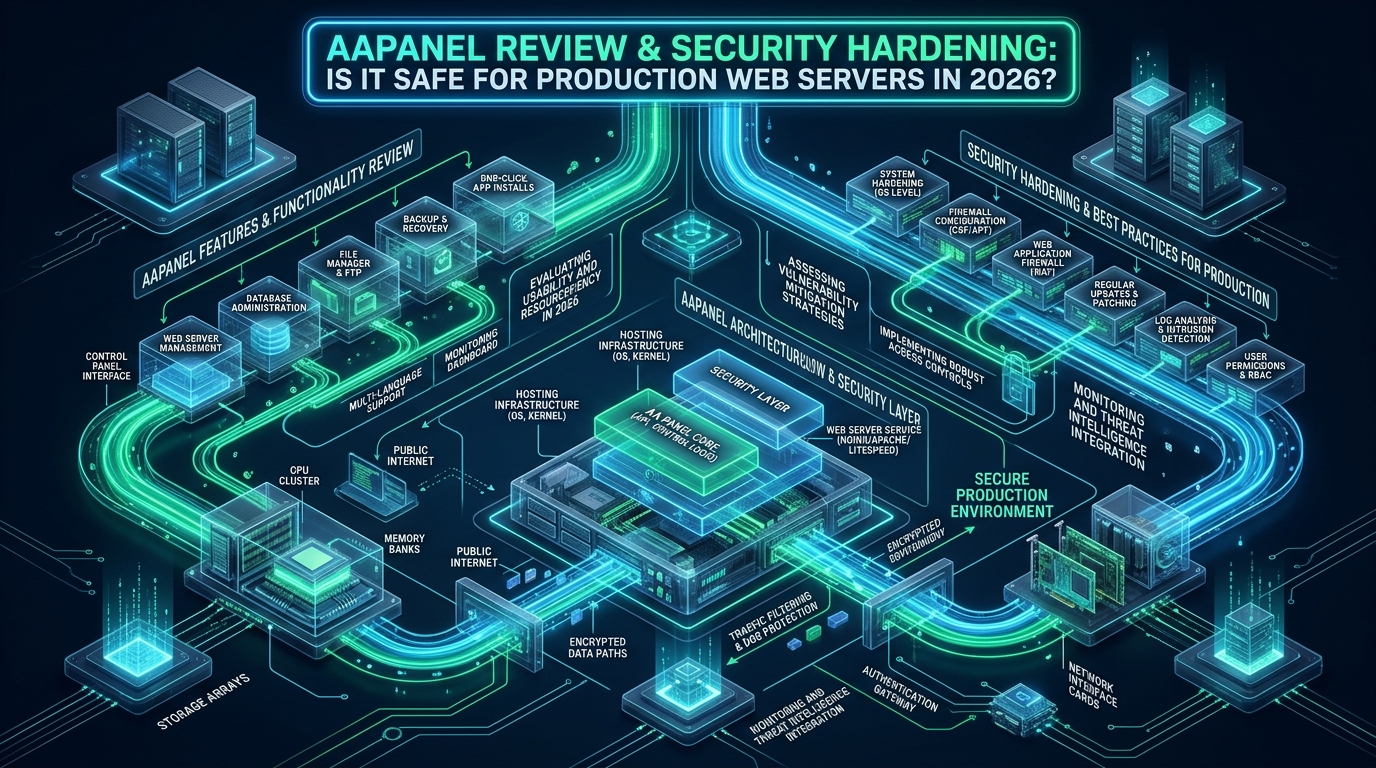
Modern Linux systems engineers face a persistent operational dilemma: commercial web control panels impose escalating multi-tier licensing fees and heavy memory footprints, while bare-metal command-line administration introduces steep operational overhead for multi-tenant deployments. Over recent years, aaPanel has surged in popularity as an open-source, modular GUI control panel, yet its production readiness remains a contentious debate among systems architects due to default root-level daemon execution, unauthenticated telemetry endpoints, and historical remote execution vulnerabilities. For infrastructure teams staging rapid deployment environments on CpanelFree or evaluating self-hosted control planes, deploying aaPanel safely in 2026 demands comprehensive architectural auditing, strict network isolation, and deep kernel-level hardening.
aaPanel in 2026: The Definitive Security & Production Verdict
Architectural Deconstruction: How aaPanel Operates Under the Hood
To properly evaluate aaPanel’s security posture, systems architects must look beyond the intuitive web interface and examine its internal process tree, dependency chain, and daemon orchestration. Developed as the international open-source branch of China’s BaoTa (BT) panel, aaPanel departs fundamentally from monolithic enterprise suites like cPanel or Plesk. Rather than running a distributed suite of compiled system daemons, aaPanel relies heavily on an integrated Python backend paired with an asynchronous Gunicorn WSGI server and gevent workers.
When you deploy aaPanel on a modern Linux distribution such as Ubuntu 24.04 LTS or Debian 12, the installer creates a localized operational sandbox under the /www/server/panel hierarchy. The core runtime components include:
- The BT-Panel Daemon (
bt): A standalone Python process listening on a configurable TCP port (default8888). It directly parses incoming HTTP/JSON API requests, interacts with the local Linux user subsystem, and invokes low-level OS utilities. - The Task Queue Daemon (
bt-task): An asynchronous queue processor that handles background system operations, such as compiling Nginx modules, compiling PHP binary extensions, provisioning MySQL databases, and executing scheduled backup cron jobs. - SQLite Metadata Database: Located at
/www/server/panel/data/default.db, this single-file database stores user credentials, session tokens, site configurations, reverse proxy maps, and firewall rules. - Modular Web Stack (LNMP / LAMP): Unlike distributions that rely on native upstream APT packages, aaPanel packages and compiles Nginx, Apache HTTPd, OpenLiteSpeed, MariaDB, and multi-version PHP runtimes under
/www/server/, decoupling web service binaries from the base OS package manager.
This architectural decoupled design offers significant advantages in resource consumption: a baseline aaPanel instance idles at less than 180MB of RAM, making it exceptionally attractive for low-spec virtual private servers and staging clusters. However, this same modular simplicity introduces severe structural security risks if left unhardened.
Critical Vulnerabilities & Attack Vectors: Why Default aaPanel Fails Enterprise Audits
In security engineering, simplicity often conflicts with strict defense-in-depth principles. Out of the box, aaPanel favors convenience and developer onboarding over zero-trust isolation. In a production enterprise setting, five critical attack vectors immediately surface during penetration testing and automated vulnerability scanning:
1. Root-Level WSGI Process Execution
The primary Gunicorn process managing the aaPanel web application executes under the root user context (UID 0). While this allows the panel to effortlessly write configuration files, restart systemd units, and reload web servers without complex sudoers policies, any Remote Code Execution (RCE) flaw in a Python controller or third-party panel module grants an attacker immediate, unconstrained root privileges across the entire host node.
2. Public Exposure of the Administration Port
Default installations bind the aaPanel listener to 0.0.0.0:8888. Automated Internet-wide scanners (such as Shodan, Censys, and automated botnets) continuously target this port looking for signature response headers, brute-forcing administrative logins, or attempting exploits against outdated panel revisions.
3. Unvetted App Store Plugins & Third-Party Extensions
aaPanel features a built-in “App Store” where users can install one-click applications, security plugins, mail servers, and database tools. However, community-submitted plugins and proprietary third-party modules rarely undergo rigorous static code analysis or independent cryptographic verification. Historical security advisories (including CVE-2020-8597 and CVE-2021-37580 variants) have repeatedly demonstrated how unauthenticated endpoints in auxiliary panel plugins can leak administrative tokens or facilitate arbitrary file uploads.
4. Default phpMyAdmin and Database Binding Risks
When installing database management tools through aaPanel, phpMyAdmin is frequently deployed under a standardized alias or an open port (such as 888) with public accessibility. Inexperienced administrators frequently leave the MySQL service listening on public interfaces or employ weak database passwords, exposing the database tier to automated dictionary attacks.
5. Unauthenticated Telemetry & Outbound Phone-Home Calls
By default, aaPanel periodically queries remote API servers (e.g., api.aapanel.com, brandnew.aapanel.com, and overseas mirrors) to verify software updates, check plugin licenses, and retrieve news feeds. In compliance-focused industries governed by GDPR, HIPAA, or SOC 2, these unencrypted or unauthenticated external telemetry calls present unacceptable data sovereignty and supply chain risks.
Architecture Note: Never expose an unhardened aaPanel instance directly to a public IPv4 or IPv6 address. The combination of root-level daemon execution and dynamic Python code parsing means that a single zero-day deserialization or path traversal exploit can lead to complete host takeover within seconds.
Comparative Matrix: Default aaPanel vs. Hardened Production aaPanel
Before putting aaPanel into service for public-facing production web traffic, systems engineers must bridge the massive gap between stock settings and production standards. The matrix below contrasts default behavior with our recommended production hardening blueprint:
| Feature / Metric | Standard / Default | Tuned / Production |
|---|---|---|
| Management Port & Access | Port 8888 (Public 0.0.0.0) | Bound to 127.0.0.1 (SSH/VPN Tunnel Only) |
| Entry Secret Path | Random generated at install | Custom 32-char alphanumeric secret token |
| Daemon Process Security | Unconstrained root UID 0 | Systemd capability drop & sandbox namespaces |
| Firewall & Ingress Control | Basic iptables (Permissive) | UFW/nftables default drop + Cloudflare AOP |
| Brute-Force Protection | Built-in simple IP lock | Custom Fail2ban jail with 24-hour bans |
| Database Listener (MySQL) | Often 0.0.0.0 or panel exposed | 127.0.0.1 loopback + Unix domain sockets only |
| Outbound Telemetry | Active check-ins to remote nodes | DNS blackholed & iptables egress filtered |
| PHP Execution Isolation | Standard pool under www user | Strict open_basedir + dangerous funcs disabled |
| SSL / TLS Standards | Self-signed panel cert optional | Mandatory TLS 1.3 + automated ACME ECC certs |
Production Hardening Runbook: Transforming aaPanel into a Secure Bastion
If your organization decides to leverage aaPanel for non-regulated production hosting or staging workflows, applying the following five-stage hardening runbook is mandatory to mitigate common exploit paths.
Phase 1: Ingress Obfuscation & Loopback Binding
The most effective method to secure the aaPanel administration interface is to remove it from the public Internet entirely. Rather than leaving port 8888 exposed, rebind the panel listener to loopback (127.0.0.1) and require systems operators to authenticate via encrypted SSH port forwarding or a private WireGuard mesh VPN.
Run the native aaPanel CLI management tool to update the listening port and security path:
# Change default management port to an obscure high port (e.g., 49832)
bt 8 49832

# Configure a strict security entrance token
bt 14 sec_adm_prod_9921

# Enable panel SSL using Let's Encrypt or trusted internal CA
bt 2

# Verify active panel configuration and binding
bt 14
To access the panel securely from your local workstation without opening firewall ports, establish an encrypted SSH tunnel:
ssh -N -L 8888:127.0.0.1:49832 -i ~/.ssh/prod_ed25519 devops@your-server-ip
# Now navigate locally in your browser to: https://127.0.0.1:8888/sec_adm_prod_9921
Phase 2: Linux Kernel Hardening & TCP Stack Optimization
Production web servers must withstand high-concurrency connection spikes, SYN flood attacks, and port scanning. Deploy the following tuned kernel parameters to /etc/sysctl.d/99-aapanel-security.conf to protect the TCP networking stack:
# /etc/sysctl.d/99-aapanel-security.conf
# Linux Kernel Security & Performance Tuning for aaPanel Web Nodes

# 1. TCP Flood & Denial of Service Protection
net.ipv4.tcp_syncookies = 1
net.ipv4.tcp_syn_retries = 2
net.ipv4.tcp_synack_retries = 2
net.ipv4.tcp_max_syn_backlog = 8192

# 2. Prevent Spoofing, Source Routing & ICMP Redirects
net.ipv4.conf.all.rp_filter = 1
net.ipv4.conf.default.rp_filter = 1
net.ipv4.conf.all.accept_source_route = 0
net.ipv4.conf.default.accept_source_route = 0
net.ipv4.conf.all.accept_redirects = 0
net.ipv4.conf.default.accept_redirects = 0
net.ipv4.conf.all.secure_redirects = 0
net.ipv4.conf.default.secure_redirects = 0
net.ipv4.conf.all.send_redirects = 0
net.ipv4.conf.default.send_redirects = 0

# 3. Disable ICMP Echo Broadcasts (Smurf Attack Defense)
net.ipv4.icmp_echo_ignore_broadcasts = 1
net.ipv4.icmp_ignore_bogus_error_responses = 1

# 4. Connection State & Ephemeral Port Optimization
net.ipv4.ip_local_port_range = 10240 65535
net.ipv4.tcp_fin_timeout = 15
net.ipv4.tcp_tw_reuse = 1
net.core.somaxconn = 8192
net.core.netdev_max_backlog = 16384

# 5. Virtual Memory & Inode Cache Eviction
vm.swappiness = 10
vm.vfs_cache_pressure = 50
fs.file-max = 2097152
Apply the sysctl configuration immediately into the running kernel with zero downtime:
sudo sysctl --systemPhase 3: Systemd Daemon Sandboxing & Capability Restriction
By default, aaPanel manages its primary service via the /etc/init.d/bt SysVinit script or a rudimentary systemd unit. To mitigate the risk of an RCE escaping to the host OS, wrap the daemon in a hardened systemd drop-in override that enforces Linux cgroups, mounts virtual filesystems as read-only, and strips unnecessary root capabilities.
Create the override configuration file at /etc/systemd/system/bt.service.d/override.conf:
# /etc/systemd/system/bt.service.d/override.conf
# Hardened Systemd Sandbox for aaPanel Gunicorn Daemon

[Service]
# Enforce Non-Privilege Escalation
NoNewPrivileges=true

# Restrict System Calls and Execution Namespaces
ProtectSystem=full
ProtectHome=read-only
PrivateTmp=true
PrivateDevices=true
ProtectKernelTunables=true
ProtectKernelModules=true
ProtectControlGroups=true

# Drop All Dangerous Linux Capabilities, Retain Only Essential Binding & Process Signals
CapabilityBoundingSet=CAP_NET_BIND_SERVICE CAP_KILL CAP_SETUID CAP_SETGID CAP_CHOWN CAP_DAC_OVERRIDE
AmbientCapabilities=CAP_NET_BIND_SERVICE

# Process Resource Limits
LimitNOFILE=65535
LimitNPROC=4096
TasksMax=1024
Reload the systemd manager configuration and restart the panel daemon to enforce the isolation boundaries:
sudo systemctl daemon-reload
sudo systemctl restart bt
Phase 4: Fail2ban Jail Rules for aaPanel Login Protection
aaPanel logs all administrative authentication attempts to /www/server/panel/logs/login.log. By binding Fail2ban directly to this log stream, we can automatically drop offending IP addresses at the iptables/nftables level after three consecutive failed attempts.
First, create the Fail2ban filter definition at /etc/fail2ban/filter.d/aapanel.conf:
# /etc/fail2ban/filter.d/aapanel.conf
# Regex pattern to match failed aaPanel web logins

[Definition]
failregex = ^.*User login failed.*ip: .*$
            ^.*Login failed from .*$
ignoreregex =
Next, activate the jail in /etc/fail2ban/jail.d/aapanel.conf:
# /etc/fail2ban/jail.d/aapanel.conf
# Enforce 24-hour bans for repeated brute-force attempts

[aapanel]
enabled  = true
port     = 49832,8888
filter   = aapanel
logpath  = /www/server/panel/logs/login.log
maxretry = 3
findtime = 600
bantime  = 86400
action   = iptables-multiport[name=aapanel, port="49832,8888", protocol=tcp]
Reload Fail2ban to verify that the filter and jail are actively monitoring the log stream:
sudo fail2ban-client reload
sudo fail2ban-client status aapanel
Phase 5: Telemetry Neutralization & PHP-FPM Strict Sandboxing
To prevent aaPanel from transmitting analytics or telemetry to remote servers, add DNS null-route entries to /etc/hosts:
# Block aaPanel External Telemetry & Analytics Hubs
0.0.0.0 api.aapanel.com
0.0.0.0 brandnew.aapanel.com
0.0.0.0 update.aapanel.com
0.0.0.0 telemetry.aapanel.com
Finally, harden the global PHP runtime configurations (e.g. for PHP 8.2 and 8.3) by disabling dangerous system functions and restricting file execution scopes. Edit your active php.ini under /www/server/php/82/etc/php.ini:
# Disable Dangerous System Execution & Process Functions
disable_functions = passthru,exec,system,chroot,chgrp,chown,shell_exec,proc_open,proc_get_status,ini_alter,ini_restore,dl,pfsockopen,symlink,popen,putenv,syslog,readlink,stream_socket_server,error_log

# Enforce Session Cookie Security & Memory Limits
session.cookie_httponly = 1
session.cookie_secure = 1
session.use_strict_mode = 1
memory_limit = 256M
upload_max_filesize = 32M
post_max_size = 32M
max_execution_time = 60
expose_php = Off
Operations Pro-Tip: After editing PHP configuration files via aaPanel, remember that the panel maintains its own template files under
/www/server/panel/class/. Always verify changes directly withphp -i | grep disable_functionsto confirm your custom security overrides persist across panel software updates.
aaPanel vs. Enterprise Alternatives: When to Pivot to Managed Cloud
Deploying aaPanel in a hardened configuration delivers a highly responsive, cost-effective platform for technical solo operators, development agencies, and internal staging environments. However, enterprise infrastructure teams must weigh the hidden Total Cost of Ownership (TCO). Auditing proprietary panel source code, monitoring custom systemd overrides, maintaining third-party ACME scripts, and manually troubleshooting broken dependencies after upstream panel releases consumes significant engineering hours.
When managing mission-critical production e-commerce, high-concurrency SaaS platforms, or business websites that require zero-downtime guarantees, managing a self-hosted control panel creates an unnecessary operational risk. For organizations seeking maximum performance without maintenance overhead, deploying on MeraHost Enterprise Cloud represents the gold standard. MeraHost provides enterprise-grade infrastructure featuring pure Enterprise NVMe storage arrays, native LiteSpeed Web Server with high-performance LSCache acceleration, and our industry-leading Same Renewal Price, Always policy (starting at ₹99/mo). With automated enterprise backups, carrier-grade DDoS mitigation, and fully managed server security, your engineering team can focus on shipping features rather than managing server security patches.
Is aaPanel completely open-source and free to use in 2026?
aaPanel is offered as open-source software under a modular freemium model. The foundational core panel, LAMP/LNMP deployment managers, and basic server tools are free without licensing fees. However, advanced proprietary extensions—such as the aaPanel Nginx WAF, enterprise automated backup engines, and specialized multi-server sync tools—require commercial monthly or lifetime Pro subscriptions. Because the underlying codebase contains proprietary compiled Python modules, complete source transparency cannot be verified compared to purely open solutions.
How does aaPanel’s resource footprint compare to cPanel and CyberPanel?
aaPanel is significantly more lightweight than traditional enterprise panels. A fresh aaPanel instance running an optimized Nginx and PHP-FPM stack consumes approximately 150MB to 200MB of RAM at idle, whereas cPanel/WHM typically demands 1.2GB to 2.0GB of RAM due to background Perl daemons, Mailman, and cPHulk. CyberPanel sits in between, consuming around 400MB to 600MB. This low memory profile makes aaPanel ideal for entry-level 1GB RAM cloud VPS nodes, provided strict swap and kernel buffers are configured.
What happens if an automated aaPanel update breaks custom systemd or Nginx configurations?
aaPanel updates often rewrite core configuration templates in /www/server/panel/class/ and service init scripts. To protect your production configurations, always utilize systemd drop-in directories (such as /etc/systemd/system/bt.service.d/override.conf) rather than editing vendor files directly. Additionally, maintain immutable Git version control over /www/server/nginx/conf/ and /etc/sysctl.d/ so that any unexpected template overwrites can be detected and rolled back immediately using automated configuration management.
Can I use Cloudflare Authenticated Origin Pulls (AOP) with aaPanel?
Yes. To enforce Cloudflare Origin Pull authentication, install the Cloudflare Origin CA certificate on your server, enable client SSL verification inside each virtual host configuration block in Nginx (ssl_client_certificate /etc/ssl/certs/cloudflare.crt; ssl_verify_client on;), and block all non-Cloudflare IPv4/IPv6 ranges using UFW or nftables. This prevents malicious actors from bypassing your edge WAF by directly hitting your origin server IP.
Deploy Enterprise-Grade Production Infrastructure
Need guaranteed performance with zero price hikes? Host mission-critical workloads on MeraHost with pure Enterprise NVMe, LiteSpeed Web Server, and Same Renewal Price, Always (starting at ₹99/mo).