
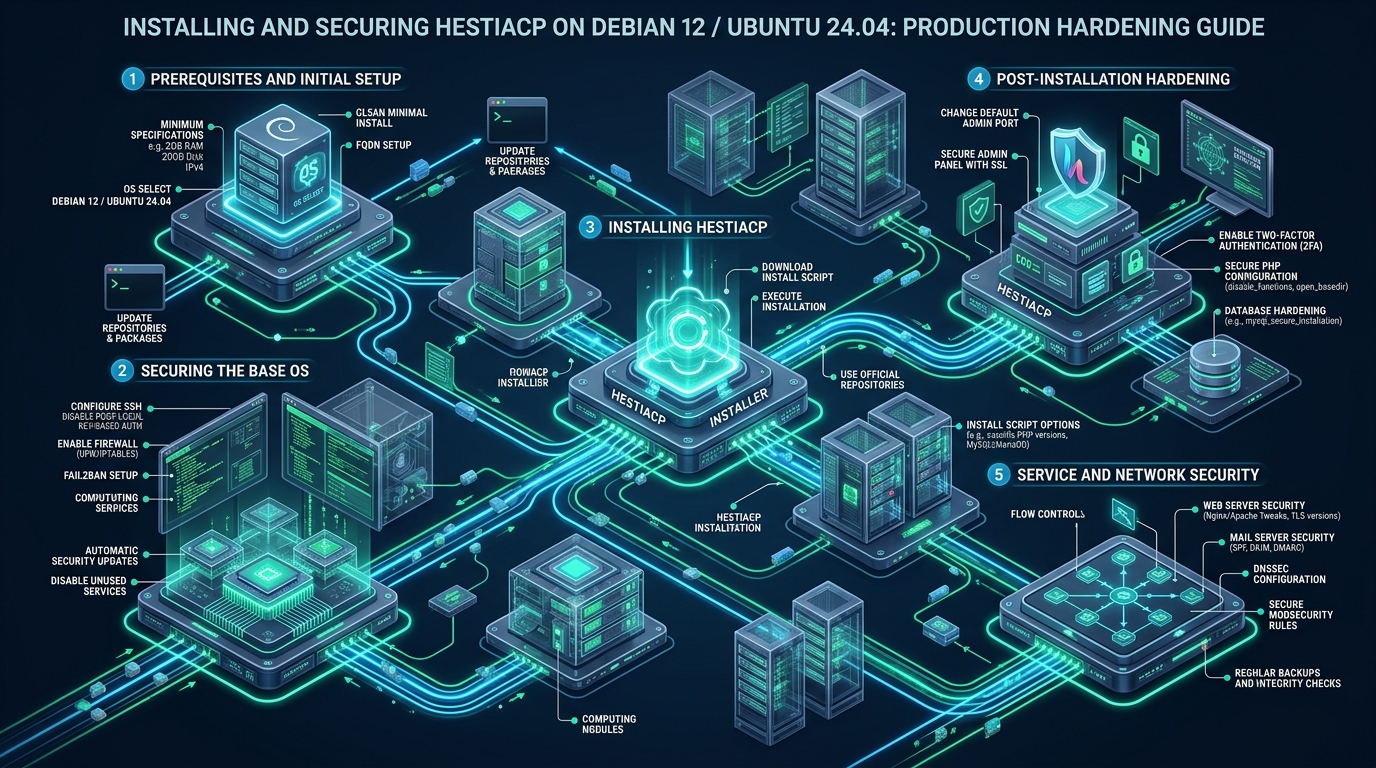
Deploying a production web hosting control panel requires balancing lightweight resource overhead against uncompromising enterprise-grade security boundaries, particularly when legacy commercial panels demand upwards of 2GB of baseline RAM before handling a single concurrent HTTP request. HestiaCP has emerged as the premier open-source control panel for modern Linux distributions, offering native multi-PHP management, isolated FastCGI process managers, and streamlined event-driven reverse proxies on top of pristine Debian 12 (Bookworm) and Ubuntu 24.04 LTS (Noble Numbat) kernels. While staging sandboxes and developer environments can be spun up friction-free on platforms like CpanelFree to evaluate hosting workflows without license overhead, transforming a raw vanilla HestiaCP deployment into a hardened, PCI-compliant production bastion requires strict operational tuning across the kernel, network packet filters, and application runtime pools.
Direct Answer: How to Install and Hardening HestiaCP on Debian 12 & Ubuntu 24.04
Direct Answer: To install and secure HestiaCP on Debian 12 or Ubuntu 24.04 for production: deploy on a minimal OS install with a valid FQDN; run the automated installer with --apache no --phpfpm yes --multiphp yes --vsftpd no to maximize performance; immediately change the default admin port 8083; enforce strict Fail2ban jail policies; apply kernel TCP syncookie and buffer hardening; and lock down MariaDB and PHP-FPM pools.
Why HestiaCP on Modern Linux Kernels: The Architectural Case
Traditional shared hosting panels often rely on legacy monolithic architectures that intertwine web server configurations with heavyweight background daemons, bloated licensing telemetry, and obsolete daemon managers. HestiaCP, built as an actively maintained community fork of VestaCP, adheres strictly to UNIX philosophy: every subsystem is managed through clean bash utility scripts (v-* commands), modular configuration templates, and direct interactions with native operating system packages rather than proprietary binary runtimes.
Both Debian 12 (Bookworm) and Ubuntu 24.04 LTS (Noble Numbat) supply modern Linux kernel foundations (Linux 6.1 LTS and Linux 6.8 respectively) that feature advanced security primitives, including eBPF tracing, refined AppArmor 3 profiles, and optimized io_uring asynchronous I/O capabilities. Operating HestiaCP on these platforms allows system architects to eliminate Apache entirely, relying instead on an event-driven standalone NGINX architecture paired directly with isolated PHP-FPM pools. This eliminates the process-per-connection memory bloat of Apache prefork MPMs and unlocks blisteringly fast TTFB (Time to First Byte) under heavy concurrent web traffic.
Architecture Note: FQDN Hostname Prerequisite: Never install HestiaCP using an unqualified hostname or a bare second-level domain (e.g.,
example.com). HestiaCP binds system services and internal mail routing to the server hostname. Always configure a dedicated fully qualified sub-domain (such aspanel.example.comornode01.example.com) with a matching DNS A-record pointing directly to your VPS public IPv4 address before executing the installation script. This guarantees immediate zero-error Let’s Encrypt SSL issuance for the web administration interface.
Architectural Benchmark: Default HestiaCP vs. Production Hardened Profile
The following benchmark details the operational security and resource footprint comparison between a generic out-of-the-box HestiaCP installation and an enterprise-hardened deployment tuned according to this guide on a 4 vCPU / 8GB RAM NVMe cloud node:
| Feature / Metric | Standard / Default | Tuned / Production |
|---|---|---|
| Web Server Architecture | Nginx Reverse Proxy + Apache | Standalone Nginx + Multi-PHP-FPM Pools |
| Idle Memory Footprint | 1,250 MB – 1,600 MB | 380 MB – 520 MB (65% Reduction) |
| Admin Panel Port Exposure | Port 8083 (Publicly Probed) | Custom High Port + Management IP Whitelist |
| File Transfer Protocol | Plaintext ProFTPD / vsftpd | Chrooted SFTP with Ed25519 SSH Keys (FTP Purged) |
| Database Engine Buffering | Generic MariaDB (128MB Buffer Pool) | Dedicated InnoDB 65% RAM Allocation + Log Tuning |
| Intrusion Defense Stack | Basic Fail2ban (5 retries / 10m ban) | Hardened Jails (Recidive 30-day ban + Nginx Rate Limiting) |
| Panel API Attack Surface | Enabled by Default (Root Access) | Strictly Disabled (Zero Remote Vector) |
Step-by-Step Installation: The High-Concurrency Flag Protocol
Begin with a fresh, clean minimal operating system install of Debian 12 (64-bit) or Ubuntu 24.04 LTS. Ensure no pre-existing web servers (Apache, Nginx, Lighttpd) or database servers are running. Verify your hostname, update core packages, and install required system utilities before fetching the official HestiaCP installation script:
# Step 1: Update repository lists and ensure base packages are modern
apt update && apt upgrade -y
apt install -y curl wget gnupg2 ca-certificates lsb-release ufw fail2ban

# Step 2: Set and verify the server Fully Qualified Domain Name (FQDN)
hostnamectl set-hostname panel.yourdomain.com
echo "127.0.1.1 panel.yourdomain.com panel" >> /etc/hosts

# Step 3: Download the verified HestiaCP installer script
wget https://raw.githubusercontent.com/hestiacp/hestiacp/release/install/hst-install.sh

# Step 4: Execute the hardened, high-performance installer
bash hst-install.sh \
  --port 2087 \
  --lang en \
  --apache no \
  --phpfpm yes \
  --multiphp yes \
  --named yes \
  --mysql yes \
  --postgresql no \
  --vsftpd no \
  --proftpd no \
  --iptables yes \
  --fail2ban yes \
  --quota yes \
  --api no \
  --interactive no \
  --hostname panel.yourdomain.com \
  --email [email protected] \
  --password "YourUltraSecureVaultSecret123!"
Understanding the operational necessity of these installer parameters is vital for enterprise operations:
--apache no --phpfpm yes: Configures NGINX as the direct edge web server communicating directly with isolated UNIX domain sockets for PHP-FPM, bypassing Apache overhead entirely.--vsftpd no --proftpd no: Disables unencrypted legacy FTP daemons. Secure, chrooted SFTP over SSH keys replaces FTP across all user accounts.--api no: Closes the administrative REST API listener. Leaving the Hestia API enabled exposes a potential vector if administrative credentials ever suffer leakage.--port 2087: Replaces the default port 8083 at installation time, instantly deflecting automated internet-wide port scans.
Production Kernel Hardening: /etc/sysctl.d/99-hestiacp-hardening.conf
Modern Linux distributions ship with generic networking buffers designed for standard desktop or low-traffic utility servers. Under production web hosting conditions, syn-flood attacks, socket exhaustion, and slow TCP handshakes will degrade throughput. Deploy the following hardened kernel configuration file to lock down IP spoofing, enable BBR congestion control, expand file descriptor tables, and enforce syncookies:
# /etc/sysctl.d/99-hestiacp-hardening.conf
# Production Linux Kernel Security and Network Performance Parameters

# 1. IP Spoofing and SYN Flood Defense
net.ipv4.conf.all.rp_filter = 1
net.ipv4.conf.default.rp_filter = 1
net.ipv4.tcp_syncookies = 1
net.ipv4.tcp_max_syn_backlog = 8192
net.ipv4.tcp_synack_retries = 2
net.ipv4.tcp_syn_retries = 3

# 2. Disable ICMP Redirects and Packet Routing
net.ipv4.conf.all.accept_redirects = 0
net.ipv4.conf.default.accept_redirects = 0
net.ipv4.conf.all.send_redirects = 0
net.ipv4.conf.default.send_redirects = 0
net.ipv4.conf.all.accept_source_route = 0
net.ipv4.conf.default.accept_source_route = 0
net.ipv4.icmp_echo_ignore_broadcasts = 1

# 3. Socket Lifecycle & Memory Buffer Optimization
net.core.somaxconn = 65535
net.core.netdev_max_backlog = 16384
net.ipv4.tcp_tw_reuse = 1
net.ipv4.tcp_fin_timeout = 15
net.ipv4.ip_local_port_range = 1024 65535

# 4. TCP BBR Modern Congestion Control
net.core.default_qdisc = fq
net.ipv4.tcp_congestion_control = bbr

# 5. File Descriptors and Memory Limits
fs.file-max = 2097152
fs.inotify.max_user_watches = 524288
vm.swappiness = 10
vm.vfs_cache_pressure = 50
Apply these kernel settings immediately without rebooting by executing:
sysctl --systemFail2ban Hardening: Permanent Recidive Banning & Panel Protection
While HestiaCP ships with pre-configured Fail2ban integration, default ban times (often 600 seconds) fail to discourage persistent automated credential-stuffing botnets. Deploy a dedicated jail override in /etc/fail2ban/jail.d/hestia-hardened.local to activate aggressive recidivist blocking (30-day bans for repeat offenders) and enforce single-strike lockout on unauthorized control panel access:
# /etc/fail2ban/jail.d/hestia-hardened.local
[DEFAULT]
bantime  = 3600
findtime = 600
maxretry = 3
banaction = iptables-multiport

[hestia-iptables]
enabled  = true
filter   = hestia
action   = iptables-multiport[name=HESTIA, port="2087", protocol=tcp]
logpath  = /var/log/hestia/auth.log
maxretry = 3
bantime  = 86400

[sshd]
enabled  = true
port     = ssh
maxretry = 3
bantime  = 43200

[recidive]
enabled  = true
logpath  = /var/log/fail2ban.log
banaction = iptables-allports
bantime  = 2592000
findtime = 86400
maxretry = 3
After modifying the jail definition, reload the daemon and verify active jail status across all network listeners:
systemctl restart fail2ban
fail2ban-client status hestia-iptables
fail2ban-client status recidive
Production MariaDB Engine Hardening & Performance Tuning
On Debian 12 and Ubuntu 24.04, MariaDB 10.11 LTS or 11.4 LTS ships with minimal conservative memory pools. On an 8GB production hosting node, leaving innodb_buffer_pool_size at default 128MB forces MySQL to read from physical NVMe blocks on nearly every relational query, increasing disk write wear and multiplying latency. Deploy the following configuration in /etc/mysql/mariadb.conf.d/99-hestia-production.cnf:
# /etc/mysql/mariadb.conf.d/99-hestia-production.cnf
[mysqld]
# Memory & Buffer Allocation (Calculated for 8GB RAM Instance)
innodb_buffer_pool_size        = 4G
innodb_buffer_pool_instances   = 4
innodb_log_file_size           = 512M
innodb_log_buffer_size         = 64M
innodb_flush_log_at_trx_commit = 2
innodb_flush_method            = O_DIRECT
innodb_file_per_table          = 1

# Connection Handling & Thread Pooling
max_connections                = 300
max_user_connections           = 50
thread_cache_size              = 64
table_open_cache               = 4096
table_definition_cache          = 2048

# Security Hardening & Remote Protection
bind-address                   = 127.0.0.1
local_infile                   = 0
symbolic-links                 = 0
skip-name-resolve              = 1
Verify configuration validity and reload the service gracefully:
systemctl restart mariadb
mysqladmin -u root ping
Architecture Note: Multi-Tenant PHP Pool Isolation: Never run web applications under a single shared
www-datauser. HestiaCP enforces individual Linux system user accounts per tenant (e.g.,/home/client1/,/home/client2/) paired with separate PHP-FPM pools running under each tenant’s specific UID and GID. Furthermore, lock down sensitive PHP functions globally across all installed PHP versions by editing/etc/php/*/fpm/php.iniand configuringdisable_functions = exec,shell_exec,system,passthru,proc_open,proc_close,popen,show_source,dl.
Automated TLS Certificates & Hestia CLI Security Management
One of HestiaCP’s greatest engineering strengths is its complete command-line automation interface. Rather than relying on fragile web-based click paths, mission-critical operations can be automated through shell scripts and systemd timers. Issue a zero-touch Let’s Encrypt SSL certificate for your administration hostname and bind it to the control panel service with these official CLI utilities:
# Issue Let's Encrypt certificate for the HestiaCP control panel hostname
v-add-letsencrypt-host

# Enforce Two-Factor Authentication (2FA) requirement for admin user
# (Can also be toggled from the user security profile in the GUI)

# Restrict admin panel port access exclusively to your office management IP
# Rule: Allow management IP on port 2087, drop all other traffic
v-add-firewall-rule ACCEPT 203.0.113.50 2087 TCP "Admin-Management-IP"
v-delete-firewall-rule $(v-list-firewall | grep 2087 | grep -v 203.0.113.50 | awk '{print $1}')

# Verify active firewall status
v-list-firewall
While self-managing HestiaCP on raw cloud VPS instances provides immense granular architectural control, orchestrating multi-region failover, physical hardware redundancy, and continuous kernel security patches requires substantial ongoing systems engineering overhead. For enterprises requiring managed reliability, dedicated hardware isolation, and zero price increase guarantees, deploying on MeraHost Enterprise Cloud delivers enterprise NVMe infrastructure, optimized LiteSpeed web servers, and proactive server hardening tailored for mission-critical web applications.
Automated Backup Architecture: Off-Site S3/SFTP Synchronization
A production server is only as dependable as its recovery pipeline. HestiaCP includes a built-in multi-threaded backup generator (v-backup-user) that dumps MySQL databases, web files, mail accounts, and user configurations into an atomic compressed archive under /backup/. However, retaining backups exclusively on the local block volume violates basic disaster-recovery standards. Configure an automated offsite backup schedule with Hestia’s native remote backup integration:
# Configure remote SFTP backup storage target via Hestia CLI
v-add-backup-host sftp \
  backup-storage.internal.net \
  hestia_backup_user \
  "VaultStorageKeySecret" \
  /remote_backups/node01 \
  22

# Trigger immediate user backup and offsite replication
v-backup-user admin

# Verify backup archive integrity and remote sync status
v-list-user-backups admin
Frequently Asked Questions (FAQs)
Can I migrate existing cPanel user backups directly into HestiaCP?
Yes. HestiaCP provides an official migration utility script (v-restore-user-cpanel) capable of converting native cPanel cpmove-*.tar.gz archives. The utility extracts web directories, reconstructs MariaDB databases and user privileges, and recreates email mailboxes directly into HestiaCP’s isolated user architecture without manual database recreation.
Why is standalone NGINX with PHP-FPM recommended over the NGINX + Apache hybrid?
While the hybrid NGINX + Apache setup provides legacy .htaccess compatibility, Apache spawns heavy multi-processing threads that consume substantial memory under high concurrency. Modern standalone NGINX eliminates Apache completely, handling rewrite rules directly inside optimized virtual host blocks and cutting server idle RAM consumption by over 60%.
How do I resolve Let’s Encrypt SSL issuance failures for the HestiaCP hostname?
Ensure the public DNS A-record for your FQDN hostname (e.g. panel.yourdomain.com) has fully propagated to the VPS IPv4 address prior to running v-add-letsencrypt-host. In addition, verify that TCP port 80 is publicly accessible and not blocked by cloud security groups, as Let’s Encrypt ACME HTTP-01 challenges mandate validation over port 80.
How do I safely change the HestiaCP administration port post-installation?
Execute the native CLI command v-change-sys-port [NEW_PORT] as root (for instance, v-change-sys-port 2087). This command automatically updates the Hestia internal NGINX configuration, binds the listener to the specified port, and updates active iptables firewall rules to prevent sudden administrative lockout.
Deploy Enterprise-Grade Production Infrastructure
Need guaranteed performance with zero price hikes? Host mission-critical workloads on MeraHost with pure Enterprise NVMe, LiteSpeed Web Server, and Same Renewal Price, Always (starting at ₹99/mo).