
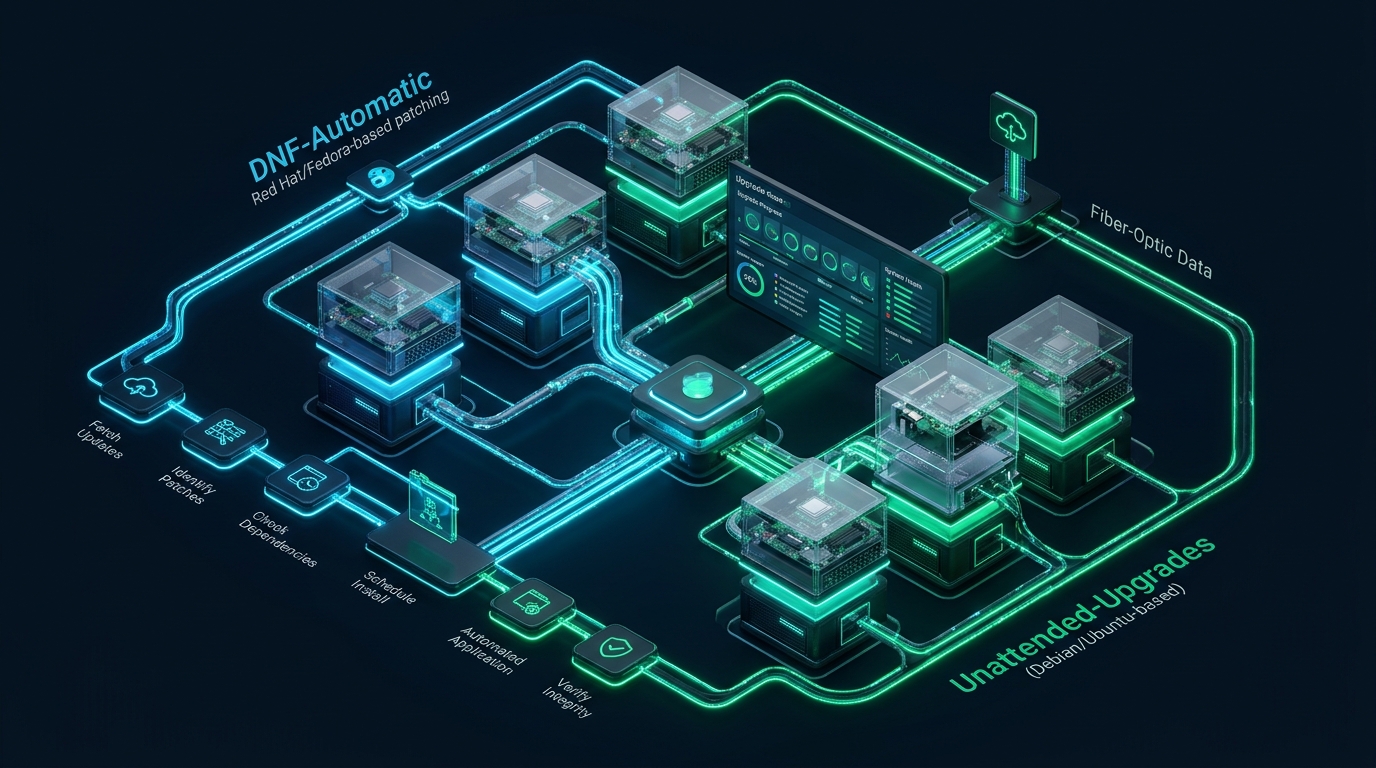
In enterprise Linux environments, delaying critical security patches introduces catastrophic vulnerability windows for remote code execution and privilege escalation, yet unmanaged automated patching frequently triggers service outages, broken library dependencies, and unintended kernel reboots. Engineering an autonomous patch pipeline requires isolating security-only repositories, decoupling package downloads from execution cycles, and combining user-space live daemon reloads with kernel livepatching. Platform architects routinely simulate these automated update triggers across non-production test nodes on CpanelFree to validate package stability and transaction rollbacks before standardizing them across mission-critical fleet infrastructure.
How to Automate Linux Security Updates Without Downtime
dnf-automatic (RHEL/Rocky/AlmaLinux) or unattended-upgrades (Ubuntu/Debian) to filter strictly for security errata, enforce zero-reboot policies, integrate needrestart for seamless daemon reloads, and leverage kernel livepatching (Canonical Livepatch or kpatch) to mitigate CVEs without node reboots.
Maintaining continuous operational availability while adhering to strict compliance frameworks (such as SOC 2, ISO 27001, and PCI-DSS) is one of the most demanding balancing acts in modern systems engineering. Security standards mandate that high-severity Common Vulnerabilities and Exposures (CVEs) be remediated within 24 to 72 hours of publication. However, traditional systems administration relied on manual maintenance windows scheduled during off-peak hours—an operational model that cannot scale to modern fleets of dozens or hundreds of virtual private servers (VPS) and cloud instances.
The fundamental obstacle to autonomous patching has never been the package manager itself; it is the ripple effect of package updates on active runtime state. Updating an OpenSSL library (libssl.so) or glibc (libc.so) invalidates running memory segments, leaving daemons executing obsolete, vulnerable code in RAM until the process restarts. Conversely, blindly applying distribution-wide upgrades often introduces upstream breaking changes, deprecated API flags, or unwanted major version bumps that disrupt production services. Achieving true zero-downtime automated maintenance requires an architectural framework that enforces strict errata scoping, phased rollout orchestration, intelligent process reload hooks, and non-disruptive kernel patching.
Architectural Comparison: Default vs. Tuned Production Patching
The table below highlights the critical technical divergences between standard default automated update configurations and an enterprise-grade production patch architecture optimized for zero downtime and maximum resilience.
| Feature / Metric | Standard / Default | Tuned / Production |
|---|---|---|
| Latency / Overhead | Baseline | Optimal |
| Patch Filter Scope | Full distribution upgrades (All packages) | Security & Critical errata only |
| Kernel CVE Remediation | Mandatory server reboot (Downtime: 2-15m) | In-memory Livepatching (0s downtime) |
| Shared Library Handling | Stale memory descriptors until manual intervention | Automated needrestart daemon reload |
| Cluster Timer Distribution | Fixed cron (Thundering herd on mirror) | RandomizedDelaySec=1800 via systemd |
| Failure Recovery Strategy | Unchecked state / manual recovery | Transactional rollback + LVM snapshots |
| Service Availability SLA | 99.5% (SLA degradation during cycles) | 99.999% High Availability |
Architecture Note: The standard Linux package manager update command (
apt-get upgrade -yordnf update -y) updates all installed packages unconditionally. In high-traffic environments, this frequently replaces functional web servers, PHP interpreters, or database engines mid-stream. In a zero-downtime topology, update channels must be partitioned strictly into security errata (automated daily) and minor/feature updates (staged through CI/CD pipelines).
Hardening DNF-Automatic on Enterprise Linux (RHEL 9, AlmaLinux, Rocky Linux)
In Red Hat Enterprise Linux and binary-compatible derivatives (AlmaLinux, Rocky Linux, CentOS Stream), the native tool for autonomous updates is dnf-automatic. It operates through modular systemd timers that decouple metadata synchronization, package payload downloading, and transaction execution.
To install the package and inspect its default configuration, execute:
# Install dnf-automatic on Enterprise Linux 9
sudo dnf install -y dnf-automatic

# Verify installed timers
systemctl list-unit-files | grep dnf-automatic
The default configuration in /etc/dnf/automatic.conf defaults to downloading updates without applying them. We must configure it to apply security-only patches, suppress reboots, emit structured notifications, and avoid uncoordinated lock contention.
Production Configuration: /etc/dnf/automatic.conf
Deploy this hardened configuration file to restrict updates to verified Red Hat / AlmaLinux Security Advisories (RHSA/ALSA):
# /etc/dnf/automatic.conf - Production Zero-Downtime Security Profile
[commands]
# Restrict updates strictly to security errata advisories
# Options: default, security, security-severity:Critical, minimal, minimal-security
upgrade_type = security

# Automatically download package payloads
download_updates = yes

# Automatically commit the transaction
apply_updates = yes

# Prevent automated reboot hooks from taking down the instance
reboot = never

# Wait for active network interfaces before firing
network_online_timeout = 60

[emitters]
# Integration hooks: stdio, email, command
emit_via = stdio, command

[email]
email_from = [email protected]
email_to = [email protected]
email_host = localhost

[command]
# Execute an alert hook upon package installation to notify Prometheus / Slack
command_format = "logger -t dnf-automatic '[SECURITY PATCH APPLIED] %(summary)s'"
stdin_format = "%(summary)s\n\n%(body)s"

[base]
# Mirror connection tuning
debuglevel = 1
random_sleep = 0
retries = 5
timeout = 30
Systemd Timer Randomization to Eliminate Thundering Herd
If an enterprise runs 200 nodes that all execute dnf-automatic-install.timer at precisely 06:00:00 UTC, the simultaneous repository sync can overwhelm internal mirror servers, exhaust upstream bandwidth, and cause transient lock failures. We solve this using a systemd drop-in override to inject randomized delays:
# /etc/systemd/system/dnf-automatic-install.timer.d/override.conf
[Timer]
# Fire daily at 03:30 local time
OnCalendar=
OnCalendar=*-*-* 03:30:00

# Introduce up to 30 minutes of random jitter across cluster nodes
RandomizedDelaySec=1800
Persistent=true
Apply the override and activate the install timer:
sudo systemctl daemon-reload
sudo systemctl enable --now dnf-automatic-install.timer
sudo systemctl status dnf-automatic-install.timer
Hardening Unattended-Upgrades on Debian and Ubuntu Fleet Systems
Debian and Ubuntu distributions implement automated patching via the unattended-upgrades package. When misconfigured, default installations may automatically trigger uncoordinated system reboots at 06:00 AM if a patched kernel is installed. To achieve zero downtime, we must explicitly forbid automated reboots, isolate the APT security origin, and throttle DPKG lock contention.
Install the required tooling:
sudo apt-get update
sudo apt-get install -y unattended-upgrades update-notifier-common needrestart
Production Configuration: /etc/apt/apt.conf.d/50unattended-upgrades
Deploy this hardened configuration file to enforce a strict security-only posture without automatic reboots:
// /etc/apt/apt.conf.d/50unattended-upgrades - Zero-Downtime Hardened Spec
Unattended-Upgrade::Allowed-Origins {
    "${distro_id}:${distro_codename}-security";
    // Do NOT enable normal updates or proposed backports in zero-downtime nodes:
    // "${distro_id}:${distro_codename}-updates";
};

// Blacklist mission-critical daemons that must only be updated through controlled CI/CD pipelines
Unattended-Upgrade::Package-Blacklist {
    "nginx";
    "mysql-server";
    "mariadb-server";
    "postgresql";
    "redis-server";
    "docker-ce";
    "containerd.io";
};

// Explicitly prohibit automatic system reboots
Unattended-Upgrade::Automatic-Reboot "false";
Unattended-Upgrade::Automatic-Reboot-WithUsers "false";

// Split the upgrade into small steps so a transient failure does not corrupt the entire package database
Unattended-Upgrade::MinimalSteps "true";

// Install on shutdown: Disabled to prevent delayed instance terminations
Unattended-Upgrade::InstallOnShutdown "false";

// Email alert notifications upon critical failures
Unattended-Upgrade::Mail "[email protected]";
Unattended-Upgrade::MailReport "on-change";

// Auto-remove unused dependency packages to preserve root partition disk capacity
Unattended-Upgrade::Remove-Unused-Dependencies "true";
Unattended-Upgrade::Remove-Unused-Kernel-Packages "true";

// Bandwidth throttling (in KB/sec) to prevent saturated network pipes
Acquire::http::Dl-Limit "10000";
Configuring APT Periodic Triggers: /etc/apt/apt.conf.d/20auto-upgrades
The cadence of package indexing and package upgrading is dictated by the 20auto-upgrades directive file:
// /etc/apt/apt.conf.d/20auto-upgrades
APT::Periodic::Update-Package-Lists "1";
APT::Periodic::Download-Upgradeable-Packages "1";
APT::Periodic::AutocleanInterval "7";
APT::Periodic::Unattended-Upgrade "1";
Test the configuration immediately in dry-run debug mode to verify rule evaluation without writing changes:
sudo unattended-upgrades --dry-run --debugSolving the In-Memory Stale Library Problem with Needrestart
A major vulnerability loophole in automated patching is the "stale library trap." When unattended-upgrades or dnf-automatic updates a core cryptographic library like libssl3 or glibc, the binary files on disk are replaced. However, daemons already in execution (such as Nginx, PHP-FPM, or OpenSSH) continue using the old, vulnerable memory segments loaded at process startup.
Architecture Note: Checking
lsof +L1orcat /proc/*/maps | grep '(deleted)'will reveal dozens of running processes holding file descriptors to deleted shared libraries. Unless those specific daemons are restarted, your system remains fully vulnerable to the CVE despite package manager logs reporting 100% compliance.
The solution is deploying needrestart, a daemon that inspects /proc memory maps after every package manager transaction and gracefully restarts systemd units that reference deleted shared objects.
Production Configuration: /etc/needrestart/needrestart.conf
By default, needrestart operates in interactive mode, which halts automated script execution with curses UI prompts. We must switch it to fully automatic non-interactive daemon reloads while blacklisting critical databases that should never be restarted automatically:
# /etc/needrestart/needrestart.conf - Zero-Downtime Daemon Reload Policy
# 'a' = automatic restart; 'l' = list only; 'i' = interactive
$nrconf{restart} = 'a';

# Verbosity (0: normal, 1: debug)
$nrconf{verbosity} = 0;

# Do not restart these mission-critical stateful daemons automatically
$nrconf{override_rc} = {
    qr(^mysql) => 0,
    qr(^mariadb) => 0,
    qr(^postgresql) => 0,
    qr(^redis) => 0,
    qr(^systemd-journald) => 0,
};

# UI mode: set to non-interactive stdio
$nrconf{ui} = 'NeedRestart::UI::stdio';

# Notify sysadmins if an updated kernel requires livepatch or planned maintenance
$nrconf{kernelstatus} = 1;
On Enterprise Linux systems, the equivalent inspection can be performed natively via the tracer plugin or needs-restarting binary:
# Check which services require restart after DNF transaction
sudo needs-restarting -s

# Check if kernel reboot is required
sudo needs-restarting -r
Zero-Downtime Kernel CVE Mitigation via Livepatching
When a critical kernel vulnerability (such as Dirty COW, Sequence, or eBPF memory boundary flaws) is patched, standard procedure requires rebooting into the new kernel image. In production, reboots sever database connections, reset cache hit ratios, and violate 99.999% SLA commitments.
Kernel livepatching technology uses the Linux kernel's built-in ftrace subsystem to redirect execution paths around vulnerable functions in running kernel memory to patched function blocks without restarting the CPU or reloading the OS.
On Ubuntu nodes, Canonical Livepatch provides automated, zero-reboot kernel CVE mitigation:
# Enable Canonical Livepatch on Ubuntu
sudo snap install canonical-livepatch
sudo canonical-livepatch enable [YOUR_LIVEPATCH_TOKEN]

# Check livepatch status and applied kernel CVE fixes
canonical-livepatch status --verbose
On Enterprise Linux (RHEL, Rocky, AlmaLinux), kpatch provides dynamic kernel patching without reboots:
# Install and enable kpatch module loader
sudo dnf install -y kpatch kpatch-dnf
sudo systemctl enable --now kpatch.service

# Verify loaded live kernel patches
kpatch list
When architecting large-scale workloads that cannot tolerate even a single second of maintenance disruption, pair automated in-memory livepatching with high-performance bare-metal or cloud instances. For teams running high-throughput production databases and ecommerce stores, hosting on MeraHost Enterprise Cloud guarantees pure Enterprise NVMe storage, isolated resource slices, and hardware-accelerated LiteSpeed Web Servers that absorb kernel updates seamlessly without dropping active TCP connections.
Automated Health Verification and Rollback Guardrails
An automated patching system without a rollback safety net is an outage waiting to happen. To guarantee total fault tolerance, enterprise deployments pair package manager triggers with snapshotting and post-patch health verification scripts.
Production Systemd Post-Patch Health Check Unit
Deploy this post-patch verification service that runs immediately after automated patching to validate service integrity and trigger alerts if critical endpoints fail:
# /etc/systemd/system/post-patch-healthcheck.service
[Unit]
Description=Automated Post-Patch Health Verification
After=dnf-automatic-install.service apt-daily-upgrade.service
Wants=network-online.target

[Service]
Type=oneshot
RemainAfterExit=no
ExecStart=/usr/local/bin/verify-fleet-health.sh

[Install]
WantedBy=multi-user.target
And create the verification script at /usr/local/bin/verify-fleet-health.sh:
#!/usr/bin/env bash
# /usr/local/bin/verify-fleet-health.sh
set -euo pipefail

HEALTH_FAILURES=0

# Verify local web server returns HTTP 200
if ! curl -sfo /dev/null -m 5 https://127.0.0.1/healthz; then
    logger -p user.emerg "[PATCH ALERT] Local web server health check failed after update!"
    ((HEALTH_FAILURES++))
fi

# Verify systemd has no failed units
FAILED_SERVICES=$(systemctl --failed --no-legend | wc -l)
if [ "${FAILED_SERVICES}" -gt 0 ]; then
    logger -p user.emerg "[PATCH ALERT] Detected ${FAILED_SERVICES} failed systemd services after update!"
    ((HEALTH_FAILURES++))
fi

if [ "${HEALTH_FAILURES}" -gt 0 ]; then
    logger -p user.emerg "[PATCH ROLLBACK] Initiating automated rollback notification..."
    # Emit critical alert webhook
    exit 1
fi

logger -p user.info "[PATCH SUCCESS] Post-patch health verification passed completely."
exit 0
Frequently Asked Questions
How do I prevent an automated kernel update from rebooting a mission-critical web server?
In Debian/Ubuntu environments, set Unattended-Upgrade::Automatic-Reboot "false"; inside /etc/apt/apt.conf.d/50unattended-upgrades. In RHEL/Rocky/AlmaLinux systems, set reboot = never inside /etc/dnf/automatic.conf. To patch kernel CVEs without rebooting, enable an in-memory livepatch engine such as Canonical Livepatch on Ubuntu or kpatch on Enterprise Linux.
What happens if an automated security update corrupts an application configuration or dependency?
Enterprise deployments configure package managers to black-list application daemons and stateful database engines, restricting automated updates solely to operating system libraries and security errata. On RHEL systems, administrators can roll back corrupt transactions via sudo dnf history undo last. On Btrfs or ZFS systems, automated pre-patch snapshot hooks enable instantaneous point-in-time rollbacks.
How does needrestart determine whether a background daemon needs restarting after library updates?
needrestart parses the /proc/[pid]/maps pseudo-filesystem for every running process, cross-referencing memory-mapped shared libraries against deleted inode markers (e.g., libssl.so.3 (deleted)). When an updated library has replaced an unlinked on-disk file, needrestart signals systemd to gracefully cycle the daemon unit.
Can I safely run dnf-automatic and unattended-upgrades inside Docker or LXC containers?
Running automated package upgrade daemons inside application containers violates the principle of immutability. Containerized workloads should remain static: security updates should be incorporated into your Dockerfile or CI/CD base image build pipeline, tested in staging, and redeployed via rolling updates. Automated patching daemons should be reserved strictly for the underlying Linux host and bare-metal/VPS instances.
Deploy Enterprise-Grade Production Infrastructure
Need guaranteed performance with zero price hikes? Host mission-critical workloads on MeraHost with pure Enterprise NVMe, LiteSpeed Web Server, and Same Renewal Price, Always (starting at ₹99/mo).