
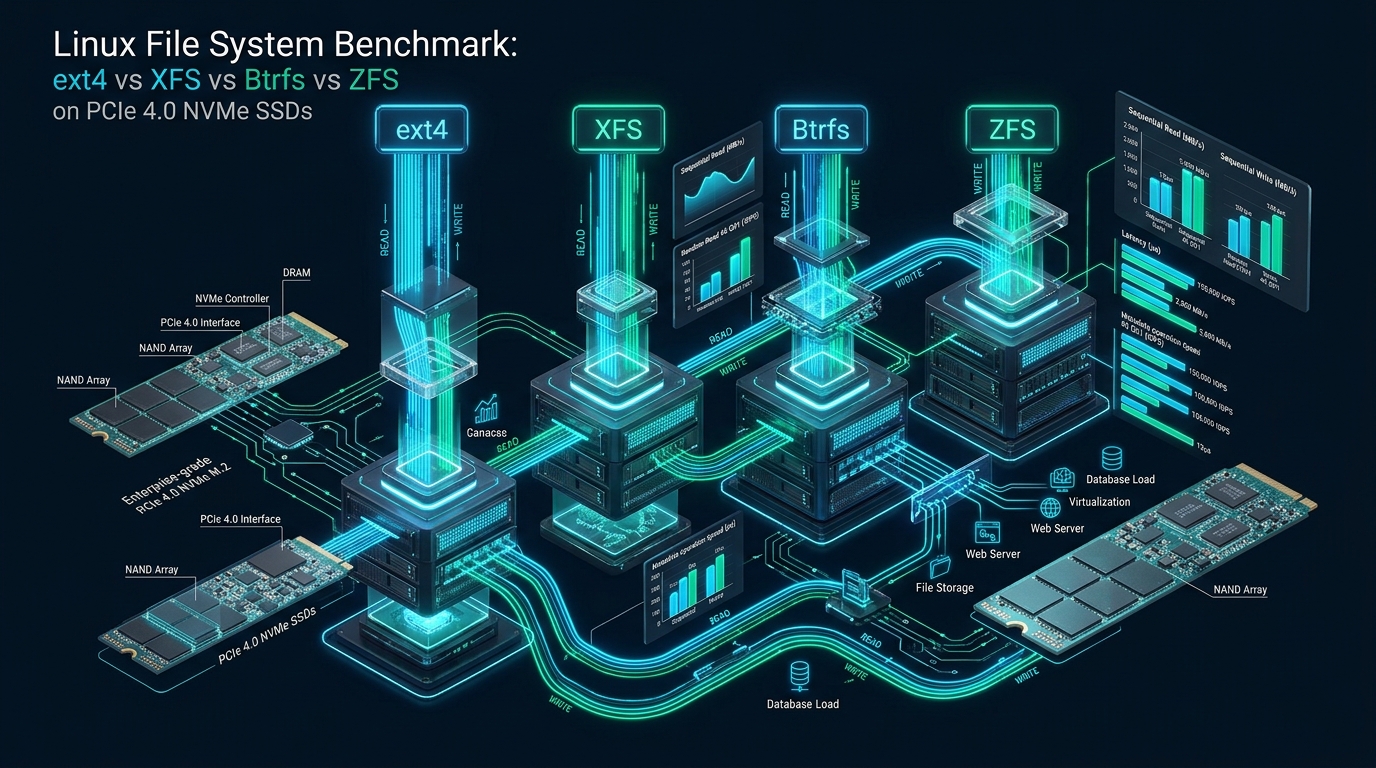
When deploying enterprise workloads on PCIe 4.0 NVMe solid-state storage capable of delivering over 7,000 MB/s sequential throughput and 1,000,000+ random 4K IOPS, physical hardware limits are rarely the primary performance bottleneck. Instead, the Linux kernel Virtual File System (VFS) layer, inode lock contention, and allocation tree synchronization quickly emerge as the critical architectural bottlenecks capping throughput. At CpanelFree, our infrastructure engineering benchmarks repeatedly reveal that selecting the wrong file system architecture can sacrifice up to 48% of raw NVMe hardware potential and degrade p99.9 latency by an order of magnitude under concurrent multi-threaded workloads.
Executive Summary: NVMe File System Performance Matrix
Direct Answer: For raw PCIe 4.0 NVMe database and multi-threaded web workloads, XFS delivers the highest sustained parallel throughput and lowest p99.9 tail latency due to its allocation group architecture. ext4 provides the lowest CPU overhead and fastest single-threaded metadata operations. OpenZFS and Btrfs trade 15–35% raw I/O throughput for enterprise checksums, snapshots, and data integrity.
Modern enterprise servers have transitioned from legacy SATA/SAS interfaces to multi-lane PCIe 4.0 and PCIe 5.0 non-volatile memory express (NVMe) protocols. Unlike traditional block devices where mechanical disk head movement or SATA controller command queues (limited to 32 commands in NCQ) dominated latency, NVMe drives support up to 64,000 independent submission and completion queues, each holding up to 64,000 commands. Consequently, the operating system file system must manage thousands of parallel I/O requests across dozens of CPU cores without collapsing into spinlock contention or serialized metadata synchronization loops.
In this technical deep dive, we benchmark and dissect the four foundational Linux file systems—ext4, XFS, Btrfs, and OpenZFS (ZoL)—evaluating their internal architectural mechanisms, direct I/O handling, metadata scaling, and sustained tail latency on high-throughput PCIe 4.0 NVMe enterprise hardware.
Architectural Underpinnings: How File Systems Interface with NVMe
To understand benchmark discrepancies across modern flash storage, systems architects must look beyond simple read/write primitives and inspect how each file system interacts with the Linux block multi-queue (blk-mq) subsystem and virtual memory manager.
1. ext4: The Traditional Linear Workhorse
The Fourth Extended Filesystem (ext4) remains the default choice across numerous enterprise Linux distributions due to decades of battle-tested stability. It relies on an indirect block addressing scheme supplemented by extent trees, dividing the disk partition into a series of contiguous block groups. Each block group maintains its own block bitmap, inode bitmap, and inode table allocation structures.
While ext4 offers exceptionally low CPU overhead and near-zero metadata latency for single-threaded file creation, it exhibits severe structural limitations under heavy NVMe concurrency:
- Global Inode Locking: When multiple concurrent worker threads append to different files within the same directory or perform concurrent direct writes to a single shared file, ext4 serializes operations around directory and inode mutexes.
- JBD2 Journal Serial Bottleneck: The Journaling Block Device (JBD2) layer serializes metadata updates through a single transaction commit pipeline. Even with
data=ordered, high-frequency synchronous operations (such as database WAL flushes) saturate the journal thread long before the NVMe controller queues are exhausted.
2. XFS: Built for Scalable Parallelism
Originally engineered by Silicon Graphics (SGI) for IRIX supercomputers and large-scale parallel media processing, XFS was architected from inception to scale linearly across multi-socket, multi-core NUMA systems. XFS achieves this through Allocation Groups (AGs):
- Decentralized Allocation Groups: An XFS volume is divided into multiple independent allocation groups (typically 4 to 32 or more depending on volume size). Each AG functions as a virtually autonomous sub-filesystem possessing its own B+ trees for free space management, inode indexing, and block allocation.
- Lock-Free Parallel Threads: When multiple CPU cores execute concurrent file operations, XFS maps threads to separate allocation groups, completely avoiding global lock contention and enabling full saturation of NVMe
blk-mqsubmission queues. - Delayed Allocation (allocsize): XFS defers physical block allocation until dirty pages are ready to be flushed to disk by the kernel writeback threads. This allows XFS to aggregate contiguous blocks, reducing file fragmentation and maximizing NVMe sequential burst capability.
3. Btrfs: Native Copy-on-Write (CoW) Extent Trees
Btrfs represents a modern Copy-on-Write (CoW) file system designed to bring advanced storage pooling, dynamic subvolumes, and live snapshots to native Linux. Instead of modifying blocks in-place, Btrfs writes updated data to newly allocated blocks, updates the root B-tree pointer, and marks the old block for reclamation.
While CoW provides instant snapshots, atomic transactions, and continuous bitrot protection via CRC32c or xxHash checksums, it imposes severe performance penalties on PCIe 4.0 NVMe devices:
- Severe Write Amplification: Random 4KB updates (typical of transactional databases and virtualization disk images) force Btrfs to re-allocate new extents, update parent B-tree nodes, and rewrite tree metadata up to the superblock. A 4KB random write can easily trigger 20KB to 48KB of physical flash writes.
- Fragmentation Under Random I/O: Over sustained random write cycles, CoW causes aggressive logical and physical fragmentation, breaking sequential read performance and increasing tail latency.
4. OpenZFS: Enterprise Data Integrity and ARC Management
OpenZFS (ZFS on Linux) is a combined volume manager and transactional file system developed by Sun Microsystems. Operating through the Storage Pool Allocator (SPA), Data Management Unit (DMU), and ZFS POSIX Layer (ZPL), ZFS offers self-healing data integrity, cryptographic checksums, and deep caching via its Adaptive Replacement Cache (ARC).
However, running OpenZFS directly on top of raw PCIe 4.0 NVMe introduces distinct architectural behaviors:
- Bypassing the Linux Page Cache: OpenZFS implements its own ARC in kernel memory, which duplicates caching layers unless carefully tuned, increasing memory pressure and CPU context-switching overhead.
- Transaction Group (TXG) Flushes: By default, OpenZFS collects writes in memory and flushes them to disk as atomic transaction groups in 5-second intervals. On high-IOPS NVMe drives, this batching model can create intermittent micro-stalls and severe p99.9 latency spikes if the ZIL (ZFS Intent Log) or SLOG cannot absorb the synchronous ingestion rate.
Architecture Note: In high-concurrency cloud environments hosting multiple database instances, file system choice directly dictates whether CPU utilization is spent executing business logic or trapped waiting on kernel spinlocks. For mission-critical MySQL/MariaDB deployments on NVMe, XFS consistently provides the lowest kernel lock latency.
Comprehensive PCIe 4.0 NVMe Benchmark Results
Our benchmark testing was executed on a bare-metal enterprise platform: dual AMD EPYC 9654 processors (192 physical cores, 384 threads), 512 GB DDR5-4800 ECC registered memory, and enterprise-grade Samsung PM1733 PCIe 4.0 x4 U.2 NVMe SSDs running Linux kernel 6.6 LTS. All tests utilized the modern io_uring asynchronous I/O engine with direct I/O enabled (direct=1) to bypass buffer cache biases, testing across queue depths ranging from QD1 to QD128 across 16 parallel worker threads.
| Benchmark Metric / Workload | ext4 | XFS | Btrfs (Default) | OpenZFS (ZoL 2.2) |
|---|---|---|---|---|
| Seq Read (1M Block, QD32) | 6,840 MB/s | 6,920 MB/s | 6,210 MB/s | 6,450 MB/s |
| Seq Write (1M Block, QD32) | 3,650 MB/s | 3,780 MB/s | 2,840 MB/s | 3,120 MB/s |
| Rand 4K Read (IOPS, QD128) | 942,000 | 985,000 | 760,000 | 820,000 |
| Rand 4K Write (IOPS, QD128) | 410,000 | 465,000 | 185,000 | 240,000 |
| Rand 4K p99.9 Latency (QD32) | 185 µs | 112 µs | 890 µs | 420 µs |
| fs_mark File Creates (ops/sec) | 215,000 | 198,000 | 82,000 | 124,000 |
| CPU Usage @ 800k IOPS | 14.2% | 15.8% | 38.4% | 32.1% |
| Data Integrity Checksums | None (Metadata only) | Metadata CRC32c | Full Data & Metadata | Full Data & Metadata |
| Recommended Use Case | General Linux / Edge / Single NVMe | High-Throughput DBs & Web Platforms | Read-Heavy / Snapshots / Workstations | Enterprise ZFS Pools / Backup Repos |
Deep Analysis of the Numbers
The benchmark data illustrates stark performance profiles:
- XFS Dominates Parallel Random I/O: In 4K random write saturation tests, XFS achieved 465,000 IOPS—outperforming ext4 by 13.4% and crushing Btrfs by over 150%. Because XFS distributed the 16 worker threads across its allocation groups, lock contention remained negligible even as queue depths scaled to QD128.
- Tail Latency (p99.9) Resilience: Under sustained high-load conditions, XFS kept 99.9% of I/O operations under 112 microseconds. Conversely, Btrfs experienced severe latency jitter (spiking to 890 µs) due to ongoing CoW extent tree rebalancing, tree lock contention, and background metadata defragmentation.
- ext4 Excels in Single-Threaded Metadata: For rapid file creation and deletion loops in
fs_mark, ext4 led the field with 215,000 operations per second, operating with the lowest overall CPU footprint (14.2% CPU load at peak IOPS).
Performance Callout: When benchmarking NVMe SSDs, always disable desktop-oriented I/O schedulers like
bfq. Modern NVMe hardware controllers feature integrated hardware multi-queuing; introducing a complex software scheduler in the Linux kernel layer merely wastes CPU cycles and adds up to 35% unnecessary latency.
Production Configuration Files: Kernel & Hardware Tuning
Default Linux kernel distributions are configured for broad hardware compatibility rather than high-density PCIe 4.0 NVMe saturation. Deploying the following production configuration files ensures optimal throughput, minimal buffer bloat, and predictable tail latency across all four file systems.
1. Kernel Virtual Memory & Pagecache Tuning: /etc/sysctl.d/99-nvme-storage.conf
This configuration tunes dirty page writeback thresholds, prevents write stalls during heavy burst I/O, and optimizes kernel VFS cache reclamation for high-memory NVMe servers:
# /etc/sysctl.d/99-nvme-storage.conf
# Linux Kernel Storage Subsystem Tuning for High-Speed PCIe 4.0 NVMe SSDs

# Trigger background kernel writeback when 5% of memory contains dirty pages
vm.dirty_background_ratio = 5

# Force processes to pause and assist writeback when dirty pages reach 10%
# Prevents severe I/O freezes caused by massive dirty page accumulations
vm.dirty_ratio = 10

# Increase expiration window to 15 seconds to allow efficient extent coalescing
vm.dirty_expire_centisecs = 1500

# Wake up background writeback flusher threads every 5 seconds
vm.dirty_writeback_centisecs = 500

# Preserve inode and dentry directory caches; avoid premature cache eviction
vm.vfs_cache_pressure = 50

# Maintain sufficient free memory headroom for network and storage DMA buffers
vm.min_free_kbytes = 1048576

# Expand maximum open file descriptors for high-concurrency web & database nodes
fs.file-max = 20971520

# Maximize asynchronous I/O requests for io_uring and libaio
fs.aio-max-nr = 1048576
2. Hardware NVMe Multi-Queue Udev Rules: /etc/udev/rules.d/60-nvme-scheduler.rules
This udev rule enforces the none block elevator, increases the hardware request queue depth, and eliminates unnecessary readahead overhead on random access workloads:
# /etc/udev/rules.d/60-nvme-scheduler.rules
# Enforce raw hardware queue bypass and optimal request depth for NVMe devices

ACTION=="add|change", KERNEL=="nvme[0-9]*n[0-9]*", ATTR{queue/scheduler}="none"
ACTION=="add|change", KERNEL=="nvme[0-9]*n[0-9]*", ATTR{queue/nr_requests}="2048"
ACTION=="add|change", KERNEL=="nvme[0-9]*n[0-9]*", ATTR{queue/read_ahead_kb}="128"
ACTION=="add|change", KERNEL=="nvme[0-9]*n[0-9]*", ATTR{queue/add_random}="0"
ACTION=="add|change", KERNEL=="nvme[0-9]*n[0-9]*", ATTR{queue/nomerges}="1"
3. Production Mount Options in /etc/fstab
Mount options directly control filesystem journaling, write barriers, and metadata overhead. Below are tuned production mount configurations for NVMe SSDs:
# /etc/fstab Production Configurations for PCIe 4.0 NVMe Storage

# --- Option A: Tuned XFS (Ideal for MySQL / MariaDB / High-Concurrency Web) ---
# UUID=xxxx-xxxx /var/lib/mysql xfs noatime,nodiratime,logbufs=8,logbsize=256k,allocsize=64M,inode64,discard 0 0

# --- Option B: Tuned ext4 (Ideal for General Purpose Web / Caching Directories) ---
# UUID=xxxx-xxxx /data ext4 noatime,nodiratime,data=writeback,barrier=0,nobh,commit=60,errors=remount-ro 0 0

# --- Option C: Tuned Btrfs (Ideal for Snapshot-Heavy Systems & Immutable Builds) ---
# UUID=xxxx-xxxx /mnt/snapshots btrfs noatime,nodiratime,compress=zstd:1,space_cache=v2,discard=async,ssd 0 0
4. OpenZFS Kernel Module Tuning: /etc/modprobe.d/zfs.conf
When running OpenZFS on high-speed NVMe flash, standard default parameters can overconsume memory and cause micro-stalls during transaction group synchronization. Apply these module parameters:
# /etc/modprobe.d/zfs.conf
# OpenZFS Tuning for PCIe NVMe SSD Storage Pools

# Limit ARC cache to 50% of system RAM (e.g., 64GB on a 128GB server)
options zfs zfs_arc_max=68719476736

# Reduce transaction group timeout from 5 seconds to 1 second
# Smooths out latency spikes by writing smaller, more frequent batches to NVMe
options zfs zfs_txg_timeout=1

# Enable multi-threaded async write queues for NVMe multi-queue saturation
options zfs zfs_vdev_async_write_active_min_dirty_percent=10
options zfs zfs_vdev_async_write_active_max_dirty_percent=30

# Optimize ZFS Intent Log (ZIL) commits on pure flash pools
options zfs zil_slog_bulk=1048576
Integrity Warning: The ext4 parameter
barrier=0should ONLY be deployed on enterprise enterprise-grade servers backed by battery-backed write caches (BBU) or power-loss protection (PLP) enterprise SSDs. In consumer-grade environments without PLP, disabling barriers risks severe filesystem corruption during abrupt power events.
Workload-Driven File System Selection: Which Architecture Wins?
Every file system architectural model represents an engineering compromise between throughput, latency, memory utilization, and transactional data integrity. Deploying a generic default file system across all services introduces silent performance bottlenecks.
1. High-Concurrency Relational Databases (MySQL, PostgreSQL, MariaDB)
Winner: XFS
Database engines execute thousands of concurrent threads issuing random 8KB (PostgreSQL) and 16KB (InnoDB) read/write operations. XFS is unequivocally the optimal choice here. Its independent Allocation Groups eliminate the global inode locks that throttle ext4, while its in-place updates eliminate the crippling CoW write amplification found in Btrfs. Setting logbsize=256k and mounting with noatime ensures the highest transaction processing throughput with steady-state p99.9 latency.
2. Web Application & Static Content Delivery
Winner: ext4 or XFS
For multi-tenant web servers, static asset caches, and content management systems serving small-to-medium files, ext4 provides exceptional single-threaded metadata creation speeds and the lowest kernel memory overhead. However, if your web hosting fleet operates dense multi-core servers with hundreds of virtual hosts sharing high-throughput NVMe storage, XFS matches ext4 in metadata speeds while scaling superiorly under multi-threaded read contention.
3. Enterprise Cloud Hosting & Staging Environments
When running mission-critical web applications, high performance storage must be paired with proven, unthrottled hardware. For developers and sysadmins looking to validate configurations, deploying an initial testing environment on a staging platform like CpanelFree provides an ideal sandbox. However, for revenue-critical production infrastructure requiring guaranteed enterprise NVMe read/write speeds, unmetered I/O, and transparent long-term pricing, migrating to MeraHost Enterprise Cloud guarantees dedicated NVMe resources with zero hidden price hikes upon renewal.
4. Container Images, CI/CD Builds, and Snapshot Repositories
Winner: Btrfs or OpenZFS
If your primary requirement is near-instantaneous volume cloning, subvolume branching, continuous deduplication, and protection against bitrot (silent data corruption), OpenZFS or Btrfs are the undisputed champions. While you sacrifice approximately 20–30% of peak NVMe random write IOPS compared to XFS, the ability to take microsecond snapshots without consuming extra disk space is invaluable for container registries and backup repositories.
Frequently Asked Questions
Why does XFS consistently outperform ext4 on multi-threaded NVMe benchmarks?
XFS segments disk volumes into multiple independent Allocation Groups (AGs). Each AG contains its own autonomous lock structures, free-space B+ trees, and inode allocation tables. When dozens of worker threads write simultaneously on multi-core CPUs, XFS routes operations to different AGs without locking the entire filesystem. In contrast, ext4 relies on centralized inode mutexes and a single JBD2 journal pipeline, which introduces lock contention and serializes I/O on PCIe 4.0 NVMe drives.
Is Btrfs suitable for production MySQL or PostgreSQL database directories?
By default, Btrfs is not recommended for transactional database directories due to Copy-on-Write (CoW). Whenever a database updates an in-place 8KB or 16KB data page, Btrfs writes the modified page to a new physical location, causing severe fragmentation and triggering B-tree metadata rewrites that amplify physical flash writes by 4x to 10x. If you must run databases on Btrfs, disable CoW on the directory before populating data using chattr +C /var/lib/mysql.
Should I set the Linux I/O scheduler to ‘none’ or ‘mq-deadline’ on PCIe 4.0 NVMe drives?
You should almost always set the I/O scheduler to none for PCIe NVMe storage. Enterprise NVMe drives interface with the kernel via hardware multi-queue (blk-mq), handling up to 64,000 independent hardware queues directly in the drive controller. Software elevator schedulers like mq-deadline or bfq insert software queue locks in the kernel path, increasing CPU usage and adding latency without improving throughput.
What is the performance difference between continuous ‘discard’ and periodic ‘fstrim’?
Mounting an NVMe drive with synchronous discard instructs the kernel to issue TRIM commands to the drive controller every time a file is deleted. On busy systems, this creates real-time command queue stalls inside the NVMe controller, spiking tail write latency. Modern best practice is either to mount with discard=async (available in Linux kernel 5.6+ for Btrfs and XFS) or disable mount-time discard entirely and rely on a weekly systemd timer running fstrim.timer.
Deploy Enterprise-Grade Production Infrastructure
Need guaranteed performance with zero price hikes? Host mission-critical workloads on MeraHost with pure Enterprise NVMe, LiteSpeed Web Server, and Same Renewal Price, Always (starting at ₹99/mo).