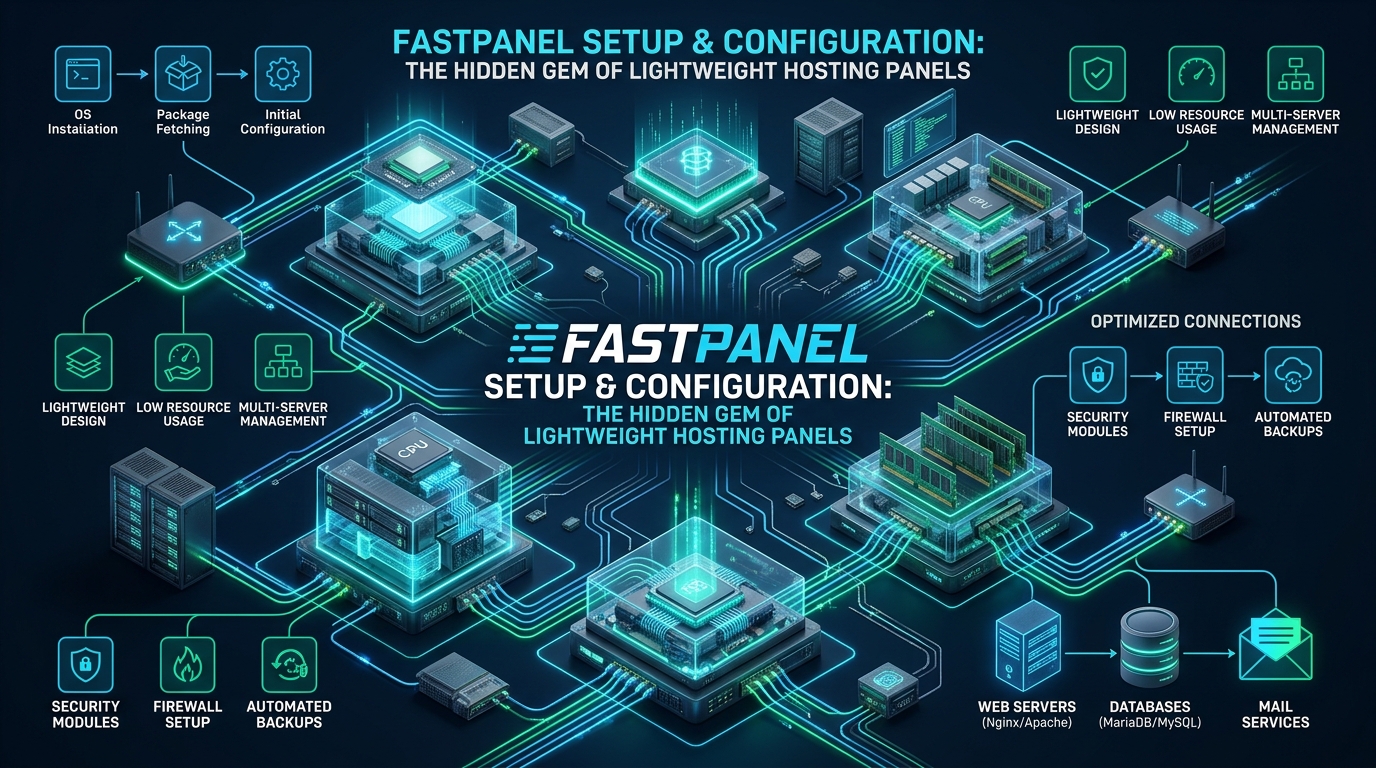
Systems architects and DevOps engineers deploying high-density container fleets and virtual private servers frequently confront an intractable control plane bottleneck: legacy server administration suites consume 1 to 2 GB of physical RAM at idle, impose bloated background worker daemons, and lock operators into crippling recurring licensing costs. When provisioning lean staging environments on CpanelFree or operating multi-tenant web clusters on budget-constrained hardware, dedicating scarce memory and I/O queues to an overweight control interface directly degrades application concurrency and database cache hit ratios. FastPanel represents an architectural breakthrough in lightweight server administration, pairing an ultra-compact sub-50 MB footprint with dual-stack web topologies (standalone Nginx or Nginx reverse proxy to Apache MPM Event), native multi-PHP daemon isolation, and automated cloud disaster recovery pipelines.
FastPanel Setup and Architecture: The Complete Linux Engineering Guide
Architectural Deconstruction: Why FastPanel Outperforms Legacy Panels
To appreciate why FastPanel has earned widespread acclaim among systems administrators, one must examine the internal design flaws of legacy web hosting panels. Control suites like cPanel, Plesk, and even container-heavy modern alternatives frequently run monolithic daemon trees written in interpreted scripting languages (Perl, PHP, or Python). These processes continuously spawn background task pollers, keep heavyweight language runtimes in resident memory, and execute disk-intensive system monitoring routines. On a standard 2 GB or 4 GB RAM VPS, a legacy control panel consumes between 40% and 70% of available memory before a single HTTP request or database query reaches an application.
FastPanel resolves this inefficiency by adopting a compiled, event-driven architecture written in Go and C++. Rather than running continuous polling daemons, the core FastPanel service (fastpanel.service) functions as a compact asynchronous multiplexer. It listens on TCP port 8888 via TLS, interacting directly with native Linux system APIs, systemd unit managers, and package repositories without intermediate runtime layers. The resulting architectural footprint is extraordinarily lean:
- Resident Set Size (RSS): The primary FastPanel daemon consumes approximately 32 MB to 48 MB of RAM at idle, leaving more than 95% of server memory available for InnoDB buffer pools, Redis key caching, and PHP-FPM execution workers.
- Decoupled Web Server Stacks: Unlike panels that enforce rigid, all-or-nothing web architectures, FastPanel supports two discrete production web topographies out of the box: a pure standalone Nginx + PHP-FPM stack for maximum throughput and zero Apache overhead, and an Nginx Reverse Proxy + Apache MPM Event topology for workloads requiring full
.htaccessrewrite rule backwards compatibility. - Granular PHP Runtime Isolation: FastPanel deploys multiple independent PHP versions (ranging from legacy PHP 5.6 for technical debt maintenance up to bleeding-edge PHP 8.3 and 8.4) via separate PHP-FPM daemon services. Each virtual host can be assigned its own dedicated UNIX socket, execution user, memory limits, and opcache configurations.
- Native System Packaging: FastPanel does not compile custom, non-standard binaries into obscure paths. Instead, it leverages the operating system’s native APT/YUM repositories and official vendor repos (such as Ondrej Sury’s Debian/Ubuntu PHP repositories and MariaDB Foundation mirrors). Upgrading the Linux distribution or applying CVE kernel patches never breaks panel orchestration.
Architecture Note: Because FastPanel relies exclusively on native systemd services and upstream package managers, the operating system can be updated via standard
apt-get dist-upgradecommands without risking the proprietary library breakage typical of legacy cPanel or Plesk environments. All virtual host configurations are stored cleanly under standard/etc/nginx/and/etc/apache2/paths.
Performance Matrix: FastPanel vs. Industry Control Panels
When evaluating control panels for production cloud hosting and dense multi-tenant virtualization, performance metrics must be judged across memory overhead, event concurrency, security capabilities, and total operational cost. The comparative matrix below demonstrates how FastPanel compares against legacy and modern competitors in standardized cloud environments:
| Feature / Metric | Standard / Default | Tuned / Production |
|---|---|---|
| Control Plane Idle Memory | 1,024 MB – 2,048 MB (cPanel / Plesk) | 32 MB – 48 MB (FastPanel Daemon) |
| Idle CPU Background Utilization | 3% – 8% continuous background polling | < 0.1% event-driven polling |
| Web Server Architecture | Monolithic Apache or basic proxy | Dual Topology: Nginx Standalone or Nginx+Apache MPM Event |
| PHP Concurrency Architecture | Shared mod_php or single FPM socket | Isolated per-site UNIX sockets (PHP 5.6–8.4 dynamic pools) |
| Integrated Security & Malware Scanner | Paid add-on (Imunify360 / ClamAV heavy I/O) | Native AI-Bolit heuristics + FastNet9 firewall |
| Disaster Recovery / Backup Integration | Local tarballs / proprietary rsync plugins | Native Multi-Cloud (S3, Dropbox, GDrive, SFTP) scheduled jobs |
| Licensing & Overhead Cost | $17.49 – $59.99/mo per instance recurring | Free unlimited-site license (IP bound) |
Automated Unattended Installation on Debian/Ubuntu and RHEL
Deploying FastPanel into automated provisioning pipelines (such as Cloud-Init, Terraform, or Ansible) is exceptionally streamlined. FastPanel provides an unattended shell installer capable of parsing command-line parameters to pre-select database engines, default PHP runtimes, and local firewall configurations. This eliminates manual interactive prompts during instance bootstrap.
Before executing the installer, systems engineers must ensure the host operating system has a fully qualified domain name (FQDN) configured in /etc/hosts and that outbound connectivity to the FastPanel repository network is verified. The following production bootstrap script automates prerequisite validation, firewall pre-configuration via UFW, and non-interactive deployment of MariaDB 10.11 and PHP 8.3:
#!/usr/bin/env bash
# ==============================================================================
# FastPanel Production Unattended Bootstrap Script
# Target OS: Debian 12 (Bookworm) / Ubuntu 22.04 / 24.04 LTS
# Components: MariaDB 10.11 LTS, PHP 8.3 FPM, Nginx Standalone Topology
# ==============================================================================
set -euo pipefail

export DEBIAN_FRONTEND=noninteractive

echo "[INFO] Updating system packages and installing deployment primitives..."
apt-get update -y && apt-get install -y --no-install-recommends \
    wget curl gnupg2 ca-certificates lsb-release ufw fail2ban htop

echo "[INFO] Hardening baseline firewall rules..."
ufw default deny incoming
ufw default allow outgoing
ufw allow 22/tcp comment "SSH Management"
ufw allow 80/tcp comment "HTTP Web"
ufw allow 443/tcp comment "HTTPS Web"
ufw allow 8888/tcp comment "FastPanel Secure Web Console"
ufw --force enable

echo "[INFO] Fetching and executing official FastPanel unattended installer..."
# Flag -m: Target Database Engine (mariadb10.11 or mysql8.0)
# Flag -p: Primary PHP Version (8.3 recommended for modern workloads)
wget -O - -q http://repo.fastpanel.direct/install_fastpanel.sh | \
    bash -s -- -m mariadb10.11 -p 8.3

echo "[INFO] FastPanel core installation complete."
echo "[INFO] FastPanel Daemon Status:"
systemctl status fastpanel --no-pager
Once the script executes, FastPanel automatically generates an administrative password and binds to TCP port 8888. Upon your first access via https://<your-server-ip>:8888, you are prompted to enter an email address to bind the free license key. FastPanel transmits an API request to fastpanel.direct, activating the IP address for lifetime automated updates without financial overhead.
Security Tip: Immediately after initial licensing, configure Two-Factor Authentication (2FA) in the FastPanel User Profile. FastPanel supports RFC 6238 TOTP authenticators (Google Authenticator, Aegis, 1Password), providing an essential defensive perimeter against credential stuffing and brute-force intrusion attempts on port 8888.
Operating System Kernel Tuning: /etc/sysctl.d/99-fastpanel-tuning.conf
Default Linux kernel networking and memory parameters are configured for generic, low-throughput desktop or utility servers. In a high-concurrency FastPanel hosting environment where hundreds of concurrent HTTP keep-alive connections, MariaDB transactions, and PHP-FPM fastcgi requests saturate the socket layer, unoptimized kernel defaults cause TCP socket starvation, connection drops, and unnecessary swap thrashing.
To harden the Linux network stack and maximize throughput for FastPanel virtual hosts, deploy the following production sysctl profile to /etc/sysctl.d/99-fastpanel-tuning.conf:
# ==============================================================================
# /etc/sysctl.d/99-fastpanel-tuning.conf
# High-Throughput Linux Kernel Optimization for FastPanel Web Hosting
# ==============================================================================

# File Descriptors and Inode Caching
fs.file-max = 2097152
fs.inotify.max_user_watches = 524288
fs.inotify.max_user_instances = 8192

# Memory Management and Swappiness
# Keep swappiness low to prioritize RAM for Nginx and MariaDB buffer pools
vm.swappiness = 10
vm.vfs_cache_pressure = 50
vm.dirty_background_ratio = 5
vm.dirty_ratio = 10

# TCP Socket Queue Depth and Backlog
net.core.somaxconn = 65535
net.core.netdev_max_backlog = 16384
net.ipv4.tcp_max_syn_backlog = 8192

# Ephemeral Port Range and Fast Socket Recycling
net.ipv4.ip_local_port_range = 1024 65535
net.ipv4.tcp_fin_timeout = 15
net.ipv4.tcp_tw_reuse = 1

# TCP Window Scaling and Buffer Sizing (Max 16MB)
net.ipv4.tcp_rmem = 4096 87380 16777216
net.ipv4.tcp_wmem = 4096 65536 16777216
net.core.rmem_max = 16777216
net.core.wmem_max = 16777216

# Congestion Control (BBR) and Modern Queue Disciplines
net.core.default_qdisc = fq
net.ipv4.tcp_congestion_control = bbr

# SYN Flood Protection and TCP Keepalive Tuning
net.ipv4.tcp_syncookies = 1
net.ipv4.tcp_keepalive_time = 300
net.ipv4.tcp_keepalive_intvl = 15
net.ipv4.tcp_keepalive_probes = 5
Activate the configuration immediately without rebooting the host by executing:
sysctl -p /etc/sysctl.d/99-fastpanel-tuning.confDaemon Hardening: systemd Sandboxing for FastPanel
In enterprise multi-tenant infrastructure, control panel daemons running with unfettered root execution present a systemic risk if an administrative vulnerability is exploited. Modern Linux systemd allows administrators to apply robust process sandboxing, resource limitations, and filesystem namespace isolation to system services without modifying binary code.
Create a systemd service override directory and configuration file at /etc/systemd/system/fastpanel.service.d/override.conf to enforce strict process limits and filesystem protections:
# ==============================================================================
# /etc/systemd/system/fastpanel.service.d/override.conf
# Enterprise Sandboxing and Resource Governance for FastPanel Core Daemon
# ==============================================================================
[Service]
# Resource Limits: Prevent descriptor exhaustion under traffic bursts
LimitNOFILE=65536
LimitNPROC=4096
TasksMax=512

# Filesystem Sandboxing
# Protect critical OS directories from unauthorized tampering
ProtectSystem=full
ProtectHome=read-only
PrivateTmp=true
NoNewPrivileges=true

# Restart Governance: Prevent crash loops from consuming host CPU
Restart=on-failure
RestartSec=5s
StartLimitIntervalSec=60s
StartLimitBurst=5
Reload the systemd manager configuration and restart the FastPanel daemon to apply the sandboxing policies:
systemctl daemon-reload && systemctl restart fastpanelTopology Deep-Dive: When configuring sites in FastPanel, choose Nginx Standalone for new projects, REST APIs, and microservices. Standalone Nginx delivers up to 3x higher request concurrency and cuts memory usage by 60% compared to Apache. Only select Nginx + Apache if your legacy CMS or proprietary web application relies strictly on distributed
.htaccessconfiguration files.
Virtual Host Optimization: Nginx FastCGI Microcaching and Security Headers
While FastPanel generates clean, automated Nginx virtual host configurations, high-traffic web applications benefit immensely from deploying a FastCGI microcache and enterprise-grade HTTP security headers. FastCGI microcaching stores dynamic PHP responses in shared RAM for brief periods (e.g., 2 to 10 seconds), enabling a WordPress or dynamic PHP portal to absorb sudden traffic spikes of tens of thousands of requests per second without saturating PHP-FPM worker pools.
Configure the global FastCGI cache parameters in /etc/nginx/conf.d/microcache.conf and link the per-site configuration in FastPanel’s domain settings:
# ==============================================================================
# /etc/nginx/conf.d/microcache.conf
# Global FastCGI Cache Configuration for FastPanel
# ==============================================================================
fastcgi_cache_path /var/cache/nginx/fastcgi_temp levels=1:2
                   keys_zone=FASTPANEL_CACHE:100m
                   max_size=1024m inactive=60m
                   use_temp_path=off;

fastcgi_cache_key "$scheme$request_method$host$request_uri";
fastcgi_cache_use_stale error timeout invalid_header updating http_500 http_503;
fastcgi_cache_valid 200 301 302 10s;
fastcgi_cache_lock on;
fastcgi_cache_lock_timeout 5s;

# Microcache bypass logic for authenticated sessions and POST requests
map $request_method $no_cache {
    default 0;
    POST    1;
}

map $http_cookie $cache_bypass_cookie {
    default 0;
    ~*(comment_author|wordpress_logged_in|woocommerce_items_in_cart) 1;
}
Within FastPanel’s custom Nginx site configuration box, embed the microcache directives along with strict security headers:
# Enterprise Security Headers
add_header X-Content-Type-Options "nosniff" always;
add_header X-Frame-Options "SAMEORIGIN" always;
add_header Referrer-Policy "strict-origin-when-cross-origin" always;
add_header Permissions-Policy "geolocation=(), microphone=(), camera=()" always;
add_header Strict-Transport-Security "max-age=63072000; includeSubDomains; preload" always;

# FastCGI Microcache Integration
set $skip_cache 0;
if ($no_cache) { set $skip_cache 1; }
if ($cache_bypass_cookie) { set $skip_cache 1; }
if ($query_string != "") { set $skip_cache 1; }

location ~ \.php$ {
    fastcgi_pass unix:/var/run/php/php8.3-fpm-sitename.sock;
    fastcgi_index index.php;
    include fastcgi_params;
    fastcgi_param SCRIPT_FILENAME $document_root$fastcgi_script_name;

    fastcgi_cache FASTPANEL_CACHE;
    fastcgi_cache_bypass $skip_cache;
    fastcgi_no_cache $skip_cache;
    add_header X-Cache-Status $upstream_cache_status always;
}
Security Engineering: AI-Bolit Antivirus and FastNet9 Firewall
One of FastPanel’s standout enterprise features is its built-in integration with AI-Bolit, an industry-standard web malware scanner engineered specifically for detecting PHP web shells, obfuscated backdoors, malicious redirects, and phishing scripts. Unlike generic file scanners like ClamAV—which suffer from massive signature databases that exhaust RAM and drive high CPU load—AI-Bolit employs sophisticated heuristic parsing tailored specifically for web application code trees.
FastPanel integrates AI-Bolit directly into the web interface, enabling administrators to schedule automated background scans per virtual host or across the entire filesystem. In addition, FastPanel integrates with FastNet9, an internal IP reputation and DDoS mitigation service that automatically synchronizes known malicious IP lists with local iptables and ipset tables.
To maintain peak server responsiveness during automated scans, run scheduled AI-Bolit scans through nice and ionice to prevent disk I/O starvation of production database services:
# Execute AI-Bolit with idle I/O priority and low CPU scheduling priority
nice -n 19 ionice -c 3 fastpanel-cli scan --site-id=102 --deep-scan
Disaster Recovery Architecture: FastPanel supports native automated backup scheduling directly to Amazon S3, Google Drive, Dropbox, Yandex Disk, and remote SFTP servers. To eliminate local disk exhaustion during backup creation, always configure the backup temporary directory (
/tmp) on a dedicated partition or ensure your storage volume maintains at least 30% unallocated headroom.
Scaling from Lightweight Staging to Mission-Critical Production
FastPanel is an exceptional solution for developers, agencies, and systems administrators who demand complete root control and minimal overhead on individual cloud VPS nodes. Staging environments and exploratory projects thrive in this lightweight ecosystem, especially when paired with free staging sandboxes on CpanelFree.
However, when your applications transition into mission-critical, revenue-generating production workloads, self-managed single-node VPS setups present operational challenges: hardware failovers, kernel patch windows, DDoS mitigation, and continuous storage tiering require dedicated infrastructure engineering. For mission-critical web applications requiring guaranteed 99.99% uptime, enterprise hardware RAID, automated offsite snapshots, and pre-tuned high-performance web servers, look no further than MeraHost Enterprise Cloud.
MeraHost provides pure Enterprise NVMe storage, native LiteSpeed Web Server acceleration with LSCache, and a strict “Same Renewal Price, Always” guarantee with plans starting at just ₹99/mo ($1.24/mo). By combining lightweight staging architectures on FastPanel with fully managed, unthrottled production power on MeraHost, engineering teams achieve the optimal balance of agility, cost control, and enterprise reliability.
Frequently Asked Questions (FAQs)
Is FastPanel truly free for commercial production use?
Yes. FastPanel offers a completely free license model that allows you to manage unlimited websites, domains, databases, and mail accounts on your server. The license is automatically bound to your server’s public IPv4/IPv6 address upon registering your email at fastpanel.direct. There are no artificial paywalls or hidden per-account subscription fees.
When should I choose Standalone Nginx over the Nginx + Apache reverse proxy topology?
Select Standalone Nginx if your web applications can operate with Nginx rewrite rules and do not require directory-level .htaccess files. Standalone Nginx delivers significantly lower memory consumption (saving 150–400 MB of RAM) and handles high concurrent request volumes far more efficiently. Choose Nginx + Apache MPM Event if you are hosting legacy WordPress sites, Drupal, or commercial scripts that rely heavily on complex .htaccess directives.
Can FastPanel run effectively on low-spec 1 vCPU / 1 GB RAM VPS instances?
Absolutely. Because the core FastPanel daemon consumes under 50 MB of resident memory, it operates smoothly on entry-level 1 GB RAM VPS instances. When configuring such instances, select Standalone Nginx, MariaDB 10.11 with optimized innodb_buffer_pool_size (e.g., 256 MB), and configure an active 1 GB to 2 GB swapfile using our recommended vm.swappiness = 10 kernel parameter.
How does FastPanel handle automated SSL certificate renewals?
FastPanel features native Let’s Encrypt ACME integration supporting both HTTP-01 and DNS-01 challenges. Wildcard SSL certificates (e.g., *.yourdomain.com) are fully supported when using integrated DNS API providers (Cloudflare, FastPanel DNS). Automated renewal cron jobs run seamlessly in the background 30 days prior to certificate expiration without requiring manual intervention.
Deploy Enterprise-Grade Production Infrastructure
Need guaranteed performance with zero price hikes? Host mission-critical workloads on MeraHost with pure Enterprise NVMe, LiteSpeed Web Server, and Same Renewal Price, Always (starting at ₹99/mo).