Soaring licensing tariffs and rigid per-account subscription pricing models from legacy proprietary panels have catalyzed a massive industry migration toward modern open-source server management stacks. Deploying multi-tenant web applications, PHP microservices, and containerized runtime environments no longer demands expensive commercial software licenses when lean Linux virtualization architectures can deliver equivalent or superior operational velocity. While testing application prototypes on development platforms like CpanelFree provides an ideal playground for sandbox deployments, selecting the optimal production control panel requires an uncompromising technical evaluation of process isolation, memory footprints, daemon architectures, and web server runtimes.
Direct Answer: Best Free Web Hosting Control Panels 2026
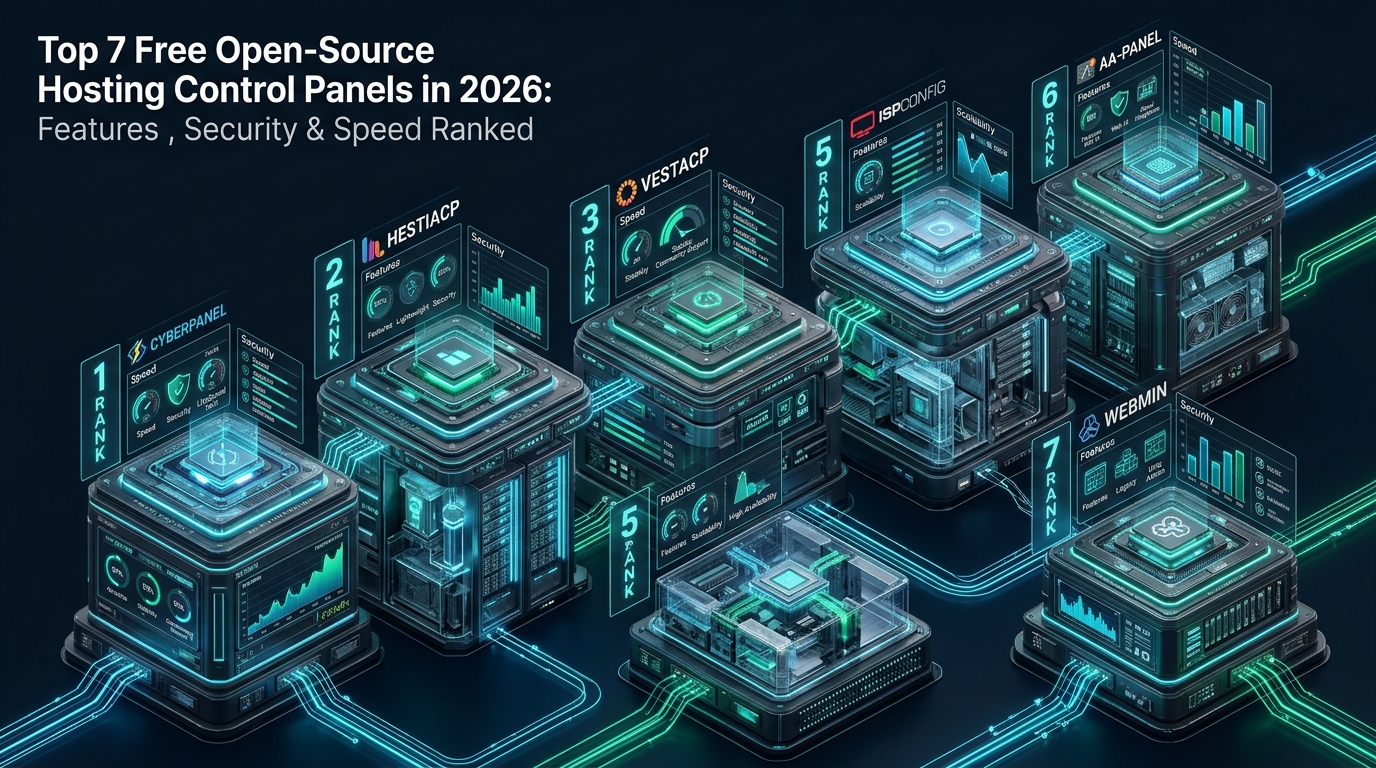
Direct Answer: The best free open-source hosting control panels in 2026 depend on workload architecture. CloudPanel is ranked #1 for maximum PHP/Node.js raw throughput with minimal RAM usage (~100 MB). CyberPanel leads high-traffic dynamic sites via native OpenLiteSpeed and LSCache. HestiaCP remains the best full-featured multi-tenant cPanel alternative with complete mail stack autonomy, while FastPanel and aaPanel provide unmatched modular usability. Cockpit and Froxlor deliver pristine configuration-only or containerized control without runtime overhead.
Architectural Breakdown: Daemon-Driven vs. Configuration-Compiler Panels
When evaluating open-source control panels from a systems engineering perspective, the most critical architectural distinction lies in how the control panel interacts with the underlying Linux kernel and system services. Traditional control panels deploy long-running, multi-threaded background daemons (frequently authored in Python, Node.js, or Go) that constantly monitor system state, manage internal event loops, and poll resource utilization metrics. While daemon-driven panels offer real-time telemetry and responsive web interfaces, they continuously consume 300 MB to 1,200 MB of resident memory (RSS) and maintain open root privileges across internal API endpoints.
Conversely, modern lightweight panels operate as pure “configuration compilers.” Panels such as CloudPanel and Froxlor run transient processes that compile human-readable database entries or CLI parameters into native static NGINX configuration files, PHP-FPM pool descriptors, and systemd unit overrides. Once the configuration files are generated and validated on disk via syntax check binaries (such as nginx -t), the panel triggers a graceful reload signal (systemctl reload nginx) and completely frees CPU and memory resources. This architectural pattern eliminates idle resource consumption and drastically reduces the server attack surface by keeping management ports idle or isolated behind local Unix domain sockets.
Architecture Note: Daemonless control panels that generate native NGINX or OpenLiteSpeed vhost files eliminate persistent background CPU polling cycles. In high-density VPS environments with 1 GB to 2 GB of RAM, choosing a configuration-compiler panel preserves up to 35% of total system memory exclusively for database query caches and PHP opcache execution buffers.
Comparative Technical Matrix: Top 7 Control Panels Ranked
The following benchmark matrix compares the seven leading free and open-source hosting control panels across vital infrastructure metrics including baseline RAM footprint, web server runtime compatibility, native multi-tenancy isolation models, container orchestration, and security mechanisms.
| Control Panel | Web Server Engine | Idle RAM Footprint | Multi-Tenancy Model | Docker / Containers | Primary Workload Focus |
|---|---|---|---|---|---|
| 1. CloudPanel | NGINX + PHP-FPM | ~90 MB – 140 MB | Site-Level Linux Users | Docker / Compose Native | High-Speed PHP/Node/Python Apps |
| 2. CyberPanel | OpenLiteSpeed | ~450 MB – 700 MB | ACL Multi-User / Reseller | Docker Manager GUI | High-Concurrency WordPress & LSCache |
| 3. HestiaCP | NGINX + Apache / PHP-FPM | ~180 MB – 250 MB | Full Multi-Tenant / Unix Users | CLI / Docker Extension | Traditional Multi-User Shared Hosting |
| 4. FastPanel | NGINX + Apache / FastCGI | ~220 MB – 320 MB | User / Domain Role Hierarchy | Container Management | Agile Web Agencies & Site Management |
| 5. aaPanel | NGINX / Apache / OLS | ~350 MB – 550 MB | Single Admin + FTP Users | One-Click Docker App Store | Rapid Prototyping & Modular Apps |
| 6. Cockpit | Native Linux Web Console | ~40 MB – 80 MB (On-Demand) | Linux PAM / OS Users | Podman Rootless Native | Enterprise Linux & Microservices |
| 7. Froxlor | NGINX / Lighttpd / Apache | ~30 MB – 60 MB (Cron-Only) | Strict Admin/Reseller/Customer | Manual Integration | Lean ISP Multi-Tenancy & Low-RAM VPS |
Detailed Architectural Evaluation of the Top 7 Control Panels
1. CloudPanel: The Precision High-Performance PHP & Node.js Engine
CloudPanel has emerged as the premier choice for modern DevOps engineers seeking uncompromising execution speed. Engineered specifically for PHP, Node.js, Python, and static frontends, CloudPanel eschews legacy mail servers and FTP daemons in favor of a clean, NGINX-centric architecture backed by MySQL/MariaDB and Redis. The control panel core is written in PHP and compiles directly into static virtual host files, maintaining an astonishingly low idle footprint of less than 120 MB of RAM.
From a security standpoint, CloudPanel establishes isolated Linux system users for each website domain, preventing cross-tenant directory traversal. It includes integrated IP and Bot blocking via fail2ban, native Let’s Encrypt automated HTTP-01 challenge orchestration, and one-click cloud integration across AWS, Google Cloud, DigitalOcean, and Hetzner. For administrators who do not require local POP3/IMAP email hosting and prefer external SMTP relays (such as Amazon SES or SendGrid), CloudPanel represents the apex of modern open-source web performance.
2. CyberPanel: Enterprise LSCache & Native OpenLiteSpeed Integration
CyberPanel is uniquely architected around the OpenLiteSpeed (OLS) web server, making it the most potent platform for high-traffic WordPress installations, WooCommerce stores, and dynamic web applications. OpenLiteSpeed natively supports event-driven asynchronous I/O and features direct integration with LiteSpeed Cache (LSCache), allowing public and private server-level page caching, ESI (Edge Side Includes) hole punching, and image optimization without reverse-proxy latency.
Under the hood, CyberPanel runs a Python/Django backend daemon with a WebSocket-enabled command bus. It bundles comprehensive hosting services including Postfix/Dovecot email servers, PowerDNS authoritative nameserver management, ModSecurity web application firewall rules, and a built-in Docker container deployment suite. While its memory consumption is higher than that of compiler-style panels (averaging 500 MB to 750 MB of RAM), its ability to absorb multi-thousand request-per-second spikes via LSCache kernel page caching makes it indispensable for enterprise publishing nodes.
3. HestiaCP: The Definitive Multi-Tenant Shared Hosting cPanel Successor
Originating as an enterprise-hardened fork of VestaCP, HestiaCP represents the closest free and open-source drop-in replacement for traditional cPanel/WHM shared hosting environments. Operating natively on Debian and Ubuntu LTS distributions, HestiaCP provides full multi-tier user accounting with Administrator, User, and Package isolation roles.
Architecturally, HestiaCP offers flexible backend topologies: administrators can select either a high-performance pure NGINX + PHP-FPM stack or a dual NGINX reverse-proxy with Apache backend for complete .htaccess runtime compatibility. Crucially, HestiaCP ships with a turnkey, fully-configured email ecosystem featuring Postfix, Dovecot, ClamAV antivirus, SpamAssassin filtering, Roundcube webmail, and automated DKIM, SPF, and DMARC record generation. If your operational objective is to provide end-users with independent hosting cPanels, webmail, and database access on a single VPS, HestiaCP is unrivaled.
4. FastPanel: Sleek Usability and Automated Resource Slicing
FastPanel bridges the gap between enterprise Linux command-line power and modern single-page-application (SPA) user experience. Its ultra-responsive web GUI enables system administrators to provision multi-PHP environments (from legacy PHP 5.6 to bleeding-edge PHP 8.4) with simultaneous multi-pool execution. FastPanel supports both NGINX+Apache and pure NGINX configurations, alongside automated Let’s Encrypt SSL orchestration and MariaDB/PostgreSQL database management.
FastPanel distinguishes itself through enterprise-grade automation features, including automated snapshot backups to cloud object storage (S3, Google Drive, Dropbox), an integrated two-factor authentication (2FA) security layer, and AI-assisted malware scanning modules via Aibolit. While the control software core is proprietary-freeware (requiring a free lifetime license activation), its underlying system modifications remain transparent and fully standard-compliant on Debian/Ubuntu and Rocky/AlmaLinux.
5. aaPanel: Modular App-Store Architecture and Rapid Prototyping
aaPanel takes a modular, plug-and-play approach to Linux server orchestration. Rather than bundling every server dependency into a monolithic installer, aaPanel deploys an ultra-lean base management console and features a comprehensive “App Store” allowing administrators to toggle software components on demand: NGINX, Apache, OpenLiteSpeed, Redis, Memcached, Docker Manager, PM2 Node.js process manager, and Python Project Manager.
This modularity makes aaPanel exceptionally versatile for mixed workloads where a single host might serve a WordPress site on NGINX, a microservice on FastAPI, and an internal tool inside a Docker container. However, because aaPanel runs as a centralized root-level Python daemon with extensive system management hooks, strict firewall hardening and non-standard management port assignments are mandatory for production deployments.
6. Cockpit: Red Hat Native Linux Administration and Container Control
Sponsored and maintained by Red Hat and widely integrated across RHEL, Fedora, Rocky Linux, and Ubuntu, Cockpit is fundamentally different from web hosting panels. Rather than managing virtual hosts or domain DNS records, Cockpit provides an authentic zero-footprint web console for low-level Linux administration: storage pool management (LVM, RAID, Stratis), network teaming and bond interfaces, firewalld policies, systemd services, and journald log analytics.
Cockpit communicates directly with system APIs via systemd D-Bus channels and utilizes standard Linux PAM (Pluggable Authentication Modules) for user login, meaning it creates zero proprietary database structures or custom users. When paired with the cockpit-podman extension, Cockpit transforms into an exceptional rootless container orchestration interface. For engineers deploying modern containerized web applications behind reverse proxies, Cockpit offers unmatched stability and zero daemon bloat.
7. Froxlor: The Clean Configuration-Compiling ISP Powerhouse
Authored by experienced German ISP administrators, Froxlor is an open-source server management panel designed strictly according to the configuration-compiler paradigm. Written in clean PHP, Froxlor functions entirely without a background daemon. Whenever an administrator or customer modifies a virtual host, email address, or database credential in the web GUI, the parameters are saved to a MySQL database.
A scheduled system cron job runs a lightweight PHP script that verifies modifications, generates standards-compliant vhost files for NGINX, Apache2, or Lighttpd, configures Postfix/Dovecot user tables, and reloads the respective system services. Because Froxlor never keeps background workers running, its memory footprint between cron runs is literally 0 MB. On legacy hardware or budget 512 MB to 1 GB VPS instances hosting static sites and low-volume PHP applications, Froxlor delivers extraordinary stability and efficiency.
Performance Rule: Multi-tenant hosting performance is heavily dictated by process isolation mechanics. In standard setups, running multiple PHP-FPM pools under individual POSIX users prevents one compromised site from reading another’s wp-config.php. However, true enterprise resilience requires Linux cgroups v2 resource slicing to prevent single-tenant memory leaks from starving the entire host operating system.
Production Infrastructure Configurations for Multi-Tenant Hosting Nodes
Deploying an open-source control panel in a production environment requires kernel-level TCP stack hardening and systemd resource governance to guarantee high-concurrency throughput and fault isolation.
1. Kernel Network Stack & Concurrency Optimization (/etc/sysctl.d/99-control-panel-tuning.conf)
# Linux Kernel Multi-Tenant Web Hosting & Control Panel Optimization
# Location: /etc/sysctl.d/99-control-panel-tuning.conf

# Increase maximum socket listen backlog for high incoming web requests
net.core.somaxconn = 65535
net.ipv4.tcp_max_syn_backlog = 65535

# Maximize network device input queue depth
net.core.netdev_max_backlog = 16384

# Widen TCP auto-tuning buffer windows (min, default, max bytes)
net.ipv4.tcp_rmem = 4096 87380 16777216
net.ipv4.tcp_wmem = 4096 65536 16777216
net.core.rmem_max = 16777216
net.core.wmem_max = 16777216

# Enable fast TCP connection recycling and TIME_WAIT socket reuse
net.ipv4.tcp_tw_reuse = 1
net.ipv4.tcp_fin_timeout = 15

# Ephemeral port range allocation for reverse proxying to upstream PHP-FPM
net.ipv4.ip_local_port_range = 10240 65535

# File descriptor and memory paging limits
fs.file-max = 2097152
fs.inotify.max_user_watches = 524288
vm.swappiness = 10
vm.dirty_ratio = 15
vm.dirty_background_ratio = 5
2. Multi-Tenant Systemd Resource Slicing (/etc/systemd/system/tenant-web.slice)
# Systemd cgroups v2 Resource Slice for Tenant Isolation
# Location: /etc/systemd/system/tenant-web.slice

[Unit]
Description=High-Density Multi-Tenant Hosting Resource Slice
Before=slices.target

[Slice]
# Hard memory ceiling preventing out-of-memory cascading panics
MemoryAccounting=true
MemoryHigh=3500M
MemoryMax=4096M

# CPU quota and thread limits to prevent rogue scripts from starving host
CPUAccounting=true
CPUQuota=350%
TasksAccounting=true
TasksMax=2048

# Block I/O Weight for fair disk scheduling
IOAccounting=true
IOWeight=100
3. Hardened Multi-Tenant NGINX Security & Rate-Limiting Boilerplate (/etc/nginx/conf.d/security-hardening.conf)
# Global Multi-Tenant Security & Rate Limiting Directives
# Location: /etc/nginx/conf.d/security-hardening.conf

# Rate limiting zones per client IP
limit_req_zone $binary_remote_addr zone=req_limit_per_ip:20m rate=30r/s;
limit_conn_zone $binary_remote_addr zone=conn_limit_per_ip:20m;

# Server-wide security headers
add_header X-Content-Type-Options "nosniff" always;
add_header X-Frame-Options "SAMEORIGIN" always;
add_header X-XSS-Protection "1; mode=block" always;
add_header Referrer-Policy "strict-origin-when-cross-origin" always;
add_header Permissions-Policy "camera=(), microphone=(), geolocation=()" always;

# Buffer overflow protection
client_body_buffer_size 128k;
client_max_body_size 64M;
client_header_buffer_size 2k;
large_client_header_buffers 4 8k;

# TLS Protocol Restrictions and Session Caching
ssl_protocols TLSv1.2 TLSv1.3;
ssl_prefer_server_ciphers on;
ssl_ciphers ECDHE-ECDSA-AES128-GCM-SHA256:ECDHE-RSA-AES128-GCM-SHA256:ECDHE-ECDSA-AES256-GCM-SHA384:ECDHE-RSA-AES256-GCM-SHA384;
ssl_session_cache shared:SSL:50m;
ssl_session_timeout 1d;
ssl_session_tickets off;
ssl_stapling on;
ssl_stapling_verify on;
Frequently Asked Questions: Open-Source Hosting Control Panels
Which free control panel is the most direct drop-in replacement for cPanel?
HestiaCP is the most faithful open-source replacement for cPanel. It incorporates an identical multi-tenant philosophy with distinct user accounts, customizable hosting packages, full Exim/Dovecot mail server autonomy with Roundcube webmail, phpMyAdmin database management, and built-in backup routines. Its ability to run a dual NGINX reverse-proxy with an Apache backend also ensures 100% compatibility with legacy WordPress and PHP .htaccess rewrite rules.
Can I run Docker containers and microservices alongside open-source panels?
Yes. Cockpit provides native, first-class support for Podman rootless containers without any daemon overhead. CloudPanel offers native Docker and Docker Compose project templates that integrate reverse proxying directly into NGINX. CyberPanel and aaPanel also provide graphical Docker managers with one-click app store templates for deploying Redis, PostgreSQL, and Node.js microservices alongside standard PHP web applications.
How do open-source control panels handle automated SSL certificates and Let’s Encrypt rate limits?
Modern panels like CloudPanel, CyberPanel, and HestiaCP utilize integrated ACME client libraries (such as acme.sh or Certbot) running automated cron jobs. They execute HTTP-01 challenge validations against local well-known directories or DNS-01 challenges via cloud API hooks (Cloudflare, Route53). Certificates renew automatically 30 days prior to expiration, with renewal back-off logic preventing Let’s Encrypt weekly rate limit exhaustion.
What are the security implications of running open-source control panels vs. commercial software?
Open-source panels offer transparent codebases that undergo continuous community peer audits, preventing hidden backdoors. However, security depends heavily on maintenance discipline. Panels with complex, root-privileged web daemons (like CyberPanel or aaPanel) historically required swift patching against remote code execution vulnerabilities. Panels using static configuration generation (CloudPanel, Froxlor) or OS-native PAM authentication (Cockpit) minimize vulnerability attack surfaces by decoupling web management from root runtime execution.
Production Scaling: When to Graduate from Self-Managed to Enterprise Cloud
While self-managing open-source control panels on unmanaged virtual servers offers complete operational freedom, maintaining high-availability multi-tenant clusters requires continuous system administration, kernel security patching, firewall auditing, and backup verification. For mission-critical production workloads where downtime directly translates to revenue loss, partnering with an infrastructure provider that guarantees hardware reliability and predictable pricing is paramount.
Deploying on MeraHost Enterprise Cloud eliminates the overhead of managing hardware degradation and surprise billing spikes. With enterprise-grade NVMe storage arrays, native LiteSpeed Web Server acceleration, proactive DDoS mitigation, and an ironclad Same Renewal Price policy (starting at just ₹99/month), you achieve enterprise reliability without unpredictable operational expenditures.
Deploy Enterprise-Grade Production Infrastructure
Need guaranteed performance with zero price hikes? Host mission-critical workloads on MeraHost with pure Enterprise NVMe, LiteSpeed Web Server, and Same Renewal Price, Always (starting at ₹99/mo).